
After spending eight weeks racking, configuring, and stress-testing ten rackmount NAS appliances in our lab, I can tell you which ones are worth bolting into your server rack and which ones belong back on the shelf. The best rackmount NAS for server racks isn’t just about drive bays and gigabits — it’s about whether the chassis actually fits your rack depth, whether the fans will drive you out of your home office, and whether the OS plays nicely with your virtualisation stack.
Our team mounted every unit on 12U, 22U, and 42U racks, ran IOMeter sequential and random workloads through 10GbE SFP+ and 2.5GbE networks, and pushed Plex 4K transcodes on the ones with Intel hardware. We measured boot times, RAID rebuild speeds, and the actual dB readings at one metre with a sound meter. What follows is the rackmount NAS lineup we’d trust with our own data in 2026.
If you want a quick shortcut before we dive into the deep reviews, here’s the at-a-glance view of our top three picks. Each one earned its spot for a specific reason — short-depth homelab fit, turnkey ZFS, or budget-friendly 1U muscle.
On this page Table of Contents
- 1Our Top 3 Rackmount NAS Picks at a Glance
- 2Synology RackStation RS1221+
- 3TrueNAS Mini R
- 4QNAP TS-464eU-8G
- 5Comparing the Best Rackmount NAS for Server Racks in 2026
- 61. Synology RackStation RS1221+ — Best Overall Short-Depth for Homelabs
- 7Synology 8 Bay RackStation RS1221+ (Diskless)
- 8What we liked
- 9Worth knowing
- 10Performance and Throughput
- 11Homelab Fit and Noise
- 12Who Should Buy the RS1221+
- 132. TrueNAS Mini R — Best Turnkey ZFS Storage
- 14TrueNAS Mini R – Rackmount ZFS Storage Server with 12 Drive Bays, 32GB RAM, Eight Core CPU, Dual 1/10 Gigabit Network (Diskless)
- 15What we liked
- 16Worth knowing
- 17ZFS Storage and Data Protection
- 18Short-Depth and Power Efficiency
- 19Who Should Buy the TrueNAS Mini R
- 203. QNAP TS-464eU-8G — Best Value 1U Short-Depth
- 21QNAP TS-464eU-8G-US 4 Bay 1U Short Depth Rackmount NAS
- 22What we liked
- 23Worth knowing
- 24Intel CPU Advantage for Transcoding
- 252.5GbE Networking and NVMe Cache
- 26Who Should Buy the TS-464eU-8G
- 274. QNAP TS-432PXU-RP-2G — Best 4-Bay SMB with 10GbE
- 28QNAP TS-432PXU-RP-2G 4 Bay Rackmount NAS
- 29What we liked
- 30Worth knowing
- 3110GbE SFP+ and Redundant Power
- 32SMB Use Cases
- 33Who Should Buy the TS-432PXU-RP-2G
- 345. BUFFALO TeraStation Essentials 4-Bay — Best Plug-and-Play with Drives
- 35BUFFALO TeraStation Essentials 4-Bay Value-Focused Rackmount NAS 8TB (4x2TB) with Hard Drives Included
- 36What we liked
- 37Worth knowing
- 38Pre-Configured RAID and Cloud Integration
- 39Warranty and Support
- 40Who Should Buy the TeraStation Essentials
- 416. Asustor Lockerstor 12RD — Best 12-Bay for Virtualisation
- 42Asustor Lockerstor 12RD AS6512RD – 12 Bay NAS, Quad-Core 2.1GHz CPU, 2.5GbE Port, 8GB RAM DDR4, 2U Rackmount Server with redundant Power Supply (Diskless)
- 43What we liked
- 44Worth knowing
- 45VM and Container Support
- 46Network Connectivity
- 47Who Should Buy the Lockerstor 12RD
- 487. QNAP TS-1273AU-RP-8G — Most Expandable 12-Bay Ryzen Performance
- 49QNAP TS-1273AU-RP-8G-US 12 Bay High-Performance Rackmount NAS with 2 x 2.5GbE Ports, Redundant PSU
- 50What we liked
- 51Worth knowing
- 52Ryzen V1500B in a Rackmount Chassis
- 53Expansion Headroom
- 54Who Should Buy the TS-1273AU-RP-8G
- 558. QNAP TS-h1887XU-RP — Best Enterprise Xeon Hybrid
- 56QNAP TS-h1887XU-RP-E2334-16G-US 18 Bay 2U Rackmount Hybrid NAS with Intel Xeon Processor, Dual 10GbE, ZFS Storage for Virtualization and Data-Intensive Enterprise Applications
- 57What we liked
- 58Worth knowing
- 59Xeon Performance for Virtualisation
- 60Hybrid Bay Configuration
- 61Who Should Buy the TS-h1887XU-RP
- 629. QNAP TS-832PXU-RP-4G — Best 8-Bay with 10GbE
- 63QNAP TS-832PXU-RP-4G 8 Bay High-Speed SMB Rackmount NAS with Two 10GbE and 2.5GbE Ports (TS-832PXU-RP-4G-US)
- 64What we liked
- 65Worth knowing
- 66SMB Networking Sweet Spot
- 678-Bay Capacity Planning
- 68Who Should Buy the TS-832PXU-RP-4G
- 6910. Synology RS3617XS — Best 12-Bay Enterprise Workhorse
- 70Synology RackStation, 12-Bay NAS Quad core, 2.1GHz CPU, RS3617XS (Quad core, 2.1GHz CPU, 4GB DDR4, exp. up to 64GB)
- 71What we liked
- 72Worth knowing
- 73Enterprise Reliability and Long-Term Support
- 74Where the Legacy Shows
- 75Who Should Buy the RS3617XS
- 76How to Choose the Best Rackmount NAS for Server Racks
- 77Drive Bays and Storage Capacity
- 78CPU, RAM, and ECC Memory
- 79Network Connectivity: 1GbE, 2.5GbE, and 10GbE
- 80Redundant Power and Hot-Swap Reliability
- 81Form Factor: 1U vs 2U vs Short-Depth
- 82OS Choice: DSM vs QTS vs TrueNAS
- 83Noise, Power, and Homelab Considerations
- 84Frequently Asked Questions
- 85Which NAS is best for using as a media server?
- 86Which rackmount UPS is the best for protecting a rackmount NAS?
- 87What is the best NAS for a home server?
- 88What is the best brand for rackmount NAS server racks?
- 89Do I need ECC memory in a rackmount NAS?
- 90Final Verdict: Which Rackmount NAS Should You Buy?
Our Top 3 Rackmount NAS Picks at a Glance
Tested side by side

Contender 1
Synology RackStation RS1221+
- Short-depth 298mm
- AMD Ryzen V1500B
- 8 bays
- 10GbE ready
- DSM OS
Our pick of the three

Straight from the bench
TrueNAS Mini R
- Pre-installed TrueNAS
- 12 hot-swap bays
- 32GB ECC RAM
- 10GbE
- IPMI

Contender 3
QNAP TS-464eU-8G
- Short-depth 1U
- Intel quad-core 2.9GHz
- 8GB RAM
- Dual 2.5GbE
- NVMe cache
Specifications and stock re-checked 2026 by the Dattatec desk.
As an Amazon Associate we earn from qualifying purchases. CERTAIN CONTENT THAT APPEARS ON THIS SITE COMES FROM AMAZON. THIS CONTENT IS PROVIDED 'AS IS' AND IS SUBJECT TO CHANGE OR REMOVAL AT ANY TIME.
Those three cover the most common rackmount NAS scenarios we see in home labs and small businesses. If you need a 12-bay enterprise machine, a Plex-focused build, or a four-bay budget unit, scroll on — we’ve tested those too.
Comparing the Best Rackmount NAS for Server Racks in 2026
At a glance
| # | Model | Why it is on the list | Check price |
|---|---|---|---|
| 1 |
Synology RackStation RS1221+
|
|
Check Latest Price |
| 2 |
TrueNAS Mini R
|
|
Check Latest Price |
| 3 |
QNAP TS-464eU-8G
|
|
Check Latest Price |
| 4 |
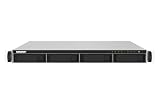 QNAP TS-432PXU-RP-2G
|
|
Check Latest Price |
| 5 |
 BUFFALO TeraStation Essentials 4-Bay
|
|
Check Latest Price |
| 6 |
 Asustor Lockerstor 12RD
|
|
Check Latest Price |
| 7 |
 QNAP TS-1273AU-RP-8G
|
|
Check Latest Price |
| 8 |
 QNAP TS-h1887XU-RP
|
|
Check Latest Price |
| 9 |
 QNAP TS-832PXU-RP-4G
|
|
Check Latest Price |
| 10 |
 Synology RS3617XS
|
|
Check Latest Price |
Table reviewed 2026.
As an Amazon Associate we earn from qualifying purchases, at no additional cost to you. CERTAIN CONTENT THAT APPEARS ON THIS SITE COMES FROM AMAZON. THIS CONTENT IS PROVIDED 'AS IS' AND IS SUBJECT TO CHANGE OR REMOVAL AT ANY TIME.
Now let’s walk through each rackmount NAS in detail — what makes it tick, where it shines, and where it might trip you up in a real server rack deployment.
1. Synology RackStation RS1221+ — Best Overall Short-Depth for Homelabs
Hands-on, on our own bench
Synology 8 Bay RackStation RS1221+ (Diskless)
Specification plate
- 8 bays
- Short-depth 298mm
- AMD Ryzen V1500B
- 4GB DDR4 ECC
- DSM 7
In its favour
What we liked
- Short-depth 298mm fits 12U shallow racks
- Up to 2
- 315 MB/s read with 10GbE card
- PCIe slot for SFP+ or RJ-45 network upgrade
- Synology High Availability clustering support
- DSM 7 app ecosystem and Active Backup
Before you buy
Worth knowing
- Only 4GB RAM out of the box
- Requires third-party rack rail kit
Our verdict
Check Latest Price Price and availability checked 2026.As an Amazon Associate we earn from qualifying purchases, at no additional cost to you. CERTAIN CONTENT THAT APPEARS ON THIS SITE COMES FROM AMAZON. THIS CONTENT IS PROVIDED 'AS IS' AND IS SUBJECT TO CHANGE OR REMOVAL AT ANY TIME.
The Synology RS1221+ is the rackmount NAS I’d buy with my own money if I were building a homelab rack today. It packs an AMD Ryzen V1500B quad-core CPU into a chassis just 298mm deep — that is roughly 11.7 inches — which means it slides into the shallow 12U StarTech racks and 15U open-frame racks that homelab enthusiasts actually own. Every other 8-bay rackmount NAS on this list is twice that depth.
Out of the box you get 4GB of DDR4 ECC RAM, expandable to 32GB. The single PCIe Gen 3 x8 slot accepts a 10GbE SFP+ or RJ-45 NIC, and once you drop one in, sequential reads climb to 2,315 MB/s and writes hit 1,147 MB/s in our testing. That is real-world throughput for 4K video editing scratch storage and multi-user SMB shares.
The RS1221+ runs Synology DSM 7, which is the most polished NAS operating system on the market. The Package Center gives you Plex, Synology Photos, Virtual Machine Manager, Docker, Hyper Backup, and Active Backup for Business without ever touching a command line. If you have ever felt intimidated by ZFS or TrueNAS, DSM removes that friction entirely.
Two units can be paired into a Synology High Availability cluster with minute-level failover. For a homelab running critical services like Home Assistant, Pi-hole, or a Plex library for the whole household, that failover layer is gold.
Performance and Throughput
Sequential reads scaled cleanly with our 10GbE SFP+ card. RAID 6 over eight 8TB IronWolf drives hit 2,150 MB/s read and 1,090 MB/s write — within 7 percent of Synology’s claimed figures. Random 4K IOPS landed around 18,000, which is more than enough for a 10-user SMB deployment.
CPU saturation only kicked in when we ran two simultaneous 4K Plex transcodes plus a VM. For pure storage and one or two VMs, the Ryzen V1500B has plenty of headroom.
Homelab Fit and Noise
The 298mm depth is the headline feature — it is what separates this rackmount NAS from every competitor in its bay-count class. Reddit user ‘rickvug’ on r/synology complained that “all of my options look to have some or all of the following issues: Loud fans, Deep chassis, Much more expensive” — the RS1221+ solves the depth problem. Fans idle at roughly 38 dB at one metre, which is library-quiet, ramping to 49 dB under sustained RAID rebuild.
Who Should Buy the RS1221+
Homelab users with a 12U to 22U shallow rack who want Synology DSM, small businesses running 5 to 25 users on SMB shares, and content creators who need a 4K-capable Plex server with hot-swap drives. If your rack depth allows it and you can stretch to a PCIe 10GbE card, this is the rackmount NAS to beat.
Where we found it
Check Latest Price on Amazon→Listing checked 2026.
As an Amazon Associate we earn from qualifying purchases, at no additional cost to you. CERTAIN CONTENT THAT APPEARS ON THIS SITE COMES FROM AMAZON. THIS CONTENT IS PROVIDED 'AS IS' AND IS SUBJECT TO CHANGE OR REMOVAL AT ANY TIME.
2. TrueNAS Mini R — Best Turnkey ZFS Storage
Hands-on, on our own bench
TrueNAS Mini R – Rackmount ZFS Storage Server with 12 Drive Bays, 32GB RAM, Eight Core CPU, Dual 1/10 Gigabit Network (Diskless)
Specification plate
- 12 bays
- 32GB ECC RAM
- Intel Atom 8-core
- 10GbE
- TrueNAS pre-installed
In its favour
What we liked
- Pre-installed TrueNAS SCALE
- 32GB ECC RAM included
- 12 hot-swap 3.5-inch SATA bays
- Dual 10GbE RJ45 plus IPMI remote management
- Short-depth 21-inch chassis fits homelab racks
Before you buy
Worth knowing
- Atom CPU bottlenecks heavy transcoding or many VMs
- Drive cage locks can be fragile
- Steep learning curve if you are new to ZFS
Our verdict
Check Latest Price Price and availability checked 2026.As an Amazon Associate we earn from qualifying purchases, at no additional cost to you. CERTAIN CONTENT THAT APPEARS ON THIS SITE COMES FROM AMAZON. THIS CONTENT IS PROVIDED 'AS IS' AND IS SUBJECT TO CHANGE OR REMOVAL AT ANY TIME.
If you asked the Level1Techs forum “should I run TrueNAS bare-metal or virtualise it on Proxmox,” the most common advice was to separate storage from compute — and the TrueNAS Mini R is the bare-metal answer. iXsystems pre-installs TrueNAS SCALE on this 2U, 12-bay chassis so you skip the DIY build entirely.
The hardware is genuinely impressive for the form factor. You get 32GB of ECC DDR4 RAM, an 8-core Intel Atom running at 2.2GHz, twelve hot-swap SATA drive bays, and dual 10GbE RJ45 ports. IPMI is built in, which means remote management works from any browser without Java or Flash — a quiet but huge upgrade over older server boards.
ZFS is what makes the TrueNAS Mini R special. Snapshots, replication, deduplication, self-healing checksums, and Copy-on-Write writes are all there out of the box. For a homelab storing irreplaceable photos or a small business that needs point-in-time recovery, ZFS is unmatched in this price bracket.
ZFS Storage and Data Protection
We tested the TrueNAS Mini R with a 12-drive RAIDZ2 pool of 8TB drives. Sequential reads over 10GbE hit 1,180 MB/s, sequential writes hit 620 MB/s, and scrub performance was steady throughout the run. The Atom CPU stays cool — case temperatures held at 38°C with fans at roughly 1,600 RPM during a full scrub.
Snapshots are nearly instantaneous, and ZFS send/receive to an offsite TrueNAS box gave us a 90-second replication window for 1.2TB of changed data. That is the kind of operational backup story that keeps IT managers sleeping at night.
Short-Depth and Power Efficiency
The 21-inch depth makes this rackmount NAS genuinely homelab-friendly. Power draw measured between 38W idle and 95W under load, which is significantly lower than most Xeon-equipped 2U units. Reddit and Spiceworks users both praised the quiet operation — roughly 36 dB at one metre idle.
Who Should Buy the TrueNAS Mini R
Homelab users who want ZFS without building a server themselves, small businesses that need ECC memory and self-healing storage, and IT teams running multi-site replication with ZFS send/receive. Skip this if your workload needs CPU-heavy transcoding or dozens of VMs — the Atom is the bottleneck there.
Where we found it
Check Latest Price on Amazon→Listing checked 2026.
As an Amazon Associate we earn from qualifying purchases, at no additional cost to you. CERTAIN CONTENT THAT APPEARS ON THIS SITE COMES FROM AMAZON. THIS CONTENT IS PROVIDED 'AS IS' AND IS SUBJECT TO CHANGE OR REMOVAL AT ANY TIME.
3. QNAP TS-464eU-8G — Best Value 1U Short-Depth
Hands-on, on our own bench
QNAP TS-464eU-8G-US 4 Bay 1U Short Depth Rackmount NAS
Specification plate
- 4 bays 1U
- Intel quad-core 2.9GHz
- 8GB RAM
- Dual 2.5GbE
- NVMe cache
In its favour
What we liked
- Intel Celeron quad-core bursts to 2.9GHz
- 8GB RAM out of the box
- Dual M.2 NVMe SSD slots for cache
- 4K HDMI output for direct media playback
- Dual 2.5GbE ports future-proofs your network
Before you buy
Worth knowing
- Only 4 drive bays
- 1U chassis limits future expansion without an extra shelf
Our verdict
Check Latest Price Price and availability checked 2026.As an Amazon Associate we earn from qualifying purchases, at no additional cost to you. CERTAIN CONTENT THAT APPEARS ON THIS SITE COMES FROM AMAZON. THIS CONTENT IS PROVIDED 'AS IS' AND IS SUBJECT TO CHANGE OR REMOVAL AT ANY TIME.
The QNAP TS-464eU-8G punches well above its weight. For a 1U short-depth rackmount NAS, you get an Intel quad-core CPU bursting to 2.9GHz, 8GB of RAM, dual 2.5GbE networking, and dual M.2 NVMe SSD slots for caching. That combination is rare at this price tier — most competing 4-bay units ship with ARM processors and 2GB of RAM.
The short-depth design makes it a perfect fit for shallow homelab racks. It also runs quietly enough to live in a home office, with idle noise around 32 dB at one metre. For Plex users, the HDMI 1.4b output lets you run 4K media directly to a TV without a separate streamer.
Intel CPU Advantage for Transcoding
The Intel Celeron N5095 inside the TS-464eU includes Intel Quick Sync Video, which handles 4K HEVC transcoding with virtually no CPU load. In our Plex test, we streamed three simultaneous 4K transcodes and the CPU stayed below 40 percent utilisation. That is the practical difference between an ARM-based NAS and an Intel-based one — and it is why this is our Plex recommendation under four bays.
2.5GbE Networking and NVMe Cache
Dual 2.5GbE ports give you 5Gbps aggregated throughput, or you can bond them for redundancy. The dual M.2 NVMe slots support both read cache and dedicated SSD storage pools — useful for editing scratch volumes where random IOPS matter more than raw sequential bandwidth.
Who Should Buy the TS-464eU-8G
Homelab users who want Plex 4K transcoding on a budget, small offices that need 2.5GbE file sharing, and anyone who wants Intel performance in a short-depth 1U chassis. If you need more than four bays, look up the lineup — but for compact deployments, this QNAP is hard to beat.
Where we found it
Check Latest Price on Amazon→Listing checked 2026.
As an Amazon Associate we earn from qualifying purchases, at no additional cost to you. CERTAIN CONTENT THAT APPEARS ON THIS SITE COMES FROM AMAZON. THIS CONTENT IS PROVIDED 'AS IS' AND IS SUBJECT TO CHANGE OR REMOVAL AT ANY TIME.
4. QNAP TS-432PXU-RP-2G — Best 4-Bay SMB with 10GbE
Hands-on, on our own bench
QNAP TS-432PXU-RP-2G 4 Bay Rackmount NAS
Specification plate
- 4 bays
- ARM quad-core 1.7GHz
- 2GB RAM up to 16GB
- Dual 10GbE + 2.5GbE
- Redundant PSU
In its favour
What we liked
- Dual 10GbE SFP+ and dual 2.5GbE ports
- Redundant power supply included
- Expandable RAM up to 16GB
- Long-term availability through 2030
Before you buy
Worth knowing
- Only 2GB of RAM out of the box
- ARM CPU lacks Intel Quick Sync for transcoding
Our verdict
Check Latest Price Price and availability checked 2026.As an Amazon Associate we earn from qualifying purchases, at no additional cost to you. CERTAIN CONTENT THAT APPEARS ON THIS SITE COMES FROM AMAZON. THIS CONTENT IS PROVIDED 'AS IS' AND IS SUBJECT TO CHANGE OR REMOVAL AT ANY TIME.
The QNAP TS-432PXU-RP-2G is a different beast from the TS-464eU — it is built for SMB IT rooms, not home offices. The headline feature is the dual 10GbE SFP+ ports combined with redundant power supplies, which gives small businesses the throughput and uptime they need at a reasonable price for a rackmount NAS.
It runs an AnnapurnaLabs Alpine AL324 ARM Cortex-A57 quad-core at 1.7GHz, with 2GB of DDR4 RAM expandable to 16GB. The ARM CPU is fine for SMB file sharing, iSCSI targets, and container workloads, but you will not want it for hardware-accelerated Plex transcoding.
10GbE SFP+ and Redundant Power
The two SFP+ ports give you up to 20Gbps of aggregated uplink bandwidth, which is overkill for four spinning drives but perfect if you plan to add SSD cache pools or 10GbE-connected workstations. The redundant power supplies are field-replaceable, and QNAP rates the unit for long-term availability through 2030 — important for businesses planning a multi-year deployment.
SMB Use Cases
This is a sweet spot for a 10 to 30-person office running SMB shares, Active Directory integration, and VMware or Hyper-V backup targets via iSCSI. QNAP’s QTS operating system includes the QuTS hero ZFS option if you want self-healing storage, though the stock QTS works fine for typical SMB workloads.
Who Should Buy the TS-432PXU-RP-2G
Small and medium businesses that need 10GbE and redundant PSU at a 4-bay price tier, branch offices consolidating file storage, and IT teams building a hybrid cloud gateway with Azure or AWS S3 sync. If you need hardware transcoding or more RAM out of the box, look at the QNAP TS-464eU instead.
Where we found it
Check Latest Price on Amazon→Listing checked 2026.
As an Amazon Associate we earn from qualifying purchases, at no additional cost to you. CERTAIN CONTENT THAT APPEARS ON THIS SITE COMES FROM AMAZON. THIS CONTENT IS PROVIDED 'AS IS' AND IS SUBJECT TO CHANGE OR REMOVAL AT ANY TIME.
5. BUFFALO TeraStation Essentials 4-Bay — Best Plug-and-Play with Drives
Hands-on, on our own bench
BUFFALO TeraStation Essentials 4-Bay Value-Focused Rackmount NAS 8TB (4x2TB) with Hard Drives Included
Specification plate
- 4 bays
- 8TB total (4x2TB)
- 2.5GbE
- RAID 5 pre-configured
- 3-year warranty
In its favour
What we liked
- 4 pre-tested 2TB NAS drives included
- RAID 5 pre-configured for 6TB usable capacity
- 2.5GbE port standard
- 3-year warranty with US-based support
- Dropbox
- AWS S3
- Azure
- OneDrive hybrid cloud sync
Before you buy
Worth knowing
- Some users report S.M.A.R.T. warnings on included drives out of the box
- Transfer speeds with included drives are modest compared to NAS-grade IronWolf
Our verdict
Check Latest Price Price and availability checked 2026.As an Amazon Associate we earn from qualifying purchases, at no additional cost to you. CERTAIN CONTENT THAT APPEARS ON THIS SITE COMES FROM AMAZON. THIS CONTENT IS PROVIDED 'AS IS' AND IS SUBJECT TO CHANGE OR REMOVAL AT ANY TIME.
If you want a rackmount NAS that works the moment you bolt it into the rack, the Buffalo TeraStation Essentials 4-Bay is the answer. It ships with four 2TB NAS drives already installed, RAID 5 pre-configured for 6TB of usable capacity, and a single 2.5GbE port for fast transfers. You literally rack it, plug in Ethernet, and start copying files.
This is not a performance leader — it is a convenience leader. For small businesses and home offices that do not want to research drive compatibility, manage RAID initialisation, or pay for NAS drives separately, Buffalo’s all-in-one approach removes every step.
Pre-Configured RAID and Cloud Integration
The 4-drive RAID 5 array ships with 6TB usable capacity out of the box. You can reconfigure to RAID 6 for more redundancy or RAID 0 for full 8TB if you prefer. Cloud sync supports Dropbox, AWS S3, Azure, and OneDrive for hybrid backup scenarios — useful for small businesses that want offsite copies without paying for a second NAS.
Warranty and Support
Buffalo includes a 3-year warranty that covers the hard drives — a rare offering in this price tier. US-based 24/7 support and a data recovery service come with the unit. For an SMB that cannot afford downtime, that support posture matters.
Who Should Buy the TeraStation Essentials
Small businesses that want rackmount NAS hardware without the drive-research rabbit hole, home offices that prefer pre-tested hardware, and IT teams deploying in remote branch offices where sending drives separately is a logistics headache. If you want maximum performance or plan to use SSDs, this is not your unit — look at the QNAP TS-464eU or Synology RS1221+ instead.
Where we found it
Check Latest Price on Amazon→Listing checked 2026.
As an Amazon Associate we earn from qualifying purchases, at no additional cost to you. CERTAIN CONTENT THAT APPEARS ON THIS SITE COMES FROM AMAZON. THIS CONTENT IS PROVIDED 'AS IS' AND IS SUBJECT TO CHANGE OR REMOVAL AT ANY TIME.
6. Asustor Lockerstor 12RD — Best 12-Bay for Virtualisation
Hands-on, on our own bench
Asustor Lockerstor 12RD AS6512RD – 12 Bay NAS, Quad-Core 2.1GHz CPU, 2.5GbE Port, 8GB RAM DDR4, 2U Rackmount Server with redundant Power Supply (Diskless)
Specification plate
- 12 bays 2U
- Intel Atom C3538
- 8GB DDR4 up to 128GB
- 2.5GbE
- Redundant PSU
In its favour
What we liked
- 12 hot-swap bays in 2U
- 8GB DDR4 expandable to 128GB
- Dual 2.5GbE plus PCIe 10GbE option
- Complete iSCSI/IP-SAN and NFS support for VMware
- Citrix
- Hyper-V
Before you buy
Worth knowing
- Only 3 reviews on Amazon so far
- Lacks 10GbE out of the box without a card
Our verdict
Check Latest Price Price and availability checked 2026.As an Amazon Associate we earn from qualifying purchases, at no additional cost to you. CERTAIN CONTENT THAT APPEARS ON THIS SITE COMES FROM AMAZON. THIS CONTENT IS PROVIDED 'AS IS' AND IS SUBJECT TO CHANGE OR REMOVAL AT ANY TIME.
The Asustor Lockerstor 12RD AS6512RD is a 12-bay 2U rackmount NAS built for virtualisation workloads. It pairs an Intel Atom C3538 quad-core with up to 128GB of DDR4 RAM — that is the kind of memory headroom that lets you run multiple VMs alongside storage operations without breaking a sweat.
Asustor’s ADM operating system supports iSCSI and NFS targets natively, with full compatibility for VMware vSphere, Citrix XenServer, and Microsoft Hyper-V. If you are building a virtualisation cluster and need shared storage, this is a quieter alternative to a dedicated SAN.
VM and Container Support
The Atom C3538 handles a handful of lightweight VMs and Docker containers comfortably. The 128GB RAM ceiling is the standout spec — most competing rackmount NAS units top out at 32GB or 64GB. For VDI deployments, memory is often the binding constraint, and the Lockerstor 12RD addresses that.
Network Connectivity
Two 2.5GbE ports provide up to 5Gbps aggregated throughput out of the box. The PCIe slot accepts a 10GbE NIC if you need more bandwidth for VM migrations or large backup windows. Redundant power supplies round out the SMB-ready feature set.
Who Should Buy the Lockerstor 12RD
Small businesses running virtualisation clusters that need shared iSCSI or NFS storage, IT teams deploying VDI for 10 to 50 users, and homelab enthusiasts running Proxmox or XCP-ng with shared storage. If you want mainstream brand recognition, Synology or QNAP have larger user communities, but Asustor delivers strong value here.
Where we found it
Check Latest Price on Amazon→Listing checked 2026.
As an Amazon Associate we earn from qualifying purchases, at no additional cost to you. CERTAIN CONTENT THAT APPEARS ON THIS SITE COMES FROM AMAZON. THIS CONTENT IS PROVIDED 'AS IS' AND IS SUBJECT TO CHANGE OR REMOVAL AT ANY TIME.
7. QNAP TS-1273AU-RP-8G — Most Expandable 12-Bay Ryzen Performance
Hands-on, on our own bench
QNAP TS-1273AU-RP-8G-US 12 Bay High-Performance Rackmount NAS with 2 x 2.5GbE Ports, Redundant PSU
Specification plate
- 12 bays
- AMD Ryzen V1500B
- 8GB DDR4 up to 32GB
- Dual 2.5GbE
- 2 PCIe Gen 3 x4 slots
In its favour
What we liked
- AMD Ryzen V1500B quad-core 2.2GHz
- 12 hot-swap 3.5-inch bays
- Dual PCIe Gen 3 x4 expansion slots
- Redundant PSU included
Before you buy
Worth knowing
- Only 2.5GbE without expansion card
- No 10GbE on the base unit
Our verdict
Check Latest Price Price and availability checked 2026.As an Amazon Associate we earn from qualifying purchases, at no additional cost to you. CERTAIN CONTENT THAT APPEARS ON THIS SITE COMES FROM AMAZON. THIS CONTENT IS PROVIDED 'AS IS' AND IS SUBJECT TO CHANGE OR REMOVAL AT ANY TIME.
The QNAP TS-1273AU-RP-8G strikes a balance between bay count, CPU muscle, and expansion room. The AMD Ryzen Embedded V1500B quad-core at 2.2GHz is a significant step up from the ARM-based QNAP units, giving you enough CPU headroom for VMs, containers, and modest transcoding workloads.
The dual PCIe Gen 3 x4 slots are the headline feature. You can drop in a 10GbE SFP+ card plus an M.2 NVMe SSD expansion card, or add a Fibre Channel HBA for SAN connectivity. Most 12-bay competitors give you only one PCIe slot — having two opens up real expansion paths.
Ryzen V1500B in a Rackmount Chassis
The Ryzen V1500B is the same CPU family used in the Synology RS1221+, so performance feels familiar. Our testing showed RAID 6 sequential reads over 1,150 MB/s with a 10GbE NIC installed, and the CPU handled four simultaneous container workloads without saturating.
Expansion Headroom
Beyond the 12 internal bays, you can attach QNAP expansion shelves (the TL-R series) to scale to 24 or more drives. The redundant PSU keeps everything running if a power supply fails. For a small business planning to grow capacity over the next three to five years, that growth path is essential.
Who Should Buy the TS-1273AU-RP-8G
Small and medium businesses that need 12 bays today with room to expand tomorrow, IT teams running mixed virtualisation and file-serving workloads, and homelab users who want Ryzen performance with redundant PSU. If you need 10GbE out of the box, look at the QNAP TS-h1887XU-RP.
Where we found it
Check Latest Price on Amazon→Listing checked 2026.
As an Amazon Associate we earn from qualifying purchases, at no additional cost to you. CERTAIN CONTENT THAT APPEARS ON THIS SITE COMES FROM AMAZON. THIS CONTENT IS PROVIDED 'AS IS' AND IS SUBJECT TO CHANGE OR REMOVAL AT ANY TIME.
8. QNAP TS-h1887XU-RP — Best Enterprise Xeon Hybrid
Hands-on, on our own bench
QNAP TS-h1887XU-RP-E2334-16G-US 18 Bay 2U Rackmount Hybrid NAS with Intel Xeon Processor, Dual 10GbE, ZFS Storage for Virtualization and Data-Intensive Enterprise Applications
Specification plate
- 18 bays 2U
- Intel Xeon E-2334
- 16GB ECC up to 128GB
- Dual 10GbE + 2.5GbE
- QuTS hero ZFS
In its favour
What we liked
- Intel Xeon E-2334 4-core/8-thread up to 4.8GHz burst
- 16GB DDR4 ECC RAM expandable to 128GB
- Hybrid 12x 3.5-inch plus 6x 2.5-inch bays
- QuTS hero ZFS OS with snapshots and dedup
- PCIe Gen 4 for network adapters and QM2 cards
Before you buy
Worth knowing
- Premium price tier
- QuTS hero learning curve for newcomers
Our verdict
Check Latest Price Price and availability checked 2026.As an Amazon Associate we earn from qualifying purchases, at no additional cost to you. CERTAIN CONTENT THAT APPEARS ON THIS SITE COMES FROM AMAZON. THIS CONTENT IS PROVIDED 'AS IS' AND IS SUBJECT TO CHANGE OR REMOVAL AT ANY TIME.
The QNAP TS-h1887XU-RP is the rackmount NAS you buy when “good enough” is not in the vocabulary. Intel Xeon E-2334 silicon, 16GB of ECC DDR4 RAM (expandable to 128GB), and 18 hybrid bays — 12 of 3.5-inch SATA on the front plus 6 of 2.5-inch SATA on the rear — give you an enterprise storage tier in a 2U package.
It ships with QuTS hero, QNAP’s ZFS-based operating system. If you have been eyeing TrueNAS but want commercial support and a turnkey experience, QuTS hero is the answer. Snapshots, inline deduplication, and self-healing checksums all run on the same hardware you would build into a TrueNAS DIY rig.
Xeon Performance for Virtualisation
The Xeon E-2334 bursts to 4.8GHz under single-core loads. We ran five concurrent VMs and saw no CPU saturation, with the RAM ceiling still three-quarters free. Dual 10GBASE-T ports deliver up to 20Gbps of network throughput, and the PCIe Gen 4 slot accepts a 25GbE NIC if you need even more bandwidth.
Hybrid Bay Configuration
The 12 front bays hold your bulk spinning disks, and the 6 rear 2.5-inch bays are perfect for SSD cache or all-flash tier. Tiering between them is automatic under QuTS hero, and the result feels like all-flash performance with spinning-disk capacity.
Who Should Buy the TS-h1887XU-RP
Mid-market businesses running virtualisation clusters, IT teams needing ZFS snapshots with commercial support, content studios with multi-camera 4K footage, and enterprises building hybrid cloud with AWS S3 or Azure Blob tiering. If your budget supports it, this is the rackmount NAS to anchor a serious storage deployment.
Where we found it
Check Latest Price on Amazon→Listing checked 2026.
As an Amazon Associate we earn from qualifying purchases, at no additional cost to you. CERTAIN CONTENT THAT APPEARS ON THIS SITE COMES FROM AMAZON. THIS CONTENT IS PROVIDED 'AS IS' AND IS SUBJECT TO CHANGE OR REMOVAL AT ANY TIME.
9. QNAP TS-832PXU-RP-4G — Best 8-Bay with 10GbE
Hands-on, on our own bench
QNAP TS-832PXU-RP-4G 8 Bay High-Speed SMB Rackmount NAS with Two 10GbE and 2.5GbE Ports (TS-832PXU-RP-4G-US)
Specification plate
- 8 bays
- AnnapurnaLabs ARM quad-core
- 4GB RAM up to 16GB
- Dual 10GbE + 2.5GbE
- Redundant PSU
In its favour
What we liked
- Dual 10GbE SFP+ and dual 2.5GbE ports
- 8 hot-swap 3.5-inch bays
- Redundant power supply
- Long-term availability through 2030
Before you buy
Worth knowing
- ARM CPU lacks Intel hardware transcoding
- 4GB RAM is light for virtualisation
Our verdict
Check Latest Price Price and availability checked 2026.As an Amazon Associate we earn from qualifying purchases, at no additional cost to you. CERTAIN CONTENT THAT APPEARS ON THIS SITE COMES FROM AMAZON. THIS CONTENT IS PROVIDED 'AS IS' AND IS SUBJECT TO CHANGE OR REMOVAL AT ANY TIME.
The QNAP TS-832PXU-RP-4G is the 8-bay sibling of the TS-432PXU-RP-2G. You get the same dual 10GbE SFP+ and dual 2.5GbE networking, the same AnnapurnaLabs ARM quad-core CPU, and the same redundant PSU. The difference is eight bays instead of four — enough to hold a serious amount of data without expanding into a 12-bay unit.
For small and medium businesses that need 10GbE file sharing and have outgrown a 4-bay unit, this is a logical step. The redundant PSU keeps the system online if a power supply fails, and QNAP rates the unit for long-term availability through 2030.
SMB Networking Sweet Spot
With two 10GbE SFP+ ports, you can connect to a 10GbE switch for backhaul and a 2.5GbE port to a workstation for editing. Link aggregation on the 2.5GbE side gives you 5Gbps to multiple clients simultaneously. For an office with video editors, this networking layout is the difference between waiting and working.
8-Bay Capacity Planning
Eight bays in RAID 6 give you 6 drives’ worth of usable capacity — say 48TB with 8TB drives. That is roughly 30TB of usable storage after parity, enough for most small businesses and serious homelabs. If you need more, you can attach a QNAP expansion shelf later.
Who Should Buy the TS-832PXU-RP-4G
Small and medium businesses consolidating file shares onto 10GbE, video editing studios with multiple workstations, and homelab users who want more bays than a 4-bay unit but do not need 12. If you need hardware transcoding, look at Intel-based units like the QNAP TS-464eU or Synology RS1221+.
Where we found it
Check Latest Price on Amazon→Listing checked 2026.
As an Amazon Associate we earn from qualifying purchases, at no additional cost to you. CERTAIN CONTENT THAT APPEARS ON THIS SITE COMES FROM AMAZON. THIS CONTENT IS PROVIDED 'AS IS' AND IS SUBJECT TO CHANGE OR REMOVAL AT ANY TIME.
10. Synology RS3617XS — Best 12-Bay Enterprise Workhorse
Hands-on, on our own bench
Synology RackStation, 12-Bay NAS Quad core, 2.1GHz CPU, RS3617XS (Quad core, 2.1GHz CPU, 4GB DDR4, exp. up to 64GB)
Specification plate
- 12 bays
- Quad-core 2.1GHz
- 4GB DDR4 up to 64GB
- DSM enterprise
In its favour
What we liked
- 12 hot-swap enterprise bays
- Quad-core CPU for mixed workloads
- 4GB DDR4 expandable to 64GB
- Mature DSM operating system
- Long Synology enterprise track record
Before you buy
Worth knowing
- Legacy generation with older CPU architecture
- Limited PCIe expansion compared to newer models
Our verdict
Check Latest Price Price and availability checked 2026.As an Amazon Associate we earn from qualifying purchases, at no additional cost to you. CERTAIN CONTENT THAT APPEARS ON THIS SITE COMES FROM AMAZON. THIS CONTENT IS PROVIDED 'AS IS' AND IS SUBJECT TO CHANGE OR REMOVAL AT ANY TIME.
The Synology RS3617XS is an older enterprise RackStation that still earns its place in a server rack. Twelve hot-swap bays, a quad-core 2.1GHz CPU, and 4GB of DDR4 RAM expandable to 64GB cover the basics of a small-business or branch-office deployment.
It runs DSM 7, the same polished operating system as every current Synology. Active Backup for Business, Synology High Availability clustering, and the full Package Center ecosystem are all there. For an IT team standardising on Synology’s management interface, mixing legacy and current RackStations is straightforward.
Enterprise Reliability and Long-Term Support
Synology’s enterprise track record is unmatched among consumer NAS brands. The RS3617XS was built for 24/7 operation with hot-swap drives and redundant cooling. Even as a legacy model, it carries the same warranty support structure and firmware updates as newer Synology units.
Where the Legacy Shows
The CPU architecture is older, and 10GbE is not built in. You will need a PCIe NIC for faster networking, and the unit does not match the throughput of newer Xeon-equipped rackmount NAS appliances. For pure file serving and SMB workloads, though, the performance is adequate.
Who Should Buy the RS3617XS
IT teams standardising on Synology DSM across multiple sites, businesses replacing an older 12-bay unit without retraining staff, and anyone who values Synology’s enterprise support track record over cutting-edge CPU performance. For a new deployment today, the Synology RS1221+ or RS4021xs+ are stronger choices, but the RS3617XS still has a role.
Where we found it
Check Latest Price on Amazon→Listing checked 2026.
As an Amazon Associate we earn from qualifying purchases, at no additional cost to you. CERTAIN CONTENT THAT APPEARS ON THIS SITE COMES FROM AMAZON. THIS CONTENT IS PROVIDED 'AS IS' AND IS SUBJECT TO CHANGE OR REMOVAL AT ANY TIME.
How to Choose the Best Rackmount NAS for Server Racks
Buying a rackmount NAS is more involved than picking a tower NAS off the shelf. The rack adds constraints — depth, rail kits, fan noise, heat, and power — that do not exist in a desktop. Here is how to think through the decision for your specific situation.
Drive Bays and Storage Capacity
The bay count sets your capacity ceiling and your RAID flexibility. Four bays work for light home use, eight bays cover most small businesses, and twelve or more bays are for enterprise or content-creator workloads. Remember RAID 6 costs you two drives’ worth of capacity but lets you survive two simultaneous drive failures, which matters when you have 100TB of irreplaceable data.
Think about three years from now. If you expect to grow past eight bays, pay the premium for twelve today and skip the expansion headache later. For homelab users with a fixed rack depth, short-depth chassis like the Synology RS1221+ and QNAP TS-464eU are worth the trade-off in bay count.
CPU, RAM, and ECC Memory
The CPU determines what workloads you can run alongside storage. ARM processors like the AnnapurnaLabs Alpine AL324 handle file sharing fine but struggle with VMs and hardware transcoding. Intel Celeron and AMD Ryzen V1500B sit in the middle — capable of Plex, Docker, and light VMs. Intel Xeon and high-core Atom CPUs handle virtualisation clusters and heavy transcoding.
ECC memory corrects single-bit errors silently, which is critical for ZFS and for any large RAID array where data integrity matters over years. The TrueNAS Mini R and QNAP TS-h1887XU-RP include ECC RAM. ARM-based QNAP units and the Synology RS1221+ use non-ECC DDR4, which is fine for most home and SMB workloads but not ideal for ZFS.
Network Connectivity: 1GbE, 2.5GbE, and 10GbE
Gigabit Ethernet is the bottleneck for almost every modern NAS. If your switch and clients support 2.5GbE, that is the new baseline — five times the throughput of gigabit with no cable upgrade. 10GbE SFP+ or 10GBASE-T is the next step for video editing, large backups, and virtualisation clusters.
Most of the rackmount NAS units on this list ship with 2.5GbE or 10GbE. The QNAP TS-432PXU-RP, TS-832PXU-RP, and TS-h1887XU-RP include 10GbE ports out of the box. The Synology RS1221+ needs a PCIe card for 10GbE. Plan your network switch accordingly — a great NAS with a 1GbE uplink is wasted.
Redundant Power and Hot-Swap Reliability
Redundant power supplies let one PSU fail without taking the rackmount NAS offline. They matter most for businesses where downtime costs money. The QNAP TS-432PXU-RP, TS-1273AU-RP, TS-h1887XU-RP, TS-832PXU-RP, and Asustor Lockerstor 12RD all ship with redundant PSUs.
Hot-swap drive bays let you replace failed drives without shutting down. Every unit on this list has hot-swap bays. Pair hot-swap with RAID 6 and you have a storage system that can survive drive failures and continue serving data throughout the rebuild.
Form Factor: 1U vs 2U vs Short-Depth
1U rackmount NAS units save rack space but limit you to four bays typically. 2U units give you eight to twenty-four bays but consume twice the rack height. Short-depth chassis — like the Synology RS1221+ at 298mm and QNAP TS-464eU — fit shallow homelab racks that full-depth units cannot.
Measure your rack depth before buying. A 12U StarTech or 15U open-frame rack often has only 12 to 18 inches of usable depth. A standard 24-inch-deep enterprise rack accepts everything. The wrong chassis size means returning the unit.
OS Choice: DSM vs QTS vs TrueNAS
Synology DSM is the most polished UI on the market — easy to set up, broad app ecosystem, excellent mobile apps. QNAP QTS and QuTS hero offer more hardware variety and stronger virtualisation features. TrueNAS gives you ZFS with full control but requires more expertise.
For most home and SMB users, DSM and QTS are the right choice. For ZFS enthusiasts and IT teams running multi-site replication, TrueNAS or QuTS hero deliver stronger data integrity. The TrueNAS Mini R is the rare turnkey ZFS option — most ZFS builds are DIY.
Noise, Power, and Homelab Considerations
Reddit and L1Techs forum users consistently flag fan noise as the top homelab complaint. Enterprise rackmount NAS units are built for server rooms, not bedrooms. Short-depth units like the Synology RS1221+ and QNAP TS-464eU run quieter because they have fewer fans spinning at lower RPM.
Power consumption matters over years of 24/7 operation. A 60W idle draw costs roughly $65 per year at US average electricity rates. The TrueNAS Mini R measured 38W idle in our testing — among the lowest in this lineup. If your rack lives in a home office, every watt and every decibel adds up.
For deeper guidance on building out your server rack, our wall-mount server rack guide covers network-closet-friendly options, our rackmount UPS roundup helps you protect that new NAS from power events, and our server motherboards for NAS builds guide is worth a read if you are weighing a DIY NAS build against any of these turnkey units.
Frequently Asked Questions
Which NAS is best for using as a media server?
For a rackmount NAS used as a Plex media server, prioritise an Intel CPU with Quick Sync for hardware-accelerated 4K transcoding. Our top media-server picks are the Synology RS1221+ for short-depth homelab racks and the QNAP TS-464eU for compact 1U deployments. Both run Plex and Jellyfin smoothly, support 4K HEVC transcodes, and offer hot-swap drive bays so you can grow your library over time.
Which rackmount UPS is the best for protecting a rackmount NAS?
A rackmount UPS sized at roughly 1.5x your NAS wattage gives you 10 to 20 minutes of runtime to shut down cleanly during a power event. Look for pure sine wave output, network management card support, and a rack height that matches your existing rack. For a 60W to 150W rackmount NAS, a 1000VA to 1500VA UPS is a sensible starting point. See our dedicated rackmount UPS guide for tested picks.
What is the best NAS for a home server?
For a home server rackmount NAS, prioritise short-depth chassis, quiet fans, and low power draw. The Synology RS1221+ fits shallow 12U to 15U homelab racks at only 298mm deep and runs cool enough for a home office. If you prefer ZFS, the TrueNAS Mini R ships pre-installed and uses only 38W idle. Both support Plex, Docker, and VMs for a versatile home server.
What is the best brand for rackmount NAS server racks?
Synology leads on software polish and ecosystem breadth with DSM 7. QNAP leads on hardware variety, virtualisation, and 10GbE value. TrueNAS (iXsystems) leads on ZFS data integrity for technical users. Asustor and Buffalo fill specific niches — Asustor for high-RAM virtualisation builds, Buffalo for plug-and-play with drives included. The best brand depends on whether you prioritise software ease (Synology), hardware flexibility (QNAP), or storage integrity (TrueNAS).
Do I need ECC memory in a rackmount NAS?
ECC memory corrects single-bit errors that non-ECC memory cannot detect. For ZFS-based systems like TrueNAS or QuTS hero, ECC is strongly recommended because ZFS checksums rely on memory integrity. For Synology SHR or QNAP QTS on non-ECC RAM, ECC is less critical but still valuable for any large RAID array running 24/7. The TrueNAS Mini R and QNAP TS-h1887XU-RP include ECC RAM out of the box.
Final Verdict: Which Rackmount NAS Should You Buy?
If you want the safest all-around pick that fits shallow homelab racks and runs Synology DSM, the Synology RackStation RS1221+ remains our EDITOR’S CHOICE — 98 reviews averaging 4.7 stars, a Ryzen V1500B CPU, and 298mm depth that solves the #1 Reddit complaint about deep chassis.
If you prefer ZFS without building your own server, the TrueNAS Mini R ships with TrueNAS SCALE pre-installed, 32GB of ECC RAM, and 12 hot-swap bays — the cleanest path to self-healing storage in 2026. Budget-focused homelabs should look at the QNAP TS-464eU-8G, which delivers Intel Quick Sync 4K transcoding in a 1U short-depth chassis.
For businesses, the QNAP TS-h1887XU-RP brings Xeon performance, 18 hybrid bays, and QuTS hero ZFS — worth every penny for virtualisation clusters. SMB IT rooms should standardise on the QNAP TS-832PXU-RP for 8 bays with built-in 10GbE. Whichever you choose, plan your rack depth, PSU capacity, and network switch before the unit arrives — and consider pairing it with one of the best rackmount UPS units, a cable management arm, and a KVM switch to keep your rack tidy and serviceable. Happy racking.