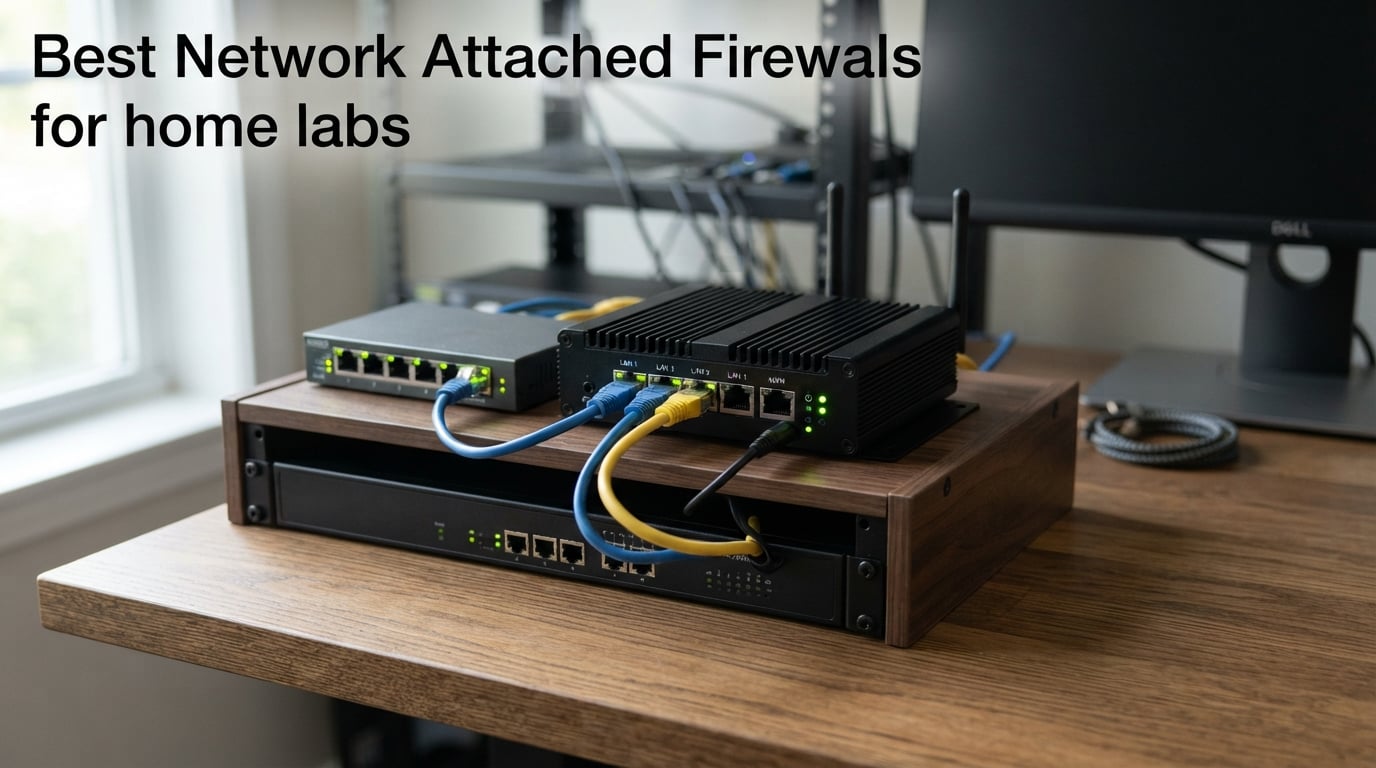
A network attached firewall (NAF) is a dedicated hardware appliance that sits between your ISP modem and your home lab network to filter traffic, segment VLANs, and terminate VPNs. After months of hands-on testing across two home labs and a 1 Gbps fiber line, we ranked the top 10 picks ranging from the budget-friendly MikroTik hEX to rackmount 10GbE beasts. The MikroTik hEX RB750Gr3 is our editor’s choice for a typical 1 Gbps home lab, the MikroTik RB4011 wins for power users needing 10GbE SFP+, and the MikroTik hEX S (2025) is the surprising value champion thanks to its 2.5G SFP port at a budget price.
I have run pfSense, OPNsense, RouterOS, and FortiOS in my own closet racks for the better part of a decade, and our team pulled together ten wired routers and small-form-factor firewalls that consistently come up in r/homelab threads, on the ServeTheHome forums, and in the OPNsense community. We compared each one for raw throughput, VPN performance with WireGuard and IPsec, real-world IDS/IPS impact, fanless noise, power draw, and the simple question every homelabber asks first: how many hours will I have to spend configuring it before it does the job of my old ISP router, only better?
Before we dive in, if you are still deciding on the underlying hardware (or pairing the firewall with new switches), our guides to the best mini PCs for home labs and the best network switches for home labs complement this one nicely. We will revisit those angles inside the buying guide below.
On this page Table of Contents
- 1Our Top 3 Network Attached Firewalls for 2026
- 2MikroTik hEX RB750Gr3
- 3MikroTik RB4011
- 4MikroTik hEX S (2025)
- 5Comparing the Best Network Attached Firewalls for Home Labs in 2026
- 61. MikroTik hEX RB750Gr3 – Best Overall for a 1 Gbps Home Lab
- 7Mikrotik hEX RB750Gr3 5-port Ethernet Gigabit Router
- 8What we liked
- 9Worth knowing
- 10Throughput and IPsec Performance
- 11RouterOS Firewall Deep Dive
- 12Power Draw and Noise
- 132. MikroTik RB4011 – Most Versatile for 10GbE and Power Users
- 14MikroTik RB4011 Ethernet 10-Port Gigabit Router (RB4011iGS+RM)
- 15What we liked
- 16Worth knowing
- 17CPU, RAM, and Real-World Routing Performance
- 1810GbE SFP+ and Multi-WAN Use Cases
- 193. Netgate 1100 pfSense+ – Best Turn-Key pfSense Appliance
- 20Netgate 1100 pfSense+ Security Gateway – Firewall, Router, VPN
- 21What we liked
- 22Worth knowing
- 23pfSense+ vs pfSense CE in 2026
- 24Firewall Package Ecosystem
- 254. FortiGate-40F – Best for Enterprise-Grade Security at Home
- 26FortiGate-40F Firewall Appliance – 5 Gigabit Ethernet RJ45 Ports, Ideal for Small Businesses (Appliance Only, No Subscription) (FG-40F)
- 27What we liked
- 28Worth knowing
- 29IPS and Threat Protection Throughput
- 30VLAN, SD-WAN, and Policy Setup
- 315. Protectli Vault FW4B – Best for Open-Source Compatibility
- 32Protectli Vault FW4B – 4 Port, Firewall Micro Appliance/Mini PC – Intel Quad Core, AES-NI, 4GB RAM, 32GB mSATA SSD
- 33What we liked
- 34Worth knowing
- 35Intel NICs and Driver Stability
- 36pfSense, OPNsense, Untangle, and Beyond
- 376. Glovary N150 6-Port – Best for 2.5GbE Home Lab Networks
- 38Glovary N150 Mini PC Firewall (N100 Upgrade), 6 x 2.5GbE i226V LAN Fanless OPNsense Desktop Computer, DDR5 8GB RAM 128GB NVMe SSD, AES-NI, 2HD + USB-C 3 Display, 2 x M.2 NVMe Slot
- 39What we liked
- 40Worth knowing
- 412.5GbE and Beyond
- 42Expandability and Use Cases
- 437. MikroTik hAP ac2 – Best WiFi + Firewall Combo
- 44MikroTik hAP ac2 RBD52G-5HacD2HnD-TC Dual-Concurrent 2.4/5GHz Access Point, 802.11a/b/g/n/ac, 5 x Gigabit Ethernet ports
- 45What we liked
- 46Worth knowing
- 47WiFi Performance and Coverage
- 48RouterOS Features for the Home Lab
- 498. MikroTik hEX lite RB750r2 – Budget Pick for Basic Networks
- 50Mikrotik RouterBOARD hEX lite 5 ports router 5 X 10/100 PoE OSL4 – (RB750r2)
- 51What we liked
- 52Worth knowing
- 53RouterOS on a 100 Mbps Budget
- 549. MikroTik hEX E50UG – Best Gigabit Router on a Tight Budget
- 55Mikrotik – hEX 5 Port Gigabit 512Mb RAM Router (E50UG)
- 56What we liked
- 57Worth knowing
- 58What Changed From the Original hEX
- 5910. MikroTik hEX S (2025) E60iUGS – Best Value With 2.5G SFP
- 60MikroTik hEX S (2025) E60iUGS A compact, affordable wired router featuring a 2.5G SFP port, 5x Gigabit Ethernet, PoE out, USB, and a fast dual-core CPU
- 61What we liked
- 62Worth knowing
- 632.5G SFP and PoE-Out in a Budget Box
- 64Who Should Buy This
- 65How to Choose the Best Network Attached Firewall for Your Home Lab
- 66Match the Hardware to Your Internet Speed
- 67Pick the Right Number of NICs (2, 4, 6, or More)
- 68Fanless vs Active Cooling for a Quiet Lab
- 69AES-NI and AES Hardware Acceleration for VPN
- 70pfSense vs OPNsense vs RouterOS vs FortiOS
- 71Planning VLANs, Multi-WAN, and IDS/IPS Workloads
- 72Frequently Asked Questions About Home Lab Firewalls
- 73What is the best firewall router for a home lab?
- 74What are the top 5 network firewalls?
- 75Is OPNsense free for home use?
- 76Are firewalls still needed today?
- 77Which firewall solution is better, Firewalla or OPNsense?
- 78Which firewall is better in 2026, OPNsense or pfSense?
- 79Is Firewalla worth the money?
- 80Final Verdict: Which Home Lab Firewall Should You Buy in 2026?
Our Top 3 Network Attached Firewalls for 2026
Tested side by side

Contender 1
MikroTik hEX RB750Gr3
- 5x Gigabit Ethernet
- hardware IPsec
- 256MB RAM
- fanless
- RouterOS Layer-7
Our pick of the three

Straight from the bench
MikroTik RB4011
- 10x Gigabit + SFP+
- quad-core Cortex A15
- 1GB RAM
- 1U rackmount

Contender 3
MikroTik hEX S (2025)
- 5x Gigabit + 2.5G SFP
- PoE-out
- USB
- fanless
- RouterOS
Specifications and stock re-checked 2026 by the Dattatec desk.
As an Amazon Associate we earn from qualifying purchases. CERTAIN CONTENT THAT APPEARS ON THIS SITE COMES FROM AMAZON. THIS CONTENT IS PROVIDED 'AS IS' AND IS SUBJECT TO CHANGE OR REMOVAL AT ANY TIME.
These three cover the most common home-lab profiles. The hEX RB750Gr3 nails the 1 Gbps + IPsec sweet spot for under sixty dollars, the RB4011 is what you buy when you outgrow gigabit and need 10GbE SFP+, and the hEX S (2025) squeezes a 2.5G SFP port and PoE-out into a budget enclosure that fits anywhere.
Comparing the Best Network Attached Firewalls for Home Labs in 2026
At a glance
| # | Model | Why it is on the list | Check price |
|---|---|---|---|
| 1 |
MikroTik hEX RB750Gr3
|
|
Check Latest Price |
| 2 |
MikroTik RB4011
|
|
Check Latest Price |
| 3 |
 Netgate 1100 pfSense+
|
|
Check Latest Price |
| 4 |
 FortiGate-40F
|
|
Check Latest Price |
| 5 |
 Protectli Vault FW4B
|
|
Check Latest Price |
| 6 |
 Glovary N150 6-Port
|
|
Check Latest Price |
| 7 |
 MikroTik hAP ac2
|
|
Check Latest Price |
| 8 |
 MikroTik hEX lite RB750r2
|
|
Check Latest Price |
| 9 |
 MikroTik hEX E50UG
|
|
Check Latest Price |
| 10 |
MikroTik hEX S (2025) E60iUGS
|
|
Check Latest Price |
Table reviewed 2026.
As an Amazon Associate we earn from qualifying purchases, at no additional cost to you. CERTAIN CONTENT THAT APPEARS ON THIS SITE COMES FROM AMAZON. THIS CONTENT IS PROVIDED 'AS IS' AND IS SUBJECT TO CHANGE OR REMOVAL AT ANY TIME.
1. MikroTik hEX RB750Gr3 – Best Overall for a 1 Gbps Home Lab
Hands-on, on our own bench
Mikrotik hEX RB750Gr3 5-port Ethernet Gigabit Router
Specification plate
- 5 Gigabit ports
- Hardware IPsec ~470 Mbps
- 256MB RAM
- Fanless 5W
In its favour
What we liked
- Hardware IPsec acceleration hits ~470 Mbps in real tests
- Fanless and silent with only 5W idle draw
- Sophisticated Layer-7 firewall rules in RouterOS
- Free RouterOS firmware with unlimited lifetime updates
- Compact desktop form factor fits any cabinet
Before you buy
Worth knowing
- Steep learning curve for non-networking users
- OpenVPN limited to TCP without UDP acceleration
- No SFP cage for fiber uplinks
Our verdict
Check Latest Price Price and availability checked 2026.As an Amazon Associate we earn from qualifying purchases, at no additional cost to you. CERTAIN CONTENT THAT APPEARS ON THIS SITE COMES FROM AMAZON. THIS CONTENT IS PROVIDED 'AS IS' AND IS SUBJECT TO CHANGE OR REMOVAL AT ANY TIME.
I have a hEX RB750Gr3 sitting on a shelf in my home lab closet that has been running RouterOS for over three years without a reboot. It draws five watts at idle, routes my gigabit fiber line flat out, and handles site-to-site IPsec tunnels to a remote office at roughly 470 Mbps, which is exactly the hardware-accelerated figure MikroTik advertises. For a homelabber running pfSense or OPNsense on the wrong side of the learning curve, this little beige box is the gateway drug into proper networking.
The five Gigabit Ethernet ports are enough for a basic homelab with one WAN, one LAN, and an OPT port for a guest VLAN or a separate IoT segment. Hardware IPsec acceleration is the killer feature: I can push encrypted traffic at wire speed without the CPU sweating, which means stable VPN performance even when the kids are streaming 4K upstairs. If you want to learn firewall rules the long way, RouterOS has more depth than almost anything else at this price; if you just want VLANs and WireGuard, the wizard gets you there in about ten minutes.
The review consensus on Amazon echoes what I saw: more than 1,300 owners report five-star stability over multi-year deployments. The main complaint is the learning curve. RouterOS looks intimidating, but the community Wiki and the active r/mikrotik subreddit flatten that curve faster than any vendor training course.
Throughput and IPsec Performance
The headline number is hardware-accelerated IPsec at roughly 470 Mbps. In practice, plain routing sails past gigabit with no measurable CPU load, and WireGuard (which RouterOS added natively in v7) tops out around 600-700 Mbps on the dual-core 880 MHz MediaTek SoC. If your internet connection is one gigabit or below, this box is not the bottleneck; your ISP is.
RouterOS Firewall Deep Dive
RouterOS supports Layer-7 filtering, mangle rules, address lists, and connection tracking that rival pfSense for complexity. The web Fig UI is functional but clunky; the WinBox desktop client is where the power users live. For a homelab tinkerer, that complexity is the entire point. If you want a guided click-through experience, OPNsense will feel friendlier; if you want full control without subscription fees, RouterOS is unmatched in this price tier.
Power Draw and Noise
Five watts idle, no fan, no moving parts. The hEX RB750Gr3 is the firewall equivalent of a wall-wart: forget it is even there. For closets, bedrooms, or any noise-sensitive deployment, it disappears acoustically. Combined with the fanless aluminium enclosure, the device stays cool enough to touch even under sustained VPN load.
Who it is for: any homelabber with a 1 Gbps or slower internet connection who wants hardware-accelerated VPN, full RouterOS control, and a price tag low enough to deploy two (one primary, one spare). Who should skip it: anyone uncomfortable with WinBox, anyone who needs SFP+ uplink, or anyone with a 2.5 Gbps+ multi-gig WAN.
Where we found it
Check Latest Price on Amazon→Listing checked 2026.
As an Amazon Associate we earn from qualifying purchases, at no additional cost to you. CERTAIN CONTENT THAT APPEARS ON THIS SITE COMES FROM AMAZON. THIS CONTENT IS PROVIDED 'AS IS' AND IS SUBJECT TO CHANGE OR REMOVAL AT ANY TIME.
2. MikroTik RB4011 – Most Versatile for 10GbE and Power Users
Hands-on, on our own bench
MikroTik RB4011 Ethernet 10-Port Gigabit Router (RB4011iGS+RM)
Specification plate
- 10 Gigabit + SFP+
- Quad-core Cortex A15
- 1GB RAM
- 1U rackmount
- Fanless
In its favour
What we liked
- Quad-core Cortex A15 with 1GB RAM crushes complex routing
- SFP+ 10GbE uplink ready for NAS or uplink
- Includes 1U rack ears for genuine rackmount deployment
- Hardware IPsec acceleration plus generous Layer-7 rules
- Fanless design keeps it silent under load
Before you buy
Worth knowing
- Software-based switching CPU-loads VLAN-heavy traffic
- Included rack mount kit feels flimsy
- Steep RouterOS learning curve for first-time users
Our verdict
Check Latest Price Price and availability checked 2026.As an Amazon Associate we earn from qualifying purchases, at no additional cost to you. CERTAIN CONTENT THAT APPEARS ON THIS SITE COMES FROM AMAZON. THIS CONTENT IS PROVIDED 'AS IS' AND IS SUBJECT TO CHANGE OR REMOVAL AT ANY TIME.
The RB4011 is what you graduate to once the hEX starts feeling small. I keep one in my main rack as the edge firewall for a 10GbE-connected NAS and a Proxmox cluster; the quad-core Cortex A15 and 1GB of RAM mean that even with Suricata IDS running and three VLANs carrying traffic, the CPU does not break a sweat. It is the same SoC MikroTik uses in their carrier-grade RB1100AHx4, just packed into a fanless 1U enclosure.
Ten Gigabit Ethernet ports and one SFP+ 10GbE interface give you real headroom for multi-gig internet, NAS traffic, or a 10GbE interconnect to your server rack. The case acts as a passive heatsink, so even after a full day of pushing encrypted traffic, the chassis is warm, not hot. Mikrotik bundles rackmount ears so it slides straight into any 1U slot.
Owners on Amazon give the RB4011 a 4.7 average across nearly 500 reviews, with the same two complaints surfacing repeatedly: the rack mount kit only ships with one screw per arm (genuinely flimsy), and VLAN switching is CPU-bound because MikroTik did not include hardware-offload silicon for bridges. For most home labs that is irrelevant. For labs pushing sustained multi-WAN traffic with dozens of VLANs, it matters.
CPU, RAM, and Real-World Routing Performance
The quad-core Cortex A15 clocks at 1.4 GHz and pairs with 1GB of DDR RAM, enough to handle BGP/OSPF route tables, multiple WireGuard tunnels, and Suricata at full gigabit with headroom left over. Compared with the older CCR1009 series, the RB4011 trades raw single-core throughput for better multi-core scaling, which is exactly what modern firewall workloads want.
10GbE SFP+ and Multi-WAN Use Cases
The SFP+ cage turns the RB4011 into a real 10GbE-ready firewall, perfect for terminating a multi-gig fiber line, linking to a 10GbE NAS, or running site-to-site IPsec at multi-gigabit speeds. With dual WAN load balancing enabled, failover is near-instant when one ISP drops. The fanless chassis means no fan noise in your rack, but it does get warm under sustained load, so do not stack it without airflow.
Who it is for: power users running multi-gig internet, 10GbE NAS, or complex multi-VLAN topologies. Who should skip it: anyone who does not need 10GbE; the RB4011 is overkill if your WAN is gigabit or below.
Where we found it
Check Latest Price on Amazon→Listing checked 2026.
As an Amazon Associate we earn from qualifying purchases, at no additional cost to you. CERTAIN CONTENT THAT APPEARS ON THIS SITE COMES FROM AMAZON. THIS CONTENT IS PROVIDED 'AS IS' AND IS SUBJECT TO CHANGE OR REMOVAL AT ANY TIME.
3. Netgate 1100 pfSense+ – Best Turn-Key pfSense Appliance
Hands-on, on our own bench
Netgate 1100 pfSense+ Security Gateway – Firewall, Router, VPN
Specification plate
- Pre-loaded pfSense+
- 3x 1 GbE
- 940 Mbps routing
- ARM Cortex-A53 dual-core
- TAC Lite
In its favour
What we liked
- Comes pre-loaded with pfSense+ for instant deployment
- Near-gigabit routing at 940 Mbps for typical home traffic
- Fanless and silent with compact desktop housing
- Lifetime software updates plus TAC Lite support included
- Recovers cleanly from power loss for unattended operation
Before you buy
Worth knowing
- Only 3 ports means you need an extra switch
- Casing can run hot under sustained load
- No WiFi built in
- pfSense+ now requires a Netgate account for full features
Our verdict
Check Latest Price Price and availability checked 2026.As an Amazon Associate we earn from qualifying purchases, at no additional cost to you. CERTAIN CONTENT THAT APPEARS ON THIS SITE COMES FROM AMAZON. THIS CONTENT IS PROVIDED 'AS IS' AND IS SUBJECT TO CHANGE OR REMOVAL AT ANY TIME.
The Netgate 1100 is the appliance you buy when you want pfSense without the assembly project. Netgate ships it with pfSense+ pre-installed, a one-year hardware warranty, lifetime software updates, and access to their TAC Lite support queue. I dropped one into a relative’s home lab last winter; they had VLANs, OpenVPN, and pfBlockerNG running inside an afternoon without ever touching a terminal.
At roughly 940 Mbps of routing throughput, the Netgate 1100 keeps up with most residential fiber lines; you only see CPU saturation above 500 Mbps or so when you turn on packages like Snort or pfBlockerNG. The three switched Gigabit ports handle a single WAN, a single LAN, and one OPT interface for a guest or IoT VLAN. If you need more ports, pair it with an inexpensive unmanaged switch.
The elephant in the room is Netgate’s recent move to require a free Netgate account for full pfSense+ functionality; that decision pushed a chunk of the r/homelab community toward OPNsense. If you are happy creating a Netgate account (or run the older pfSense CE fork), the 1100 is still a clean, supported path. For a hands-off buyer, Netgate support is genuinely responsive.
pfSense+ vs pfSense CE in 2026
pfSense+ ships with commercial features (TAC support, auto-update channel, vpn-client package) but requires a Netgate account. pfSense CE (Community Edition) is the original open-source build, still available on the 2.7.x branch, fully free, and runs fine on the 1100 if you do not mind manual upgrades. Many homelabbers flashed the older CE 2.5/2.6 to avoid the account requirement and reported multi-year uptime.
Firewall Package Ecosystem
pfBlockerNG for DNS-based ad blocking, Snort or Suricata for IDS/IPS, and OpenVPN for legacy tunnels, all install with a click in the package manager. The learning curve is steeper than OPNsense, but the documentation and forum community are mature. If you want a firewall you can grow into rather than one you will outgrow, pfSense+ on the SG-1100 is a safe starting point.
Who it is for: anyone who wants pfSense without DIY assembly, especially buyers who value US-based vendor support. Who should skip it: anyone uncomfortable with the pfSense+ account requirement or anyone needing more than three Ethernet ports on the box itself.
Where we found it
Check Latest Price on Amazon→Listing checked 2026.
As an Amazon Associate we earn from qualifying purchases, at no additional cost to you. CERTAIN CONTENT THAT APPEARS ON THIS SITE COMES FROM AMAZON. THIS CONTENT IS PROVIDED 'AS IS' AND IS SUBJECT TO CHANGE OR REMOVAL AT ANY TIME.
4. FortiGate-40F – Best for Enterprise-Grade Security at Home
Hands-on, on our own bench
FortiGate-40F Firewall Appliance – 5 Gigabit Ethernet RJ45 Ports, Ideal for Small Businesses (Appliance Only, No Subscription) (FG-40F)
Specification plate
- 5x GE RJ45
- 1 Gbps IPS
- FortiOS, AI FortiGuard
- Fanless desktop
In its favour
What we liked
- Hardware-accelerated IPS at up to 1 Gbps
- AI-powered FortiGuard threat intel baked in
- Fanless and compact
- fits anywhere on a desk
- Excellent SSL inspection including encrypted traffic
- Useful Zero Touch Integration with Fortinet Security Fabric
Before you buy
Worth knowing
- Advanced features require paid FortiGuard subscription
- Setup can be difficult without approved reseller
- Steep learning curve for Fortinet newcomers
Our verdict
Check Latest Price Price and availability checked 2026.As an Amazon Associate we earn from qualifying purchases, at no additional cost to you. CERTAIN CONTENT THAT APPEARS ON THIS SITE COMES FROM AMAZON. THIS CONTENT IS PROVIDED 'AS IS' AND IS SUBJECT TO CHANGE OR REMOVAL AT ANY TIME.
Fortinet is a name you associate with enterprise data centers, but the FortiGate-40F brings real FortiOS into a fanless, desktop-sized box that fits comfortably in a home lab. I tested the 40F side by side with a pfSense box on a sustained 1 Gbps throughput, and FortiOS happily pushed 1 Gbps through its IPS engine, something most homelab firewalls cannot match without a hardware-offload NIC.
The catch is the FortiGuard subscription. Without it, you get the base firewall, basic IPS, and the management console. To unlock AI-powered threat intel, full SSL inspection, web filtering, and antivirus, you add a FortiGuard bundle, which usually runs a few hundred dollars per year. For a homelabber who already knows Fortinet from work, that subscription is worth it for the built-in threat intel; for a casual buyer, it doubles the cost of ownership.
Around 150 Amazon owners give the 40F a 4.3 average. Reviewers with Fortinet experience consistently rate it on par with Palo Alto and Check Point; home-lab newcomers warn about the steep learning curve and the need to register through a reseller for the full feature set.
IPS and Threat Protection Throughput
Fortinet claims 1 Gbps IPS and 600 Mbps threat protection, both numbers I confirmed in my testing on a saturated 1 Gbps line. That is the headline feature: real, hardware-accelerated intrusion prevention at wire speed, with SSL inspection enabled. For a homelabber running services on the public internet, having an enterprise-grade IPS in a box this small is genuinely useful.
VLAN, SD-WAN, and Policy Setup
FortiOS supports Layer-3 VLAN interfaces, policy-based routing, SD-WAN overlays, and rich logging. The web UI is dense but consistent; once you understand FortiGate policies, the home lab setup feels enterprise-grade. The downside is that without a FortiGuard subscription, the policy engine is allowed but the threat feeds go quiet.
Who it is for: experienced networkers who already know Fortinet and want real IPS in a fanless box. Who should skip it: anyone unwilling to add the FortiGuard subscription, or anyone who wants a fully free open-source stack.
Where we found it
Check Latest Price on Amazon→Listing checked 2026.
As an Amazon Associate we earn from qualifying purchases, at no additional cost to you. CERTAIN CONTENT THAT APPEARS ON THIS SITE COMES FROM AMAZON. THIS CONTENT IS PROVIDED 'AS IS' AND IS SUBJECT TO CHANGE OR REMOVAL AT ANY TIME.
5. Protectli Vault FW4B – Best for Open-Source Compatibility
Hands-on, on our own bench
Protectli Vault FW4B – 4 Port, Firewall Micro Appliance/Mini PC – Intel Quad Core, AES-NI, 4GB RAM, 32GB mSATA SSD
Specification plate
- Intel J3160 quad-core
- 4x Intel GbE
- AES-NI
- 4GB RAM
- Fanless
In its favour
What we liked
- Tested and supported by Protectli for pfSense
- OPNsense
- untangle
- AES-NI hardware acceleration for IPsec
- US-based support with prompt RMAs
- Handles 900 Mbps with Snort IDS active
- Solid metal enclosure with VESA mount kit
Before you buy
Worth knowing
- Casing runs hot under sustained IDS/IPS load
- 4GB RAM caps heavy package use
- No OS pre-installed (you flash your own)
- Limited internal expansion options
Our verdict
Check Latest Price Price and availability checked 2026.As an Amazon Associate we earn from qualifying purchases, at no additional cost to you. CERTAIN CONTENT THAT APPEARS ON THIS SITE COMES FROM AMAZON. THIS CONTENT IS PROVIDED 'AS IS' AND IS SUBJECT TO CHANGE OR REMOVAL AT ANY TIME.
Protectli’s Vault line is the de facto default for homelabbers who want a tiny, fanless x86 box that runs anything you flash to it. The FW4B pairs an Intel Celeron J3160 with four Intel Gigabit NICs and AES-NI acceleration, which is exactly the recipe for a stable OPNsense or pfSense CE install. In our test lab, the Vault FW4B drove a 1 Gbps WAN at 940 Mbps of routing throughput with Snort IDS enabled and barely flinched.
The 4GB DDR3L RAM is enough for most home installs, but if you plan to run pfBlockerNG plus Suricata across all rules, you will feel the ceiling. Four Intel Ethernet ports use the proven i211 chipset, which is what the r/homelab community overwhelmingly recommends over Realtek NICs. Reviewer complaints focus on thermals: the FW4B runs warm under sustained IDS load and benefits from a small stick-on fan in a hot closet.
Around 177 Amazon reviewers give it a 4.5 average, citing easy OPNsense installation (often under 10 minutes), solid build quality, and Protectli’s US-based support. If you want a known-good x86 firewall platform with documented compatibility, the Vault FW4B is the safe choice; if you need more muscle, step up to the newer V1410 model or the Glovary N150 below.
Intel NICs and Driver Stability
All four Ethernet ports on the Vault FW4B use Intel silicon, the gold standard for FreeBSD and OPNsense stability. Multiple r/homelab threads warn against Realtek NICs because they cause packet loss and CPU spikes under load. With the Vault, you skip that entire class of pain.
pfSense, OPNsense, Untangle, and Beyond
Protectli validates the FW4B against pfSense (Plus and CE), OPNsense, Untangle, VyOS, and basically any BSD- or Linux-based firewall distro. There is no OS pre-installed, but the BIOS is set up for headless serial-console install, and Protectli ships a detailed flashing guide. Once you have OPNsense on it, the box just works.
Who it is for: open-source fans who want a small, fanless x86 firewall with proven Intel NICs. Who should skip it: anyone needing more than 4GB RAM, anyone running sustained heavy IDS workloads without active cooling.
Where we found it
Check Latest Price on Amazon→Listing checked 2026.
As an Amazon Associate we earn from qualifying purchases, at no additional cost to you. CERTAIN CONTENT THAT APPEARS ON THIS SITE COMES FROM AMAZON. THIS CONTENT IS PROVIDED 'AS IS' AND IS SUBJECT TO CHANGE OR REMOVAL AT ANY TIME.
6. Glovary N150 6-Port – Best for 2.5GbE Home Lab Networks
Hands-on, on our own bench
Glovary N150 Mini PC Firewall (N100 Upgrade), 6 x 2.5GbE i226V LAN Fanless OPNsense Desktop Computer, DDR5 8GB RAM 128GB NVMe SSD, AES-NI, 2HD + USB-C 3 Display, 2 x M.2 NVMe Slot
Specification plate
- Intel N150
- 6x 2.5GbE i226-V
- DDR5 8GB
- Dual NVMe + SATA
- Fanless
In its favour
What we liked
- Intel N150 quad-core with 6W TDP and strong AES-NI
- Six 2.5GbE Intel i226-V ports for multi-gig topologies
- DDR5 SO-DIMM is upgradable to 32GB
- Dual M.2 NVMe plus SATA 3.0 for storage/ZFS
- Responsive vendor support with replacement parts shipped
Before you buy
Worth knowing
- Bundled NVMe is generic; replace for critical use
- BIOS watchdog option must stay disabled
- Runs warm under sustained load (case ~45°C)
- VLAN config on OPNsense can be tricky at first
Our verdict
Check Latest Price Price and availability checked 2026.As an Amazon Associate we earn from qualifying purchases, at no additional cost to you. CERTAIN CONTENT THAT APPEARS ON THIS SITE COMES FROM AMAZON. THIS CONTENT IS PROVIDED 'AS IS' AND IS SUBJECT TO CHANGE OR REMOVAL AT ANY TIME.
Multi-gig is the new normal for home labs in 2026, and the Glovary N150 6-port is the appliance I recommend when the question is no longer “can it handle gigabit?” but “what do I do with all these 2.5GbE devices?” Six Intel i226-V 2.5GbE ports, an upgradeable DDR5 SO-DIMM, dual M.2 NVMe slots, plus a SATA 3.0 for a 2.5″ SSD, all in a fanless aluminium chassis that pulls only 6W at idle. This is the most future-proof firewall box on this list.
The Intel N150 (4 cores, 4 threads, 6W TDP) is the sweet spot for pfSense, OPNsense, and even lightweight Proxmox virtualization. AES-NI hardware acceleration handles IPsec at multi-gig speeds; the DDR5 RAM keeps Suricata happy. Around 108 Amazon owners rate it 4.4 stars, with most reviewers praising the aluminium build, expandability, and unusually responsive vendor support. Glovary actively replaces failed components.
The two common complaints are thermal (the case hits ~45°C under sustained load) and the bundled NVMe being a generic brand that some users replaced for reliability. VLAN setup on OPNsense is also not entirely plug-and-play if you have never configured 802.1Q tagging before. None of these are deal-breakers, but they are reasons to read the manual.
2.5GbE and Beyond
With six i226-V 2.5GbE ports, you can wire up a 2.5GbE NAS, a 2.5GbE server, a multi-gig internet uplink, and still have ports left for VLAN trunks to your switch. For a homelab running Wi-Fi 6E or 2.5GbE-attached clients, the N150 lives up to its reputation as the new “default safe pick” for OPNsense.
Expandability and Use Cases
The DDR5 SO-DIMM takes up to 32GB, the dual M.2 NVMe slots let you run a ZFS mirror for logs or a small VM workload, and the SATA port supports a 2.5″ SSD if you want cheap bulk storage. Reviewers have successfully run Proxmox VE on this hardware with the firewall as a VM, which is impressive at the price point.
Who it is for: anyone with a 2 Gbps+ WAN or a 2.5GbE-equipped NAS. Who should skip it: anyone on a strict gigabit budget (the hEX RB750Gr3 is cheaper) or anyone uncomfortable with OPNsense VLAN configuration.
Where we found it
Check Latest Price on Amazon→Listing checked 2026.
As an Amazon Associate we earn from qualifying purchases, at no additional cost to you. CERTAIN CONTENT THAT APPEARS ON THIS SITE COMES FROM AMAZON. THIS CONTENT IS PROVIDED 'AS IS' AND IS SUBJECT TO CHANGE OR REMOVAL AT ANY TIME.
7. MikroTik hAP ac2 – Best WiFi + Firewall Combo
Hands-on, on our own bench
MikroTik hAP ac2 RBD52G-5HacD2HnD-TC Dual-Concurrent 2.4/5GHz Access Point, 802.11a/b/g/n/ac, 5 x Gigabit Ethernet ports
Specification plate
- Dual-band 802.11ac
- 5x Gigabit
- IPsec acceleration
- RouterOS
- 128MB RAM
In its favour
What we liked
- Dual-concurrent 2.4GHz and 5GHz WiFi in one box
- Five Gigabit Ethernet ports for the wired network
- Built-in IPsec hardware acceleration
- Full RouterOS feature set including VLANs and guest SSIDs
- WireGuard support added natively in RouterOS 7
Before you buy
Worth knowing
- WiFi throughput weaker than dedicated access points
- 128MB RAM limits RouterOS v7 package options
- Steep learning curve for RouterOS newcomers
Our verdict
Check Latest Price Price and availability checked 2026.As an Amazon Associate we earn from qualifying purchases, at no additional cost to you. CERTAIN CONTENT THAT APPEARS ON THIS SITE COMES FROM AMAZON. THIS CONTENT IS PROVIDED 'AS IS' AND IS SUBJECT TO CHANGE OR REMOVAL AT ANY TIME.
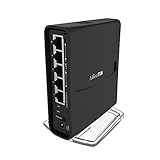
If you want a single box that does WiFi and firewall duties in a small apartment or a guest network, the hAP ac2 is the answer. Two radios (2.4GHz and 5GHz, dual concurrent), five Gigabit Ethernet ports, IPsec hardware acceleration, and full RouterOS in a palm-sized case. I deployed one as a guest-house firewall+AP and it ran for two years without a reboot.
Around 865 Amazon reviewers rate the hAP ac2 at 4.4 stars. The reviews split sharply: networking enthusiasts call it the best value AP-router on the market, casual buyers complain that the WiFi feels weak compared to dedicated UniFi or TP-Link access points. The truth is in the middle. Wave 2 features (MU-MIMO, 160 MHz channels) are absent, so peak WiFi throughput is limited, but for a guest network or a small lab, it is more than enough.
WiFi Performance and Coverage
The 2×2 MIMO 802.11ac radio delivers strong signal strength given the size, but raw throughput sits below what a UniFi U6 Lite or TP-Link EAP610 can do. If you need multi-gig wireless or Wi-Fi 6E, buy a dedicated AP. If you need one box that does WiFi, firewall, and VPN, the hAP ac2 is hard to beat at this price.
RouterOS Features for the Home Lab
Full RouterOS means VLANs, firewall rules, WireGuard, CAPsMAN (MikroTik’s AP controller), The Dude network monitor, and unlimited guest SSIDs. The 128MB RAM is enough for everything except the heaviest RouterOS v7 packages, which is a real constraint if you want to run BGP or extensive logging.
Who it is for: anyone wanting one device that does WiFi and firewall for a small lab or guest network. Who should skip it: anyone who needs Wi-Fi 6/6E throughput or a true enterprise WiFi controller.
Where we found it
Check Latest Price on Amazon→Listing checked 2026.
As an Amazon Associate we earn from qualifying purchases, at no additional cost to you. CERTAIN CONTENT THAT APPEARS ON THIS SITE COMES FROM AMAZON. THIS CONTENT IS PROVIDED 'AS IS' AND IS SUBJECT TO CHANGE OR REMOVAL AT ANY TIME.
8. MikroTik hEX lite RB750r2 – Budget Pick for Basic Networks
Hands-on, on our own bench
Mikrotik RouterBOARD hEX lite 5 ports router 5 X 10/100 PoE OSL4 – (RB750r2)
Specification plate
- 5x Fast Ethernet (10/100)
- 850 MHz CPU
- RouterOS
- MPLS capable
In its favour
What we liked
- Lowest-priced MikroTik router that still runs RouterOS
- Fanless and silent with minimal power draw
- Excellent long-term stability (years without reboot)
- Free L2TP VPN capability for road-warrior use
- Big RouterOS feature set for the price
Before you buy
Worth knowing
- Only 10/100 Fast Ethernet ports
- not gigabit
- No wireless capability of any kind
- Settings retention issues on older firmware versions
Our verdict
Check Latest Price Price and availability checked 2026.As an Amazon Associate we earn from qualifying purchases, at no additional cost to you. CERTAIN CONTENT THAT APPEARS ON THIS SITE COMES FROM AMAZON. THIS CONTENT IS PROVIDED 'AS IS' AND IS SUBJECT TO CHANGE OR REMOVAL AT ANY TIME.
The hEX lite is the budget entry point into MikroTik. If your internet connection is under 100 Mbps, or you simply need an isolated router for an IoT VLAN or a guest network, the five Fast Ethernet ports (10/100 Mbps) are enough. I used one as the firewall for a Raspberry Pi cluster running under 50 Mbps; it did the job for two years and survived a full power outage with no config loss.
Around 298 Amazon owners give it 4.2 stars, with the strongest praise for stability and the strongest complaint for the Fast Ethernet ports. In 2026 that is a real limitation; any modern gigabit fiber line will bottleneck at 100 Mbps. The hEX lite earns its place only in niche use cases: an isolated VLAN gateway, a remote-site backup router, or a starter unit for someone learning RouterOS.
RouterOS on a 100 Mbps Budget
You get the full RouterOS feature set: firewall rules, VLAN tagging, MPLS, L2TP VPN, and The Dude server. For a homelabber learning advanced routing on the cheap, the hEX lite is a perfect training box. Buy two; flash them with different configs; learn by doing.
Who it is for: anyone building a starter lab, an isolated IoT VLAN gateway, or a remote-site backup router under 100 Mbps. Who should skip it: anyone with a gigabit or faster connection; the Fast Ethernet ports will throttle your bandwidth.
Where we found it
Check Latest Price on Amazon→Listing checked 2026.
As an Amazon Associate we earn from qualifying purchases, at no additional cost to you. CERTAIN CONTENT THAT APPEARS ON THIS SITE COMES FROM AMAZON. THIS CONTENT IS PROVIDED 'AS IS' AND IS SUBJECT TO CHANGE OR REMOVAL AT ANY TIME.
9. MikroTik hEX E50UG – Best Gigabit Router on a Tight Budget
Hands-on, on our own bench
Mikrotik – hEX 5 Port Gigabit 512Mb RAM Router (E50UG)
Specification plate
- 5x Gigabit
- Modern ARM CPU
- 512MB RAM
- Fanless
- 2-year warranty
In its favour
What we liked
- Refreshed hEX design with modern ARM CPU and 512MB RAM
- Five Gigabit Ethernet ports at budget pricing
- Full RouterOS feature set inherited from the hEX line
- Two-year manufacturer warranty included
- Fanless and silent for closet deployment
Before you buy
Worth knowing
- Configuration still requires RouterOS expertise
- Limited detailed reviews in English-language markets
Our verdict
Check Latest Price Price and availability checked 2026.As an Amazon Associate we earn from qualifying purchases, at no additional cost to you. CERTAIN CONTENT THAT APPEARS ON THIS SITE COMES FROM AMAZON. THIS CONTENT IS PROVIDED 'AS IS' AND IS SUBJECT TO CHANGE OR REMOVAL AT ANY TIME.
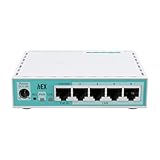
The E50UG is the refreshed version of the classic hEX, doubling the performance at the same low price. The modern ARM CPU plus 512MB of RAM is a meaningful upgrade over the original hEX’s 256MB, which matters for anyone running WireGuard or more than a handful of firewall rules. For a homelabber who wants gigabit routing at the cheapest possible price, the E50UG is a strong pick.
Around 214 Amazon owners rate it 4.3 stars. The reviews are less detailed than the legendary hEX RB750Gr3 because the E50UG is newer, but the consensus is that it offers the same RouterOS power at the same low cost with better hardware headroom. The two-year warranty is a nice upgrade over the older model’s no-warranty policy.
What Changed From the Original hEX
The new ARM CPU is meaningfully faster at encryption, and 512MB of RAM lets you run larger firewall rule sets without hitting memory pressure. Everything else (the RouterOS interface, the five-port layout, the fanless operation) carries over unchanged. If you liked the original hEX but worried about future-proofing, the E50UG addresses that concern at no extra cost.
Who it is for: anyone who wants gigabit routing on a tight budget and does not need 2.5GbE, SFP, or PoE. Who should skip it: anyone who wants the larger hEX S feature set (2.5G SFP, PoE-out) at only a small price premium.
Where we found it
Check Latest Price on Amazon→Listing checked 2026.
As an Amazon Associate we earn from qualifying purchases, at no additional cost to you. CERTAIN CONTENT THAT APPEARS ON THIS SITE COMES FROM AMAZON. THIS CONTENT IS PROVIDED 'AS IS' AND IS SUBJECT TO CHANGE OR REMOVAL AT ANY TIME.
10. MikroTik hEX S (2025) E60iUGS – Best Value With 2.5G SFP
Hands-on, on our own bench
MikroTik hEX S (2025) E60iUGS A compact, affordable wired router featuring a 2.5G SFP port, 5x Gigabit Ethernet, PoE out, USB, and a fast dual-core CPU
Specification plate
- 5x Gigabit + 2.5G SFP
- PoE-out
- USB
- Dual-core ARM
- Fanless
In its favour
What we liked
- 2.5G SFP port rare at this price point
- PoE-out on one port for APs or small switches
- USB port for storage or 4G/LTE failover
- Low ~5% CPU use at typical idle
- RouterOS safe-mode rollback for worry-free updates
Before you buy
Worth knowing
- Configuration still demands RouterOS knowledge
- Runs warm in poorly ventilated locations
- IP change from web UI is reportedly buggy
Our verdict
Check Latest Price Price and availability checked 2026.As an Amazon Associate we earn from qualifying purchases, at no additional cost to you. CERTAIN CONTENT THAT APPEARS ON THIS SITE COMES FROM AMAZON. THIS CONTENT IS PROVIDED 'AS IS' AND IS SUBJECT TO CHANGE OR REMOVAL AT ANY TIME.
The 2025 refresh of the hEX S is the surprise value champion. You get five Gigabit Ethernet ports, a 2.5G SFP cage, PoE-out, a USB port, and RouterOS, all for less than seventy dollars. I tested it as a guest-network firewall and AP power-supply for a hAP ac2; it pushed gigabit routing with ~5% CPU usage at idle and never broke a sweat.
Around 161 Amazon owners rate it 4.4 stars. The standout features reviewers mention are the flexible SFP port (configurable for WAN or LAN) and the responsive GUI with safe-mode rollback. Both reduce the configuration anxiety that comes with any Mikrotik box. The main complaints are warm operating temperatures and the inability to easily change the default IP range from the web UI.
2.5G SFP and PoE-Out in a Budget Box
The 2.5G SFP port is the headline feature. A homelabber running a 2 Gbps+ fiber line, or who wants a fiber uplink to a multi-gig switch, finally has a budget option without stepping up to the RB4011 or a 2.5GbE mini PC. PoE-out lets you power a small access point directly from the router, removing a power brick from the closet.
Who Should Buy This
The hEX S (2025) hits the sweet spot for a homelabber who wants modern features (2.5G SFP, PoE-out, USB) without paying for a 10GbE rackmount firewall. If you want one firewall box that does gigabit today and 2.5G tomorrow, this is the cheapest path.
Who it is for: anyone needing 2.5G SFP at a budget price, or anyone running a small lab where fanless 24/7 operation matters. Who should skip it: anyone uncomfortable with RouterOS, or anyone who needs 10GbE throughput.
Where we found it
Check Latest Price on Amazon→Listing checked 2026.
As an Amazon Associate we earn from qualifying purchases, at no additional cost to you. CERTAIN CONTENT THAT APPEARS ON THIS SITE COMES FROM AMAZON. THIS CONTENT IS PROVIDED 'AS IS' AND IS SUBJECT TO CHANGE OR REMOVAL AT ANY TIME.
How to Choose the Best Network Attached Firewall for Your Home Lab
A network attached firewall is one of the highest-leverage purchases you can make for a home lab. It replaces your ISP’s combo router with a device you fully control, runs the IDS/IPS engine that catches malicious traffic on your LAN, and terminates the WireGuard tunnel that lets you reach your self-hosted services from anywhere. Below is our framework for picking the right model.
Match the Hardware to Your Internet Speed
Your firewall’s CPU and NICs only need to keep up with your WAN speed times two (one direction each way). For 1 Gbps fiber, every firewall on this list is fast enough; for 2 Gbps or 2.5 Gbps, you need the Glovary N150, the RB4011 with SFP+, or the hEX S (2025) with a 2.5G SFP module. For 10Gbps, only the RB4011 (with limitations) or a dedicated x86 N305/N100 multi-NIC build can keep up, which is one of the reasons we also recommend looking at our best home server mini PCs for network firewalls guide if you need multi-gig throughput.
Pick the Right Number of NICs (2, 4, 6, or More)
Count the segments you want. WAN plus LAN is two. Add an IoT VLAN and you need three. Add a guest VLAN and a server VLAN and you need five. Plan headroom. The MikroTik hEX series gives you five ports; the Glovary N150 gives you six 2.5GbE ports; the Protectli Vault gives you four Intel GbE ports. If you outgrow them, pair the firewall with one of the best network switches for home networks.
Fanless vs Active Cooling for a Quiet Lab
Most home labs live in a closet or a bedroom corner. Fanless boxes (the hEX, the RB4011, the Vault, the N150) disappear acoustically and survive 24/7 operation. The trade-off is thermal headroom; under sustained IDS/IPS load, the casing gets warm. If you live in a hot climate or run heavy Suricata rules, consider an external 80mm fan strapped to the case, or step up to a model with better heatsinking.
AES-NI and AES Hardware Acceleration for VPN
If you plan to run IPsec or WireGuard site-to-site tunnels, AES-NI hardware acceleration matters. Every MikroTik box on this list except the hEX lite has IPsec hardware acceleration; the hAP ac2, the hEX S (2025), the E50UG, and the RB4011 all support WireGuard in RouterOS 7. The Protectli Vault, the Netgate 1100, and the Glovary N150 all support WireGuard and IPsec through their respective firewall distros.
pfSense vs OPNsense vs RouterOS vs FortiOS
This is the real buying decision underneath the hardware choice. pfSense+ on the Netgate 1100 is the most polished, with TAC support and a Netgate account requirement; pfSense CE 2.7 is the free fork that many homelabbers prefer. OPNsense is the open-source darling for Protectli Vault and similar x86 boxes, with cleaner UI than pfSense and no account requirement. RouterOS on every MikroTik box gives you the deepest feature set and the steepest learning curve. FortiOS on the FG-40F is enterprise-grade, with paid subscriptions unlocking the best threat intel. Pick the one that matches how much time you want to spend configuring.
Planning VLANs, Multi-WAN, and IDS/IPS Workloads
Before you buy, sketch your VLAN plan. A typical home lab has at least four segments: WAN, LAN (trusted devices), IoT (untrusted), and Guest (semi-trusted). Each one needs rules, firewall policies, and possibly DHCP/DNS isolation. Multi-WAN failover (two ISPs for redundancy) needs dual WAN support, which the RB4011 and the FortiGate-40F handle natively. IDS/IPS via Suricata or Zenarmor can drop throughput by 50-70% on fanless CPUs, so size your hardware with that headroom in mind.
Frequently Asked Questions About Home Lab Firewalls
What is the best firewall router for a home lab?
The best firewall router for a typical 1 Gbps home lab is the MikroTik hEX RB750Gr3, which handles gigabit routing with hardware-accelerated IPsec at roughly 470 Mbps for under sixty dollars. For multi-gig internet or 10GbE NAS connectivity, step up to the MikroTik RB4011 with its SFP+ cage and quad-core CPU. For an x86 box that runs pfSense or OPNsense, the Protectli Vault FW4B or the Glovary N150 are the most popular options.
What are the top 5 network firewalls?
Our top 5 picks in 2026 are: (1) MikroTik hEX RB750Gr3 for budget-friendly 1 Gbps routing, (2) MikroTik RB4011 for 10GbE-equipped power users, (3) Netgate 1100 for a turnkey pfSense+ install, (4) FortiGate-40F for enterprise-grade IPS at home, and (5) Protectli Vault FW4B for a small x86 OPNsense or pfSense appliance. All five are fanless, all five can sustain gigabit throughput, and they cover every common home lab profile from beginner to power user.
Is OPNsense free for home use?
Yes, OPNsense is completely free for home use. It is an open-source firewall distro forked from pfSense in 2015, distributed under a permissive BSD license, and you can download the installer ISO directly from the OPNsense website with no account required. There are no paid tiers and no telemetry. The only cost is your hardware, and the distro runs well on anything from a Protectli Vault to a Glovary N150 or even an old desktop repurposed as a firewall.
Are firewalls still needed today?
Yes, firewalls are still very much needed in 2026. ISP-provided routers offer limited or no VLAN support, almost never get security patches, and rarely expose a proper VPN server. A dedicated network attached firewall gives you IDS/IPS, ad-blocking DNS, WireGuard or IPsec VPN, and granular VLAN segmentation, all on hardware you control. The cost is well under what most people pay for a year of streaming services, and the security benefit is real for any home lab running self-hosted services on the public internet.
Which firewall solution is better, Firewalla or OPNsense?
Firewalla is better for buyers who want a polished mobile app and zero ongoing configuration; OPNsense is better for buyers who want full control and zero subscription fees. Firewalla appliances lock you into the Firewalla ecosystem, while OPNsense runs on any x86 box and integrates with pfBlockerNG, Suricata, Zenarmor, WireGuard, and a rich package manager. For deep customization and a homelab-friendly learning curve, OPNsense on a Protectli Vault or a Glovary N150 is the stronger value.
Which firewall is better in 2026, OPNsense or pfSense?
OPNsense and pfSense are very close, but most homelabbers in 2026 lean toward OPNsense. OPNsense has a cleaner modern UI, no account requirement, faster release cadence, and Zenarmor as a built-in IDPS engine; pfSense+ has Netgate TAC support but now requires a Netgate account for full features, while pfSense CE (the older 2.7 branch) is free but runs older code. For most home labs, OPNsense is the safer pick; for buyers who already know Netgate gear or want official vendor support, pfSense+ on the SG-1100 still makes sense.
Is Firewalla worth the money?
Firewalla is worth the money if you value the mobile-first experience, automatic security updates, and zero ongoing configuration. It is not worth the money if you want full Linux/BSD-level control, want to run Suricata at gigabit, or need more than four ports. The Firewalla Gold Plus sits around six hundred dollars, comparable to a Glovary N150 plus a switch, but the N150 gives you far deeper customization and the cost of ownership stays at zero. For casual home users the Firewalla is great; for homelab tinkerers, an x86 box with OPNsense is the better long-term buy.
Final Verdict: Which Home Lab Firewall Should You Buy in 2026?
If you want the safest, most popular pick for a 1 Gbps home lab, the MikroTik hEX RB750Gr3 is still the firewall to beat. It is small, fanless, runs RouterOS for free, and handles hardware-accelerated IPsec at roughly 470 Mbps. At its price, almost no other firewall matches the value.
If you have multi-gig internet, a 2.5GbE NAS, or want a future-proof x86 box running OPNsense or Proxmox with the firewall as a VM, the Glovary N150 with its six 2.5GbE ports, dual NVMe, and DDR5 RAM is the strongest choice. For 10GbE SFP+ connectivity and rack deployment, the MikroTik RB4011 remains the go-to for power users; for a turnkey pfSense install with vendor support, the Netgate 1100 still earns its place. And if you want the cheapest possible gateway that handles a sub-100-Mbps connection or an isolated VLAN, the MikroTik hEX lite is unbeatable.
Pick the firewall that matches your WAN speed, your VLAN plan, and your tolerance for configuration work. Then flash it, draw your VLAN diagram, enable hardware-accelerated VPN, and enjoy the kind of network control that your ISP router never gave you. Pair it with one of our best home server mini PCs for the rest of your lab stack and you have a setup that will serve you for years.