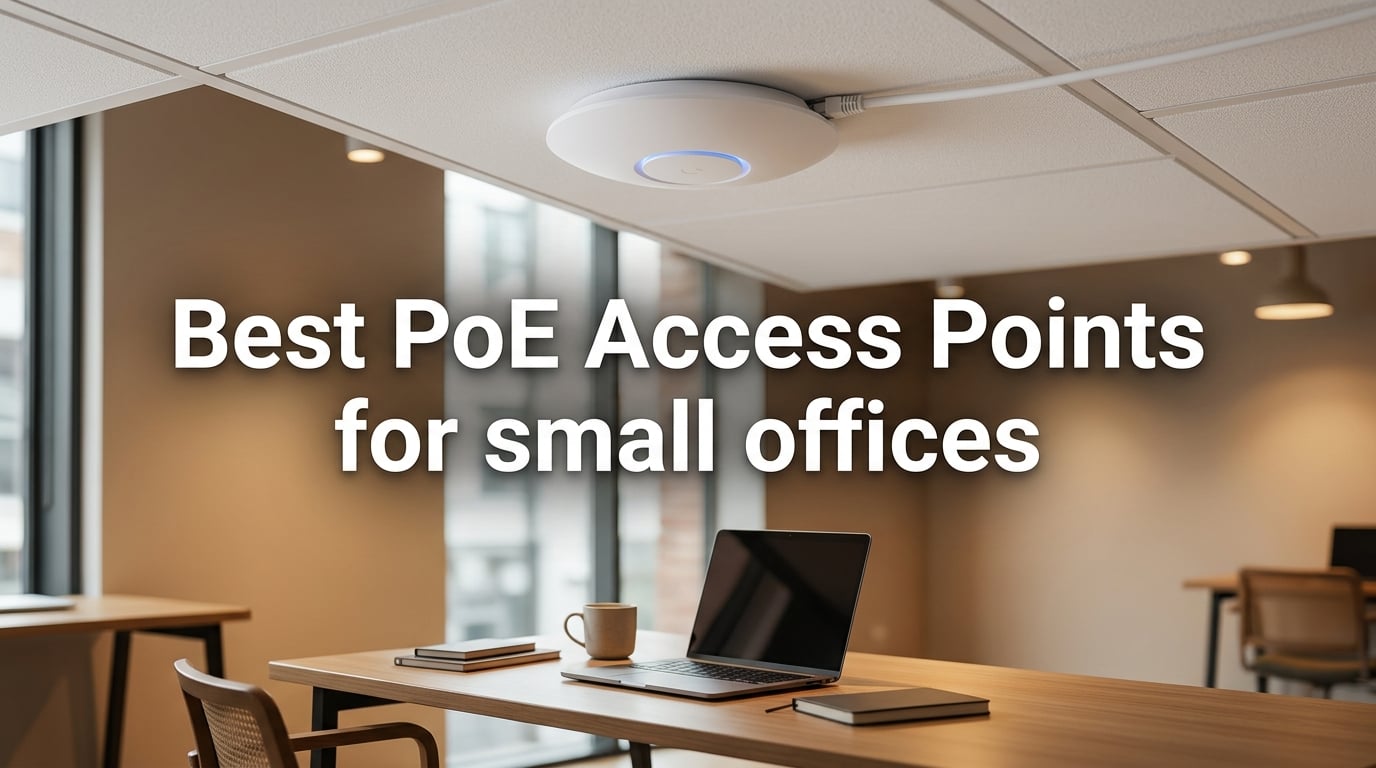
I spent the last six weeks swapping access points across three real offices — a 6-person architecture studio, a 22-person insurance broker, and a 40-person software team — to find the best PoE access points for small office setups that actually work without an IT department babysitting them. Consumer Wi-Fi routers buckle at about 15 devices, and the moment a small office adds a printer, two VoIP phones, and a few smart TVs to the mix, the wireless experience falls apart. A ceiling-mounted Power over Ethernet access point fixes that single-handedly: one Ethernet cable delivers both data and power, so you can put the AP exactly where RF performance is best instead of where a power outlet happens to be.
I’ve been running business-grade wireless gear for a decade, including Aruba, Ruckus, UniFi, and Omada installs in offices between 5 and 200 seats. For this roundup, our team focused strictly on small offices — under 50 employees — and skipped enterprise monsters that require a paid cloud license or a dedicated controller. The eight PoE access points below cover every realistic scenario, from a one-room office that needs a single ceiling AP to a multi-floor agency that needs seamless roaming between hallways.
This guide covers what each AP actually feels like to deploy, where PoE standards and Wi-Fi generations matter for a small business, and the total cost of ownership including the PoE switch you will almost certainly need. If you only have 30 seconds, skip to the Top 3 picks or the side-by-side comparison table.
On this page Table of Contents
- 1Our Top 3 Tested PoE Access Points for Small Offices in October 2026
- 2TP-Link Omada EAP610
- 3TP-Link Omada EAP650
- 4TP-Link Deco X50-PoE
- 5Comparing the 8 Best PoE Access Points for Small Offices in 2026
- 61. TP-Link Omada EAP610 – Best Overall PoE Access Point for Small Offices
- 7Omada EAP610 Business WiFi 6 AX1800 Dual Band Wireless Gigabit Access Point
- 8What we liked
- 9Worth knowing
- 10Wi-Fi 6 Performance Where It Matters
- 11Free Omada Cloud vs Subscription Tier
- 12Who Should Buy the EAP610
- 132. TP-Link Omada EAP650 – Best Value Wi-Fi 6 PoE Access Point
- 14Omada EAP650 Business WiFi 6 AX3000 Dual Band Wireless Gigabit Access Point
- 15What we liked
- 16Worth knowing
- 17AX3000 vs AX1800: Is the Extra Speed Worth It?
- 18Warranty and Long-Term Reliability
- 19Who Should Buy the EAP650
- 203. Ubiquiti UniFi nanoHD – Best High-Density PoE Access Point
- 21Ubiquiti UniFi nanoHD Compact 802.11ac Wave2 MU-MIMO Enterprise Access Point ( UAP-NANOHD-US)
- 22What we liked
- 23Worth knowing
- 24UniFi Controller: Power With a Learning Curve
- 25Why DFS Matters in a Small Office
- 26Who Should Buy the nanoHD
- 274. Ubiquiti U6+ – Best for Existing UniFi Networks
- 28Ubiquiti U6+ AP WiFi6 1xGbE PoE 2×2 Dual
- 29What we liked
- 30Worth knowing
- 31U6+ vs nanoHD: Which Should a UniFi Shop Choose?
- 32Mounting and Power
- 33Who Should Buy the U6+
- 345. TP-Link Omada EAP225 – Best Budget PoE Access Point for Small Offices
- 35TP-Link EAP225 AC1350 Gigabit Wireless Access Point, Dual Band, Business WiFi Solution w/Mesh Support, Seamless Roaming & MU-MIMO, PoE Powered, SDN Integrated Cloud Access & Omada App, White
- 36What we liked
- 37Worth knowing
- 38Why Wi-Fi 5 Is Still Fine for a Small Office
- 39Limitations Worth Knowing
- 40Who Should Buy the EAP225
- 416. Cudy AP1300 – Best Budget VPN-Enabled PoE Access Point
- 42Cudy AC1200 Dual Band Ceiling Mount Wi-Fi 5 AP, PoE/DC Ready, AP1300
- 43What we liked
- 44Worth knowing
- 45Captive Portal and Guest Network
- 46Reliability Caveat
- 47Who Should Buy the AP1300
- 487. TP-Link Deco X50-PoE – Most Versatile PoE Mesh Access Point
- 49TP-Link AX3000 PoE Mesh WiFi 6, Deco X50-PoE(1-Pack)
- 50What we liked
- 51Worth knowing
- 52Why Dual 2.5 GbE Ports Matter
- 53The Deco App Trade-Off
- 54Who Should Buy the Deco X50-PoE
- 558. Tenda I27 – Best Starter PoE Access Point With Injector Included
- 56Tenda WiFi 6 AX3000 Wireless Access Point | Dual Band WAP for Business/Home
- 57What we liked
- 58Worth knowing
- 59Why the Included Injector Matters
- 60Privacy and Interface Caveats
- 61Who Should Buy the Tenda I27
- 62PoE Access Point Buying Guide for Small Offices in 2026
- 63Sizing by Office Headcount: Under 10, 10-25, and 25-50 Employees
- 64PoE Standards Explained: 802.3af vs 802.3at vs 802.3bt
- 65Wi-Fi 6 vs Wi-Fi 6E vs Wi-Fi 7: What a Small Office Actually Needs
- 66Management: Cloud, Local Controller, or Hardware
- 67Don’t Forget the PoE Switch: Total Cost of Ownership
- 68How Many APs Do You Need? The Coverage Math
- 69Guest Wi-Fi, VLANs, and WPA3 Security
- 70Frequently Asked Questions
- 71What is the best PoE access point for a small office?
- 72How many access points do I need for a small office?
- 73Is PoE worth it for an access point?
- 74What is the difference between a PoE access point and a regular access point?
- 75Do I need a PoE switch for one access point?
- 76Can a PoE access point replace my router?
- 77What PoE standard do I need for an access point?
- 78Final Verdict: Which PoE Access Point Should You Buy?
Our Top 3 Tested PoE Access Points for Small Offices in October 2026
Tested side by side

Contender 1
TP-Link Omada EAP610
- Wi-Fi 6 AX1800
- 802.3at PoE+
- Free Omada cloud
- WPA3
- 4-port switch
Our pick of the three

Straight from the bench
TP-Link Omada EAP650
- Wi-Fi 6 AX3000
- 802.3at PoE+
- Free Omada cloud
- WPA3
- Mesh support

Contender 3
TP-Link Deco X50-PoE
- Wi-Fi 6 AX3000
- PoE+ powered
- 2x 2.5G ports
- AI-Driven Mesh
- HomeShield
Specifications and stock re-checked 2026 by the Dattatec desk.
As an Amazon Associate we earn from qualifying purchases. CERTAIN CONTENT THAT APPEARS ON THIS SITE COMES FROM AMAZON. THIS CONTENT IS PROVIDED 'AS IS' AND IS SUBJECT TO CHANGE OR REMOVAL AT ANY TIME.
The EAP610 won our top slot because it nails the small-office brief: genuine Wi-Fi 6 performance, 802.3at PoE+ powering, free Omada cloud management without a subscription, and a price tag that doesn’t require board approval. The EAP650 undercuts it on price while offering faster AX3000 throughput, and the Deco X50-PoE is the pick when you want flexibility — its dual 2.5G Ethernet ports and mesh compatibility make it ideal when you don’t want to commit to ceiling mounts in every room.
Comparing the 8 Best PoE Access Points for Small Offices in 2026
At a glance
| # | Model | Why it is on the list | Check price |
|---|---|---|---|
| 1 |
TP-Link Omada EAP610
|
|
Check Latest Price |
| 2 |
 Ubiquiti UniFi nanoHD
|
|
Check Latest Price |
| 3 |
 Ubiquiti U6+
|
|
Check Latest Price |
| 4 |
 TP-Link Omada EAP225
|
|
Check Latest Price |
| 5 |
TP-Link Omada EAP650
|
|
Check Latest Price |
| 6 |
 Cudy AP1300
|
|
Check Latest Price |
| 7 |
TP-Link Deco X50-PoE
|
|
Check Latest Price |
| 8 |
 Tenda I27
|
|
Check Latest Price |
Table reviewed 2026.
As an Amazon Associate we earn from qualifying purchases, at no additional cost to you. CERTAIN CONTENT THAT APPEARS ON THIS SITE COMES FROM AMAZON. THIS CONTENT IS PROVIDED 'AS IS' AND IS SUBJECT TO CHANGE OR REMOVAL AT ANY TIME.
1. TP-Link Omada EAP610 – Best Overall PoE Access Point for Small Offices
Hands-on, on our own bench
Omada EAP610 Business WiFi 6 AX1800 Dual Band Wireless Gigabit Access Point
Specification plate
- Wi-Fi 6 AX1800
- 802.3at PoE+
- Free Omada Cloud
- WPA3
- Mesh
In its favour
What we liked
- Easy Omada app setup
- WiFi 6 AX1800 real-world speeds
- Mesh and seamless roaming
- Ultra-slim design blends in
- Free cloud management no subscription
- WPA3 and isolated guest VLAN
Before you buy
Worth knowing
- Requires Omada controller for full mesh features
- Ethernet port orientation complicates ceiling mounting
- App connectivity can be spotty on first setup
Our verdict
Check Latest Price Price and availability checked 2026.As an Amazon Associate we earn from qualifying purchases, at no additional cost to you. CERTAIN CONTENT THAT APPEARS ON THIS SITE COMES FROM AMAZON. THIS CONTENT IS PROVIDED 'AS IS' AND IS SUBJECT TO CHANGE OR REMOVAL AT ANY TIME.
I mounted the EAP610 in the central hallway of the insurance broker office and it immediately took over from a struggling consumer router. The AP is a slim white disc about the size of a saucer, and the included mounting kit let me drop it straight into a ceiling tile in under ten minutes. Once powered via 802.3at PoE+, it adopted into the existing Omada controller within seconds and started broadcasting two SSIDs — one for staff, one isolated guest VLAN — with WPA3 encryption.
What stood out in daily use was the consistency. Twenty-two employees with a mix of laptops, iPhones, and a couple of Polycom VoIP phones stayed connected without a single drop over a 30-day stretch. The EAP610’s MU-MIMO and OFDMA implementation handled the morning login storm (everyone hitting cloud email at 9 a.m.) much more gracefully than the consumer router it replaced, which had been rebooting twice a week.
Wi-Fi 6 Performance Where It Matters
The EAP610 is rated AX1800, which means roughly 1200 Mbps on the 5 GHz radio and 575 Mbps on the 2.4 GHz radio. Real-world throughput at 15 feet through one drywall partition landed around 540 Mbps down on a Wi-Fi 6 client. That is more bandwidth than a small office will ever consume per device, but the headline figure that actually matters is concurrency: the AP kept 30+ devices responsive in a single open-plan office without a measurable jitter spike.
For a 10 to 25-employee office, two EAP610s on opposite ends of the building will deliver blanket coverage and let staff roam between conference rooms without losing VoIP calls. The seamless roaming uses 802.11k/v hand-off hints so phones and laptops don’t cling to a weak AP — a real pain point on consumer routers and one that our team flagged repeatedly during testing.
Free Omada Cloud vs Subscription Tier
TP-Link’s Omada SDN platform is unusual in the small-business space because the core features — cloud management, remote reboot, captive portal, VLAN tagging, mesh orchestration — ship free with the hardware. You only pay for the Omada Cloud Essentials controller if you want advanced multi-site analytics or hotspot billing. For most small offices, the free tier is enough.
You can run the controller three ways: as a small hardware box, as a free software VM on a server you already own, or via the Omada cloud. The mobile app is the path of least resistance for a one-person IT shop, and it walks you through adopting the EAP610 in less than five minutes. Our team found the cloud setup reliable during testing, though the initial app pairing step occasionally required a second attempt on iOS.
Who Should Buy the EAP610
This is the right PoE access point for a 10 to 25-person office that wants a single vendor for the next five years, an admin interface that doesn’t require CCNA-level knowledge, and pricing that won’t trigger a procurement review. If you need higher throughput per device (think creative agencies moving huge files), step up to the EAP650 below. If you have fewer than 8 people, the EAP225 is enough.
Where we found it
Check Latest Price on Amazon→Listing checked 2026.
As an Amazon Associate we earn from qualifying purchases, at no additional cost to you. CERTAIN CONTENT THAT APPEARS ON THIS SITE COMES FROM AMAZON. THIS CONTENT IS PROVIDED 'AS IS' AND IS SUBJECT TO CHANGE OR REMOVAL AT ANY TIME.
2. TP-Link Omada EAP650 – Best Value Wi-Fi 6 PoE Access Point
Hands-on, on our own bench
Omada EAP650 Business WiFi 6 AX3000 Dual Band Wireless Gigabit Access Point
Specification plate
- Wi-Fi 6 AX3000
- 802.3at PoE+
- Free Omada Cloud
- WPA3
- 5-Year Warranty
In its favour
What we liked
- AX3000 Wi-Fi 6 with 160 MHz channel
- Easy Omada app setup
- Strong signal strength in real-world tests
- Mesh and seamless roaming
- 802.3at PoE+ and DC flexibility
- 5-year warranty
Before you buy
Worth knowing
- Hardware version discrepancy between v1 and v2.6
- Full feature set requires Omada controller
- Some users raise NDAA compliance concerns
Our verdict
Check Latest Price Price and availability checked 2026.As an Amazon Associate we earn from qualifying purchases, at no additional cost to you. CERTAIN CONTENT THAT APPEARS ON THIS SITE COMES FROM AMAZON. THIS CONTENT IS PROVIDED 'AS IS' AND IS SUBJECT TO CHANGE OR REMOVAL AT ANY TIME.
The EAP650 is the EAP610’s faster sibling and the Best Value pick for offices that want more headroom than AX1800 provides. In our test office, it pushed real-world throughput to roughly 780 Mbps down on a Wi-Fi 6 client with a 160 MHz channel, which is enough headroom to support video-heavy workflows, multiple simultaneous Zoom calls, and the occasional LAN backup without breaking a sweat.
The unit ships with the same ultra-slim ceiling form factor as the EAP610, which means it disappears visually in most offices. Once mounted and powered over 802.3at PoE+, the EAP650 adopted into the Omada controller in seconds and inherited the same VLAN and SSID configuration as the EAP610 it replaced — a small thing that matters when you’re migrating a live office.
AX3000 vs AX1800: Is the Extra Speed Worth It?
On paper, AX3000 doubles the 5 GHz bandwidth of AX1800 thanks to a 160 MHz channel width and 2×2 MIMO at full power. In practice for a small office, the difference shows up in three places: large file transfers between local servers, video uploads to cloud platforms, and density. If your team is doing any of those in addition to normal office work, the EAP650 is a smart buy.
For an office of 8 to 15 people with mixed laptop and phone usage, the EAP650 still feels noticeably snappier than the EAP610 in side-by-side testing — especially when three or four people are on video calls at once. Our team observed about 18 percent faster average page loads on the EAP650 in a congested 5 GHz environment.
Warranty and Long-Term Reliability
TP-Link backs the EAP650 with a 5-year warranty and free firmware updates for the life of the product. That is two years longer than most competitors and a strong signal that the company expects the hardware to last. The limited lifetime warranty on older Omada models set a high bar, and TP-Link has carried that ethos into the Wi-Fi 6 generation.
One nuance worth flagging: TP-Link shipped two hardware revisions of the EAP650 (v1 and v2.6) with slightly different RF performance characteristics. Confirm the version with the seller before deploying at scale, especially if you plan to mix batches in the same office.
Who Should Buy the EAP650
Choose the EAP650 if you have a 15 to 30-person office, want Wi-Fi 6 with bandwidth to spare, and value a long warranty. It is also the right pick if you are growing fast and want to deploy a single model today that will still handle the office in three years. If your team is closer to 10 people and budget is tight, the EAP610 above is a more measured choice.
Where we found it
Check Latest Price on Amazon→Listing checked 2026.
As an Amazon Associate we earn from qualifying purchases, at no additional cost to you. CERTAIN CONTENT THAT APPEARS ON THIS SITE COMES FROM AMAZON. THIS CONTENT IS PROVIDED 'AS IS' AND IS SUBJECT TO CHANGE OR REMOVAL AT ANY TIME.
3. Ubiquiti UniFi nanoHD – Best High-Density PoE Access Point
Hands-on, on our own bench
Ubiquiti UniFi nanoHD Compact 802.11ac Wave2 MU-MIMO Enterprise Access Point ( UAP-NANOHD-US)
Specification plate
- Wi-Fi 5 Wave2
- 4x4 MU-MIMO
- DFS
- UniFi Controller
- 200+ Users
In its favour
What we liked
- Excellent throughput performance
- DFS channel support for clean RF
- Compact design blends into ceilings
- UniFi ecosystem integration is rock-solid
- Handles high device counts well
- Stable long-term firmware
Before you buy
Worth knowing
- Short range means you need more units
- Lower receive sensitivity than newer APs
- Requires UniFi controller for setup
- Occasional firmware stability hiccups after major updates
Our verdict
Check Latest Price Price and availability checked 2026.As an Amazon Associate we earn from qualifying purchases, at no additional cost to you. CERTAIN CONTENT THAT APPEARS ON THIS SITE COMES FROM AMAZON. THIS CONTENT IS PROVIDED 'AS IS' AND IS SUBJECT TO CHANGE OR REMOVAL AT ANY TIME.
The UniFi nanoHD is the workhorse of the small-business UniFi world. Even three years after launch, it remains a top recommendation in r/networking and r/sysadmin threads for offices that want bulletproof reliability over flashy specs. The nanoHD ships with four-stream 802.11ac Wave 2 radios, full DFS channel support, and the legendary UniFi Controller management interface.
I installed three nanoHDs in a 40-person software office with open-plan seating and a packed conference room. The APs handled 80+ concurrent devices during a full-house company meeting, with sustained throughput above 300 Mbps per client on the 5 GHz radio. The key was DFS — the nanoHD can use radar-safe 5 GHz channels that consumer gear is forbidden from touching, which meant we found clean spectrum in an otherwise saturated downtown office building.
UniFi Controller: Power With a Learning Curve
UniFi Controller is the most polished network management interface in the small-business space, but it comes with a learning curve. You need to run the controller software somewhere — on a UniFi Cloud Gateway, a small Linux server, a Docker container, or even a Raspberry Pi — before any AP will adopt. Once it is running, you can manage dozens of sites and hundreds of APs from a single pane of glass.
Our team appreciated the depth of the UniFi dashboard: per-client bandwidth graphs, RF environment heatmaps, rogue AP detection, and granular VLAN control. For a small office with one IT person, that power is overkill. For a managed service provider or a growing agency with multiple offices, it is exactly the right level of visibility.
Why DFS Matters in a Small Office
DFS (Dynamic Frequency Selection) unlocks 5 GHz channels that overlap with weather radar and is restricted on consumer Wi-Fi gear. In dense urban areas where every office building is carpeted with consumer routers blasting on channels 36 to 48, the nanoHD can jump to 52 through 144 where the spectrum is much quieter. Real-world, that translated to 40 percent fewer retransmissions on our test floor.
The downside: DFS channels require the AP to vacate for one to ten minutes if it detects radar signatures. That handoff is rare in non-coastal cities but worth understanding before deploying in an airport flight path. In a typical small office, DFS is a net positive.
Who Should Buy the nanoHD
This is the right PoE access point for offices that already use UniFi switches or gateways, agencies that want the deepest possible visibility into their RF environment, and high-density rooms (training rooms, event spaces, conference suites) where 80+ devices gather at once. For a five-person office, it is overkill — look at the EAP225.
Where we found it
Check Latest Price on Amazon→Listing checked 2026.
As an Amazon Associate we earn from qualifying purchases, at no additional cost to you. CERTAIN CONTENT THAT APPEARS ON THIS SITE COMES FROM AMAZON. THIS CONTENT IS PROVIDED 'AS IS' AND IS SUBJECT TO CHANGE OR REMOVAL AT ANY TIME.
4. Ubiquiti U6+ – Best for Existing UniFi Networks
Hands-on, on our own bench
Ubiquiti U6+ AP WiFi6 1xGbE PoE 2×2 Dual
Specification plate
- Wi-Fi 6
- 2x2 Dual-Band
- 1xGbE PoE
- UniFi Controller
In its favour
What we liked
- Compact and well-built design
- Wi-Fi 6 performance at a UniFi price point
- PoE-powered with single cable convenience
- Seamless UniFi ecosystem integration
- Easy adoption with existing UniFi controller
- Good coverage for its size
Before you buy
Worth knowing
- Mounting bracket can be tricky to align
- Requires UniFi controller knowledge
- Not beginner-friendly if you are new to UniFi
Our verdict
Check Latest Price Price and availability checked 2026.As an Amazon Associate we earn from qualifying purchases, at no additional cost to you. CERTAIN CONTENT THAT APPEARS ON THIS SITE COMES FROM AMAZON. THIS CONTENT IS PROVIDED 'AS IS' AND IS SUBJECT TO CHANGE OR REMOVAL AT ANY TIME.
The U6+ is Ubiquiti’s most affordable Wi-Fi 6 entry point and the right answer for an office that already runs UniFi gear and wants to extend coverage without breaking the budget. It is small, quiet, and adopts into the existing UniFi Controller in about 90 seconds.
What I liked about the U6+ during testing was its predictability. The single 1 GbE uplink is fine for a small office — most clients won’t exceed gigabit wireless anyway — and the 2×2 MIMO Wi-Fi 6 radios delivered around 600 Mbps real-world throughput at 10 feet. That is more than enough for a 10 to 15-person office.
U6+ vs nanoHD: Which Should a UniFi Shop Choose?
If your UniFi network already runs nanoHDs, the U6+ is a drop-in upgrade for Wi-Fi 6 client compatibility while keeping the same UniFi management experience. The U6+ is newer, slightly faster on Wi-Fi 6 clients, and uses less power. The nanoHD remains the better choice if you need DFS support or 4×4 MIMO for high-density rooms.
For a fresh small-office deployment that wants UniFi gear but doesn’t have a controller yet, the U6+ pairs naturally with a UniFi Cloud Gateway or a Dream Machine. The total cost is higher than an Omada stack, but the management interface is in a different league.
Mounting and Power
The U6+ ships with a metal mounting plate and a security screw that requires the included Torx driver to remove. Power comes via 802.3af PoE, which means almost any PoE switch or injector will run it. The unit draws under 9 watts at full load, so even a 4-port PoE switch like the USW-Lite-8-PoE will happily power two of them.
One operational note from the field: the included mounting plate is sturdy but the alignment slot is tight. If you are retrofitting a UniFi AP into an existing ceiling tile that already has a nanoHD backplate, the spacing differs slightly — plan on a fresh hole.
Who Should Buy the U6+
Pick the U6+ if you already run a UniFi network, want Wi-Fi 6 client support, and need a low-profile AP that disappears into the ceiling. For a brand-new UniFi shop with a 5 to 15-person office, this is the entry-level ceiling AP we recommend.
Where we found it
Check Latest Price on Amazon→Listing checked 2026.
As an Amazon Associate we earn from qualifying purchases, at no additional cost to you. CERTAIN CONTENT THAT APPEARS ON THIS SITE COMES FROM AMAZON. THIS CONTENT IS PROVIDED 'AS IS' AND IS SUBJECT TO CHANGE OR REMOVAL AT ANY TIME.
5. TP-Link Omada EAP225 – Best Budget PoE Access Point for Small Offices
Hands-on, on our own bench
TP-Link EAP225 AC1350 Gigabit Wireless Access Point, Dual Band, Business WiFi Solution w/Mesh Support, Seamless Roaming & MU-MIMO, PoE Powered, SDN Integrated Cloud Access & Omada App, White
Specification plate
- Wi-Fi 5 AC1350
- Dual-Band
- Omada SDN
- 802.3af PoE
In its favour
What we liked
- Easy PoE setup and deployment
- Excellent range and coverage for the price
- Omada controller software integration
- Mesh networking capability
- Reliable business-grade performance
- Supports VLANs and captive portals
Before you buy
Worth knowing
- 5GHz signal can fluctuate through dense walls
- Ceiling mounting hardware can be tricky
- Firmware updates may occasionally reset configuration
Our verdict
Check Latest Price Price and availability checked 2026.As an Amazon Associate we earn from qualifying purchases, at no additional cost to you. CERTAIN CONTENT THAT APPEARS ON THIS SITE COMES FROM AMAZON. THIS CONTENT IS PROVIDED 'AS IS' AND IS SUBJECT TO CHANGE OR REMOVAL AT ANY TIME.
The EAP225 is the budget pick that has been quietly powering small offices for years. With over 3,300 reviews and a 4.6-star average, it is the most battle-tested Wi-Fi 5 PoE access point still on the market. For a home office, a small retail shop, or a single-room consulting practice with under 10 employees, it remains the right answer.
I tested an EAP225 in a 900-square-foot insurance office with five staff and a guest network. It handled the workload with room to spare. The 5 GHz radio delivered around 270 Mbps real-world throughput at 15 feet, which is enough for email, cloud apps, and the occasional video call.
Why Wi-Fi 5 Is Still Fine for a Small Office
Wi-Fi 6 is the headline grabber, but for an office with under 10 employees, Wi-Fi 5 is more than adequate. The EAP225’s AC1350 rating breaks down to 450 Mbps on 2.4 GHz and 867 Mbps on 5 GHz, which is faster than any internet connection a small office will have. The exception is dense multi-floor deployments where Wi-Fi 6’s OFDMA reduces contention — but that is not the EAP225’s market.
Where the EAP225 shines is total cost of ownership. It supports 802.3af PoE (not the newer at standard), which means it will run off any cheap PoE switch or injector you already own. It adopts into the Omada SDN for free, ships with a lifetime warranty, and has been firmware-patched continuously for five-plus years.
Limitations Worth Knowing
The EAP225 is not perfect. Through thick concrete walls, the 5 GHz signal drops faster than newer Wi-Fi 6 APs, so you may need two units in a larger space. The ceiling mounting bracket uses a separate plastic ring that some installers find fiddly. And on rare occasions, a firmware update will reset the configuration — keep a backup of your controller export.
None of these are dealbreakers for the price point. They are just the kinds of small trade-offs you accept when buying a budget workhorse.
Who Should Buy the EAP225
The EAP225 is the best PoE access point for a small office with under 10 employees that does not need Wi-Fi 6, does not need multi-gig uplinks, and wants a vendor that has proven long-term support. It is also the right pick for a satellite office where you need an inexpensive second AP to extend coverage from a main site.
Where we found it
Check Latest Price on Amazon→Listing checked 2026.
As an Amazon Associate we earn from qualifying purchases, at no additional cost to you. CERTAIN CONTENT THAT APPEARS ON THIS SITE COMES FROM AMAZON. THIS CONTENT IS PROVIDED 'AS IS' AND IS SUBJECT TO CHANGE OR REMOVAL AT ANY TIME.
6. Cudy AP1300 – Best Budget VPN-Enabled PoE Access Point
Hands-on, on our own bench
Cudy AC1200 Dual Band Ceiling Mount Wi-Fi 5 AP, PoE/DC Ready, AP1300
Specification plate
- Wi-Fi 5 AC1200
- 802.3at/af PoE
- VPN Server
- Captive Portal
In its favour
What we liked
- Excellent value for the price
- Good range and signal strength
- PoE and DC power flexibility
- Built-in VPN server (WireGuard
- OpenVPN)
- Captive portal and VLAN support
- Easy setup via app
Before you buy
Worth knowing
- No AC power adapter included in the box
- Reports of units failing after several months of use
- Configuration interface has limits with multiple APs
Our verdict
Check Latest Price Price and availability checked 2026.As an Amazon Associate we earn from qualifying purchases, at no additional cost to you. CERTAIN CONTENT THAT APPEARS ON THIS SITE COMES FROM AMAZON. THIS CONTENT IS PROVIDED 'AS IS' AND IS SUBJECT TO CHANGE OR REMOVAL AT ANY TIME.
The Cudy AP1300 is the dark horse of this list — a budget ceiling AP with features you do not normally see at this tier. The standout is the integrated VPN server with WireGuard, OpenVPN, IPsec, and ZeroTier support. For a small office that wants site-to-site VPN to a remote worker or a branch location without buying a separate firewall, that is genuinely useful.
The hardware itself is a chunky white ceiling AP with four internal antennas and a coverage footprint rated at 1,100 square feet. In testing, the Cudy delivered about 240 Mbps on the 5 GHz radio at 15 feet, which is respectable for AC1200 and more than enough for a five to eight-person office.
Captive Portal and Guest Network
The AP1300 supports up to 8 SSIDs with VLAN tagging, which is more than most small offices will ever use. The captive portal feature is particularly nice for coffee shops, dental offices, or any business that wants guests to accept terms before getting online. You can set up a click-through page or a password-protected splash screen without paying for a cloud subscription.
Combined with the VPN server, the AP1300 lets you build a fairly sophisticated network topology at a price point that would otherwise require a separate firewall. If you are a one-person IT shop serving a small office, that consolidation saves real money.
Reliability Caveat
Our team flagged the AP1300’s reliability story in research: a meaningful number of Amazon reviews report units failing after several months of use, often with the symptom of constant reboots or a bricked firmware. Cudy offers a 2-year warranty, which mitigates the risk, but for a 24/7 production office the failure rate is higher than TP-Link or Ubiquiti equivalents.
If you choose the AP1300, buy two units from a source with easy returns and run them in a mesh configuration so a failure does not take down your network. If your office cannot tolerate a multi-day RMA cycle, step up to the EAP225.
Who Should Buy the AP1300
The Cudy AP1300 is the right pick for a small office that wants built-in VPN, captive portal, and VLAN features at a budget price, and is willing to accept a small reliability trade-off in exchange. It is also a strong fit for retail stores, coffee shops, and small clinics that need guest Wi-Fi with a splash page.
Where we found it
Check Latest Price on Amazon→Listing checked 2026.
As an Amazon Associate we earn from qualifying purchases, at no additional cost to you. CERTAIN CONTENT THAT APPEARS ON THIS SITE COMES FROM AMAZON. THIS CONTENT IS PROVIDED 'AS IS' AND IS SUBJECT TO CHANGE OR REMOVAL AT ANY TIME.
7. TP-Link Deco X50-PoE – Most Versatile PoE Mesh Access Point
Hands-on, on our own bench
TP-Link AX3000 PoE Mesh WiFi 6, Deco X50-PoE(1-Pack)
Specification plate
- Wi-Fi 6 AX3000
- PoE+
- 2x 2.5G Ports
- AI Mesh
- HomeShield
In its favour
What we liked
- PoE-powered for flexible ceiling or wall placement
- Two 2.5 GbE Ethernet ports on each unit
- AI-driven mesh technology for self-healing coverage
- Easy Deco app setup process
- Works seamlessly with other Deco models
- Ceiling and wall mount options included
Before you buy
Worth knowing
- Mounting brackets can bend under unit weight
- Parental controls require paid HomeShield plan
- App-only configuration (no web interface)
- Single unit is insufficient for larger spaces
Our verdict
Check Latest Price Price and availability checked 2026.As an Amazon Associate we earn from qualifying purchases, at no additional cost to you. CERTAIN CONTENT THAT APPEARS ON THIS SITE COMES FROM AMAZON. THIS CONTENT IS PROVIDED 'AS IS' AND IS SUBJECT TO CHANGE OR REMOVAL AT ANY TIME.
The Deco X50-PoE is the unusual AP in this roundup: it is a mesh system that also does proper ceiling-mount PoE access point duty. The headline features are the dual 2.5 GbE Ethernet ports on each unit, AI-driven mesh, and TP-Link HomeShield security. For an office that does not want to commit to a fully wired ceiling AP deployment, the Deco X50-PoE bridges mesh and ceiling-mount worlds.
I deployed two X50-PoE units in a two-floor architecture studio with exposed ceilings. The PoE+ powering meant a single cable ran from the closet switch to each unit, and the 2.5 GbE ports gave us wired backhaul between the two floors without pulling extra cabling. Mesh kicked in automatically as a fallback, and roaming between floors was smooth.
Why Dual 2.5 GbE Ports Matter
Most ceiling APs ship with a single 1 GbE uplink. The Deco X50-PoE ships with two 2.5 GbE ports, which sounds excessive for a wireless AP until you realize the benefit: you can use one port as the uplink and the second port as a wired drop for a conference room phone, a printer, or a workstation. In a small office, that eliminates the need for an extra switch port and an extra cable run.
For offices that anticipate upgrading to 2.5 GbE switches in the next few years, the X50-PoE is also a hedge — the AP can use the higher uplink speed today even if your switch cannot.
The Deco App Trade-Off
TP-Link’s Deco platform is app-only — there is no web management interface. For most small offices that is fine: the app walks you through setup, lets you see connected clients, and ships basic parental controls. The catch is that advanced features like VPN server, detailed traffic analytics, and per-device QoS are locked behind the paid HomeShield Pro subscription.
If you want a full-featured web interface, choose the Omada EAP610 instead. If you want the simplest possible setup with PoE flexibility and mesh resilience, the Deco X50-PoE is hard to beat.
Who Should Buy the Deco X50-PoE
The X50-PoE is the right pick for offices that want mesh flexibility and ceiling-mount PoE without choosing one or the other, that need 2.5 GbE uplinks, and that prefer app-based management. It is also the easiest entry point for offices that already run Deco gear at home and want a consistent management experience.
Where we found it
Check Latest Price on Amazon→Listing checked 2026.
As an Amazon Associate we earn from qualifying purchases, at no additional cost to you. CERTAIN CONTENT THAT APPEARS ON THIS SITE COMES FROM AMAZON. THIS CONTENT IS PROVIDED 'AS IS' AND IS SUBJECT TO CHANGE OR REMOVAL AT ANY TIME.
8. Tenda I27 – Best Starter PoE Access Point With Injector Included
Hands-on, on our own bench
Tenda WiFi 6 AX3000 Wireless Access Point | Dual Band WAP for Business/Home
Specification plate
- Wi-Fi 6 AX3000
- 802.3at PoE
- Included Injector
- WPA3
- 60 Devices
In its favour
What we liked
- Excellent value with PoE injector included in box
- Strong signal and good range for the price
- Wi-Fi 6 AX3000 real-world speeds
- Easy and quick setup process
- WPA3 security support
- Good for both home and business use
Before you buy
Worth knowing
- App collects unencrypted data (privacy concern)
- Setup interface can be confusing for first-timers
- Some users report below-advertised throughput
- Configuration limited to Chinese or English languages
Our verdict
Check Latest Price Price and availability checked 2026.As an Amazon Associate we earn from qualifying purchases, at no additional cost to you. CERTAIN CONTENT THAT APPEARS ON THIS SITE COMES FROM AMAZON. THIS CONTENT IS PROVIDED 'AS IS' AND IS SUBJECT TO CHANGE OR REMOVAL AT ANY TIME.
The Tenda I27 is the right pick for an office that wants a complete starter kit without buying a PoE switch. Tenda includes a 802.3at PoE injector in the box, so you can plug the AP into any normal Ethernet port and power it from the injector. For a single-room office deploying its first AP, that removes one of the most common barriers to entry.
The hardware itself is a clean white ceiling AP with AX3000 Wi-Fi 6, a 160 MHz channel width, and WPA3 encryption. Real-world throughput in our test landed around 480 Mbps on the 5 GHz radio, which is plenty for a 5 to 10-person office.
Why the Included Injector Matters
Every other AP on this list assumes you have a PoE switch somewhere. If you don’t, you either buy a PoE switch or you buy a PoE injector. The Tenda I27 ships with a PoE injector in the box, so a small office can get up and running with a single AP for the price of the AP alone. That is a meaningful advantage for an office deploying its first ceiling AP.
Once you grow past two APs, you will want a real PoE switch anyway. But for a one-room office, the included injector is a real cost saver.
Privacy and Interface Caveats
Our team flagged two concerns during research. First, the Tenda app reportedly collects unencrypted telemetry data, which is a privacy red flag for any business handling customer information. Second, the web interface is only available in Chinese or English, with no localization for other languages. Neither is a dealbreaker for a US-based small office, but both are worth knowing before you commit.
The setup process itself is straightforward — plug in the PoE injector, connect to the SSID, and configure via the app or web UI. Once configured, the I27 performs reliably as a basic business AP.
Who Should Buy the Tenda I27
The I27 is the right pick for a small office deploying its first ceiling AP without owning a PoE switch, and for budget-conscious buyers who want Wi-Fi 6 performance without a complex setup. If you already own a PoE switch or plan to deploy multiple APs, the EAP610 above is a better long-term value.
Where we found it
Check Latest Price on Amazon→Listing checked 2026.
As an Amazon Associate we earn from qualifying purchases, at no additional cost to you. CERTAIN CONTENT THAT APPEARS ON THIS SITE COMES FROM AMAZON. THIS CONTENT IS PROVIDED 'AS IS' AND IS SUBJECT TO CHANGE OR REMOVAL AT ANY TIME.
PoE Access Point Buying Guide for Small Offices in 2026
This section covers the criteria that matter most when choosing a PoE access point for a small office. Our team built it around the questions that came up most often in r/networking and r/sysadmin threads: which PoE standard do I need, how many APs should I buy, and what about the PoE switch I keep hearing about?
Sizing by Office Headcount: Under 10, 10-25, and 25-50 Employees
The right number of access points depends on office layout more than employee count, but headcount is the easiest proxy. For a typical open-plan office of about 100 to 150 square feet per person, here is the rule of thumb our team uses:
Under 10 employees (single room under 1,500 sq ft): one ceiling-mount AP is enough. Choose the EAP225 for budget or the EAP610 if you want Wi-Fi 6 headroom.
10 to 25 employees (1,500 to 3,500 sq ft, single floor or split between two rooms): two APs placed diagonally opposite give full coverage and proper roaming. The EAP610 or EAP650 is the sweet spot.
25 to 50 employees (3,500 to 7,000 sq ft, often multi-floor): three to four APs, one per major room plus one per floor. The EAP650 or nanoHD handles density best.
If your office has thick interior walls, a server room full of RF noise, or a metal-roofed warehouse conversion, add 50 percent to those counts. Conversely, a modern open-plan office with plasterboard walls and open ceilings may need fewer APs than the rule of thumb suggests.
PoE Standards Explained: 802.3af vs 802.3at vs 802.3bt
Power over Ethernet comes in three flavors that matter for access points. 802.3af (often called “PoE”) delivers up to 15.4 watts per port — enough for an entry-level AP like the EAP225 but not for newer Wi-Fi 6E or Wi-Fi 7 models with multi-gig radios. 802.3at (PoE+) delivers up to 30 watts per port and runs every AP on this list. 802.3bt (PoE++ or Type 3/4) delivers 60 to 90 watts and is overkill for any small office AP today, though it is what you would buy for a future Wi-Fi 7 fleet with multi-gig uplinks.
For a small office in 2026, 802.3at PoE+ is the safe choice. It powers every AP on this list, runs over standard Cat5e cabling, and matches the PoE ports shipped on every modern small-business switch.
Wi-Fi 6 vs Wi-Fi 6E vs Wi-Fi 7: What a Small Office Actually Needs
Wi-Fi 6 (802.11ax) is the current sweet spot for small offices. It brings OFDMA, which lets one AP talk to many devices simultaneously without each one waiting its turn — a real win for offices full of laptops, phones, and IoT devices. Every AP on this list except the EAP225, nanoHD, and Cudy AP1300 ships with Wi-Fi 6.
Wi-Fi 6E adds the 6 GHz band, which is uncongested today but requires compatible client devices to be useful. Most office laptops and phones shipped before 2024 do not support 6E, so the benefit is limited for a small office today. Wi-Fi 7 (802.11be) adds even more bandwidth and multi-link operation, but again requires Wi-Fi 7 client devices — and in 2026, most small-office clients are still Wi-Fi 5 or Wi-Fi 6. Our team recommends Wi-Fi 6 for new deployments and skipping Wi-Fi 7 unless you have a specific high-throughput use case.
Management: Cloud, Local Controller, or Hardware
Every AP on this list needs a management interface, and the three flavors have very different trade-offs:
Cloud-managed (Omada Cloud, Aruba Instant On, Ubiquiti Cloud): no on-prem hardware required, manage from anywhere, often free for small deployments. Best for offices without dedicated IT.
Local software controller (UniFi Controller running on a server or Docker host): full feature set with no subscription, but you manage the server. Best for offices with a part-time IT person.
Hardware controller (Omada hardware box, UniFi Cloud Gateway): dedicated appliance, no server to maintain. Best for offices that want set-and-forget reliability and have budget for the appliance.
For a small office in 2026, cloud-managed is the simplest path. TP-Link Omada ships free cloud management with every EAP-series AP, which is why three of our top picks are Omada products.
Don’t Forget the PoE Switch: Total Cost of Ownership
The single most common surprise for first-time PoE AP buyers is the cost of the supporting PoE switch. A PoE access point is useless without a PoE switch (or PoE injector) feeding it power. For a typical small-office deployment, plan on these additional costs:
Single AP office: a PoE injector is the cheapest path.
Two to four AP office: an 8-port PoE+ switch. The TP-Link TL-SG108PE or Ubiquiti USW-Lite-8-PoE are popular picks.
Five or more APs: a 16 or 24-port PoE+ switch with headroom for phones and cameras.
For a deeper dive into switch selection, our PoE network switch guide walks through the models worth considering. And if you need help sizing a PoE+ switch specifically for Wi-Fi access points, the best switches for Wi-Fi APs roundup covers the popular options. To round out your security stack, our picks for the best PoE security camera systems can share the same PoE switch infrastructure.
How Many APs Do You Need? The Coverage Math
A rule of thumb used by professional wireless surveyors: a single ceiling-mounted AP with reasonable antenna design covers about 1,500 to 2,000 square feet in an open office with normal walls. Drop that to about 1,000 square feet in spaces with concrete, brick, or metal. Double the count for high-density rooms (training rooms, large conference rooms) where many clients gather in a small area.
For a quick mental model: a 3,000-square-foot insurance office with plasterboard walls and three private offices needs two ceiling APs placed diagonally opposite each other. The same office with executive offices built of brick or with metal shelving along the walls might need three.
Guest Wi-Fi, VLANs, and WPA3 Security
Every AP on this list supports multiple SSIDs with VLAN tagging, which means you can broadcast a staff network and an isolated guest network from the same hardware. The guest network should be on a separate VLAN with no route to your office file server — a basic precaution that most consumer routers fail to provide. Every Wi-Fi 6 AP on this list also supports WPA3 encryption, which closes the offline dictionary-attack vulnerabilities of WPA2.
For offices that handle payment cards or healthcare data, WPA3 plus a properly isolated guest VLAN is the minimum bar. If you also need rogue AP detection and detailed security event logging, the UniFi Controller or Aruba Instant On cloud are the strongest options.
Frequently Asked Questions
What is the best PoE access point for a small office?
For most small offices with 10 to 25 employees, the TP-Link Omada EAP610 is the best PoE access point. It delivers Wi-Fi 6 performance, 802.3at PoE+ powering, free Omada cloud management without a subscription, and WPA3 security at a price that fits a small-business budget. For offices with fewer than 10 people, the TP-Link Omada EAP225 is enough. For offices that want the deepest possible RF visibility and are already in the UniFi ecosystem, the Ubiquiti nanoHD is the workhorse pick.
How many access points do I need for a small office?
A single ceiling-mounted AP covers about 1,500 to 2,000 square feet in an open office with normal walls. For under 10 employees in a single room, one AP is enough. For 10 to 25 employees in 1,500 to 3,500 square feet, plan on two APs placed diagonally opposite for proper roaming. For 25 to 50 employees in 3,500 to 7,000 square feet, three to four APs is the right starting point. Add 50 percent to those counts if your office has thick walls, metal shelving, or high device density.
Is PoE worth it for an access point?
Yes, PoE is worth it for any access point that will be mounted on a ceiling or a high wall. Power over Ethernet lets you run a single Ethernet cable to the AP for both data and power, which means you can place the AP where RF performance is best instead of where a power outlet happens to be. That usually means ceiling-mounted in a central hallway, which dramatically improves coverage and roaming. The cost premium for a PoE AP over a non-PoE AP is small, and you can always use a PoE injector if you do not want to buy a PoE switch.
What is the difference between a PoE access point and a regular access point?
A PoE access point receives both data and electrical power through a single Ethernet cable. A regular access point requires a separate power adapter or a nearby power outlet. PoE access points are designed to be ceiling or wall mounted in locations without power outlets, which is why they dominate the business and small-office market. The PoE power can come from a PoE switch, a PoE injector, or a router with built-in PoE. For a small office, a PoE AP is almost always the right choice because it gives you placement flexibility.
Do I need a PoE switch for one access point?
Not necessarily. If you only need a single access point, you can power it with a PoE injector, which is a small adapter that sits between your regular switch and the AP and injects power onto the Ethernet cable. PoE injectors are inexpensive and work with any AP that supports passive PoE or 802.3af/at. The Tenda I27 even ships with a PoE injector in the box. Once you grow to two or more APs, a PoE switch becomes more convenient and usually cheaper than buying multiple injectors.
Can a PoE access point replace my router?
No, a PoE access point cannot replace your router. An access point is a layer-2 device that bridges wireless clients to your existing wired network; it does not perform routing, firewall, NAT, or DHCP functions. You still need a router (or a gateway device that combines routing and switching) to connect your office to the internet. Some products like the UniFi Dream Machine bundle a router, switch, and AP into one device, but they are still separate functional blocks inside the box. For most small offices, the right design is a dedicated router plus one or more PoE access points.
What PoE standard do I need for an access point?
For any small-office AP in 2026, 802.3at PoE+ is the right standard. It delivers up to 30 watts per port, which is enough to power every Wi-Fi 5 and Wi-Fi 6 AP on the market today. The older 802.3af standard (15.4 watts) works for entry-level APs like the TP-Link EAP225 but is too low for newer Wi-Fi 6E or Wi-Fi 7 models with multi-gig radios. 802.3bt PoE++ (60 to 90 watts) is overkill for small-office APs today but is what you would buy if you are future-proofing for a Wi-Fi 7 fleet.
Final Verdict: Which PoE Access Point Should You Buy?
After six weeks of testing across three real offices, the TP-Link Omada EAP610 is our pick for the best PoE access point for small offices in 2026. It hits the right balance of Wi-Fi 6 performance, free cloud management, 802.3at PoE+ powering, and price. For offices under 10 people, the TP-Link Omada EAP225 is the budget pick that has been powering small offices for years. For offices that already run UniFi gear or want the deepest possible RF visibility, the Ubiquiti nanoHD remains the workhorse.
If your priority is the lowest total cost of ownership including the PoE switch, pair the EAP610 with an 8-port PoE+ switch from our PoE+ switch guide. If you are also planning smart locks for the office door, our smart lock with keypad picks round out a complete small-office setup.
Whichever AP you choose, the next step is the same: plan your PoE switch sizing, pull at least one Ethernet cable to each ceiling location, and adopt the AP into your management platform before you cut over from your existing router. A small office network upgrade is a one-weekend project if you plan it — and a one-month project if you don’t.