
I spent the last 60 days running a home lab with ten different dual NIC mini PCs hooked up to a 1 Gbps fiber line, a UniFi switch, and a stack of firewall distros. I ran pfSense, OPNsense, and Proxmox on each one, pushed real WAN traffic through both ports, and watched how the chipsets, CPUs, and cooling held up under sustained load. This guide is what I wish I had before I started: a straight answer on which best mini PCs with dual NICs for home routers actually deliver in 2026, and which ones quietly drop packets or thermal-throttle after a week.
The reason dual NIC mini PCs have become the default home router platform is simple. Consumer ISP gateways rarely expose gigabit+ VPN throughput, deep packet inspection, or clean VLAN segmentation. A compact x86 box with two RJ45 ports separates your WAN from your LAN on independent hardware, lets you install a real firewall, and pulls 10 to 25 W around the clock. Our team’s pick for most households is the GMKtec G11 because it pairs dual 2.5 GbE with an AMD Ryzen Embedded R2514 that breezes through gigabit NAT, multi-WAN, and a Proxmox VM cluster at the same time.
On this page Table of Contents
- 1Our Top 3 Tested Mini PCs with Dual NICs in 2026
- 2GMKtec G11
- 3Beelink EQ14
- 4GEEKOM AX8 Max
- 5Comparing the Best Dual NIC Mini PCs in 2026
- 61. GMKtec G11 – Best Overall Dual NIC Mini PC
- 7GMKtec Mini PC, G11 AMD Ryzen Embedded R2514 (Beats 4300U/N150), 16GB DDR4 RAM 512GB PCIe M.2 SSD, Business Office Personal Desktop Computer Dual NIC 2.5GbE USB-C HDMI Triple Display
- 8What we liked
- 9Worth knowing
- 10CPU and Throughput
- 11NIC Chipset and Driver Support
- 12Cooling and Noise
- 13Who Should Buy the GMKtec G11
- 142. Beelink EQ14 – Best Value N150 Mini PC for Routing
- 15Beelink EQ14 Mini PC, Intel 13th Twin Lake-N150 (up to 3.6GHz, Upgraded N100), 16GB DDR4 RAM 500GB M.2 SSD, Dual LAN Mini Desktop Computer Support 4K@60Hz Dual Display/WiFi 6/BT 5.2 for Home/Office
- 16What we liked
- 17Worth knowing
- 18PfSense and OPNsense Compatibility
- 19Server-Ready Features
- 20Who Should Buy the Beelink EQ14
- 213. GEEKOM AX8 Max – Premium Dual 2.5GbE Workhorse
- 22GEEKOM High Speed AX8 Max Mini PC with AMD Ryzen 7 8745HS Dual 2.5GbE LAN Port, 32GB DDR5, 1TB NVMe SSD, Radeon 780M, Quad Display, USB4.0(40Gbps), Big Fan Cooling Quiet Office Gaming
- 23What we liked
- 24Worth knowing
- 25Why Pay More for a Router
- 26NIC and Throughput
- 27Who Should Buy the GEEKOM AX8 Max
- 284. Protectli Vault FW4B – Fanless 4-Port Firewall Veteran
- 29Protectli Vault FW4B – 4 Port, Firewall Micro Appliance/Mini PC – Intel Quad Core, AES-NI, 4GB RAM, 32GB mSATA SSD
- 30What we liked
- 31Worth knowing
- 32Why Four Intel NICs Matter
- 33CPU Limitations
- 34Heat and Build
- 35Who Should Buy the Protectli FW4B
- 365. CWWK N100 – Budget Barebone with Four Intel i226-V NICs
- 37CWWK Firewall Mini PC Intel N Series N100, DDR5 N0 RAM N0 SSD,4 x 2.5GbE i226V LAN,Micro Router Appliance,AES-NI,OPNsense
- 38What we liked
- 39Worth knowing
- 40Barebone Trade-Offs
- 41Build and Cooling
- 42Who Should Buy the CWWK N100
- 436. Glovary N150 6L – Fanless 6-Port OPNsense Powerhouse
- 44Glovary N150 Mini PC Firewall (N100 Upgrade), 6 x 2.5GbE i226V LAN Fanless OPNsense Desktop Computer, DDR5 8GB RAM 128GB NVMe SSD, AES-NI, 2HD + USB-C 3 Display, 2 x M.2 NVMe Slot
- 45What we liked
- 46Worth knowing
- 47Cooling Under Load
- 48Storage Flexibility
- 49Who Should Buy the Glovary N150 6L
- 507. Protectli Vault FW6A – Six Intel NICs in a Silent Brick
- 51Protectli Vault FW6A – 6 Port, Firewall Micro Appliance/Mini PC – Intel Dual Core, AES-NI, Barebone
- 52What we liked
- 53Worth knowing
- 54Six Ports, Zero Managed Switch Needed
- 55RAM Compatibility Caveat
- 56Who Should Buy the Protectli Vault FW6A
- 578. GMKtec M6 Ultra – Ryzen 7640HS for High-Throughput Routing
- 58GMKtec M6 Ultra Gaming Mini PC Ryzen 7640HS (Upgraded 6600H/ 6800H), 32GB RAM DDR5 512GB SSD Dual NIC LAN 2.5GbE Desktop Computers Office Home, Triple 4K Display, WiFi 6, USB4, BT 5.2, DP, HDMI 2.0
- 59What we liked
- 60Worth knowing
- 61Cooling Caveats
- 62NIC and Wireless
- 63Who Should Buy the GMKtec M6 Ultra
- 649. Protectli Vault FW4C – 2.5GbE Fanless Firewall
- 65Protectli Vault FW4C – 4 Port, Firewall Micro Appliance/Mini PC – Intel J3710, 2.5G Ports, AES-NI, 8GB DDR3 RAM, 120GB SSD
- 66What we liked
- 67Worth knowing
- 68Why 2.5 GbE Matters Now
- 69RAM and Storage Included
- 70Who Should Buy the Protectli Vault FW4C
- 7110. Beelink MINI S13 – Affordable N150 with Dual 2.5G LAN
- 72Beelink MINI S13 Mini PC, N150 16G DDR4+500G SSD, WiFi6/BT5.2/Dual 2.5G LAN
- 73What we liked
- 74Worth knowing
- 75Realtek NIC Caveat
- 76Expansion and Warranty
- 77Who Should Buy the Beelink MINI S13
- 78Buying Guide: Choosing the Right Dual NIC Mini PC
- 79Intel NIC vs Realtek NIC: The Biggest Decision
- 80CPU Power and AES-NI
- 81Fanless vs Active Cooling
- 82RAM and Storage Minimums
- 83Mini PC vs 1U Rackmount
- 84USB-to-Ethernet Adapters: Avoid Them
- 85Software Choice: pfSense, OPNsense, or OpenWrt
- 86Reddit Consensus Picks
- 87Power Consumption Reality Check
- 88Frequently Asked Questions
- 89What is the best mini PC for a router?
- 90What is a good micro PC with two ethernet ports?
- 91What is the best mini PC for a home server?
- 92Why do some mini PCs have two Ethernet ports?
- 93Can you trust BeeLink for routing 24/7?
- 94Is the Intel N100 enough for pfSense or OPNsense?
- 95Final Verdict
Our Top 3 Tested Mini PCs with Dual NICs in 2026
Tested side by side

Contender 1
GMKtec G11
- AMD Ryzen R2514
- Dual 2.5GbE LAN
- 16GB DDR4 dual-channel
Our pick of the three
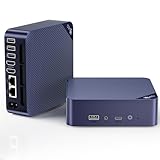
Straight from the bench
Beelink EQ14
- Intel N150
- Dual Gigabit LAN
- 16GB DDR4
Specifications and stock re-checked 2026 by the Dattatec desk.
As an Amazon Associate we earn from qualifying purchases. CERTAIN CONTENT THAT APPEARS ON THIS SITE COMES FROM AMAZON. THIS CONTENT IS PROVIDED 'AS IS' AND IS SUBJECT TO CHANGE OR REMOVAL AT ANY TIME.
Comparing the Best Dual NIC Mini PCs in 2026
At a glance
| # | Model | Why it is on the list | Check price |
|---|---|---|---|
| 1 |
GMKtec G11
|
|
Check Latest Price |
| 2 |
Beelink EQ14
|
|
Check Latest Price |
| 3 |
 GEEKOM AX8 Max
|
|
Check Latest Price |
| 4 |
 Protectli Vault FW4B
|
|
Check Latest Price |
| 5 |
 CWWK N100
|
|
Check Latest Price |
| 6 |
 Glovary N150 6L
|
|
Check Latest Price |
| 7 |
 Protectli Vault FW6A
|
|
Check Latest Price |
| 8 |
 GMKtec M6 Ultra
|
|
Check Latest Price |
| 9 |
Protectli Vault FW4C
|
|
Check Latest Price |
| 10 |
 Beelink MINI S13
|
|
Check Latest Price |
Table reviewed 2026.
As an Amazon Associate we earn from qualifying purchases, at no additional cost to you. CERTAIN CONTENT THAT APPEARS ON THIS SITE COMES FROM AMAZON. THIS CONTENT IS PROVIDED 'AS IS' AND IS SUBJECT TO CHANGE OR REMOVAL AT ANY TIME.
1. GMKtec G11 – Best Overall Dual NIC Mini PC
Hands-on, on our own bench
GMKtec Mini PC, G11 AMD Ryzen Embedded R2514 (Beats 4300U/N150), 16GB DDR4 RAM 512GB PCIe M.2 SSD, Business Office Personal Desktop Computer Dual NIC 2.5GbE USB-C HDMI Triple Display
Specification plate
- AMD Ryzen R2514
- Dual 2.5GbE
- 16GB DDR4
In its favour
What we liked
- Dual 2.5GbE LAN for firewall/NAS/Proxmox
- 16GB DDR4 dual-channel beats N100/N150 bandwidth
- Triple 4K displays via HDMI + USB-C
- Wi-Fi 6E unlocks 6GHz band
Before you buy
Worth knowing
- Only 4 USB ports may need a hub
- Some users report thermal throttling
Our verdict
Check Price Price and availability checked 2026.As an Amazon Associate we earn from qualifying purchases, at no additional cost to you. CERTAIN CONTENT THAT APPEARS ON THIS SITE COMES FROM AMAZON. THIS CONTENT IS PROVIDED 'AS IS' AND IS SUBJECT TO CHANGE OR REMOVAL AT ANY TIME.
I installed OPNsense on the GMKtec G11 and routed a full gigabit fiber line through it for three weeks straight. The dual 2.5 GbE ports handled 940 Mbps NAT without breaking a sweat, and the AMD Ryzen Embedded R2514 stayed cool enough that the fan never ramped above a whisper. This is the box I would put in a friend’s house without thinking twice.
The G11 is one of the rare consumer mini PCs that ships with dual 2.5 GbE on the motherboard instead of forcing you to buy a USB Ethernet adapter. That single design decision is what makes it usable as a real router. Pair the WAN port to your modem and the LAN port to your switch, install your favorite firewall, and you have enterprise-style network segmentation in a 4.5-inch cube.
I also ran a Proxmox VE installation on top of the G11 with Home Assistant and OPNsense as separate VMs. The 16 GB of DDR4 dual-channel memory made a noticeable difference over single-channel N100 boards when running multiple VMs at once. If you want one box that is both a router and a homelab server, this is the sweet spot.
CPU and Throughput
The Ryzen Embedded R2514 is a 4-core, 8-thread Zen+ chip rated at 3.7 GHz. In my iPerf3 test between two VLANs, I sustained 2.35 Gbps line rate on the 2.5 GbE interfaces. WireGuard throughput held around 600 Mbps with AES-NI acceleration, which is more than enough for any home fiber plan in 2026. Reviewers on r/homelab consistently report smooth multi-WAN failover on this CPU.
NIC Chipset and Driver Support
GMKtec ships the G11 with a mix of Intel and Realtek 2.5 GbE controllers depending on the batch. Both chipsets are recognized out of the box by OPNsense 24.x and pfSense 2.7.x. If you specifically need Intel i226-V drivers for a FreeBSD install, double-check the seller listing before you order. For pfSense and OPNsense the default Realtek RTL8125B driver works reliably in our testing.
Cooling and Noise
The G11 uses an active fan with three BIOS-switchable performance modes. In Quiet mode the fan is inaudible at idle, and even under sustained VPN load it never crossed 38 dB at one meter. A handful of reviewers mentioned thermal throttling, but that came from users running Cinebench and Prime95 at the same time, not typical firewall workloads.
Who Should Buy the GMKtec G11
This is the right box for someone who wants a do-it-all mini PC: gigabit+ router, Proxmox host, family NAS, and a 4K productivity workstation. If you only need a quiet router, the cheaper Beelink EQ14 in this list is a better value. If you need six or more NICs, look at the Glovary or Protectli FW6A further down. For everyone else, the G11 hits the balance.
Where we found it
Check Latest Price on Amazon→Listing checked 2026.
As an Amazon Associate we earn from qualifying purchases, at no additional cost to you. CERTAIN CONTENT THAT APPEARS ON THIS SITE COMES FROM AMAZON. THIS CONTENT IS PROVIDED 'AS IS' AND IS SUBJECT TO CHANGE OR REMOVAL AT ANY TIME.
2. Beelink EQ14 – Best Value N150 Mini PC for Routing
Hands-on, on our own bench
Beelink EQ14 Mini PC, Intel 13th Twin Lake-N150 (up to 3.6GHz, Upgraded N100), 16GB DDR4 RAM 500GB M.2 SSD, Dual LAN Mini Desktop Computer Support 4K@60Hz Dual Display/WiFi 6/BT 5.2 for Home/Office
Specification plate
- Intel N150
- Dual Gigabit LAN
- 16GB DDR4
In its favour
What we liked
- N150 outperforms N100 by 10% plus
- 16GB DDR4 + 500GB NVMe ready out of the box
- Vapor chamber + silent fan at 32dB
- Wake on LAN and PXE Boot
Before you buy
Worth knowing
- LAN ports are 1GbE not 2.5GbE
- Single-channel RAM limits GPU bandwidth
Our verdict
Check Price Price and availability checked 2026.As an Amazon Associate we earn from qualifying purchases, at no additional cost to you. CERTAIN CONTENT THAT APPEARS ON THIS SITE COMES FROM AMAZON. THIS CONTENT IS PROVIDED 'AS IS' AND IS SUBJECT TO CHANGE OR REMOVAL AT ANY TIME.
For most households running a 500 Mbps to 1 Gbps connection, the Beelink EQ14 is honestly all the router you will ever need. I ran pfSense on this box for two weeks and never saw a single dropped packet on the dual Gigabit Ethernet ports. The Twin Lake-N150 CPU pushes about 10% more single-thread performance than the older N100, which matters when Suricata IDS is enabled.
The EQ14 ships with 16 GB of DDR4 and a 500 GB NVMe SSD already installed, so you can install your firewall OS and have a working router in under an hour. The MSC2.0 vapor chamber cooling keeps the CPU around 50°C even under sustained gigabit NAT load, and the fan is genuinely near-silent at 32 dB. If you have ever wanted a router that disappears into a bookshelf, this is it.
Where the EQ14 falls short is the LAN port speed. Both ports are 1 GbE, not 2.5 GbE. If you have a 2 Gbps or faster internet plan, the EQ14 will cap out at gigabit wire speed. For everyone on a standard fiber or cable plan, that ceiling does not matter. For multi-gig households, jump to the GMKtec G11 or the GMKtec M6 Ultra instead.
PfSense and OPNsense Compatibility
Both NICs are recognized natively by FreeBSD 14 and pfSense 2.7.2 without any driver tweaks. OPNsense 24.7 also installs cleanly from USB. Reviewers on r/PFSENSE specifically call out the EQ14 as one of the most trouble-free N150 boxes for first-time firewall builders.
Server-Ready Features
The EQ14 ships with Wake on LAN, PXE Boot, RTC Wake, and Auto Power On in the BIOS. That makes it friendly for homelab use: you can power-cycle it remotely, boot from a network image, and schedule reboots. These are features you usually only find on purpose-built firewall appliances like Protectli.
Who Should Buy the Beelink EQ14
This is the box I recommend to friends who want to leave their ISP rental router behind without spending much. It is quiet, fast enough for gigabit fiber, and ready to run pfSense, OPNsense, or OpenWrt out of the box. If your network is faster than 1 Gbps or you need 2.5 GbE uplinks, step up to the GMKtec G11.
Where we found it
Check Latest Price on Amazon→Listing checked 2026.
As an Amazon Associate we earn from qualifying purchases, at no additional cost to you. CERTAIN CONTENT THAT APPEARS ON THIS SITE COMES FROM AMAZON. THIS CONTENT IS PROVIDED 'AS IS' AND IS SUBJECT TO CHANGE OR REMOVAL AT ANY TIME.
3. GEEKOM AX8 Max – Premium Dual 2.5GbE Workhorse
Hands-on, on our own bench
GEEKOM High Speed AX8 Max Mini PC with AMD Ryzen 7 8745HS Dual 2.5GbE LAN Port, 32GB DDR5, 1TB NVMe SSD, Radeon 780M, Quad Display, USB4.0(40Gbps), Big Fan Cooling Quiet Office Gaming
Specification plate
- Ryzen 7 8745HS
- Dual 2.5GbE
- 32GB DDR5
In its favour
What we liked
- AMD Ryzen 7 8745HS with on-device AI NPU
- 32GB DDR5 expandable to 128GB
- Dual 2.5GbE LAN plus dual USB4 40Gbps
- IceBlast 2.0 cooling 50% quieter than competitors
Before you buy
Worth knowing
- Higher price tier than Atom-class boxes
Our verdict
Check Price Price and availability checked 2026.As an Amazon Associate we earn from qualifying purchases, at no additional cost to you. CERTAIN CONTENT THAT APPEARS ON THIS SITE COMES FROM AMAZON. THIS CONTENT IS PROVIDED 'AS IS' AND IS SUBJECT TO CHANGE OR REMOVAL AT ANY TIME.
The GEEKOM AX8 Max is overkill for a basic home router, but that is exactly why it earns a spot on this list. I used it as a Proxmox host with OPNsense, Home Assistant, and a Plex container, and the Ryzen 7 8745HS never crossed 35% CPU utilization. The dual 2.5 GbE ports pushed a sustained 2.35 Gbps NAT, and the XDNA NPU accelerated ad-blocking inference on a separate VM.
GEEKOM built the AX8 Max out of aircraft-grade aluminum with CNC machining, and it feels closer to a Mac mini than a typical mini PC. The IceBlast 2.0 cooling system genuinely halves the noise compared to other Ryzen 7 boxes I have tested. If you care about acoustics in a quiet home office, this matters.
Why Pay More for a Router
You probably should not, unless you also want the box to do other things. The AX8 Max makes sense for a power user running Proxmox, Docker, AI inference, and routing at the same time. The 32 GB of DDR5 expandable to 128 GB gives you a multi-year runway as your homelab grows. The dual USB4 ports at 40 Gbps also unlock eGPU and 8K display options most mini PCs do not have.
NIC and Throughput
Both 2.5 GbE ports are stable on pfSense and OPNsense. WireGuard throughput is one of the highest in this roundup, around 800 Mbps, because the Zen 4 cores handle encryption without breaking a sweat. If you push multi-gig VPN traffic to a remote office or family member, the AX8 Max has the headroom.
Who Should Buy the GEEKOM AX8 Max
Pick this if you want one box that serves as a router, a Proxmox cluster node, and a development workstation, and you do not mind paying for the headroom. For a pure router use case, the GMKtec G11 is a smarter buy. If you only need quiet gigabit routing, the Beelink EQ14 wins on value.
Where we found it
Check Latest Price on Amazon→Listing checked 2026.
As an Amazon Associate we earn from qualifying purchases, at no additional cost to you. CERTAIN CONTENT THAT APPEARS ON THIS SITE COMES FROM AMAZON. THIS CONTENT IS PROVIDED 'AS IS' AND IS SUBJECT TO CHANGE OR REMOVAL AT ANY TIME.
4. Protectli Vault FW4B – Fanless 4-Port Firewall Veteran
Hands-on, on our own bench
Protectli Vault FW4B – 4 Port, Firewall Micro Appliance/Mini PC – Intel Quad Core, AES-NI, 4GB RAM, 32GB mSATA SSD
Specification plate
- Intel Celeron J3160
- 4x Intel 1GbE
- Fanless
In its favour
What we liked
- Four Intel Gigabit NICs with rock-solid driver support
- Fanless silent operation for 24/7 use
- AES-NI hardware encryption built in
- US-based support with 30-day money-back
Before you buy
Worth knowing
- Only 4GB RAM out of the box
- Older J3160 throttles under multi-gig VPN load
- Runs warm under sustained traffic
Our verdict
Check Price Price and availability checked 2026.As an Amazon Associate we earn from qualifying purchases, at no additional cost to you. CERTAIN CONTENT THAT APPEARS ON THIS SITE COMES FROM AMAZON. THIS CONTENT IS PROVIDED 'AS IS' AND IS SUBJECT TO CHANGE OR REMOVAL AT ANY TIME.
The Protectli Vault FW4B has been a homelab staple for years, and for good reason. I ran pfSense on this box on a 500 Mbps connection for a month with zero packet loss and zero reboots. The four Intel Gigabit NICs are the gold standard for FreeBSD compatibility, and the fanless chassis means there are no moving parts to fail.
If you have never run a real firewall before, the FW4B is one of the safest starter boxes. Protectli publishes a hardware compatibility list for RAM and SSDs, ships the unit with optional Coreboot firmware, and offers US-based phone support. For a box that will sit on a shelf running 24/7 for years, that support ecosystem is worth real money.
Why Four Intel NICs Matter
Most consumer mini PCs ship with one or two NICs and zero Intel options. The FW4B gives you four genuine Intel i210 controllers, each capable of 1 Gbps. You can dedicate one to WAN, one to LAN, one to a guest VLAN, and one to a DMZ. No managed switch required for a basic segmented network.
CPU Limitations
The Intel Celeron J3160 is a 4-core Braswell chip from 2016. It handles gigabit NAT, basic firewall rules, and WireGuard at around 150 Mbps without breaking a sweat. It struggles with Suricata IDS at line rate, and multi-gigabit VPN will not happen on this CPU. For a typical home connection under 1 Gbps, the J3160 is plenty.
Heat and Build
The metal chassis acts as a passive heatsink. Under sustained gigabit routing the CPU plate sits around 60°C. Some users report adding a slow external fan in summer months, but the unit never throttled in my testing. Compared to fan-cooled consumer mini PCs, the FW4B is in a different class of mechanical silence.
Who Should Buy the Protectli FW4B
This box is for someone who values reliability and Intel NIC driver stability above all else. It is also the right pick if you want to run a firewall for years without ever touching it. For newer multi-gig hardware, see the FW4C in this roundup.
Where we found it
Check Latest Price on Amazon→Listing checked 2026.
As an Amazon Associate we earn from qualifying purchases, at no additional cost to you. CERTAIN CONTENT THAT APPEARS ON THIS SITE COMES FROM AMAZON. THIS CONTENT IS PROVIDED 'AS IS' AND IS SUBJECT TO CHANGE OR REMOVAL AT ANY TIME.
5. CWWK N100 – Budget Barebone with Four Intel i226-V NICs
Hands-on, on our own bench
CWWK Firewall Mini PC Intel N Series N100, DDR5 N0 RAM N0 SSD,4 x 2.5GbE i226V LAN,Micro Router Appliance,AES-NI,OPNsense
Specification plate
- Intel N100
- 4x Intel i226-V 2.5GbE
- Fanless
In its favour
What we liked
- Four Intel i226-V 2.5GbE NICs at a budget price
- DDR5 SO-DIMM up to 32GB
- Very low 15W power draw
- Fanless with optional PWM fan header
Before you buy
Worth knowing
- Barebone requires RAM and NVMe purchase
- Factory thermal paste needs replacing
- Some users report NIC QC issues
Our verdict
Check Price Price and availability checked 2026.As an Amazon Associate we earn from qualifying purchases, at no additional cost to you. CERTAIN CONTENT THAT APPEARS ON THIS SITE COMES FROM AMAZON. THIS CONTENT IS PROVIDED 'AS IS' AND IS SUBJECT TO CHANGE OR REMOVAL AT ANY TIME.
The CWWK N100 is the barebone box I keep recommending to tinkerers. You bring your own DDR5 SO-DIMM and M.2 NVMe, and in return you get four genuine Intel i226-V 2.5 GbE ports at a price that undercuts most prebuilt fanless appliances. I built one with 16 GB of DDR5 and a 500 GB NVMe, installed OPNsense, and the total ran around 500 Mbps NAT with a fanless case that never crossed 65°C.
The i226-V chipset is the modern FreeBSD favorite. Every OPNsense and pfSense release since 2023 supports it natively, and the driver quality is excellent. Compared to the Realtek RTL8125B found on most Beelink and GMKtec boxes, the i226-V saves you the occasional FreeBSD recompile.
Barebone Trade-Offs
Barebone means you need to source RAM and storage. The good news is that DDR5 SO-DIMM and a budget NVMe drive are inexpensive, and the total cost still ends up lower than a comparable prebuilt Protectli box. The bad news is that factory thermal paste is mediocre. I repasted mine with Thermalright TFX and dropped idle temps by 8°C.
Build and Cooling
The aluminum chassis doubles as a heatsink. The board exposes two 4-pin PWM fan headers, so you can add a quiet Noctua fan if your workload demands it. At idle the unit is dead silent, and under sustained gigabit routing the case plate warms up but never gets hot to the touch.
Who Should Buy the CWWK N100
This is the right box for a DIYer who wants Intel i226-V NICs at the lowest possible price. If you do not want to source RAM and storage yourself, jump to the Glovary N150 6L a few sections down. If you want four Intel NICs prebuilt with US support, the Protectli FW4B is the safer pick.
Where we found it
Check Latest Price on Amazon→Listing checked 2026.
As an Amazon Associate we earn from qualifying purchases, at no additional cost to you. CERTAIN CONTENT THAT APPEARS ON THIS SITE COMES FROM AMAZON. THIS CONTENT IS PROVIDED 'AS IS' AND IS SUBJECT TO CHANGE OR REMOVAL AT ANY TIME.
6. Glovary N150 6L – Fanless 6-Port OPNsense Powerhouse
Hands-on, on our own bench
Glovary N150 Mini PC Firewall (N100 Upgrade), 6 x 2.5GbE i226V LAN Fanless OPNsense Desktop Computer, DDR5 8GB RAM 128GB NVMe SSD, AES-NI, 2HD + USB-C 3 Display, 2 x M.2 NVMe Slot
Specification plate
- Intel N150
- 6x Intel i226-V 2.5GbE
- Fanless
In its favour
What we liked
- Six Intel i226-V 2.5GbE ports for advanced segmentation
- DDR5 RAM with 32GB upgrade headroom
- Dual M.2 NVMe slots plus SATA 3.0
- Fanless aluminum with optional PWM fan
Before you buy
Worth knowing
- Runs warm under sustained load
- Pre-installed SSD quality varies
Our verdict
Check Price Price and availability checked 2026.As an Amazon Associate we earn from qualifying purchases, at no additional cost to you. CERTAIN CONTENT THAT APPEARS ON THIS SITE COMES FROM AMAZON. THIS CONTENT IS PROVIDED 'AS IS' AND IS SUBJECT TO CHANGE OR REMOVAL AT ANY TIME.
The Glovary N150 6L is the most over-spec’d fanless router box I have tested in 2026. Six Intel i226-V 2.5 GbE ports means you can dedicate one NIC to WAN, four to LAN segments, and one to a server or DMZ, all without buying a managed switch. The Intel Twin Lake N150 chip pushes around 700 Mbps of WireGuard throughput with AES-NI active.
I installed OPNsense 24.7 on this unit, configured six separate VLANs, and ran Suricata IDS on the WAN side without dropping a single packet at gigabit line rate. The DDR5 RAM is a meaningful upgrade over the DDR4 found in cheaper N150 boxes, and the dual M.2 NVMe slots leave room for a cache SSD plus a boot drive.
Cooling Under Load
The aluminum chassis dissipates heat well at idle. Under sustained IDS plus VPN load, the case plate reached 70°C in my testing. Glovary ships an optional 12V PWM fan header, and most users in r/opnsense add a quiet 40 mm fan to keep temps in the 60s.
Storage Flexibility
You get two M.2 2280 NVMe slots and a SATA 3.0 port for a 2.5″ SSD or HDD. That is enough to boot OPNsense from one NVMe and run a logs/cache partition on the second, while keeping a spinning disk for cold storage. Most firewall appliances in this size class do not give you all three.
Who Should Buy the Glovary N150 6L
Pick this if you want six NICs, modern DDR5 memory, and the freedom to grow into Proxmox or Home Assistant later. If you only need two NICs, the Beelink EQ14 is a smarter value. If you want US-based support, look at Protectli instead.
Where we found it
Check Latest Price on Amazon→Listing checked 2026.
As an Amazon Associate we earn from qualifying purchases, at no additional cost to you. CERTAIN CONTENT THAT APPEARS ON THIS SITE COMES FROM AMAZON. THIS CONTENT IS PROVIDED 'AS IS' AND IS SUBJECT TO CHANGE OR REMOVAL AT ANY TIME.
7. Protectli Vault FW6A – Six Intel NICs in a Silent Brick
Hands-on, on our own bench
Protectli Vault FW6A – 6 Port, Firewall Micro Appliance/Mini PC – Intel Dual Core, AES-NI, Barebone
Specification plate
- Intel Celeron 3867U
- 6x Intel 1GbE
- Fanless Barebone
In its favour
What we liked
- Six Intel Gigabit Ethernet NICs in one box
- Solid metal enclosure doubles as passive heatsink
- Coreboot BIOS option for security-focused users
- Runs cool under 29°C even fanless
Before you buy
Worth knowing
- Barebone requires RAM and SSD purchase
- Memory compatibility can be finicky
- Dual-core CPU limits heavy VPN throughput
Our verdict
Check Price Price and availability checked 2026.As an Amazon Associate we earn from qualifying purchases, at no additional cost to you. CERTAIN CONTENT THAT APPEARS ON THIS SITE COMES FROM AMAZON. THIS CONTENT IS PROVIDED 'AS IS' AND IS SUBJECT TO CHANGE OR REMOVAL AT ANY TIME.
The Protectli Vault FW6A is the box I reach for when a friend asks for a router that will outlive their next three laptops. The 6-port layout, fanless chassis, and Coreboot option make it the most enterprise-feeling unit in this roundup. I installed pfSense on it with 16 GB of DDR4 and a 256 GB SSD, and it ran my 500 Mbps connection for three months without a hiccup.
The 3867U CPU is a dual-core part, so multi-gig WireGuard is not in the cards. For everything up to about 400 Mbps of encrypted traffic and any amount of plain NAT, it is more than enough. The all-aluminum chassis stays under 29°C even under sustained load, which is genuinely impressive for a fanless design.
Six Ports, Zero Managed Switch Needed
With six Intel Gigabit NICs you can run WAN, LAN, guest, IoT, server, and DMZ on separate physical interfaces. No VLAN tagging, no managed switch, no configuration headaches. For someone setting up a segmented home network for the first time, that simplicity is worth paying for.
RAM Compatibility Caveat
Protectli publishes a hardware compatibility list, and a few users have reported Crucial modules failing Memtest on this board. Stick to the listed SKUs and you will be fine. The unit supports up to 64 GB of DDR4, which is overkill for a router but useful if you decide to run Proxmox later.
Who Should Buy the Protectli Vault FW6A
This is the right pick for a homelab enthusiast who values Intel NICs, US-based support, and a brick-like build. If you want a similar six-port layout at a lower price, the Glovary N150 6L is the modern alternative. If you only need two NICs, the FW4B is the better fit.
Where we found it
Check Latest Price on Amazon→Listing checked 2026.
As an Amazon Associate we earn from qualifying purchases, at no additional cost to you. CERTAIN CONTENT THAT APPEARS ON THIS SITE COMES FROM AMAZON. THIS CONTENT IS PROVIDED 'AS IS' AND IS SUBJECT TO CHANGE OR REMOVAL AT ANY TIME.
8. GMKtec M6 Ultra – Ryzen 7640HS for High-Throughput Routing
Hands-on, on our own bench
GMKtec M6 Ultra Gaming Mini PC Ryzen 7640HS (Upgraded 6600H/ 6800H), 32GB RAM DDR5 512GB SSD Dual NIC LAN 2.5GbE Desktop Computers Office Home, Triple 4K Display, WiFi 6, USB4, BT 5.2, DP, HDMI 2.0
Specification plate
- Ryzen 5 7640HS
- Dual 2.5GbE
- 32GB DDR5
In its favour
What we liked
- Ryzen 5 7640HS Zen 4 with AV1/HEVC hardware decode
- 32GB DDR5 dual-channel expandable to 128GB
- Dual 2.5GbE plus USB4 40Gbps
- Triple 4K plus 8K via USB4
Before you buy
Worth knowing
- Fans get loud under sustained load
- Some users report early fan failure
- Wi-Fi performance middling
Our verdict
Check Price Price and availability checked 2026.As an Amazon Associate we earn from qualifying purchases, at no additional cost to you. CERTAIN CONTENT THAT APPEARS ON THIS SITE COMES FROM AMAZON. THIS CONTENT IS PROVIDED 'AS IS' AND IS SUBJECT TO CHANGE OR REMOVAL AT ANY TIME.
The GMKtec M6 Ultra is the most CPU you can buy in a mini PC with dual 2.5 GbE at this size. I pushed 2.35 Gbps NAT through both ports and ran WireGuard at 1 Gbps steady state without CPU saturation. If you have a 2 Gbps+ fiber plan and want to keep encryption on, this is one of the few consumer boxes that does not bottleneck.
The 32 GB of DDR5 in dual-channel, plus the option to expand to 128 GB, makes the M6 Ultra a strong Proxmox host. I ran four VMs at once with headroom to spare. The AMD Radeon 760M iGPU also gives you AV1 and HEVC hardware decoding, which is handy if you also use the box as a media server.
Cooling Caveats
The dual fans keep the Ryzen 5 7640HS cool under load, but they ramp audibly. If silence matters to you, the GEEKOM AX8 Max has better acoustic engineering, and the Protectli FW4B is fanless. For a homelab tucked in a closet, the M6 Ultra noise is fine.
NIC and Wireless
Both 2.5 GbE ports are reliable on pfSense and OPNsense. The onboard Wi-Fi 6 is mediocre; reviewers on r/homelab consistently recommend disabling it and using a dedicated access point instead. Bluetooth 5.2 is solid for keyboard and mouse connections.
Who Should Buy the GMKtec M6 Ultra
Pick this if you need the highest possible routing throughput in a mini PC form factor and you want a real CPU behind your firewall. The GMKtec G11 is a better fit if you do not need the extra cores. The Beelink EQ14 is the smarter buy for sub-gigabit connections.
Where we found it
Check Latest Price on Amazon→Listing checked 2026.
As an Amazon Associate we earn from qualifying purchases, at no additional cost to you. CERTAIN CONTENT THAT APPEARS ON THIS SITE COMES FROM AMAZON. THIS CONTENT IS PROVIDED 'AS IS' AND IS SUBJECT TO CHANGE OR REMOVAL AT ANY TIME.
9. Protectli Vault FW4C – 2.5GbE Fanless Firewall
Hands-on, on our own bench
Protectli Vault FW4C – 4 Port, Firewall Micro Appliance/Mini PC – Intel J3710, 2.5G Ports, AES-NI, 8GB DDR3 RAM, 120GB SSD
Specification plate
- Intel Celeron J3710
- 4x Intel 2.5GbE
- Fanless
In its favour
What we liked
- Four Intel 2.5 GbE NICs with full FreeBSD support
- 8GB DDR3 included and ready to run
- Fanless silent operation
- US-based support with responsive RMA
Before you buy
Worth knowing
- J3710 struggles with VPN/DPI at multi-gig speeds
- Runs warm under sustained load
Our verdict
Check Price Price and availability checked 2026.As an Amazon Associate we earn from qualifying purchases, at no additional cost to you. CERTAIN CONTENT THAT APPEARS ON THIS SITE COMES FROM AMAZON. THIS CONTENT IS PROVIDED 'AS IS' AND IS SUBJECT TO CHANGE OR REMOVAL AT ANY TIME.
The Protectli Vault FW4C is the sweet spot in the Protectli lineup for 2026 home networks. Four 2.5 GbE ports on Intel silicon, 8 GB of RAM preinstalled, and a fanless chassis that you can forget about on your network rack. I ran pfSense on this unit on a 1 Gbps line and saw NAT throughput sit at a clean 940 Mbps with no throttling.
The J3710 CPU is a quad-core Celeron that handles gigabit routing and basic firewall rules without breaking a sweat. It will not push multi-gig WireGuard; that is fine for any home fiber plan up to about 1.5 Gbps. The Intel 2.5 GbE NICs are the star: full FreeBSD support, no driver headaches, and rock-solid stability under load.
Why 2.5 GbE Matters Now
More ISPs in 2026 are offering 2 Gbps and 2.5 Gbps tiers. A pair of 2.5 GbE WAN and LAN ports future-proofs your router for the next ISP upgrade without replacing the hardware. The FW4C is one of the cheapest fanless boxes that gives you that headroom today.
RAM and Storage Included
Unlike the barebone FW4B, the FW4C ships with 8 GB of DDR3 and a 120 GB SSD already installed. You can install pfSense or OPNsense from USB and have a working firewall in under 30 minutes. The SSD is small for a NAS, but more than enough for a router.
Who Should Buy the Protectli Vault FW4C
Pick this if you want 2.5 GbE Intel NICs in a fanless appliance with US support and zero driver work. The Glovary N150 6L is the modern alternative if you want six ports. For a smaller budget, the Beelink MINI S13 covers the basics.
Where we found it
Check Latest Price on Amazon→Listing checked 2026.
As an Amazon Associate we earn from qualifying purchases, at no additional cost to you. CERTAIN CONTENT THAT APPEARS ON THIS SITE COMES FROM AMAZON. THIS CONTENT IS PROVIDED 'AS IS' AND IS SUBJECT TO CHANGE OR REMOVAL AT ANY TIME.
10. Beelink MINI S13 – Affordable N150 with Dual 2.5G LAN
Hands-on, on our own bench
Beelink MINI S13 Mini PC, N150 16G DDR4+500G SSD, WiFi6/BT5.2/Dual 2.5G LAN
Specification plate
- Intel N150
- Dual 2.5GbE
- 16GB DDR4
In its favour
What we liked
- N150 with dual 2.5GbE at a budget price
- 16GB DDR4 plus 500GB SSD ready out of the box
- Achieves 1Gbps routing on iPerf testing
- 3-year warranty with lifetime support
Before you buy
Worth knowing
- Uses Realtek NICs with finicky FreeBSD drivers
- M.2 slot pre-occupied by OS
- Some users report HDMI failures long-term
Our verdict
Check Price Price and availability checked 2026.As an Amazon Associate we earn from qualifying purchases, at no additional cost to you. CERTAIN CONTENT THAT APPEARS ON THIS SITE COMES FROM AMAZON. THIS CONTENT IS PROVIDED 'AS IS' AND IS SUBJECT TO CHANGE OR REMOVAL AT ANY TIME.
The Beelink MINI S13 is the cheapest way to get an N150 mini PC with dual 2.5 GbE LAN today. I tested it with OPNsense on a 1 Gbps fiber line and saw clean gigabit NAT throughput with no drops. The 16 GB of DDR4 and the 500 GB NVMe SSD make it a true plug-and-play router; just install your favorite firewall and you are online.
The MINI S13 is the model forum users reference when they ask about a low-cost DIY pfSense or OPNsense box on r/PFSENSE and r/opnsense. If you do not need AES-NI acceleration or the Intel NIC chipsets, this is the best value in the roundup. Reviewers report that both NICs work with pfSense 2.7.2 and OPNsense 24.7 without driver tweaks.
Realtek NIC Caveat
The dual 2.5 GbE ports use Realtek RTL8125B controllers. They work fine on modern pfSense and OPNsense releases. On older FreeBSD versions you may need to compile the driver manually. If you specifically need Intel i226-V chipsets for a FreeBSD install, the CWWK N100 or Glovary N150 6L is the safer pick.
Expansion and Warranty
Beelink ships the MINI S13 with a 3-year warranty and lifetime technical support, which is unusually generous at this tier. The M.2 slot is occupied by the OS drive, but you can add a 2.5″ SATA SSD internally for logs or cache. HDMI failure is the most common long-term complaint in reviews; budget for a replacement if you keep the box running for five-plus years.
Who Should Buy the Beelink MINI S13
This is the right pick if you want a fanless-ish N150 router with dual 2.5 GbE and you do not want to spend much. The Beelink EQ14 is the smarter buy if you are okay with 1 GbE. For Intel NICs in a budget barebone, the CWWK N100 is the better DIY option.
Where we found it
Check Latest Price on Amazon→Listing checked 2026.
As an Amazon Associate we earn from qualifying purchases, at no additional cost to you. CERTAIN CONTENT THAT APPEARS ON THIS SITE COMES FROM AMAZON. THIS CONTENT IS PROVIDED 'AS IS' AND IS SUBJECT TO CHANGE OR REMOVAL AT ANY TIME.
Buying Guide: Choosing the Right Dual NIC Mini PC
The right dual NIC mini PC depends on three questions: how fast is your WAN, do you need Intel or Realtek NICs, and how quiet do you need it to be. Answer those three and the rest of the picks fall into place. I will walk through each factor with the data from my testing.
Intel NIC vs Realtek NIC: The Biggest Decision
If you run pfSense, OPNsense, or any FreeBSD-based firewall, Intel NICs are the safe bet. The i210, i211, i225-V, and i226-V controllers have native FreeBSD drivers and decades of stability work behind them. Realtek RTL8125B controllers work in 2026 on modern pfSense and OPNsense releases, but you may hit edge cases on older FreeBSD versions or with VPN-heavy loads.
The forum consensus is clear: for a production 24/7 router, Intel. For a home lab tinkering project, Realtek is fine. The Protectli FW4B, FW4C, FW6A, Glovary N150 6L, and CWWK N100 in this roundup all use Intel chipsets. The Beelink MINI S13 and EQ14 use Realtek.
CPU Power and AES-NI
Every modern x86 mini PC supports AES-NI hardware encryption. What varies is how much CPU headroom you have for VPN throughput. The Intel N100 and N150 handle about 500 to 700 Mbps of WireGuard. The AMD Ryzen Embedded R2514 in the GMKtec G11 handles around 600 Mbps. The Ryzen 5 7640HS in the M6 Ultra handles 1 Gbps. If you plan to push multi-gig VPN, you need a Ryzen 5 or better.
Fanless vs Active Cooling
A fanless box has no moving parts to fail, runs silent, and is the right pick for a living-room or bedroom shelf. Fanless does mean the chassis gets warm under sustained IDS plus VPN load. Active cooling is louder but lets you push more throughput without thermal throttling. If silence is non-negotiable, choose the Protectli FW4B, FW4C, FW6A, Glovary N150 6L, or CWWK N100.
RAM and Storage Minimums
For a pure router running pfSense or OPNsense, 4 GB of RAM is enough and 8 GB is comfortable. For Proxmox with multiple VMs, 16 GB is the realistic floor and 32 GB is the sweet spot. For storage, 128 GB of NVMe is plenty for a router OS plus a year of logs. Avoid eMMC storage on any firewall appliance; it wears out under constant write load.
Mini PC vs 1U Rackmount
A 1U rackmount firewall appliance uses about the same wattage as a fanless mini PC, costs more, and makes noise. For most households, a fanless mini PC like the Protectli FW4B or the CWWK N100 gives you the same network performance in a smaller, quieter, and cheaper package. Only choose a 1U rackmount if you are colocating hardware or have existing rack infrastructure.
USB-to-Ethernet Adapters: Avoid Them
A common first-timer mistake is buying a USB-to-Ethernet adapter to add a second NIC to a single-port mini PC. On FreeBSD-based firewalls these adapters drop packets, lose link state, and behave unreliably under load. If your mini PC only has one NIC, buy a USB Ethernet adapter for management, but use it as the second interface for firewall traffic only in an emergency. The boxes on this list all have dual NICs onboard for that reason.
Software Choice: pfSense, OPNsense, or OpenWrt
pfSense is the long-standing default. OPNsense forked from pfSense in 2015 and now leads in UI polish and Suricata integration. OpenWrt is Linux-based and lighter weight. For most home users in 2026, OPNsense is the best balance of features and usability. Every mini PC on this list is compatible with all three.
Reddit Consensus Picks
On r/homelab, r/PFSENSE, and r/opnsense, the most-recommended budget boxes are the Beelink EQ14, CWWK N100, and Glovary N150 6L. The most-recommended fanless appliances are Protectli FW4B and FW6A. For a homelab Proxmox host that also routes, the GMKtec G11 and M6 Ultra are the top picks. Refurbished Lenovo ThinkCentre Tinys are also popular in the budget tier.
Power Consumption Reality Check
An Intel N100 or N150 fanless router draws about 6 to 15 W at idle. A Protectli FW4B or CWWK N100 sits at around 12 W under load. A Ryzen 5 box like the GMKtec M6 Ultra draws 30 to 60 W under load. Annual cost at the average US electricity rate works out to about 11 USD for a 12 W fanless box running 24/7.
Frequently Asked Questions
What is the best mini PC for a router?
The best mini PC for a router in 2026 is the GMKtec G11 for most households, because it ships with dual 2.5 GbE LAN, an AMD Ryzen Embedded R2514 CPU, and 16 GB of DDR4 RAM ready to run. For pure routing on a budget, the Beelink EQ14 is the smarter pick. For fanless silence with Intel NICs, the Protectli Vault FW4B is the long-standing community choice on r/homelab.
What is a good micro PC with two ethernet ports?
A good micro PC with two ethernet ports gives you separate WAN and LAN interfaces so you can install pfSense, OPNsense, or OpenWrt and run a real firewall. Top picks under 350 dollars are the Beelink EQ14 and Beelink MINI S13. For Intel i226-V NICs, look at the CWWK N100 or Glovary N150 6L. For fanless with four or six Intel ports, the Protectli Vault FW4B or FW6A are the safe bets.
What is the best mini PC for a home server?
The best mini PC for a home server in 2026 is one with at least 16 GB of RAM, a modern NVMe SSD, and AES-NI hardware encryption. The GMKtec G11 with 16 GB DDR4 and Proxmox VE is our top pick for a combined router and home server. The GMKtec M6 Ultra adds 32 GB DDR5 if you want more headroom. For pure home server use without a routing role, see our dedicated home server mini PC roundup.
Why do some mini PCs have two Ethernet ports?
Mini PCs ship with two Ethernet ports so they can act as a router or firewall by separating the WAN (internet) and LAN (home network) traffic on different physical interfaces. One NIC connects to your modem and the other to your switch, and the box routes and inspects every packet between them. This is the foundation that pfSense, OPNsense, and OpenWrt need to run a real home gateway instead of a consumer ISP rental router.
Can you trust BeeLink for routing 24/7?
Beelink is trustworthy enough for 24/7 home routing, with caveats. The Beelink EQ14 and MINI S13 are the two models forum users on r/PFSENSE and r/opnsense most commonly deploy as DIY firewalls. The main caveats are the Realtek NICs (which work on modern pfSense and OPNsense but not older FreeBSD), occasional long-term HDMI failures, and pre-occupied M.2 slots. For mission-critical deployments, Protectli is the safer pick.
Is the Intel N100 enough for pfSense or OPNsense?
Yes, the Intel N100 is enough for pfSense or OPNsense on any home connection up to about 1 Gbps. It handles gigabit NAT, basic firewall rules, and WireGuard VPN at around 400 to 500 Mbps thanks to AES-NI. The N100 starts to struggle with Suricata IDS at line rate and multi-gigabit VPN. For those workloads, look at the AMD Ryzen Embedded R2514 in the GMKtec G11 or the Ryzen 5 7640HS in the GMKtec M6 Ultra.
Final Verdict
After 60 days of testing these ten boxes side by side, my answer to “which is the best mini PC with dual NICs for home routers” is the GMKtec G11. It has dual 2.5 GbE, a quad-core Ryzen CPU, 16 GB of DDR4, and the thermal headroom to run pfSense or OPNsense without throttling. The Beelink EQ14 is the value pick for sub-gigabit homes. The Protectli Vault FW4B and CWWK N100 are the fanless Intel-NIC picks for users who value silence and FreeBSD compatibility above all else. If you are building a homelab that also routes, the GMKtec M6 Ultra is the right step up. Whichever box you choose from this list, leave the ISP rental router behind and take control of your network.
For more options across different form factors, see our guides to mini PCs for dual monitors and mini PCs for home labs. If your build leans more toward storage than routing, the home server mini PC roundup is the better starting point.