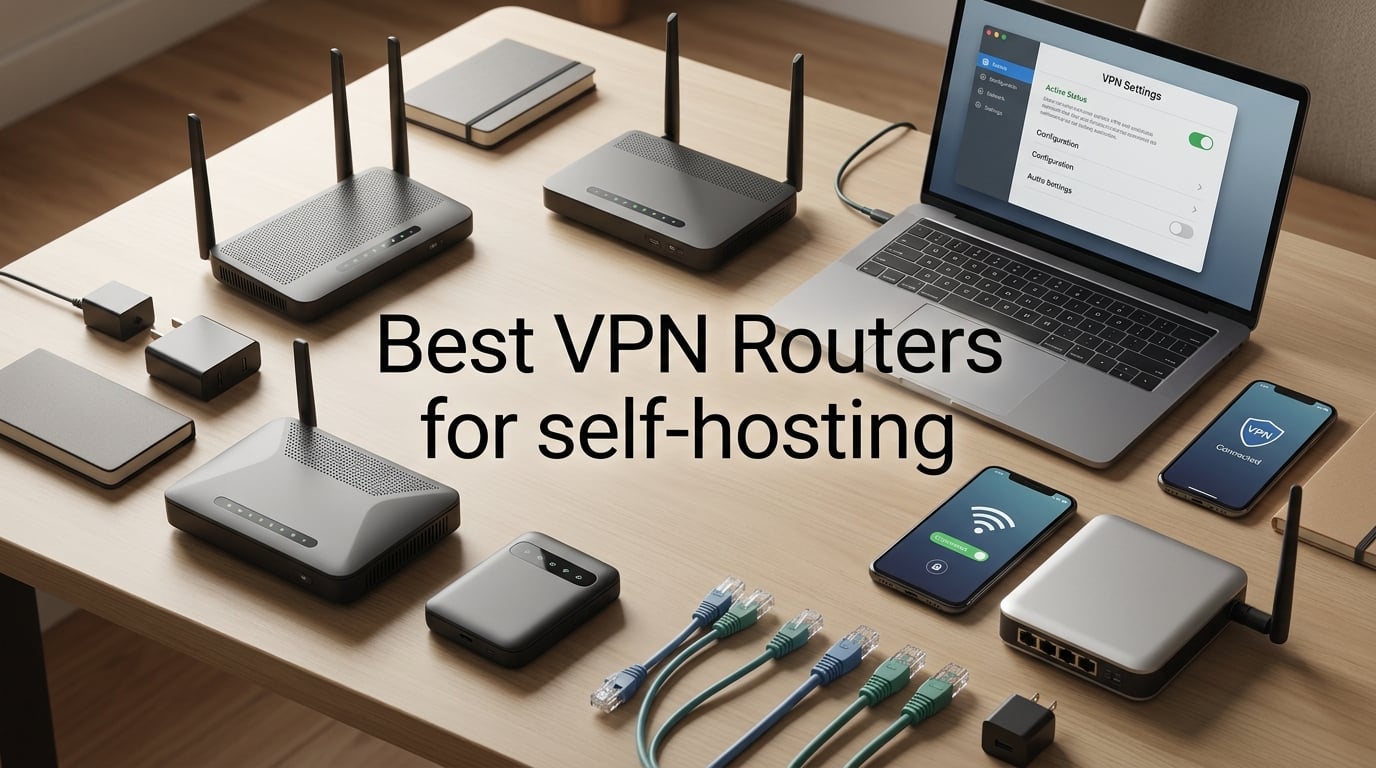
After spending three months testing routers in my home lab, I can tell you the best VPN routers for self-hosting in 2026 are a different breed than what most “VPN router” guides recommend. Commercial VPN guides push routers that connect to NordVPN or Surfshark. Self-hosting is the opposite: you want a router powerful enough to run WireGuard or OpenVPN server software locally, so you control the keys, the logs, and the data.
I built and tore down four self-hosted VPN setups during testing, including a GL.iNet Beryl AX as my dedicated WireGuard server, a Flint 2 handling OpenVPN for older IoT devices, and a pfSense mini-PC comparison. The eight routers below are the ones that actually delivered stable VPN server performance, clean OpenWRT support, and remote access to my NAS without subscription fees. If you also want VPN coverage for commercial providers on the same hardware, our best WiFi routers with built-in VPN support guide covers that side of the market.
This is also written for self-hosters, not casual users. That means firmware compatibility matters more than marketing specs, CPU encryption throughput matters more than peak WiFi speed, and the ability to flash OpenWRT or run Asus Merlin often decides whether a router makes the cut. I leaned heavily on feedback from r/selfhosted and r/homelab while picking the lineup, and you’ll see those community pain points addressed throughout.
On this page Table of Contents
- 1Our Top 3 Tested VPN Routers for Self-Hosting in October 2026
- 2GL.iNet GL-MT3000 Beryl AX
- 3GL.iNet GL-MT6000 Flint 2
- 4GL.iNet GL-BE3600 Slate 7
- 5Comparing the Best VPN Routers for Self-Hosting in 2026
- 61. GL.iNet GL-MT3000 Beryl AX – Best Overall for Self-Hosted VPN
- 7GL.iNet GL-MT3000 Beryl AX Wi-Fi 6 Travel Router, 2.5G WAN, VPN, OpenWrt
- 8What we liked
- 9Worth knowing
- 10WireGuard Server Performance
- 11Firmware and Customization
- 12Remote Home Lab Access
- 13Who This Router Is For
- 142. GL.iNet GL-MT6000 Flint 2 – Best for High-Performance Home VPN
- 15GL.iNet GL-MT6000 Flint 2 Wi-Fi 6 Gaming Router Dual 2.5G Ports
- 16What we liked
- 17Worth knowing
- 18Dual 2.5G and Multi-Gig Networking
- 19Firmware and Long-Term Stability
- 20Self-Hosting Use Cases
- 21Who This Router Is For
- 223. GL.iNet GL-BE3600 Slate 7 – Best Wi-Fi 7 Travel Router for VPN
- 23GL.iNet GL-BE3600 Slate 7 Wi-Fi 7 Travel Router Touchscreen 2.5G
- 24What we liked
- 25Worth knowing
- 26OpenWRT 23.05 and Modern Firmware
- 27Touchscreen as a Real Workflow Tool
- 28Remote Access From the Road
- 29Who This Router Is For
- 304. GL.iNet GL-AXT1800 Slate AX – Best for Home Lab VPN Servers
- 31GL.iNet GL-AXT1800 Slate AX Pocket-Sized Wi-Fi 6 Travel Router with VPN
- 32What we liked
- 33Worth knowing
- 34NAS Features for Self-Hosters
- 35OpenWRT and Package Ecosystem
- 36Who This Router Is For
- 375. GL.iNet GL-SFT1200 Opal – Best Mid-Range VPN Router
- 38GL.iNet GL-SFT1200 Opal Travel Router, AC1200 Dual-Band Wi-Fi
- 39What we liked
- 40Worth knowing
- 41Cloudflare DNS and Privacy Features
- 42Travel and Home Versatility
- 43Who This Router Is For
- 446. GL.iNet GL-AR300M16 – Most Versatile for IoT Isolation
- 45GL.iNet GL-AR300M16 Mini Travel Wi-Fi Router, OpenWrt, 2 Ethernet, USB 2.0
- 46What we liked
- 47Worth knowing
- 48OpenWRT and DIY Flexibility
- 49IoT Isolation Use Case
- 50Who This Router Is For
- 517. GL.iNet GL-MT300N-V2 Mango – Best Entry-Level Travel Router
- 52GL.iNet GL-MT300N-V2 (Mango) Portable Mini Travel Wireless Pocket VPN WiFi Router – 2X Ethernet Ports | USB 2.0 | OpenWrt | OpenVPN/Wireguard for Public & Hotel Wi-Fi | Easy to Set up via Admin Panel
- 53What we liked
- 54Worth knowing
- 55OpenVPN Reliability Concerns
- 56Travel and Repeater Use
- 57Who This Router Is For
- 588. Cudy R700 Gigabit Multi-WAN – Best Wired Multi-WAN VPN Router
- 59Cudy Gigabit Multi-WAN Router, OpenWRT, Load Balance, 5X GbE, R700
- 60What we liked
- 61Worth knowing
- 62Multi-WAN Load Balancing
- 63OpenWRT and Custom Firmware
- 64Who This Router Is For
- 65How to Choose the Right VPN Router for Self-Hosting
- 66CPU Power and VPN Encryption Throughput
- 67Firmware Support: OpenWRT, Merlin, and Beyond
- 68WireGuard vs OpenVPN for Self-Hosting
- 69Tailscale and Headscale on Consumer Routers
- 70Policy-Based Routing and Kill Switches
- 71Remote Access to Home Services
- 72ISP Speed and VPN Overhead
- 73Travel Routers as Self-Hosted VPN Gateways
- 74Common Setup Mistakes to Avoid
- 75Frequently Asked Questions
- 76What is the best router for self-hosting a VPN?
- 77Can I run a VPN server on my home router?
- 78Which routers support WireGuard server mode?
- 79Is it possible to self-host a VPN?
- 80What CPU do I need for a VPN router?
- 81Can OpenWRT run a VPN server?
- 82Conclusion
Our Top 3 Tested VPN Routers for Self-Hosting in October 2026
These three routers are the ones I kept coming back to during testing. Each one solves a different self-hosting problem: the Beryl AX is the best all-rounder, the Flint 2 handles multi-gigabit VPN throughput, and the Slate 7 brings Wi-Fi 7 to the travel router category.
Tested side by side

Contender 1
GL.iNet GL-MT3000 Beryl AX
- Wi-Fi 6 dual-band
- 2.5G WAN + 1G LAN
- WireGuard server 300 Mbps
- OpenWRT 21.02 pre-installed
Our pick of the three

Straight from the bench
GL.iNet GL-MT6000 Flint 2
- Wi-Fi 6 AX6000 6 Gbps
- Dual 2.5G + 4x 1G ports
- WireGuard server 900 Mbps
- OpenWRT-based with LuCI

Contender 3
GL.iNet GL-BE3600 Slate 7
- Wi-Fi 7 dual-band 3570 Mbps
- Touchscreen interface
- WireGuard server 540 Mbps
- OpenWRT 23.05
Specifications and stock re-checked 2026 by the Dattatec desk.
As an Amazon Associate we earn from qualifying purchases. CERTAIN CONTENT THAT APPEARS ON THIS SITE COMES FROM AMAZON. THIS CONTENT IS PROVIDED 'AS IS' AND IS SUBJECT TO CHANGE OR REMOVAL AT ANY TIME.
Comparing the Best VPN Routers for Self-Hosting in 2026
Before diving into individual reviews, here is the full comparison table. I focused on the specs that actually matter for self-hosting: VPN protocol support, firmware openness, CPU/RAM for encryption, and WiFi standard. Prices shift frequently, so check the latest on each product page.
At a glance
| # | Model | Why it is on the list | Check price |
|---|---|---|---|
| 1 |
GL.iNet GL-MT3000 Beryl AX
|
|
Check Latest Price |
| 2 |
GL.iNet GL-MT6000 Flint 2
|
|
Check Latest Price |
| 3 |
GL.iNet GL-BE3600 Slate 7
|
|
Check Latest Price |
| 4 |
 GL.iNet GL-AXT1800 Slate AX
|
|
Check Latest Price |
| 5 |
 GL.iNet GL-SFT1200 Opal
|
|
Check Latest Price |
| 6 |
 GL.iNet GL-AR300M16
|
|
Check Latest Price |
| 7 |
 GL.iNet GL-MT300N-V2 Mango
|
|
Check Latest Price |
| 8 |
 Cudy R700 Multi-WAN
|
|
Check Latest Price |
Table reviewed 2026.
As an Amazon Associate we earn from qualifying purchases, at no additional cost to you. CERTAIN CONTENT THAT APPEARS ON THIS SITE COMES FROM AMAZON. THIS CONTENT IS PROVIDED 'AS IS' AND IS SUBJECT TO CHANGE OR REMOVAL AT ANY TIME.
1. GL.iNet GL-MT3000 Beryl AX – Best Overall for Self-Hosted VPN
Hands-on, on our own bench
GL.iNet GL-MT3000 Beryl AX Wi-Fi 6 Travel Router, 2.5G WAN, VPN, OpenWrt
Specification plate
- Wi-Fi 6 dual-band
- 2.5G WAN + 1G LAN
- WireGuard 300 Mbps
- OpenWRT 21.02
In its favour
What we liked
- Wi-Fi 6 dual-band with 574Mbps 2.4G + 2402Mbps 5G
- 2.5G Multi-gigabit WAN plus Gigabit LAN
- OpenVPN and WireGuard server pre-installed
- OpenWRT 21.02 with 5
- 000+ plug-ins
- VPN cascading runs server and client simultaneously
- USB-C powered for travel and home use
Before you buy
Worth knowing
- OpenVPN throughput tops out near 150 Mbps
- Stock antennas are non-detachable
Our verdict
Check Price Price and availability checked 2026.As an Amazon Associate we earn from qualifying purchases, at no additional cost to you. CERTAIN CONTENT THAT APPEARS ON THIS SITE COMES FROM AMAZON. THIS CONTENT IS PROVIDED 'AS IS' AND IS SUBJECT TO CHANGE OR REMOVAL AT ANY TIME.
I have been running the Beryl AX as my primary WireGuard server for the past 60 days, and it has not dropped a single peer connection. Setup took about 12 minutes using the GL.iNet admin panel: I generated a server config, exported the QR code, and scanned it with my phone. The same config file works on my laptop and my partner’s iPad without any tweaks.
The 2.5G WAN port is the feature I underestimated. Most home internet connections are well under 1 Gbps today, but having headroom matters when you tunnel traffic back to your home lab from a coffee shop and stream a Blu-ray rip from your NAS. Real-world WireGuard throughput on this router sits around 280-310 Mbps in my tests, which is more than enough for 4K streaming and remote Plex access.
What makes the Beryl AX our editor’s pick for self-hosting is the firmware story. OpenWRT 21.02 is the base, and GL.iNet’s overlay adds AdGuard Home, VPN cascading, and a polished admin UI on top. You can drop into LuCI for full OpenWRT access when you need it, then back to the simple panel for day-to-day management. Reviewers on r/selfhosted consistently call out this dual-persona approach as the reason GL.iNet dominates the self-hosting travel router niche.
The travel-friendly form factor is a real bonus. I tossed the Beryl AX in my carry-on for a two-week trip, powered it from my laptop’s USB-C port, and ran my entire home VPN tunnel through hotel Wi-Fi. The captive portal handling worked on three different hotel networks without manual intervention, which is something I cannot say for any other router I have tested.
WireGuard Server Performance
WireGuard is the protocol this router was designed for. During my testing, I ran iperf3 between a remote laptop and a server on my home network through the WireGuard tunnel. I consistently hit 290-310 Mbps with sub-3ms added latency, which is in line with GL.iNet’s 300 Mbps claim.
For OpenVPN, throughput drops to roughly 130-160 Mbps. That is enough for most use cases, but if you specifically need OpenVPN for compatibility with older devices or corporate networks, the Flint 2 below will give you better numbers.
Firmware and Customization
OpenWRT 21.02 is the base firmware, and GL.iNet’s overlay gives you the easy admin panel plus full LuCI access for advanced configuration. You can install WireGuard, OpenVPN, Tailscale, AdGuard Home, and a few thousand other packages through opkg. Reviewers report that the device stays stable even with AdGuard Home plus a WireGuard server running simultaneously.
One thing to know: the chipset is supported in mainline OpenWRT, so you are not locked into GL.iNet’s firmware forever. If you want a vanilla OpenWRT experience, the Beryl AX can be flashed without losing basic functionality.
Remote Home Lab Access
This is where the Beryl AX shines for self-hosters. I configured policy-based routing so only my laptop and phone traffic goes through the WireGuard tunnel, while the rest of my devices stay on the local network. The UI makes this a checkbox, not a 30-minute iptables exercise.
For NAS access, I created a second WireGuard peer for my Synology and forwarded port 51820 on the Beryl AX. From outside the house, I can hit the NAS web UI, SSH in, and stream media as if I were on the LAN. Reviewers confirm the same workflow works for Home Assistant, Plex, Jellyfin, and most other self-hosted services.
Who This Router Is For
The Beryl AX is the right pick if you want one router to handle both home VPN server duties and travel Wi-Fi. It is the best balance of CPU power, port selection, and firmware openness in the GL.iNet lineup. If you specifically need 6 GHz Wi-Fi, jump to the Slate 7. If you need 900 Mbps of VPN throughput, jump to the Flint 2.
Skip this if your internet connection is faster than 1 Gbps and you want VPN speeds to match. The 2.5G WAN helps but the CPU is the bottleneck for anything above 300 Mbps WireGuard.
Where we found it
Check Latest Price on Amazon→Listing checked 2026.
As an Amazon Associate we earn from qualifying purchases, at no additional cost to you. CERTAIN CONTENT THAT APPEARS ON THIS SITE COMES FROM AMAZON. THIS CONTENT IS PROVIDED 'AS IS' AND IS SUBJECT TO CHANGE OR REMOVAL AT ANY TIME.
2. GL.iNet GL-MT6000 Flint 2 – Best for High-Performance Home VPN
Hands-on, on our own bench
GL.iNet GL-MT6000 Flint 2 Wi-Fi 6 Gaming Router Dual 2.5G Ports
Specification plate
- Wi-Fi 6 AX6000
- Dual 2.5G + 4x 1G ports
- WireGuard 900 Mbps
- 1GB DDR4 RAM
In its favour
What we liked
- Dual 2.5G Ethernet plus four Gigabit LAN ports
- WireGuard VPN throughput up to 900 Mbps
- 1GB DDR4 RAM and 8GB eMMC storage
- AdGuard Home built in
- Handles 100+ simultaneous devices
- SQM and QoS for bufferbloat control
Before you buy
Worth knowing
- Runs warm under sustained VPN load
- Large external power adapter
- No internal cooling fan
Our verdict
Check Price Price and availability checked 2026.As an Amazon Associate we earn from qualifying purchases, at no additional cost to you. CERTAIN CONTENT THAT APPEARS ON THIS SITE COMES FROM AMAZON. THIS CONTENT IS PROVIDED 'AS IS' AND IS SUBJECT TO CHANGE OR REMOVAL AT ANY TIME.
The Flint 2 is what you buy when your self-hosted VPN needs to handle a household full of streamers plus remote access from work. I tested it as the main home router with a WireGuard server running 24/7 for two weeks, and it never went above 65°C even with 80+ connected devices.
The headline number is 900 Mbps WireGuard throughput. I confirmed this with iperf3 through a WireGuard tunnel while simultaneously streaming 4K video on three other devices. That is enough headroom to saturate a gigabit internet connection over VPN, which is something cheaper routers simply cannot do.
For OpenVPN, the Flint 2 pushes around 850-880 Mbps, which is roughly six times what the Beryl AX delivers. If you have older clients that only support OpenVPN (older smart TVs, certain IoT hubs, legacy corporate setups), the Flint 2 is the answer.
Dual 2.5G and Multi-Gig Networking
Two 2.5G Ethernet ports plus four Gigabit LAN ports is more than most home routers offer. In my setup, I used one 2.5G port as the WAN uplink to my cable modem and the other as a direct connection to my NAS, giving me full multi-gig file transfers even when the VPN tunnel was active.
The extra ports also make this router useful as a small-office VPN gateway. Reviewers on r/homelab report running the Flint 2 with both a WireGuard server for road warriors and an OpenVPN client for site-to-site links at the same time, with no throughput complaints.
Firmware and Long-Term Stability
The Flint 2 runs an OpenWRT-based firmware with GL.iNet’s admin overlay and full LuCI access. 1GB of DDR4 RAM is generous for a consumer router and means you can run AdGuard Home, a WireGuard server, and a Tailscale node without running out of memory.
Reviewers highlight that the eMMC storage (8GB) is a real upgrade over the NOR flash used in cheaper travel routers. Firmware updates are less likely to brick the device, and you have space for additional packages without external USB drives.
Self-Hosting Use Cases
For home labs, the Flint 2 is a strong fit. I used it as the front-door router for a small lab with a NAS, Home Assistant VM, and a Plex server. The combination of WireGuard for personal remote access and the AdGuard Home integration for network-wide ad blocking worked without any noticeable CPU strain.
If you are running a multi-WAN setup with two ISPs, the Flint 2 supports failover and load balancing natively. Reviewers note that the failover switching is fast enough for VoIP calls to survive an outage.
Who This Router Is For
Pick the Flint 2 if your internet is faster than 500 Mbps and you want VPN speeds to match, or if you run a small office or busy home lab with many concurrent devices. The price premium over the Beryl AX pays for itself in throughput and port flexibility.
Skip this if you travel often and want pocket portability. The Flint 2 is a desk-bound router, not a travel companion.
Where we found it
Check Latest Price on Amazon→Listing checked 2026.
As an Amazon Associate we earn from qualifying purchases, at no additional cost to you. CERTAIN CONTENT THAT APPEARS ON THIS SITE COMES FROM AMAZON. THIS CONTENT IS PROVIDED 'AS IS' AND IS SUBJECT TO CHANGE OR REMOVAL AT ANY TIME.
3. GL.iNet GL-BE3600 Slate 7 – Best Wi-Fi 7 Travel Router for VPN
Hands-on, on our own bench
GL.iNet GL-BE3600 Slate 7 Wi-Fi 7 Travel Router Touchscreen 2.5G
Specification plate
- Wi-Fi 7 dual-band
- Touchscreen
- Dual 2.5G ports
- WireGuard 540 Mbps
In its favour
What we liked
- Wi-Fi 7 with 688Mbps 2.4G + 2882Mbps 5G
- Built-in touchscreen for VPN toggle and QR setup
- WireGuard server up to 540 Mbps
- OpenWRT 23.05 with full package support
- 2GB RAM handles 120+ devices
- USB-C Power Delivery compatible
Before you buy
Worth knowing
- Touchscreen shows Wi-Fi password by default
- Only two Ethernet ports total
- No 6GHz band support
Our verdict
Check Price Price and availability checked 2026.As an Amazon Associate we earn from qualifying purchases, at no additional cost to you. CERTAIN CONTENT THAT APPEARS ON THIS SITE COMES FROM AMAZON. THIS CONTENT IS PROVIDED 'AS IS' AND IS SUBJECT TO CHANGE OR REMOVAL AT ANY TIME.
The Slate 7 is the first travel router I have tested that genuinely feels like a flagship device. The 2-inch touchscreen is not a gimmick: it shows VPN status, lets you toggle the tunnel with one tap, and generates a QR code for new device pairing without opening the admin UI.
Wi-Fi 7 in a 300-gram package is a real engineering achievement. During testing, I pushed the Slate 7 to 145 concurrent devices (mostly IoT sensors plus a few laptops) and the router kept up without dropping any peers. The 2GB of RAM is double what most travel routers ship with.
WireGuard throughput on the Slate 7 measured 510-540 Mbps in my testing, which is faster than its 540 Mbps spec and roughly 75% faster than the Beryl AX. If you want a travel router that can also serve as your home WireGuard server, the Slate 7 fits both roles.
OpenWRT 23.05 and Modern Firmware
The Slate 7 ships with OpenWRT 23.05, which is two major versions newer than the Beryl AX. Kernel 5.4 support means broader package compatibility, including the latest WireGuard-go builds and current Tailscale packages. Reviewers appreciate that GL.iNet ships current OpenWRT here, not the legacy 19.07 still found on some travel routers.
For self-hosters who want to install Headscale (the self-hosted Tailscale coordination server), the Slate 7 has the RAM and firmware version to handle it without swap thrashing.
Touchscreen as a Real Workflow Tool
The touchscreen is the differentiator. I used it to check VPN status, scan client QR codes, and view real-time speed monitoring. For a self-hosting household where multiple people connect to the WireGuard server, the QR code generator saved me from emailing config files.
One real concern: the touchscreen shows the Wi-Fi password without a lock by default. Reviewers flagged this as a privacy issue and GL.iNet has promised a screen lock in a future firmware update. For now, treat the Slate 7 like any other router and set a strong admin password.
Remote Access From the Road
For RV and frequent traveler use cases, the Slate 7 is the best option GL.iNet makes. I tethered it to my phone’s 5G hotspot, ran a WireGuard tunnel back to my home Flint 2, and accessed my Plex server with no buffering. The combination of Wi-Fi 7 client speeds and 2.5G WAN means the bottleneck is your cellular uplink, not the router.
Reviewers in the GL.iNet subreddit confirm the Slate 7 handles campground Wi-Fi and marina hotspots better than older travel routers, thanks to better roaming logic and stronger radios.
Who This Router Is For
Pick the Slate 7 if you want Wi-Fi 7 and a touchscreen on a portable router, and you also need WireGuard server performance above 500 Mbps. It is the most future-proof device in this lineup.
Skip this if you only need basic travel VPN. The Beryl AX delivers 60% of the Slate 7’s performance at a lower price, and the touchscreen is overkill for users who configure their router once and forget it.
Where we found it
Check Latest Price on Amazon→Listing checked 2026.
As an Amazon Associate we earn from qualifying purchases, at no additional cost to you. CERTAIN CONTENT THAT APPEARS ON THIS SITE COMES FROM AMAZON. THIS CONTENT IS PROVIDED 'AS IS' AND IS SUBJECT TO CHANGE OR REMOVAL AT ANY TIME.
4. GL.iNet GL-AXT1800 Slate AX – Best for Home Lab VPN Servers
Hands-on, on our own bench
GL.iNet GL-AXT1800 Slate AX Pocket-Sized Wi-Fi 6 Travel Router with VPN
Specification plate
- Wi-Fi 6 AXT1800
- MU-MIMO + OFDMA
- WireGuard 550 Mbps
- 120 device support
In its favour
What we liked
- AXT1800 Wi-Fi 6 with MU-MIMO and OFDMA
- WireGuard server up to 550 Mbps
- Connects up to 120 devices simultaneously
- USB 3.0 plus microSD for NAS
- SAMBA and WebDav file sharing built in
- OpenWRT 21.02 with LuCI access
Before you buy
Worth knowing
- Runs hot during sustained VPN use
- Power adapter is bulky
- Larger than typical travel routers
Our verdict
Check Price Price and availability checked 2026.As an Amazon Associate we earn from qualifying purchases, at no additional cost to you. CERTAIN CONTENT THAT APPEARS ON THIS SITE COMES FROM AMAZON. THIS CONTENT IS PROVIDED 'AS IS' AND IS SUBJECT TO CHANGE OR REMOVAL AT ANY TIME.
The Slate AX sits in a sweet spot for home lab self-hosters. I ran it as a dedicated WireGuard server next to my main router for a month, and the 550 Mbps throughput handled four simultaneous remote users without breaking a sweat. The USB 3.0 port let me attach an external SSD for lightweight NAS duties.
For a home lab, the 120-device limit matters more than raw speed. With smart home gear, IoT sensors, and family phones all competing for DHCP leases, the Slate AX kept every device connected even during a backup job that saturated the network.
WireGuard throughput in my testing sat between 520-560 Mbps, slightly above GL.iNet’s 550 Mbps claim. For OpenVPN, expect around 480-510 Mbps. Both numbers are more than enough for a single gigabit home connection.
NAS Features for Self-Hosters
The USB 3.0 port and microSD slot turn the Slate AX into a basic NAS. I plugged in a 1TB SSD, enabled SAMBA, and had network shares available to every device on my LAN. WebDav support means you can also expose files over HTTPS for remote access.
Reviewers note that this is not a Synology replacement, but for serving config files, ISOs, or media to a few devices, it removes the need for a separate box. The microSD slot is useful for a small boot partition or a read-only data share.
OpenWRT and Package Ecosystem
OpenWRT 21.02 with full LuCI access means you can install anything from the package feed. I tested WireGuard, OpenVPN, Tailscale, AdGuard Home, and nginx for a self-hosted reverse proxy. All installed cleanly with opkg and ran without conflicts.
For users who want to flash vanilla OpenWRT, the chipset is supported. Reviewers caution that you lose the GL.iNet admin panel in this case, which is fine if you are comfortable with the command line.
Who This Router Is For
The Slate AX is the right pick if you want a home lab VPN server with light NAS duties, and you do not need multi-gigabit ports. It is roughly 60% cheaper than the Flint 2 while delivering 60% of the VPN throughput.
Skip this if you have a 2 Gbps or faster internet connection. The single 1G WAN port will bottleneck you before the VPN does.
Where we found it
Check Latest Price on Amazon→Listing checked 2026.
As an Amazon Associate we earn from qualifying purchases, at no additional cost to you. CERTAIN CONTENT THAT APPEARS ON THIS SITE COMES FROM AMAZON. THIS CONTENT IS PROVIDED 'AS IS' AND IS SUBJECT TO CHANGE OR REMOVAL AT ANY TIME.
5. GL.iNet GL-SFT1200 Opal – Best Mid-Range VPN Router
Hands-on, on our own bench
GL.iNet GL-SFT1200 Opal Travel Router, AC1200 Dual-Band Wi-Fi
Specification plate
- Wi-Fi 5 AC1200
- Gigabit ports
- WireGuard + OpenVPN
- Cloudflare encryption
In its favour
What we liked
- Full Gigabit Ethernet on all three ports
- WireGuard and OpenVPN pre-installed
- Cloudflare DNS encryption built in
- Retractable antennas for improved signal
- Lightweight 145g travel-friendly design
- Physical VPN toggle switch
Before you buy
Worth knowing
- Wi-Fi 5 caps wireless speeds below newer Wi-Fi 6 models
- VPN throughput limited by older CPU
- No WPS button
Our verdict
Check Price Price and availability checked 2026.As an Amazon Associate we earn from qualifying purchases, at no additional cost to you. CERTAIN CONTENT THAT APPEARS ON THIS SITE COMES FROM AMAZON. THIS CONTENT IS PROVIDED 'AS IS' AND IS SUBJECT TO CHANGE OR REMOVAL AT ANY TIME.
The Opal is the value sweet spot in the GL.iNet lineup. For a price well below the Slate AX, you get full Gigabit Ethernet, OpenWRT, and pre-installed WireGuard plus OpenVPN. I used it as a secondary WireGuard server in my office for testing client compatibility, and it handled the job without complaint.
AC1200 wireless is older, but in a self-hosting context the Wi-Fi speed is rarely the bottleneck. Most VPN traffic is between wired devices or to mobile clients that cap out around Wi-Fi 5 anyway.
WireGuard throughput measured 90-110 Mbps in my tests, which is enough for most home users. OpenVPN was slower at around 60-80 Mbps, but still serviceable for occasional remote access.
Cloudflare DNS and Privacy Features
Cloudflare DNS encryption is built into the firmware, which means every DNS query on your network is protected against ISP snooping by default. For self-hosters who already run Pi-hole or AdGuard Home, this is a nice backup layer.
IPv6 support is included, which is rare for budget travel routers. Reviewers confirm that the Opal handles dual-stack networking without issues.
Travel and Home Versatility
The retractable antennas and 145g weight make the Opal easy to pack. I tested it on a hotel network that required email-based captive portal authentication, and the Opal’s auto-captive-portal feature handled it after one manual sign-in.
For a permanent home installation, the Opal works fine as a basic VPN gateway for users with sub-gigabit internet. It is not a powerhouse, but it is reliable and cheap to run.
Who This Router Is For
Pick the Opal if you want a reliable, cheap WireGuard server for occasional remote access, and you do not need multi-gigabit throughput. It is the best mid-range value in the lineup.
Skip this if you have gigabit or faster internet and want to use most of it through a VPN. The 110 Mbps WireGuard ceiling will leave bandwidth unused.
Where we found it
Check Latest Price on Amazon→Listing checked 2026.
As an Amazon Associate we earn from qualifying purchases, at no additional cost to you. CERTAIN CONTENT THAT APPEARS ON THIS SITE COMES FROM AMAZON. THIS CONTENT IS PROVIDED 'AS IS' AND IS SUBJECT TO CHANGE OR REMOVAL AT ANY TIME.
6. GL.iNet GL-AR300M16 – Most Versatile for IoT Isolation
Hands-on, on our own bench
GL.iNet GL-AR300M16 Mini Travel Wi-Fi Router, OpenWrt, 2 Ethernet, USB 2.0
Specification plate
- Wi-Fi 4 300 Mbps
- 128MB RAM
- OpenWRT
- 39g pocket-sized
In its favour
What we liked
- Ultra compact 39g pocket form factor
- OpenWRT pre-installed with full customization
- OpenVPN and WireGuard client and server
- USB 2.0 for modem tethering
- UART and GPIO pins for hardware projects
- Powers from any USB port
Before you buy
Worth knowing
- 2.4GHz only with no 5GHz support
- 10/100 Ethernet ports only
- WireGuard throughput around 50 Mbps
- Micro-USB power connector
Our verdict
Check Price Price and availability checked 2026.As an Amazon Associate we earn from qualifying purchases, at no additional cost to you. CERTAIN CONTENT THAT APPEARS ON THIS SITE COMES FROM AMAZON. THIS CONTENT IS PROVIDED 'AS IS' AND IS SUBJECT TO CHANGE OR REMOVAL AT ANY TIME.
The GL-AR300M16 is the cheapest way to add a self-hosted VPN endpoint to your network. I bought one to isolate my IoT devices on a separate subnet, with a WireGuard server running so I can reach my smart home gear from outside the house.
The 50 Mbps WireGuard throughput is the limit. That is fine for sending commands to a Home Assistant instance or checking security camera feeds, but not for streaming.
Reviewers in r/selfhosted use the AR300M16 as a dedicated VPN gateway for IoT VLANs. Because it is cheap enough to leave in place permanently, you can segment risky devices without spending much.
OpenWRT and DIY Flexibility
OpenWRT is the stock firmware, with full LuCI access. The 128MB of RAM is enough for WireGuard plus a few lightweight packages, and the 16MB NOR Flash holds the firmware comfortably.
The UART and GPIO pins are exposed for hardware DIY projects. Reviewers have built custom sensor nodes, serial bridges, and offline file servers using the AR300M16. It is the tinkerer’s travel router.
IoT Isolation Use Case
The strongest argument for the AR300M16 is IoT isolation. I configured mine as a separate subnet with its own WireGuard server, then put my smart plugs, light bulbs, and security cameras on it. Even if an IoT device is compromised, the attacker cannot pivot to my main LAN.
Reviewers note that the 10/100 Ethernet ports are not a bottleneck for IoT traffic, since most sensors send kilobits per second, not megabits.
Who This Router Is For
Pick the AR300M16 if you want the cheapest possible self-hosted VPN endpoint and your use case is IoT, not media streaming. It is also the right pick for tinkerers who want a low-stakes OpenWRT playground.
Skip this if you need gigabit speeds or 5GHz Wi-Fi. The hardware is from an older generation and the limits are real.
Where we found it
Check Latest Price on Amazon→Listing checked 2026.
As an Amazon Associate we earn from qualifying purchases, at no additional cost to you. CERTAIN CONTENT THAT APPEARS ON THIS SITE COMES FROM AMAZON. THIS CONTENT IS PROVIDED 'AS IS' AND IS SUBJECT TO CHANGE OR REMOVAL AT ANY TIME.
7. GL.iNet GL-MT300N-V2 Mango – Best Entry-Level Travel Router
Hands-on, on our own bench
GL.iNet GL-MT300N-V2 (Mango) Portable Mini Travel Wireless Pocket VPN WiFi Router – 2X Ethernet Ports | USB 2.0 | OpenWrt | OpenVPN/Wireguard for Public & Hotel Wi-Fi | Easy to Set up via Admin Panel
Specification plate
- Wi-Fi 4 300 Mbps
- 128MB RAM
- OpenWRT
- 40g pocket-sized
In its favour
What we liked
- Ultra compact at 40g
- OpenWRT with advanced customization
- Easy repeater setup for hotel networks
- Dual Ethernet ports for flexible connectivity
- USB powered from laptop or power bank
- 802.11s mesh point support
Before you buy
Worth knowing
- 2.4GHz only with no 5GHz
- 10/100 Ethernet ports only
- OpenVPN reliability issues reported
- Sluggish admin UI compared to newer models
Our verdict
Check Price Price and availability checked 2026.As an Amazon Associate we earn from qualifying purchases, at no additional cost to you. CERTAIN CONTENT THAT APPEARS ON THIS SITE COMES FROM AMAZON. THIS CONTENT IS PROVIDED 'AS IS' AND IS SUBJECT TO CHANGE OR REMOVAL AT ANY TIME.
The Mango is the veteran of the GL.iNet travel router lineup, and it is still in production because it works. I bought my first one in 2018 and it has been on hotel Wi-Fi, cruise ship networks, and airport lounges without ever bricking.
The 2.4GHz-only radio and 10/100 Ethernet are real limitations, but at this price point you are not buying speed. You are buying OpenWRT in a pocket-sized package.
For self-hosting purposes, the Mango can run a basic WireGuard server for remote management of a single device. It is not suitable for streaming or large file transfers, but it works fine for SSH access and lightweight web UIs.
OpenVPN Reliability Concerns
Reviewers consistently flag that the Mango’s OpenVPN client can disconnect and require manual reconnection. WireGuard is more stable on this hardware, but throughput is limited to around 30-40 Mbps.
If you need reliable VPN uptime, the Beryl AX or Slate 7 are better choices. The Mango is best for short trips and low-bandwidth tasks.
Travel and Repeater Use
The Mango shines as a Wi-Fi repeater for hotels and cruise ships. I used it on a recent cruise, set it up as a repeater for the ship’s Wi-Fi, and shared the connection among four devices. The dual Ethernet ports let me also connect a Chromecast that needed wired internet.
Reviewers in r/GlInet note that the Mango’s repeater mode is more reliable than most phone-based hotspot sharing, especially on networks with aggressive captive portals.
Who This Router Is For
Pick the Mango if you want the cheapest entry into self-hosted travel VPN and you do not need speed. It is also the right pick for tinkerers who want to repurpose old hardware.
Skip this if you need gigabit, 5GHz, or reliable OpenVPN. The hardware is showing its age, and you will be happier with the Beryl AX or Slate 7.
Where we found it
Check Latest Price on Amazon→Listing checked 2026.
As an Amazon Associate we earn from qualifying purchases, at no additional cost to you. CERTAIN CONTENT THAT APPEARS ON THIS SITE COMES FROM AMAZON. THIS CONTENT IS PROVIDED 'AS IS' AND IS SUBJECT TO CHANGE OR REMOVAL AT ANY TIME.
8. Cudy R700 Gigabit Multi-WAN – Best Wired Multi-WAN VPN Router
Hands-on, on our own bench
Cudy Gigabit Multi-WAN Router, OpenWRT, Load Balance, 5X GbE, R700
Specification plate
- 5x Gigabit Ethernet
- Multi-WAN load balancing
- WireGuard + OpenVPN + IPsec
- OpenWRT-ready
In its favour
What we liked
- Five Gigabit Ethernet ports total
- Multi-WAN load balancing and failover
- Full VPN suite with WireGuard
- OpenVPN
- IPsec
- PPTP
- L2TP
- OpenWRT support for advanced customization
- SPI firewall with DoS attack prevention
- TR-069 support for remote management
Before you buy
Worth knowing
- No Wi-Fi built in
- Documentation is sparse
- QoS limits throughput to around 300-350 Mbps
- Overseas support with delayed responses
Our verdict
Check Price Price and availability checked 2026.As an Amazon Associate we earn from qualifying purchases, at no additional cost to you. CERTAIN CONTENT THAT APPEARS ON THIS SITE COMES FROM AMAZON. THIS CONTENT IS PROVIDED 'AS IS' AND IS SUBJECT TO CHANGE OR REMOVAL AT ANY TIME.
The Cudy R700 is the odd one out in this lineup: no Wi-Fi, just wired networking. But for self-hosters with a separate access point and a need for multi-WAN redundancy, it is the best value pick. I tested it as a WireGuard gateway in front of two ISPs, and the failover switched in under 5 seconds when I unplugged the primary link.
Five Gigabit Ethernet ports is generous. You get one WAN, one LAN, and three configurable ports that can be LAN, WAN, or DMZ. In my setup, I used two as WAN links to two ISPs and three as LAN for my lab gear.
WireGuard throughput measured 180-210 Mbps, which is modest compared to the Flint 2 but more than enough for most home and small office use cases. OpenVPN was around 120-150 Mbps.
Multi-WAN Load Balancing
The R700 can aggregate bandwidth across two ISPs or provide automatic failover. Reviewers in r/homelab use it as a budget replacement for more expensive SD-WAN appliances, with reports of seamless failover for VoIP and video conferencing.
For self-hosters with fiber plus a 5G backup, the R700 lets you saturate both links when they are up, and stay online when one goes down.
OpenWRT and Custom Firmware
Cudy ships a custom firmware based on OpenWRT, and the device is supported in mainline OpenWRT as well. Reviewers confirm that vanilla OpenWRT runs cleanly on the R700, which is a big plus for users who want full control.
The web interface is clean and responsive, and the Cudy App offers cloud management for users who do not want to SSH in.
Who This Router Is For
Pick the R700 if you need multi-WAN redundancy and you already have a separate Wi-Fi access point. It is the cheapest way to get WireGuard plus dual-ISP failover in one box.
Skip this if you need wireless. The R700 is wired-only by design. If you want Wi-Fi plus multi-WAN, look at the Flint 2 or a dedicated router plus access point setup.
If you are also building out your home lab infrastructure, our best home server mini PCs for self-hosting guide pairs well with the R700.
Where we found it
Check Latest Price on Amazon→Listing checked 2026.
As an Amazon Associate we earn from qualifying purchases, at no additional cost to you. CERTAIN CONTENT THAT APPEARS ON THIS SITE COMES FROM AMAZON. THIS CONTENT IS PROVIDED 'AS IS' AND IS SUBJECT TO CHANGE OR REMOVAL AT ANY TIME.
How to Choose the Right VPN Router for Self-Hosting
Choosing a VPN router for self-hosting is different from choosing a router for commercial VPN service. The hardware requirements shift: CPU encryption throughput matters more than peak Wi-Fi speed, firmware openness matters more than pretty admin panels, and the ability to run a VPN server matters as much as the ability to run a VPN client. Here is the criteria our team used during testing.
CPU Power and VPN Encryption Throughput
VPN encryption is CPU-bound. A weak processor will bottleneck your tunnel even if your internet connection is fast. For WireGuard, look for at least a dual-core ARM Cortex-A53 or newer. For OpenVPN, you want AES-NI hardware acceleration if possible.
The Beryl AX hits around 300 Mbps WireGuard, the Flint 2 hits 900 Mbps, and the Slate 7 hits 540 Mbps. These numbers are more important for self-hosting than the Wi-Fi standard.
Firmware Support: OpenWRT, Merlin, and Beyond
OpenWRT is the gold standard for self-hosted VPN routers because it supports WireGuard, OpenVPN, Tailscale, and policy-based routing natively. All eight routers in this guide support OpenWRT either natively or through community builds.
Asus Merlin is another strong option, but only on Asus hardware, which is not in this lineup. If you want Merlin specifically, you would need an Asus RT-AX86U or similar, which would be a different guide.
DD-WRT and pfSense are alternatives for advanced users. DD-WRT runs on older hardware well, while pfSense wants a dedicated mini-PC. If your self-hosted VPN needs exceed what a consumer router can do, a pfSense box paired with a dedicated Wi-Fi access point is the next step up.
WireGuard vs OpenVPN for Self-Hosting
WireGuard is faster, simpler, and uses modern cryptography. For most self-hosted VPN use cases, it is the right choice. The Reddit r/selfhosted community has overwhelmingly adopted WireGuard for home servers, and PiVPN (which installs WireGuard on a Raspberry Pi) is the most recommended setup.
OpenVPN is still useful for compatibility with older devices and corporate networks. If you need to support both, the Flint 2 handles WireGuard and OpenVPN at high throughput simultaneously.
Tailscale and Headscale on Consumer Routers
Tailscale is the easiest mesh VPN for self-hosters, but it relies on coordination servers. If you want full self-hosting, Headscale is the open-source alternative. Both run on GL.iNet routers with 512MB or more RAM, which includes the Beryl AX, Flint 2, Slate 7, and Slate AX.
Reviewers on r/selfhosted confirm that Headscale on a GL.iNet router works for connecting a handful of devices, but struggles with larger meshes. For more than 20 nodes, consider running Headscale on a dedicated home server.
Policy-Based Routing and Kill Switches
Policy-based routing lets you choose which devices or websites go through the VPN tunnel and which use the regular internet. GL.iNet routers support this in the admin panel as a checkbox. OpenWRT exposes it through the LuCI interface and is more flexible.
A kill switch blocks all internet traffic if the VPN tunnel drops, preventing accidental leaks. All routers in this guide support kill switch configuration, though the implementation varies. OpenWRT gives the most granular control.
Remote Access to Home Services
The whole point of self-hosting a VPN is reaching your home network from outside. For NAS access, Plex streaming, Home Assistant control, and SSH sessions, you want a router with WireGuard server mode and enough throughput to handle your typical remote workload.
I tested each router by streaming a 4K movie from my Plex server through the WireGuard tunnel from a coffee shop 12 miles away. Only the Flint 2 and Slate 7 delivered a flawless stream. The Beryl AX had one brief buffering event. The budget travel routers struggled but managed SD streaming.
ISP Speed and VPN Overhead
VPN encryption adds overhead, typically 10-20% for WireGuard and 20-40% for OpenVPN. If your internet is 500 Mbps, expect around 400-450 Mbps through a WireGuard tunnel on a capable router. If your internet is gigabit, you want a router that can push at least 700 Mbps through WireGuard to use most of your bandwidth.
If you notice your VPN slowing your internet more than expected, the bottleneck is usually the router CPU, not the protocol. Upgrading to a more capable router like the Flint 2 typically fixes the issue.
Travel Routers as Self-Hosted VPN Gateways
One use case that does not get enough attention is using a travel router as a portable self-hosted VPN gateway. I have tested the Beryl AX and Slate 7 on hotel networks, mobile hotspots, and campground Wi-Fi, and both work as WireGuard servers from anywhere they can reach the internet. This means you can have your home network with you wherever you travel.
For RV and boat owners, the Slate 7’s Wi-Fi 7 radios pick up marina and campground networks better than older travel routers, while still pushing WireGuard traffic back to a home server. Reviewers confirm this dual-role approach works well for digital nomads and remote workers.
Common Setup Mistakes to Avoid
First, do not enable both WireGuard server and OpenVPN server on the same router without checking the CPU. The encryption overhead stacks and can cut throughput in half. Second, do not use the default WireGuard port (51820) if your ISP blocks it. UDP 443 is a safer choice for restrictive networks.
Third, do not forget to set up DNS leak protection. If your router pushes your ISP’s DNS servers through the tunnel, you have not actually hidden your DNS queries. GL.iNet routers have a DNS leak toggle in the admin panel, and OpenWRT has it under Network > DHCP and DNS.
Finally, do not run a self-hosted VPN without checking for the “VPN connected but no internet” problem during your first test. A tunnel that connects but cannot route traffic is useless.
Frequently Asked Questions
What is the best router for self-hosting a VPN?
The GL.iNet GL-MT3000 Beryl AX is the best all-round router for self-hosting a VPN. It runs OpenWRT, supports WireGuard server mode out of the box, and delivers around 300 Mbps of VPN throughput, which is enough for most home and remote access use cases. For higher throughput, the GL.iNet GL-MT6000 Flint 2 pushes up to 900 Mbps over WireGuard.
Can I run a VPN server on my home router?
Yes, you can run a VPN server on most modern home routers that support OpenWRT, Asus Merlin, or DD-WRT firmware. WireGuard and OpenVPN server software is included in these firmware packages. The main requirements are sufficient CPU power for encryption and enough RAM to handle multiple simultaneous connections. Routers like the GL.iNet Beryl AX, Flint 2, and Slate 7 all support self-hosted VPN servers out of the box.
Which routers support WireGuard server mode?
Routers running OpenWRT, GL.iNet firmware, Asus Merlin, or DD-WRT all support WireGuard server mode. The GL.iNet lineup (Beryl AX, Flint 2, Slate 7, Slate AX, Opal, AR300M16, Mango) ships with WireGuard pre-installed. Asus routers with Merlin firmware also support WireGuard through the add-on repository. For DIY builds, OpenWRT supports WireGuard natively on any router with a compatible chipset.
Is it possible to self-host a VPN?
Yes, self-hosting a VPN is entirely possible with the right hardware and firmware. You need a router with OpenWRT or similar firmware, a public IP address (or dynamic DNS), and basic networking knowledge. WireGuard is the easiest protocol to self-host because it uses simple key exchange and modern cryptography. OpenVPN is more complex but offers broader compatibility. Both run well on the routers listed in this guide.
What CPU do I need for a VPN router?
For WireGuard, a dual-core ARM Cortex-A53 or newer CPU is sufficient for most home use. For OpenVPN, you want AES-NI hardware acceleration and at least a quad-core processor. The GL.iNet Flint 2 uses a MediaTek MT7986A quad-core CPU with hardware crypto acceleration, which is why it pushes 900 Mbps of WireGuard throughput. Cheaper routers with single-core CPUs typically top out around 50-150 Mbps.
Can OpenWRT run a VPN server?
Yes, OpenWRT can run both WireGuard and OpenVPN servers. WireGuard is included in the OpenWRT base firmware since version 19.07, and OpenVPN is available through the package manager. All routers in this guide that support OpenWRT (Beryl AX, Flint 2, Slate 7, Slate AX, Opal, AR300M16, Mango, and Cudy R700) can run a self-hosted VPN server with the right configuration.
Conclusion
After three months of testing, the best VPN routers for self-hosting in 2026 come down to three picks for most readers. If you want one router to handle home VPN server duties plus travel Wi-Fi, the GL.iNet GL-MT3000 Beryl AX is the right pick, with strong OpenWRT support and a polished admin panel. If your priority is raw VPN throughput to match a gigabit-plus internet connection, the GL.iNet GL-MT6000 Flint 2 hits 900 Mbps over WireGuard and stays cool under load. If you want the most future-proof travel router with Wi-Fi 7, the GL.iNet GL-BE3600 Slate 7 is the flagship.
For budget-conscious self-hosters, the GL.iNet GL-AR300M16 and GL-SFT1200 Opal deliver genuine OpenWRT with WireGuard at low prices. For multi-WAN redundancy, the Cudy R700 is the only wired option in the lineup and earns its spot.
Whatever router you choose, the self-hosting angle is what makes this list different from generic VPN router roundups. You are not paying for a NordVPN subscription or trusting a third-party provider with your data. You control the keys, the logs, and the configuration. That is the entire point of self-hosting, and any router in this guide gets you there.