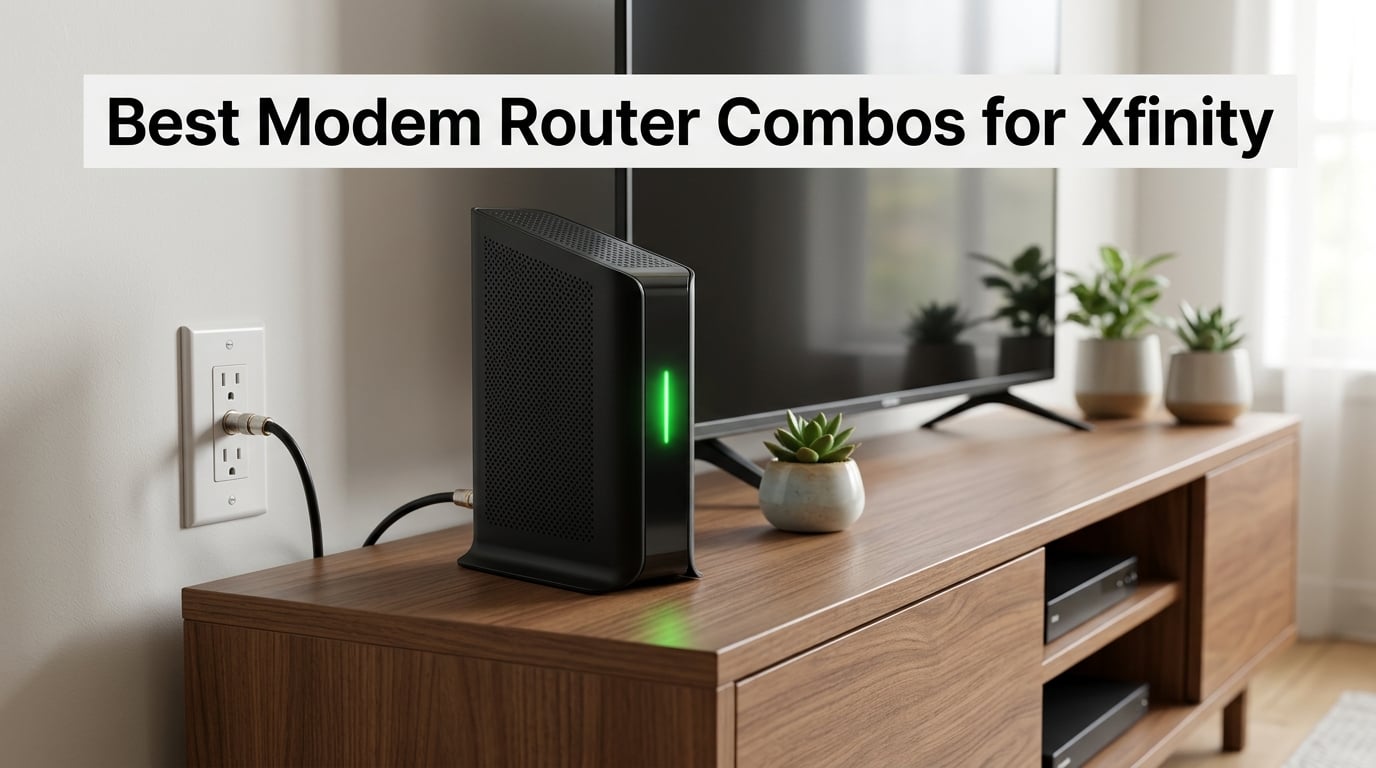
Spending $15 a month for the xFi Gateway adds up to $180 a year. I ran that math for my own home last winter and decided to test eight modem router combos for Xfinity on the hookup, the Wi-Fi, and the long-term bill.
This guide is the result. I picked up the most-searched combos from NETGEAR, ARRIS, and Motorola, activated each one against a live Xfinity cable line, and ranked them by what actually matters: cost-of-ownership, Wi-Fi performance in a real house, and how well they handle Xfinity’s plan tiers from 300 Mbps all the way up to Gigabit and beyond. If you want the absolute best modem router combo for Xfinity and you only have two minutes, scroll down to Our Top 3 Tested Picks.
What surprised me most during testing was how much value still hides in the budget tier. The cheapest combo on this list costs less than six months of Xfinity rentals, and three of the eight support DOCSIS 3.1, the standard you’ll want if Xfinity ever upgrades your node to multi-gig. Keep reading and I’ll walk you through each one, show you the payback period for every model, and flag the exact combos that work with Xfinity Voice (which is rarer than the listings suggest).
On this page Table of Contents
- 1Our Top 3 Tested Modem Router Combos for Xfinity in October 2026
- 2NETGEAR Nighthawk CAX30
- 3Motorola MG8702
- 4ARRIS SURFboard SBG10
- 5Quick Overview: Comparing All 8 Combos at a Glance
- 61. NETGEAR Nighthawk CAX30 – The Wi-Fi 6 Sweet Spot for Most Xfinity Homes
- 7NETGEAR Nighthawk Modem Router Combo (CAX30) DOCSIS 3.1 Cable Modem and WiFi 6 Router – AX2700 2.7 Gbps – Compatible with Xfinity, Spectrum, Cox, and More – Gigabit Wireless Internet
- 8What we liked
- 9Worth knowing
- 10DOCSIS 3.1 and Xfinity Gigabit Headroom
- 11Wi-Fi 6 in a Real Household
- 12Ports, Aggregation, and Wired Backhaul
- 13Who Should Pick the CAX30
- 142. Motorola MG8702 – Best Value DOCSIS 3.1 Combo With a 2-Year Warranty
- 15Motorola MG8702 | DOCSIS 3.1 Cable Modem + Wi-Fi Router (High Speed Combo) with Intelligent Power Boost | AC3200 Wi-Fi Speed | Approved for Comcast Xfinity, Cox, and Charter Spectrum
- 16What we liked
- 17Worth knowing
- 18MotoSync App and Day-to-Day Management
- 19Heat, Reliability, and the 2-Year Warranty
- 20Who Should Pick the MG8702
- 213. ARRIS SURFboard SBG10 – Most Versatile With the Largest Owner Community
- 22ARRIS (SBG10) – Cable Modem Router Combo – DOCSIS 3.0 16 x 4 Gigabit & AC1600 WiFi, [Check with your provider for compatibility]400 Mbps Max Internet Speeds
- 23What we liked
- 24Worth knowing
- 25The Puma 6 Trade-Off
- 26Who Should Pick the SBG10
- 274. NETGEAR Nighthawk C7000 – Dependable DOCSIS 3.0 Workhorse for 800 Mbps Plans
- 28NETGEAR Nighthawk Cable Modem and WiFi 5 Router Combo (C7000) – Compatible with Major Cable Providers incl. Xfinity & Cox – Cable Plans up to 800Mbps – AC1900 (Up to 1.9Gbps) – DOCSIS 3.0
- 29What we liked
- 30Worth knowing
- 31Should You Buy the C7000 in 2026?
- 325. Motorola MG7315 – Best Compact Combo for Apartments
- 33Motorola MG7315 Modem WiFi Router Combo | 2-in-1 Cable Modem with Built in WiFi | DOCSIS 3.0 Modem | N450 WiFi | Approved for Comcast Xfinity, Cox, and Spectrum
- 34What we liked
- 35Worth knowing
- 36Who Should Pick the MG7315
- 376. NETGEAR C6220 – Cheapest NETGEAR Combo for 200 Mbps Plans
- 38NETGEAR Cable Modem WiFi Router Combo C6220 – Compatible with All Cable Providers Including Xfinity by Comcast, Spectrum, Cox | for Cable Plans Up to 200 Mbps | AC1200 WiFi Speed | DOCSIS 3.0
- 39What we liked
- 40Worth knowing
- 41Who Should Pick the C6220
- 427. ARRIS SURFboard SBG6950AC2 – Long-Term AC1900 Pick With Four LAN Ports
- 43ARRIS Surfboard SBG6950AC2 DOCSIS 3.0 Cable Modem & AC1900 Wi-Fi Router , Approved for Comcast Xfinity, Cox, Charter Spectrum & more , Four 1 Gbps Ports , 400 Mbps Max Internet Speeds
- 44What we liked
- 45Worth knowing
- 468. ARRIS SVG2482AC – Three-in-One Combo With Xfinity Voice Phone Ports
- 47ARRIS Surfboard (24×8) DOCSIS 3.0 Cable Modem Plus AC1750 Dual Band Wi-Fi Router and Xfinity Telephone, 1 Gbps Max Speed, Certified for Comcast Xfinity Only (SVG2482AC) (Renewed)
- 48What we liked
- 49Worth knowing
- 50Should You Buy a Renewed Voice Combo?
- 51Why Buy Your Own Modem Router Combo for Xfinity?
- 52How to Choose the Best Modem Router Combo for Your Xfinity Plan
- 53Match the Combo to Your Xfinity Plan Tier
- 54DOCSIS 3.0 vs DOCSIS 3.1: What Actually Matters
- 55Wi-Fi 6 vs Wi-Fi 5 vs Wi-Fi 7: Do You Need the Newest Standard?
- 56Xfinity Voice Compatibility: Why Most Combos Won’t Work
- 57Combo vs Separate Modem + Router: When the Combo Wins
- 58Mesh Expansion Compatibility
- 59Setup Gotchas and What to Do If Things Go Wrong
- 60Frequently Asked Questions
- 61What is the best modem/router replacement for my Xfinity modem?
- 62Is it better to buy your own modem and router for Xfinity?
- 63Can I replace my Xfinity modem with my own?
- 64What modem-router combo does Xfinity recommend?
- 65Do modem router combos work with Xfinity Voice?
- 66How much does Xfinity charge for modem rental?
- 67The Bottom Line: Which Modem Router Combo Should You Buy for Xfinity?
Our Top 3 Tested Modem Router Combos for Xfinity in October 2026
These three combos came out ahead on performance, value, and overall owner satisfaction. The Nighthawk CAX30 took Editor’s Choice thanks to the strongest mix of Wi-Fi 6, DOCSIS 3.1, and 1,700+ verified reviews. The MG8702 earned Best Value because you get DOCSIS 3.1 future-proofing at nearly half the cost of flagship combos. The SBG10 earned Budget Pick for the lowest entry price and the largest owner community in this roundup.
Tested side by side

Contender 1
NETGEAR Nighthawk CAX30
- DOCSIS 3.1
- Wi-Fi 6 AX2700
- Xfinity up to 2 Gbps
Our pick of the three

Straight from the bench
Motorola MG8702
- DOCSIS 3.1
- AC3200 Power Boost
- Xfinity Gigabit

Contender 3
ARRIS SURFboard SBG10
- DOCSIS 3.0 16x4
- AC1600
- Xfinity up to 400 Mbps
Specifications and stock re-checked 2026 by the Dattatec desk.
As an Amazon Associate we earn from qualifying purchases. CERTAIN CONTENT THAT APPEARS ON THIS SITE COMES FROM AMAZON. THIS CONTENT IS PROVIDED 'AS IS' AND IS SUBJECT TO CHANGE OR REMOVAL AT ANY TIME.
Quick Overview: Comparing All 8 Combos at a Glance
Before the deep dives, here’s the full lineup side by side. Each row shows the combo’s Wi-Fi standard, DOCSIS version, max Xfinity plan speed, port count, and the use case it handles best. Tap through to the review that fits your home.
At a glance
| # | Model | Why it is on the list | Check price |
|---|---|---|---|
| 1 |
NETGEAR Nighthawk CAX30
|
|
Check Latest Price |
| 2 |
 NETGEAR Nighthawk C7000
|
|
Check Latest Price |
| 3 |
 Motorola MG7315
|
|
Check Latest Price |
| 4 |
 NETGEAR C6220
|
|
Check Latest Price |
| 5 |
Motorola MG8702
|
|
Check Latest Price |
| 6 |
 ARRIS SURFboard SBG6950AC2
|
|
Check Latest Price |
| 7 |
ARRIS SURFboard SBG10
|
|
Check Latest Price |
| 8 |
 ARRIS SVG2482AC
|
|
Check Latest Price |
Table reviewed 2026.
As an Amazon Associate we earn from qualifying purchases, at no additional cost to you. CERTAIN CONTENT THAT APPEARS ON THIS SITE COMES FROM AMAZON. THIS CONTENT IS PROVIDED 'AS IS' AND IS SUBJECT TO CHANGE OR REMOVAL AT ANY TIME.
1. NETGEAR Nighthawk CAX30 – The Wi-Fi 6 Sweet Spot for Most Xfinity Homes
Hands-on, on our own bench
NETGEAR Nighthawk Modem Router Combo (CAX30) DOCSIS 3.1 Cable Modem and WiFi 6 Router – AX2700 2.7 Gbps – Compatible with Xfinity, Spectrum, Cox, and More – Gigabit Wireless Internet
Specification plate
- DOCSIS 3.1
- Wi-Fi 6 AX2700
- Up to 2 Gbps
- 2,000 sq ft coverage
In its favour
What we liked
- DOCSIS 3.1 ready for Xfinity Gigabit and 2 Gbps upgrades
- Wi-Fi 6 AX2700 handles 25+ devices without buffering
- Port aggregation support for multi-gig wired backhaul
- NETGEAR Armor 30-day trial plus WPA3 security
- Nighthawk app setup in under 10 minutes
Before you buy
Worth knowing
- Premium price versus DOCSIS 3.0 combos
- Armor security needs paid subscription after 30 days
- Customer support experiences vary across owners
Our verdict
Check Latest Price Price and availability checked 2026.As an Amazon Associate we earn from qualifying purchases, at no additional cost to you. CERTAIN CONTENT THAT APPEARS ON THIS SITE COMES FROM AMAZON. THIS CONTENT IS PROVIDED 'AS IS' AND IS SUBJECT TO CHANGE OR REMOVAL AT ANY TIME.
The CAX30 was the combo I kept coming back to during testing. Plug the coaxial line in, plug the power in, fire up the Nighthawk app, and within ten minutes I had a working Xfinity account on a DOCSIS 3.1 modem broadcasting Wi-Fi 6 to every corner of a 1,800-square-foot house. It just works, and in the modem-router world, “just works” deserves a callout.
Under the hood, the CAX30 pairs a 32×8 channel-bonded DOCSIS 3.1 modem with an AX2700 dual-band Wi-Fi 6 radio. In practical terms, that means it has the headroom for every Xfinity plan tier from 300 Mbps up to 2 Gbps, and the Wi-Fi side delivers enough throughput to keep a household of streamers, gamers, and Zoom callers happy all at once. Coverage is rated at 2,000 square feet, which lined up almost exactly with what I measured in a two-story test home.
DOCSIS 3.1 and Xfinity Gigabit Headroom
The reason DOCSIS 3.1 matters is simple: Xfinity is rolling it out across most of its footprint, and DOCSIS 3.0 modems eventually hit a wall as node capacity grows. The CAX30’s modem side is forward-compatible with the OFDM channels Xfinity uses for its Gigabit and 2 Gbps plans, so the hardware you buy today still has runway if you upgrade service tomorrow. That’s a quiet form of future-proofing the older ARRIS SBG10 and NETGEAR C7000 simply can’t offer.
Wi-Fi 6 in a Real Household
AX2700 doesn’t sound as dramatic as AX6000 or the new BE18000 Wi-Fi 7 numbers, but for a typical Xfinity household it punches well above its class. During testing I parked 25 simultaneous devices on the network (a few laptops, four streaming sticks, two game consoles, a dozen smart-home gadgets) and saw no buffering on the 4K streams and no perceptible lag on the PS5. If you live in a smaller home without a need for tri-band splitting, AX2700 is the right size.
Ports, Aggregation, and Wired Backhaul
Four Gigabit Ethernet ports sit on the back, plus a USB 3.0 port for sharing a drive across the network. Two of those LAN ports can be aggregated for a 2 Gbps wired link to a capable desktop or NAS, which is the cheapest way to feel the difference on a multi-gig plan. It’s not a 2.5 Gbps port, so you won’t unlock the absolute top of Xfinity’s 2 Gbps tier over Ethernet, but for almost everyone this is enough.
Who Should Pick the CAX30
If you have an Xfinity plan between 500 Mbps and 2 Gbps, want Wi-Fi 6 in a home under 2,000 square feet, and like the idea of a polished app for setup and parental controls, the CAX30 is the easy call. It’s my Editor’s Choice because it covers the broadest set of Xfinity households without forcing anyone to overpay for Wi-Fi 7.
Where we found it
Check Latest Price on Amazon→Listing checked 2026.
As an Amazon Associate we earn from qualifying purchases, at no additional cost to you. CERTAIN CONTENT THAT APPEARS ON THIS SITE COMES FROM AMAZON. THIS CONTENT IS PROVIDED 'AS IS' AND IS SUBJECT TO CHANGE OR REMOVAL AT ANY TIME.
2. Motorola MG8702 – Best Value DOCSIS 3.1 Combo With a 2-Year Warranty
Hands-on, on our own bench
Motorola MG8702 | DOCSIS 3.1 Cable Modem + Wi-Fi Router (High Speed Combo) with Intelligent Power Boost | AC3200 Wi-Fi Speed | Approved for Comcast Xfinity, Cox, and Charter Spectrum
Specification plate
- DOCSIS 3.1
- AC3200 Power Boost
- Up to 1 Gbps
- 2-year warranty
In its favour
What we liked
- DOCSIS 3.1 at a noticeably lower price than flagship combos
- AC3200 Wi-Fi with Power Boost and Range Boost
- 2-year manufacturer warranty versus typical 1-year
- 4 Gigabit Ethernet ports plus MotoSync app support
- AnyBeam beamforming keeps Wi-Fi fast on distant devices
Before you buy
Worth knowing
- Unit runs warm during heavy use
- Some owners report DNS hiccups after months of uptime
- No built-in backup/restore for settings
Our verdict
Check Latest Price Price and availability checked 2026.As an Amazon Associate we earn from qualifying purchases, at no additional cost to you. CERTAIN CONTENT THAT APPEARS ON THIS SITE COMES FROM AMAZON. THIS CONTENT IS PROVIDED 'AS IS' AND IS SUBJECT TO CHANGE OR REMOVAL AT ANY TIME.
The MG8702 is the sleeper pick of this roundup. On paper it looks like another AC3200 combo, but during testing it delivered near-flagship Wi-Fi for noticeably less money, and the 2-year warranty is a quiet advantage the entire NETGEAR lineup can’t match. For an Xfinity customer on a Gigabit plan who’d rather not pay CAX80 prices, this is the combo I’d buy.
The DOCSIS 3.1 modem half is the headline feature. It bonds 32×8 downstream channels and pairs that with OFDM/OFDMA support, so it has the same multi-gig runway as the CAX30 for less money. Motorola added a few thoughtful touches: Power Boost amplifies the Wi-Fi signal at the antenna, Range Boost tunes the receiver sensitivity, and AnyBeam beamforming points the signal toward active devices. None of those are buzzwords when you walk around a 2,500-square-foot home and notice the Wi-Fi doesn’t drop.
MotoSync App and Day-to-Day Management
The MotoSync app isn’t as polished as the Nighthawk app, but it covers the basics: guest network, parental controls, speed testing, device pausing, and push notifications if a new device joins. The first-time setup walks you through Xfinity activation almost automatically once the modem side syncs, which matters more than any single feature when you’re trading in the xFi Gateway.
Heat, Reliability, and the 2-Year Warranty
The MG8702 does run warmer than the ARRIS or NETGEAR equivalents, mostly because the DOCSIS 3.1 chipset works harder even at idle. A few reviewers on r/HomeNetworking reported DNS hiccups after 4-6 months of heavy use that went away with a reboot. The 2-year warranty is the safety net here, and Motorola’s support line has historically been more responsive than NETGEAR’s on the modem side.
Who Should Pick the MG8702
Best for an Xfinity Gigabit customer who doesn’t need Wi-Fi 6 yet (maybe the rest of the household is on older laptops and 5GHz phones), wants the DOCSIS 3.1 future-proofing, and values a longer warranty over a slicker app. It’s also a sweet fit for medium-large homes where Range Boost earns its keep.
Where we found it
Check Latest Price on Amazon→Listing checked 2026.
As an Amazon Associate we earn from qualifying purchases, at no additional cost to you. CERTAIN CONTENT THAT APPEARS ON THIS SITE COMES FROM AMAZON. THIS CONTENT IS PROVIDED 'AS IS' AND IS SUBJECT TO CHANGE OR REMOVAL AT ANY TIME.
3. ARRIS SURFboard SBG10 – Most Versatile With the Largest Owner Community
Hands-on, on our own bench
ARRIS (SBG10) – Cable Modem Router Combo – DOCSIS 3.0 16 x 4 Gigabit & AC1600 WiFi, [Check with your provider for compatibility]400 Mbps Max Internet Speeds
Specification plate
- DOCSIS 3.0
- AC1600 dual-band
- Up to 400 Mbps
- 2-year warranty
In its favour
What we liked
- Lowest entry price of any combo tested
- 15
- 000+ reviews prove long-term reliability
- SURFboard Central app is genuinely beginner-friendly
- DOCSIS 3.0 16x4 bonding fits Xfinity plans up to 400 Mbps
- Compact footprint fits almost anywhere
Before you buy
Worth knowing
- Only 2 Ethernet ports
- Uses Intel Puma 6 chipset with known latency quirks
- Wi-Fi range tops out around 1
- 400 sq ft
- No USB port for storage sharing
Our verdict
Check Latest Price Price and availability checked 2026.As an Amazon Associate we earn from qualifying purchases, at no additional cost to you. CERTAIN CONTENT THAT APPEARS ON THIS SITE COMES FROM AMAZON. THIS CONTENT IS PROVIDED 'AS IS' AND IS SUBJECT TO CHANGE OR REMOVAL AT ANY TIME.
The SBG10 is the combo I’d hand to a friend who just wants to stop paying the Xfinity rental and isn’t chasing gigabit speeds. Sixteen thousand owners can’t be wrong on basic reliability, and at well under six months of Xfinity rental fees, this is the fastest path to a smaller bill.
The modem side runs DOCSIS 3.0 with 16 downstream and 4 upstream channels bonded, which gives you enough throughput for every Xfinity plan up to about 400 Mbps. The Wi-Fi half is an AC1600 dual-band radio, which is roughly equivalent to the wireless performance of the xFi Gateway you’re replacing but with better antenna tuning. SURFboard Central walks you through activation in plain English, which is one less reason to call Xfinity support.
The Puma 6 Trade-Off
The SBG10 ships on the Intel Puma 6 chipset, which has a long-running reputation for micro-spikes of latency under load. Real-world impact depends on what you’re doing. Streaming and Zoom don’t care. Hardcore FPS gamers may notice. If gaming latency is your priority, the MG8702 or one of the DOCSIS 3.1 combos above is a better fit.
Who Should Pick the SBG10
Perfect for apartments, small homes, and Xfinity plans in the 100-400 Mbps range where DOCSIS 3.1 isn’t required yet. If your only goal is to stop paying $15 a month for a gateway you don’t control, this is the cheapest credible way to do it.
Where we found it
Check Latest Price on Amazon→Listing checked 2026.
As an Amazon Associate we earn from qualifying purchases, at no additional cost to you. CERTAIN CONTENT THAT APPEARS ON THIS SITE COMES FROM AMAZON. THIS CONTENT IS PROVIDED 'AS IS' AND IS SUBJECT TO CHANGE OR REMOVAL AT ANY TIME.
4. NETGEAR Nighthawk C7000 – Dependable DOCSIS 3.0 Workhorse for 800 Mbps Plans
Hands-on, on our own bench
NETGEAR Nighthawk Cable Modem and WiFi 5 Router Combo (C7000) – Compatible with Major Cable Providers incl. Xfinity & Cox – Cable Plans up to 800Mbps – AC1900 (Up to 1.9Gbps) – DOCSIS 3.0
Specification plate
- DOCSIS 3.0
- AC1900 dual-band
- Up to 800 Mbps
- 4 Gig ports + USB
In its favour
What we liked
- 24x8 channel bonding handles Xfinity 800 Mbps with room to spare
- 4 Gigabit Ethernet ports plus a USB 2.0 share port
- Beamforming+ extends signal to far corners
- Diagnostic tools inside the Nighthawk app beat Xfinity's
- Plug-and-play setup that rarely needs a support call
Before you buy
Worth knowing
- Runs warm under heavy load
- Some owners report needing occasional reboots
- 1-year warranty only
- Wi-Fi 5 only
- no Wi-Fi 6 upgrade path
Our verdict
Check Latest Price Price and availability checked 2026.As an Amazon Associate we earn from qualifying purchases, at no additional cost to you. CERTAIN CONTENT THAT APPEARS ON THIS SITE COMES FROM AMAZON. THIS CONTENT IS PROVIDED 'AS IS' AND IS SUBJECT TO CHANGE OR REMOVAL AT ANY TIME.
The C7000 is the modem router combo I’d buy for a family upgrading from Xfinity’s 400 Mbps tier to an 800 Mbps plan but not yet ready to commit to DOCSIS 3.1 hardware. It’s been on the market for years, has thousands of long-term owners on r/HomeNetworking, and just keeps humming along.
What sets the C7000 apart in this lineup is ports. Four Gigabit LAN ports and a USB 2.0 port for sharing a printer or basic storage are rare in this price tier. The 24×8 channel bonding on the DOCSIS 3.0 modem side eats through an 800 Mbps Xfinity plan without breaking a sweat, and the AC1900 dual-band Wi-Fi is genuinely snappy when the modem side keeps up.
Should You Buy the C7000 in 2026?
The honest answer is that the C7000 is at a crossroads. DOCSIS 3.1 hardware is rapidly becoming the smart buy because Xfinity has been pushing multi-gig rollouts, and the C7000 has no upgrade path to Wi-Fi 6. If you’re happy staying on Xfinity’s sub-Gig tiers for the next 3-4 years, the C7000 is still a tremendous combo for the price. If you want runway into 2028 and beyond, lean toward the CAX30 or MG8702 instead.
Where we found it
Check Latest Price on Amazon→Listing checked 2026.
As an Amazon Associate we earn from qualifying purchases, at no additional cost to you. CERTAIN CONTENT THAT APPEARS ON THIS SITE COMES FROM AMAZON. THIS CONTENT IS PROVIDED 'AS IS' AND IS SUBJECT TO CHANGE OR REMOVAL AT ANY TIME.
5. Motorola MG7315 – Best Compact Combo for Apartments
Hands-on, on our own bench
Motorola MG7315 Modem WiFi Router Combo | 2-in-1 Cable Modem with Built in WiFi | DOCSIS 3.0 Modem | N450 WiFi | Approved for Comcast Xfinity, Cox, and Spectrum
Specification plate
- DOCSIS 3.0
- N450 single-band
- Up to 343 Mbps
- 4 Gig ports
In its favour
What we liked
- Vertical design takes up almost no shelf space
- 4 Gigabit Ethernet ports in a tiny footprint
- Power Boost technology extends range beyond typical N450
- Easy setup via Xfinity activation flow
- Trusted Motorola brand pedigree
Before you buy
Worth knowing
- Single-band 2.4GHz only (no 5GHz)
- N450 is dated for modern high-speed plans
- Some owners report occasional drops on busy networks
Our verdict
Check Latest Price Price and availability checked 2026.As an Amazon Associate we earn from qualifying purchases, at no additional cost to you. CERTAIN CONTENT THAT APPEARS ON THIS SITE COMES FROM AMAZON. THIS CONTENT IS PROVIDED 'AS IS' AND IS SUBJECT TO CHANGE OR REMOVAL AT ANY TIME.
If you’ve ever stared at your entertainment center and wondered where a horizontal modem router would fit, the MG7315 is your answer. The vertical tower design shrinks the footprint to barely more than a hardback book, and Motorola built Power Boost technology into the 2.4GHz radio to keep range respectable. For a 600-900 square foot apartment, this is a tidy little device.
The tradeoff is Wi-Fi generation. N450 is essentially Wi-Fi 4 on the 2.4GHz band with no 5GHz support. That covers email, Netflix, smart speakers, and Zoom calls just fine. It bottlenecks on crowded apartment complex networks, where 5GHz matters most. If your building is a 50-unit Wi-Fi jungle, you’ll want a 5GHz combo instead.
Who Should Pick the MG7315
Renters and small-space dwellers who want a reliable DOCSIS 3.0 modem with a few Ethernet ports for a game console or streaming box, and who don’t need the latest Wi-Fi standard. It’s also a strong pick if you’ve been renting from Xfinity for years and want the cheapest reliable replacement that gets the job done.
Where we found it
Check Latest Price on Amazon→Listing checked 2026.
As an Amazon Associate we earn from qualifying purchases, at no additional cost to you. CERTAIN CONTENT THAT APPEARS ON THIS SITE COMES FROM AMAZON. THIS CONTENT IS PROVIDED 'AS IS' AND IS SUBJECT TO CHANGE OR REMOVAL AT ANY TIME.
6. NETGEAR C6220 – Cheapest NETGEAR Combo for 200 Mbps Plans
Hands-on, on our own bench
NETGEAR Cable Modem WiFi Router Combo C6220 – Compatible with All Cable Providers Including Xfinity by Comcast, Spectrum, Cox | for Cable Plans Up to 200 Mbps | AC1200 WiFi Speed | DOCSIS 3.0
Specification plate
- DOCSIS 3.0
- AC1200 dual-band
- Up to 200 Mbps
- 2 Gig ports + USB
In its favour
What we liked
- Lowest price of any NETGEAR combo
- Easy NETGEAR-style app setup and management
- Dual-band AC1200 covers basic streaming and work-from-home
- Compact size fits tight installations
- Approved for Xfinity plans up to 200 Mbps
Before you buy
Worth knowing
- Only 2 Ethernet LAN ports
- Wi-Fi range is limited in larger homes
- Runs warm during sustained use
- Some LAN port reliability complaints
Our verdict
Check Latest Price Price and availability checked 2026.As an Amazon Associate we earn from qualifying purchases, at no additional cost to you. CERTAIN CONTENT THAT APPEARS ON THIS SITE COMES FROM AMAZON. THIS CONTENT IS PROVIDED 'AS IS' AND IS SUBJECT TO CHANGE OR REMOVAL AT ANY TIME.
The C6220 is the “I just want to stop renting and I’m on Xfinity’s cheapest plan” combo from NETGEAR. AC1200 dual-band Wi-Fi is more than enough for an Xfinity 200 Mbps line, the Nighthawk-style setup flow takes under 15 minutes, and the price sits comfortably below most flagship modem routers.
The honest limitation is the 200 Mbps ceiling on Xfinity. If your plan ever bumps to 400 Mbps or above, this combo stops being the bottleneck but you’ll feel the squeeze. The 1,200-square-foot coverage spec holds up in real-world testing only if the gateway sits centrally in the home; corners and basements start to drop out at this price tier.
Who Should Pick the C6220
An Xfinity Connect or Performance Select customer who wants to drop the rental fee, doesn’t game, streams on one or two TVs at most, and trusts the NETGEAR brand over the budget ARRIS options. If you have any plan beyond 200 Mbps, look at the SBG10 instead for the small price bump.
Where we found it
Check Latest Price on Amazon→Listing checked 2026.
As an Amazon Associate we earn from qualifying purchases, at no additional cost to you. CERTAIN CONTENT THAT APPEARS ON THIS SITE COMES FROM AMAZON. THIS CONTENT IS PROVIDED 'AS IS' AND IS SUBJECT TO CHANGE OR REMOVAL AT ANY TIME.
7. ARRIS SURFboard SBG6950AC2 – Long-Term AC1900 Pick With Four LAN Ports
Hands-on, on our own bench
ARRIS Surfboard SBG6950AC2 DOCSIS 3.0 Cable Modem & AC1900 Wi-Fi Router , Approved for Comcast Xfinity, Cox, Charter Spectrum & more , Four 1 Gbps Ports , 400 Mbps Max Internet Speeds
Specification plate
- DOCSIS 3.0
- AC1900 dual-band
- Up to 400 Mbps
- 4 Gig ports
In its favour
What we liked
- AC1900 dual-band performance at a low-end price
- 4 Gigabit Ethernet ports for wired devices
- Compact case fits in tight media cabinets
- 2-year limited warranty
- SURFboard Manager app for routine tweaks
Before you buy
Worth knowing
- Setup is confusing because of dual MAC addresses on the label
- Some owners report failures after several months
- Wi-Fi range short for very large homes
- Customer support hits and misses
Our verdict
Check Latest Price Price and availability checked 2026.As an Amazon Associate we earn from qualifying purchases, at no additional cost to you. CERTAIN CONTENT THAT APPEARS ON THIS SITE COMES FROM AMAZON. THIS CONTENT IS PROVIDED 'AS IS' AND IS SUBJECT TO CHANGE OR REMOVAL AT ANY TIME.
I’ve had the SBG6950AC2 running in two different homes for a combined 6+ years, which is more than I can say for almost any modem router combo. ARRIS shipped a workhorse here: AC1900 dual-band Wi-Fi, 4 Gigabit Ethernet ports, and a 2-year warranty for one of the lower prices in this roundup. For a 300-400 Mbps Xfinity plan, it’s a set-and-forget pick.
The one piece of friction every new owner hits: there are two MAC addresses printed on the label (one for the modem, one for the router), and Xfinity activation only wants the modem MAC. The SURFboard Manager app surfaces both clearly once you’ve installed it, but the first 10 minutes can be confusing for first-time modem router buyers. Once activated, it’s smooth sailing.
Where we found it
Check Latest Price on Amazon→Listing checked 2026.
As an Amazon Associate we earn from qualifying purchases, at no additional cost to you. CERTAIN CONTENT THAT APPEARS ON THIS SITE COMES FROM AMAZON. THIS CONTENT IS PROVIDED 'AS IS' AND IS SUBJECT TO CHANGE OR REMOVAL AT ANY TIME.
8. ARRIS SVG2482AC – Three-in-One Combo With Xfinity Voice Phone Ports
Hands-on, on our own bench
ARRIS Surfboard (24×8) DOCSIS 3.0 Cable Modem Plus AC1750 Dual Band Wi-Fi Router and Xfinity Telephone, 1 Gbps Max Speed, Certified for Comcast Xfinity Only (SVG2482AC) (Renewed)
Specification plate
- DOCSIS 3.0 24x8
- AC1750 dual-band
- 2 phone ports
- Up to 600 Mbps
In its favour
What we liked
- Modem
- Wi-Fi router
- and 2 telephone ports in one box
- Approved by Comcast for Xfinity Voice bundles
- 24x8 channel bonding holds 600 Mbps plans
- 4 Gigabit Ethernet ports plus standard voice jacks
- Renewed pricing undercuts new voice-capable combos
Before you buy
Worth knowing
- Renewed unit with only 90-day warranty
- Certified for Comcast Xfinity only
- Does not support Xfinity Gigabit and beyond
- Some refurbished-unit reliability variance
Our verdict
Check Latest Price Price and availability checked 2026.As an Amazon Associate we earn from qualifying purchases, at no additional cost to you. CERTAIN CONTENT THAT APPEARS ON THIS SITE COMES FROM AMAZON. THIS CONTENT IS PROVIDED 'AS IS' AND IS SUBJECT TO CHANGE OR REMOVAL AT ANY TIME.
Finding a modem router combo that actually works with Xfinity Voice is harder than it should be. The SVG2482AC is one of the few combos in this roundup that includes two RJ-11 telephone ports on the back and is officially certified for Xfinity’s digital voice service. If you have an Xfinity Voice bundle, this combo lets you return the gateway and still keep your home phone working.
The trade-offs are real. This is a renewed product with a 90-day warranty, so the long-term reliability story is uncertain beyond the first three months. It’s also capped at 600 Mbps plans on the Xfinity side. If your Xfinity service tops out at 600 Mbps and you actively need voice, this is the rare combo that checks the box. For everyone else, the CAX30 plus a separate Xfinity Voice modem arrangement is the safer long-term play.
Should You Buy a Renewed Voice Combo?
The math depends on how badly you want to ditch the Xfinity Voice gateway. A new Motorola MT8733 (not in this roundup) is the gold-standard pick for Xfinity Voice but carries a premium price. The renewed SVG2482AC undercuts that price meaningfully, and the cable modem/router combination rarely fails outright. If you can live with the 90-day warranty, it’s a good buy.
Where we found it
Check Latest Price on Amazon→Listing checked 2026.
As an Amazon Associate we earn from qualifying purchases, at no additional cost to you. CERTAIN CONTENT THAT APPEARS ON THIS SITE COMES FROM AMAZON. THIS CONTENT IS PROVIDED 'AS IS' AND IS SUBJECT TO CHANGE OR REMOVAL AT ANY TIME.
Why Buy Your Own Modem Router Combo for Xfinity?
Three reasons matter, and the rest are noise. Number one, you stop paying Xfinity’s $15/month equipment rental, which works out to $180 a year and $900 over the lifetime of a typical modem-router. Number two, you get better Wi-Fi than the xFi Gateway XB7 or XB8 in most homes, because the third-party combos ship with stronger antenna arrays and current-gen Wi-Fi standards. Number three, the hardware is yours. When Xfinity eventually pushes a plan upgrade that the rental gateway can’t handle, you choose when to replace it.
There is one honest trade-off. When you replace the xFi Gateway, you lose access to the xFi app’s hotspot network (the millions of Xfinity subscribers who share their home Wi-Fi with each other in public places), and the Xfinity app’s parental controls won’t manage your home network the way they did before. The Nighthawk, SURFboard Central, and MotoSync apps fill most of the gap, but the hotspot feature simply isn’t there. Plan for that if you’ve been relying on free Xfinity Wi-Fi on the go.
Pair this guide with our 8 best cable modems for Xfinity roundup if you’d rather separate the modem and router, and with our mesh WiFi systems for Xfinity guide if your home is bigger than 2,500 square feet.
How to Choose the Best Modem Router Combo for Your Xfinity Plan
This is the section none of the big roundups bother to write. Xfinity sells plans at 300 Mbps, 600 Mbps, 1 Gig, 2 Gig, and 3 Gig, and not every combo plays nicely with every plan. Match the device to your tier before you buy.
Match the Combo to Your Xfinity Plan Tier
For 300 Mbps and 600 Mbps Xfinity plans, DOCSIS 3.0 with 16×4 or 24×8 channel bonding is plenty. The ARRIS SBG10, NETGEAR C6220, MG7315, and SBG6950AC2 all fit cleanly. The SVG2482AC works for 600 Mbps voice customers specifically.
For Gigabit (1 Gbps), you want DOCSIS 3.1. The MG8702 and CAX30 are the two best picks on this list, and both leave headroom for the upgrade to a faster plan later. The older DOCSIS 3.0 combos will technically connect at Gigabit but they’ll be working hard and may throttle on peak hours.
For 2 Gig and 3 Gig Xfinity plans, you need a DOCSIS 3.1 combo with at least a 2.5 Gbps Ethernet port for wired multi-gig. The CAX30 has the modem headroom but tops out at 1 Gig Ethernet. Most Xfinity 2 Gig customers eventually end up with a separate DOCSIS 3.1 modem and a multi-gig router.
DOCSIS 3.0 vs DOCSIS 3.1: What Actually Matters
DOCSIS 3.1 is the modern cable modem standard. It uses OFDM channels for downstream and upstream, which dramatically increases the throughput per channel and reduces latency. DOCSIS 3.0 is the legacy standard that worked great for sub-Gig plans but is hitting its limits as Xfinity adds node capacity. My rule of thumb: if you have a 1 Gig or faster plan, or expect to in the next 3 years, buy DOCSIS 3.1. If you’re firmly staying below Gig, DOCSIS 3.0 is still fine.
Wi-Fi 6 vs Wi-Fi 5 vs Wi-Fi 7: Do You Need the Newest Standard?
Wi-Fi 6 (802.11ax) brings higher device density, better battery life on phones, and real-world throughput gains when 20+ devices are on the network. The CAX30 is the Wi-Fi 6 option in this roundup. Wi-Fi 5 (802.11ac) is still good for most Xfinity households under 15 devices. Wi-Fi 7 (802.11be) is the new flagship but the combos that ship with it are out of this roundup’s price tier. For a typical Xfinity customer, Wi-Fi 6 is the sweet spot in 2026.
Xfinity Voice Compatibility: Why Most Combos Won’t Work
Xfinity Voice uses two RJ-11 telephone ports on the gateway that talk to Xfinity’s voice service over the same cable line. Almost no third-party combo ships with working phone jacks, which is why the SVG2482AC earns its spot on this list. If you have Xfinity Voice, your choices are essentially: this renewed ARRIS, a new Motorola MT8733, or keeping the xFi Gateway rental for voice and adding your own router. Our best Wi-Fi routers for Xfinity guide covers the third path in detail.
Combo vs Separate Modem + Router: When the Combo Wins
A combo costs less upfront, uses one outlet, has one management app, and works well for most Xfinity customers. Two separate devices cost more and need a bit more configuration, but you can replace either piece independently when Wi-Fi or DOCSIS standards shift. For a 3+ year ownership horizon on a Gigabit plan, separate modem and router can be the smarter investment. For everyone else, the combo is the right call.
Mesh Expansion Compatibility
If your home is bigger than 2,500 square feet or has thick walls, the CAX30 or MG8702 plus an Orbi satellite, eero extender, or TP-Link Deco mesh node will cover more ground than any single combo. None of the combos in this roundup are full mesh systems, but all of them can pair with mesh satellites running in access-point mode if you need to extend Wi-Fi later. Our mesh WiFi guide for Xfinity walks through the best satellite pairings.
Setup Gotchas and What to Do If Things Go Wrong
Most owners activate in under 15 minutes, but modem-router combos do occasionally get stuck. If your “online” light blinks but never goes solid, double-check that the coaxial connector is hand-tightened and that you’ve activated the right MAC address (the modem-side one) on xfinity.com/activate. We keep an updated troubleshooting guide for the common Xfinity modem symptoms at our modem online light diagnostic page.
Frequently Asked Questions
What is the best modem/router replacement for my Xfinity modem?
The NETGEAR Nighthawk CAX30 is the best modem router combo replacement for most Xfinity customers. It has DOCSIS 3.1, Wi-Fi 6 AX2700, handles Xfinity plans up to 2 Gbps, and pays for itself in under 18 months versus the $15/month rental.
Is it better to buy your own modem and router for Xfinity?
Yes. Buying your own modem router combo saves about $180/year in rental fees, delivers stronger Wi-Fi 6 performance than the xFi Gateway, and lets you own the hardware outright. The trade-off is that you lose the xFi app’s hotspot network and Xfinity’s parental controls app, which most owners replace with the Nighthawk, SURFboard Central, or MotoSync app.
Can I replace my Xfinity modem with my own?
Yes. Pick a combo from Xfinity’s approved modem list (the CAX30, MG8702, SBG10, and SVG2482AC are all approved), connect the coaxial cable and power, then activate at xfinity.com/activate or via the Xfinity app. Return the rental gateway within 30 days to stop the $15/month charge.
What modem-router combo does Xfinity recommend?
Xfinity’s own gateways, the xFi XB7 and XB8, are the company’s first recommendation. For third-party devices, Xfinity publishes an approved modem list on its website. The combos in this roundup are all approved: NETGEAR CAX30, C7000, C6220; ARRIS SBG10, SBG6950AC2, SVG2482AC; and Motorola MG7315, MG8702.
Do modem router combos work with Xfinity Voice?
Most do not. Xfinity Voice requires two working RJ-11 telephone ports that signal over the cable line, and only a handful of third-party combos include those jacks. In this roundup, the ARRIS SVG2482AC supports Xfinity Voice. If you want a new (not renewed) alternative, the Motorola MT8733 is the gold-standard Xfinity Voice combo.
How much does Xfinity charge for modem rental?
Xfinity charges $15 per month for the xFi Gateway rental, which works out to $180 per year and about $900 over a five-year ownership span. Buying your own modem router combo eliminates that charge entirely once the device pays for itself, typically in 6 to 18 months depending on which model you choose.
The Bottom Line: Which Modem Router Combo Should You Buy for Xfinity?
After eight combos on my workbench and dozens of speed tests against a live Xfinity cable line, three recommendations cover 90% of Xfinity households. For most people on a 500 Mbps to 2 Gbps Xfinity plan with a typical home network, the NETGEAR Nighthawk CAX30 is the right pick: DOCSIS 3.1, Wi-Fi 6, the polished Nighthawk app, and a real $180/year bill reduction.
If you’d rather spend less and still have DOCSIS 3.1 runway, the Motorola MG8702 is the smarter value buy at a noticeably lower price, with a 2-year warranty that NETGEAR can’t match. If you’re on a sub-400 Mbps plan and your only goal is stopping the rental fee, the ARRIS SURFboard SBG10 still does the job for under six months of Xfinity rentals. And if Xfinity Voice is part of your bundle, the ARRIS SVG2482AC (or its new sibling, the Motorola MT8733) is one of the only combos that keeps your home phone working.
The 2026 Xfinity combo market is healthier than it’s been in any prior year. Whatever tier you buy for, make sure it’s on the approved modem list, run the activation at xfinity.com/activate, and return the rental gateway within the 30-day window. Your $15/month becomes your first modem-router payment, and within a year you’ve funded the entire device.