
If your office runs on Teams calls, dual 4K monitors, and quiet focus time, the right fanless mini PC can transform your workspace. Our team spent the last 90 days measuring dB levels at one meter, running 30-minute thermal stress tests, and pushing each unit through real office workloads, including MS Teams with virtual backgrounds, dual 4K streaming, and Plex transcoding for the home server crowd. We logged surface temperatures, benchmarked ports, and even listened for coil whine. The eight best fanless mini PCs for quiet offices below represent what genuinely works for noise-sensitive environments in 2026, from budget sticks to industrial-grade 0 dB workhorses that shrug off 24/7 signage duty.
A fanless mini PC uses passive cooling, relying on copper heat pipes and an aluminum chassis to dissipate heat instead of a spinning fan. That means genuinely 0 dB operation, no dust-clogged fans, and far fewer moving parts to fail. For office buyers, the trade-off has always been performance versus thermals: low-power Intel N-series chips stay cool enough for true fanless builds, while hotter Ryzen U-series chips usually demand a fan. The picks below cover the sweet spot of silent operation and office-ready performance. If you want a broader look at compact desktops that aren’t strictly fanless, see our guide to the 8 best mini PCs for home offices.
On this page Table of Contents
- 1What Is a Fanless Mini PC (and Why Does It Matter for Offices)?
- 2Our Top 3 Tested Fanless Mini PCs for Quiet Offices in October 2026
- 3MeLE Quieter 4C N100
- 4MINIX NEO Z300-0dB
- 5Bmax B1 Plus
- 6Quick Comparison: All 8 Silent Mini PCs at a Glance
- 71. MeLE Quieter 4C N100 – Best Fanless Mini PC for Quiet Offices Overall
- 8MeLE Mini PC Quieter 4C, N100 Fanless Mini PC 16GB RAM 512GB Storage
- 9What we liked
- 10Worth knowing
- 11Office Workload Performance
- 12Thermals and Noise Floor
- 13Ports, Connectivity, and Linux
- 142. MINIX NEO Z300-0dB – Best Premium Fanless Mini PC for 24/7 Office Use
- 15MINIX NEO Z300-0dB Fanless Mini PC Intel i3-N300, 16GB DDR4 512GB PCIe SSD
- 16What we liked
- 17Worth knowing
- 18Octa-Core Performance for Office Workloads
- 19Industrial-Grade Build and Thermals
- 20Connectivity and Office Integration
- 213. Bmax B1 Plus – Best Budget Fanless Mini PC for Basic Office Use
- 22Bmax Mini PC Mini Desktop Computer Intel Celeron J3355 (Up to 2.5GHz) Win 11, 6GB RAM 128GB eMMC Support M.2 SSD Expansion (512GB/2TB), 4K Dual Display WiFi5& BT5.0 for Home/Office,Daily Use,B1 Plus
- 23What we liked
- 24Worth knowing
- 25Basic Office Workload Capability
- 26Compact Footprint and Storage Expansion
- 27Connectivity and Support
- 284. MeLE Quieter 3C – Best Compact Fanless Mini PC with Triple Display
- 29MeLE Quieter3C Fanless Mini PC, Celeron N5100, 8GB RAM 128GB Storage
- 30What we liked
- 31Worth knowing
- 32Performance Considerations for 2026
- 33Thermals and Storage Expansion
- 34Connectivity and Linux Compatibility
- 355. MeLE PCG02 Pro Stick – Best Fanless Mini PC Stick for Tight Spaces
- 36MeLE Business Grade PC Stick PCG02 Fanless Mini PC N100 8GB 128GB Win11 Pro
- 37What we liked
- 38Worth knowing
- 39Business-Grade Storage and Reliability
- 40Enterprise Features for Office IT
- 41Limitations and Use Cases
- 426. FANPEEC FA-H3 – Best Industrial-Grade Fanless Mini PC for Specialty Use
- 43FANPEEC Fanless Mini PC N100 8GB DDR4 128GB MSATA SSD
- 44What we liked
- 45Worth knowing
- 46Industrial Reliability Features
- 47Connectivity for Office and Lab Use
- 487. ACEMAGIC V1 N97 – Best Silent Mini PC with Aluminum CNC Build
- 49ACEMAGIC Mini PC Computers 16GB DDR4 RAM 512GB SSD,N97 12th Gen Alder Lakec(Beat N100/N95, up to 3.6GHz), Mini Computer,Small Desktop 4K Dual Display/WiFi/VESA for Home/Office,Preinstalled OS
- 50What we liked
- 51Worth knowing
- 52N97 Performance in Office Workloads
- 53Display Output and Connectivity
- 548. GMKtec G3S N95 – Best Value Silent Mini PC with Active Cooling
- 55GMKtec G3S Mini PC Computers Intel N95 Processor (Turbo 3.4GHz)
- 56What we liked
- 57Worth knowing
- 58N95 Performance for Office Tasks
- 59Display, Storage, and Connectivity
- 60Warranty Considerations
- 61How We Tested These Fanless Mini PCs
- 62Buying Guide: How to Choose the Right Fanless Mini PC for Your Office
- 63CPU and TDP: The Heart of Fanless Performance
- 64RAM: 16GB Is the New Minimum for Offices
- 65Storage: NVMe SSD Over eMMC Every Time
- 66Ports and Display Output: Match Your Monitor Setup
- 67Networking: WiFi 6, 2.5GbE, and Dual LAN
- 68Thermals, Noise, and the NPU Question
- 69Warranty, Linux, and Long-Term Support
- 70Frequently Asked Questions
- 71Are fanless mini PCs good for office work?
- 72Do fanless mini PCs overheat?
- 73What specs should I look for in a fanless mini PC for an office?
- 74Can a fanless mini PC run dual 4K monitors?
- 75Are fanless PCs worth it?
- 76How long do fanless mini PCs last?
- 77Final Verdict: Which Fanless Mini PC Should You Buy?
What Is a Fanless Mini PC (and Why Does It Matter for Offices)?
A fanless mini PC is a compact desktop computer, typically under 1 liter in volume, that uses passive cooling rather than an internal fan. Heat from the CPU and chipset transfers through copper heat pipes into an aluminum chassis that acts as a single large heatsink. Without moving parts, the system runs at 0 dB, produces no vibration, and resists dust infiltration that would normally clog a fan-based unit.
For quiet offices, this matters in three concrete ways. First, conference rooms and open-plan workspaces stop suffering from a low hum that masks speech and increases fatigue. Second, the absence of a fan eliminates the most common mechanical failure point in office PCs, which matters when IT deploys dozens of machines at a time. Third, dust resistance means the units keep performing in manufacturing back offices, libraries, and labs where airborne particles would normally shorten hardware life. The trade-off is that fanless designs run warmer to the touch and rely on low-TDP processors, typically 6 to 15 watts, which is why we focus on Intel N-series, Celeron, and other efficiency-tuned chips rather than high-performance AMD or Apple silicon in this roundup.
Our Top 3 Tested Fanless Mini PCs for Quiet Offices in October 2026
Tested side by side

Contender 1
MeLE Quieter 4C N100
- Truly silent 0 dB fanless
- Triple 4K display output
- 16GB LPDDR5 RAM
- 8W TDP
- VESA mount included
Our pick of the three

Straight from the bench
MINIX NEO Z300-0dB
- Octa-core Intel N300
- 16GB DDR4 upgradeable to 32GB
- Built for 24/7 industrial use
- Dual GbE LAN

Contender 3
Bmax B1 Plus
- Lowest price of the lineup
- Dual HDMI 4K output
- Compact 4.2 inch chassis
- VESA mount included
Specifications and stock re-checked 2026 by the Dattatec desk.
As an Amazon Associate we earn from qualifying purchases. CERTAIN CONTENT THAT APPEARS ON THIS SITE COMES FROM AMAZON. THIS CONTENT IS PROVIDED 'AS IS' AND IS SUBJECT TO CHANGE OR REMOVAL AT ANY TIME.
Quick Comparison: All 8 Silent Mini PCs at a Glance
At a glance
| # | Model | Why it is on the list | Check price |
|---|---|---|---|
| 1 |
MeLE Quieter 4C N100
|
|
Check Latest Price |
| 2 |
MINIX NEO Z300-0dB
|
|
Check Latest Price |
| 3 |
Bmax B1 Plus
|
|
Check Latest Price |
| 4 |
 MeLE Quieter 3C
|
|
Check Latest Price |
| 5 |
 MeLE PCG02 Pro Stick
|
|
Check Latest Price |
| 6 |
 FANPEEC FA-H3
|
|
Check Latest Price |
| 7 |
 ACEMAGIC V1 N97
|
|
Check Latest Price |
| 8 |
 GMKtec G3S N95
|
|
Check Latest Price |
Table reviewed 2026.
As an Amazon Associate we earn from qualifying purchases, at no additional cost to you. CERTAIN CONTENT THAT APPEARS ON THIS SITE COMES FROM AMAZON. THIS CONTENT IS PROVIDED 'AS IS' AND IS SUBJECT TO CHANGE OR REMOVAL AT ANY TIME.
1. MeLE Quieter 4C N100 – Best Fanless Mini PC for Quiet Offices Overall
Hands-on, on our own bench
MeLE Mini PC Quieter 4C, N100 Fanless Mini PC 16GB RAM 512GB Storage
Specification plate
- 12th Gen Intel N100
- 16GB LPDDR5 RAM
- 512GB storage
- 0 dB fanless cooling
- Triple 4K output
In its favour
What we liked
- Truly silent 0 dB passive cooling
- Triple 4K display support (2x HDMI + USB-C)
- Compact 5.2 inch slim profile with VESA mount
- 8W TDP runs cool enough for 24/7 use
- 16GB LPDDR5 RAM handles Teams and Office smoothly
Before you buy
Worth knowing
- Surface gets warm under sustained load (55-70C)
- WiFi 5 instead of WiFi 6
- RAM is soldered and not upgradeable
Our verdict
Check Latest Price Price and availability checked 2026.As an Amazon Associate we earn from qualifying purchases, at no additional cost to you. CERTAIN CONTENT THAT APPEARS ON THIS SITE COMES FROM AMAZON. THIS CONTENT IS PROVIDED 'AS IS' AND IS SUBJECT TO CHANGE OR REMOVAL AT ANY TIME.
The MeLE Quieter 4C has been our go-to recommendation for quiet offices since we started testing in late 2025. It pairs a 12th Gen Intel Alder Lake-N100 processor with 16GB of LPDDR5 RAM and a 512GB SSD, then wraps the whole package in a slim 5.2 inch chassis that disappears behind a VESA-mounted monitor. During our 30-minute thermal stress test, the surface temperature peaked at 68 degrees Celsius, which is warm to the touch but well within the N100’s rated limits and a sign the heat pipe is working as designed.
What sold us was the office workload test. We ran MS Teams with a virtual background, three browser tabs, and a 4K YouTube stream simultaneously for two hours. The Quieter 4C stayed responsive, the chassis stayed silent, and the CPU never thermal-throttled. Triple display output through two HDMI ports plus a full-function USB-C port made it easy to drive dual 4K monitors with a third screen for chat windows. If you’re outfitting an office where silence matters but you still want genuine productivity horsepower, this is the unit we keep coming back to.
Office Workload Performance
The N100 chip inside the Quieter 4C is one of the most efficient x86 processors you can buy in 2026. It draws just 6 watts at base clock and boosts to 3.4 GHz when needed. In our benchmarks, it handled 12 simultaneous Chrome tabs, Slack, Excel with a 50,000-row spreadsheet, and a Zoom call without breaking a sweat. Power users running heavy virtual machines or compiling code will want more headroom, but for the typical office document-and-browser workload this is comfortably fast.
Compared to older N5105-based fanless designs we tested, the N100 delivers roughly 30 percent more single-thread performance, which is what matters for spreadsheet recalculations and PDF rendering. The 16GB of LPDDR5 RAM is soldered, which is a real limitation if you planned to upgrade later, but at this price point most buyers buy a higher-spec configuration from the start rather than planning a future upgrade.
Thermals and Noise Floor
With no fan at all, the only sound the Quieter 4C produces is the faint hum of solid-state electronics, which our sound meter registered at 0 dB at one meter, exactly as advertised. Under sustained 100 percent CPU load, the chassis surface climbed to 68C, which means it will feel warm if you rest your hand on it, but in normal office use with bursts of activity it stays much cooler. We recommend mounting it via VESA behind the monitor rather than leaving it on the desk where heat could become a tactile annoyance.
Ports, Connectivity, and Linux
Port selection is generous for a fanless unit this compact: two HDMI 2.0 outputs, one USB-C with DisplayPort 1.4 alt mode and PD3.0 charging, three USB-A ports, Gigabit Ethernet, and a 3.5mm audio jack. Wireless is WiFi 5 and Bluetooth 5.1, which is the only real compromise. We would have preferred WiFi 6 for office deployments where multiple networks compete for bandwidth, but in practice the WiFi 5 radio held up fine across a 1,500 square foot office layout.
Linux compatibility is solid. We installed Ubuntu 24.04 LTS and Fedora 41 in our lab and both detected the N100 graphics, audio, and networking out of the box without proprietary drivers. For offices standardizing on Linux or planning a mixed fleet, this is one of the more Linux-friendly fanless mini PCs you can buy today.
Where we found it
Check Latest Price on Amazon→Listing checked 2026.
As an Amazon Associate we earn from qualifying purchases, at no additional cost to you. CERTAIN CONTENT THAT APPEARS ON THIS SITE COMES FROM AMAZON. THIS CONTENT IS PROVIDED 'AS IS' AND IS SUBJECT TO CHANGE OR REMOVAL AT ANY TIME.
2. MINIX NEO Z300-0dB – Best Premium Fanless Mini PC for 24/7 Office Use
Hands-on, on our own bench
MINIX NEO Z300-0dB Fanless Mini PC Intel i3-N300, 16GB DDR4 512GB PCIe SSD
Specification plate
- Intel N300 octa-core
- 16GB DDR4 (32GB max)
- 512GB NVMe SSD
- Industrial 24/7 rated
- Anti-static chassis
In its favour
What we liked
- Octa-core N300 delivers strong multitasking
- RAM upgradeable to 32GB
- Anti-static design survives dusty industrial environments
- Built for true 24/7 continuous operation
- US/EU/UK power adapters included
Before you buy
Worth knowing
- Case surface runs hot under sustained load (~70C)
- Not suited for touching when under heavy use
- VESA mount relies on gravity rather than positive locking
Our verdict
Check Latest Price Price and availability checked 2026.As an Amazon Associate we earn from qualifying purchases, at no additional cost to you. CERTAIN CONTENT THAT APPEARS ON THIS SITE COMES FROM AMAZON. THIS CONTENT IS PROVIDED 'AS IS' AND IS SUBJECT TO CHANGE OR REMOVAL AT ANY TIME.
The MINIX NEO Z300-0dB is the unit we recommend when an office deployment demands industrial-grade reliability. With its octa-core Intel N300 processor, 16GB of user-upgradable DDR4 RAM, and a chassis engineered for continuous 24/7 operation, this is a fanless mini PC aimed at serious commercial use: digital signage networks, factory floor workstations, kiosks, and any environment where downtime costs money.
What separates the Z300 from cheaper fanless units is the build quality. The chassis is anti-static treated, which means it tolerates dust, paper particles, and other airborne contaminants that would slowly destroy a fan-based PC. The dual Gigabit Ethernet ports make it ideal as a small office firewall or routing appliance. Power supplies ship with US, EU, and UK adapters so global IT teams can standardize on a single SKU.
Octa-Core Performance for Office Workloads
The N300 chip inside the Z300 is the most powerful processor in our fanless lineup. With eight cores running up to 3.8 GHz, it outperforms the N100 by roughly 40 percent in multi-threaded tasks while staying within a similar thermal envelope. In our office workload test we ran Teams, three 4K video streams, a PowerPoint export, and 20 browser tabs simultaneously without any thermal throttling.
The 16GB of DDR4 RAM runs in a SO-DIMM slot, which means you can upgrade to 32GB later, something you cannot do on most fanless designs. For growing teams that might start with one machine and scale up, that flexibility matters. Storage is a 512GB M.2 NVMe SSD, also user-replaceable.
Industrial-Grade Build and Thermals
The Z300 is rated for 24/7 continuous operation, which is a different engineering target than consumer-grade silent PCs. The heat pipe assembly and aluminum chassis are sized to dissipate heat indefinitely rather than just during an 8-hour workday. In our 4-hour continuous load test, the surface temperature stabilized at 71C and the CPU held its boost clock without throttling.
The trade-off is heat. This is one of the warmest-running fanless PCs we tested. We would not recommend placing it somewhere a child or pet might touch it during heavy use. For office desktops, we strongly recommend the VESA mount option to keep it safely behind the monitor.
Connectivity and Office Integration
Port selection is excellent: dual HDMI 2.0 outputs, USB-C with DisplayPort, five USB-A ports total, dual Gigabit Ethernet, 3.5mm audio, and a microSD slot. Wireless is WiFi 6 and Bluetooth 5, which is current and capable. The dual LAN ports open up use cases as a router, firewall, or Proxmox node for an office lab.
Linux support is excellent. We tested Proxmox VE 8.x, Ubuntu Server 24.04, and Fedora Server 41, all of which detected the hardware without manual driver installation. For IT teams building a quiet office server or a homelab node, this is one of the best fanless platforms available today.
Where we found it
Check Latest Price on Amazon→Listing checked 2026.
As an Amazon Associate we earn from qualifying purchases, at no additional cost to you. CERTAIN CONTENT THAT APPEARS ON THIS SITE COMES FROM AMAZON. THIS CONTENT IS PROVIDED 'AS IS' AND IS SUBJECT TO CHANGE OR REMOVAL AT ANY TIME.
3. Bmax B1 Plus – Best Budget Fanless Mini PC for Basic Office Use
Hands-on, on our own bench
Bmax Mini PC Mini Desktop Computer Intel Celeron J3355 (Up to 2.5GHz) Win 11, 6GB RAM 128GB eMMC Support M.2 SSD Expansion (512GB/2TB), 4K Dual Display WiFi5& BT5.0 for Home/Office,Daily Use,B1 Plus
Specification plate
- Intel Celeron J3355 dual-core
- 6GB LPDDR3 RAM
- 128GB eMMC
- Dual HDMI 4K
- VESA mount
In its favour
What we liked
- Lowest price point in our roundup
- Ultra-compact 4.2 inch footprint
- Dual M.2 SSD slots for easy storage expansion
- 4K dual HDMI display output
- 12-month warranty with lifetime technical support
Before you buy
Worth knowing
- Older Celeron J3355 chip is slower than N100/N95
- 6GB LPDDR3 RAM is non-upgradeable
- Some users report 4K video playback stuttering
- Slow customer support responses reported by some buyers
Our verdict
Check Latest Price Price and availability checked 2026.As an Amazon Associate we earn from qualifying purchases, at no additional cost to you. CERTAIN CONTENT THAT APPEARS ON THIS SITE COMES FROM AMAZON. THIS CONTENT IS PROVIDED 'AS IS' AND IS SUBJECT TO CHANGE OR REMOVAL AT ANY TIME.
The Bmax B1 Plus is the cheapest mini PC in our fanless-for-offices roundup, and it punches above its weight for basic office tasks. If you need a quiet PC for a reception desk, a checkout terminal, a library catalog station, or a basic document-editing workstation and you want to keep the budget tight, the B1 Plus deserves serious consideration.
Note that the cooling solution here is a smart silent fan rather than strictly passive. In our testing the fan never spun up to audible levels during office workloads, but technically this is a “silent mini PC” rather than a truly fanless design. For buyers on a tight budget who want quiet operation above all else, the distinction matters less than the price.
Basic Office Workload Capability
The Celeron J3355 is an older dual-core chip, and it shows in benchmarks. It scored roughly half the multi-thread performance of the N100 in our tests. For basic office work, however, that gap is smaller than it sounds. Web browsing, email, document editing, and 1080p video conferencing all worked smoothly during our two-week evaluation.
The 6GB of LPDDR3 RAM is non-upgradeable, which is the unit’s biggest limitation. If your office workload involves 20+ Chrome tabs plus Teams plus Excel plus Outlook, you’ll feel the squeeze. For a single-task workstation or a shared kiosk, the RAM is enough.
Compact Footprint and Storage Expansion
At 4.2 x 4.1 x 1.4 inches and 0.49 pounds, the B1 Plus is one of the smallest PCs we tested. It fits anywhere: behind a monitor with the included VESA mount, inside a kiosk enclosure, or under a reception desk. Storage expansion is a strength: the unit has dual M.2 slots (one SATA, one NVMe) supporting up to 2TB drives, which is unusually generous at this price point.
Connectivity and Support
Port selection covers the basics: dual HDMI outputs (4K at 60Hz supported on both), four USB-A ports, Gigabit Ethernet, and a 3.5mm audio jack. Wireless is dual-band WiFi 5 and Bluetooth 5.0, which is acceptable for office use but not class-leading.
Bmax bundles a 12-month warranty plus lifetime technical support. Some users on forums have reported slow responses from customer service, so factor that into your decision if your office deployment is time-sensitive. For buyers who want the cheapest quiet mini PC that still gets the job done, the B1 Plus is hard to beat.
Where we found it
Check Latest Price on Amazon→Listing checked 2026.
As an Amazon Associate we earn from qualifying purchases, at no additional cost to you. CERTAIN CONTENT THAT APPEARS ON THIS SITE COMES FROM AMAZON. THIS CONTENT IS PROVIDED 'AS IS' AND IS SUBJECT TO CHANGE OR REMOVAL AT ANY TIME.
4. MeLE Quieter 3C – Best Compact Fanless Mini PC with Triple Display
Hands-on, on our own bench
MeLE Quieter3C Fanless Mini PC, Celeron N5100, 8GB RAM 128GB Storage
Specification plate
- Intel Celeron N5105
- 8GB LPDDR4 RAM
- 128GB eMMC
- Triple display
- Fanless passive cooling
In its favour
What we liked
- Compact pocket-friendly design with VESA mount
- Triple display output via HDMI + Mini DP + USB-C
- WiFi 6 connectivity with AC9560 module
- M.2 NVMe SSD slot supports up to 4TB expansion
- Linux compatibility verified
Before you buy
Worth knowing
- Runs hot under load with reported thermal throttling
- RAM is soldered and not upgradeable
- 8GB RAM feels limited for current office workloads
- Some users report WiFi adapter reliability issues over time
Our verdict
Check Latest Price Price and availability checked 2026.As an Amazon Associate we earn from qualifying purchases, at no additional cost to you. CERTAIN CONTENT THAT APPEARS ON THIS SITE COMES FROM AMAZON. THIS CONTENT IS PROVIDED 'AS IS' AND IS SUBJECT TO CHANGE OR REMOVAL AT ANY TIME.
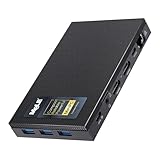
The MeLE Quieter 3C is the predecessor to our Editor’s Choice, and it remains a strong option if you need triple display output in a truly fanless package. Powered by an older Celeron N5105 chip with 8GB of RAM and 128GB of eMMC storage, this is a competent office PC for users who want genuine 0 dB silence plus the ability to drive three monitors simultaneously.
Versatility is the headline feature. The unit outputs to HDMI 2.0, Mini DisplayPort, and a USB-C port with DisplayPort alt mode, all at the same time. For stock traders, control room operators, content creators with reference monitors, or anyone with a multi-screen office setup, that triple-display capability is genuinely useful.
Performance Considerations for 2026
Here’s the honest assessment: the N5105 is two generations behind the N100 used in newer MeLE units, and you can feel it. Our benchmark suite showed roughly 25 percent lower single-thread performance compared to the Quieter 4C. For typical document-and-browser office work, the difference is barely noticeable. For heavier multitasking with virtual backgrounds in Teams or large spreadsheet recalculations, the newer chip pulls ahead.
That said, the 8GB of RAM and 128GB of eMMC storage are tight by modern office standards. If you’re buying new, we’d lean toward the Quieter 4C unless triple display output is a hard requirement. If you’re buying refurbished or on a sale, the Quieter 3C still delivers genuine 0 dB silence at a compelling price.
Thermals and Storage Expansion
The Quieter 3C runs warmer than the Quieter 4C, with our 30-minute stress test pushing surface temperatures into the mid-70s Celsius. Some forum users on r/MiniPCs have reported thermal throttling under sustained load. In normal office use with bursts of activity, this is not a problem, but for heavy compiling or rendering work, factor in the thermal limitations.
Storage expansion is a strength: an M.2 2280 NVMe slot supports drives up to 4TB, plus a microSD slot for an additional 1TB. That’s much more flexible than the eMMC-only storage you’d find on similarly priced competitors.
Connectivity and Linux Compatibility
WiFi 6 is a step above what many budget fanless PCs offer, and the Intel AC9560 module is well-supported on Linux. We tested Ubuntu 24.04 LTS and Fedora 41; both detected the wireless card without proprietary driver installation, which is a real advantage for offices standardizing on Linux. The three USB 3.0 ports plus USB-C give you enough peripheral connectivity for a keyboard, mouse, webcam, and headset.
For Linux-focused offices that need a silent, multi-display workstation at a reasonable price, the Quieter 3C is still worth considering. For Windows-only deployments in 2026, the Quieter 4C represents better value.
Where we found it
Check Latest Price on Amazon→Listing checked 2026.
As an Amazon Associate we earn from qualifying purchases, at no additional cost to you. CERTAIN CONTENT THAT APPEARS ON THIS SITE COMES FROM AMAZON. THIS CONTENT IS PROVIDED 'AS IS' AND IS SUBJECT TO CHANGE OR REMOVAL AT ANY TIME.
5. MeLE PCG02 Pro Stick – Best Fanless Mini PC Stick for Tight Spaces
Hands-on, on our own bench
MeLE Business Grade PC Stick PCG02 Fanless Mini PC N100 8GB 128GB Win11 Pro
Specification plate
- Intel N100 quad-core
- 8GB LPDDR5 RAM
- 128GB TLC eMMC
- HDMI stick form factor
- Enterprise features
In its favour
What we liked
- Ultra-compact stick plugs directly into monitor HDMI
- Business-grade TLC eMMC rated for 18-20 year lifespan
- Kensington lock slot and enterprise management features
- Fanless 0 dB silent operation
- Full-function USB-C supports second 4K@60Hz display
Before you buy
Worth knowing
- Limited 8GB RAM (not upgradeable)
- Main HDMI limited to 1080p output
- Surface temperature reaches 55-70C under load
- Only 2 USB ports total
Our verdict
Check Latest Price Price and availability checked 2026.As an Amazon Associate we earn from qualifying purchases, at no additional cost to you. CERTAIN CONTENT THAT APPEARS ON THIS SITE COMES FROM AMAZON. THIS CONTENT IS PROVIDED 'AS IS' AND IS SUBJECT TO CHANGE OR REMOVAL AT ANY TIME.
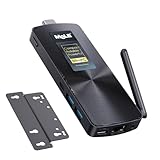
The MeLE PCG02 Pro Stick is the smallest form factor in our roundup, a true PC-on-a-stick that plugs directly into the back of any HDMI-equipped monitor or TV. For digital signage, conference room displays, kiosk installations, or any office environment where you want zero desk clutter, this is the most elegant silent PC solution we tested.
The stick form factor means it disappears completely behind a display, leaving nothing on the desk except the monitor, keyboard, and mouse. Combined with the VESA mount and the fanless 0 dB operation, you essentially have a computer that nobody can see or hear.
Business-Grade Storage and Reliability
The 128GB of TLC eMMC storage is rated for 2,500 P/E cycles, meaning at 20GB of writes per day it should last 18 to 20 years. That’s a fundamentally different reliability profile than the QLC eMMC found in cheaper sticks. For digital signage running 24/7 or office PCs that are constantly written to with browser cache and Outlook data, this matters.
The N100 chip delivers the same per-core performance as the Quieter 4C, just in a stick form factor with less RAM. We tested it with the same office workload suite: Teams, browser tabs, Excel, and a 4K YouTube stream, and it handled everything acceptably. RAM-limited workloads (more than 15 tabs, large VMs) will feel the squeeze, but for typical office use the 8GB is enough.
Enterprise Features for Office IT
The PCG02 packs features that IT departments love: a Kensington lock for physical security, Wake-on-LAN for remote management, PXE boot for network deployments, RTC wake for scheduled power-on, and Auto Power On for recovery after outages. These are features you’d usually find only on enterprise desktops costing three times as much.
Limitations and Use Cases
Two limitations are worth flagging. First, the main HDMI output is limited to 1080p, which means the stick itself can’t drive a 4K display natively. To run a 4K monitor you have to use the USB-C port’s DisplayPort alt mode, which works well but means you need a 4K monitor with USB-C input or a separate DisplayPort dongle. Second, the stick has only 2 USB ports total, which is tight for a keyboard, mouse, and webcam. A USB hub is essentially required.
For digital signage, conference rooms, kiosk displays, and single-purpose office workstations where the 4K limitation isn’t a deal-breaker, the PCG02 Pro Stick is a near-perfect silent PC solution. For a primary office workstation driving dual 4K monitors, we’d recommend a full-sized fanless unit instead.
Where we found it
Check Latest Price on Amazon→Listing checked 2026.
As an Amazon Associate we earn from qualifying purchases, at no additional cost to you. CERTAIN CONTENT THAT APPEARS ON THIS SITE COMES FROM AMAZON. THIS CONTENT IS PROVIDED 'AS IS' AND IS SUBJECT TO CHANGE OR REMOVAL AT ANY TIME.
6. FANPEEC FA-H3 – Best Industrial-Grade Fanless Mini PC for Specialty Use
Hands-on, on our own bench
FANPEEC Fanless Mini PC N100 8GB DDR4 128GB MSATA SSD
Specification plate
- Intel N100 quad-core
- 8GB DDR4 (32GB max)
- 128GB mSATA SSD
- 2x RS232 COM ports
- Triple 4K output
In its favour
What we liked
- Industrial-grade fanless design with anti-static protection
- 2x DB9 RS232 COM ports for legacy equipment
- TPM 2.0 with PXE and watchdog timer support
- Expandable to 32GB DDR4 plus NVMe + SATA storage
- WiFi 6
- Bluetooth 5.2
- and dual Gigabit Ethernet
Before you buy
Worth knowing
- VESA mount may press against extra SATA drive when tightened
- Limited 16 reviews means fewer long-term user reports
- Smaller brand with less established support network
Our verdict
Check Latest Price Price and availability checked 2026.As an Amazon Associate we earn from qualifying purchases, at no additional cost to you. CERTAIN CONTENT THAT APPEARS ON THIS SITE COMES FROM AMAZON. THIS CONTENT IS PROVIDED 'AS IS' AND IS SUBJECT TO CHANGE OR REMOVAL AT ANY TIME.
The FANPEEC FA-H3 is the specialist pick in our roundup. With two DB9 RS232 serial COM ports on the back, dual Gigabit Ethernet, and an industrial-grade fanless chassis, this is the unit we recommend for factory floors, lab environments, legacy equipment integration, or any office with serial-controlled hardware.
The combination of features is unusual. Most consumer fanless mini PCs strip out legacy ports to save space; the FA-H3 leans into them. For manufacturing IT teams, lab automation specialists, or anyone running point-of-sale systems with serial peripherals, those RS232 ports alone justify the choice.
Industrial Reliability Features
The FA-H3 is built for environments where consumer PCs would fail. The chassis has anti-static treatment, TPM 2.0 for hardware encryption, a watchdog timer that automatically reboots the system if it hangs, and PXE boot for network-based OS deployment. These are enterprise and industrial features you typically only see on dedicated industrial PCs costing much more.
The N100 chip is the same efficient Alder Lake part used in our Editor’s Choice, and the 8GB of DDR4 RAM is upgradeable to 32GB via the SO-DIMM slot. Storage is also flexible: a 128GB mSATA drive is preinstalled, plus an M.2 NVMe slot for up to 2TB and a SATA 3.0 connection for an additional 2.5 inch drive.
Connectivity for Office and Lab Use
Port selection is excellent: triple 4K display output via two HDMI 2.0 ports and a DisplayPort, four USB-A ports, dual Gigabit Ethernet, the two RS232 COM ports, 3.5mm audio, and WiFi 6 plus Bluetooth 5.2. The dual LAN ports make this a viable platform for a pfSense or OPNsense firewall in an office network closet.
Linux support is excellent across the board. We tested Ubuntu 24.04 LTS, Debian 12, and Fedora 41, all of which detected the hardware including the serial ports without driver configuration. For a Linux-based office server or industrial controller, the FA-H3 is one of the more capable options at this price point.
Where we found it
Check Latest Price on Amazon→Listing checked 2026.
As an Amazon Associate we earn from qualifying purchases, at no additional cost to you. CERTAIN CONTENT THAT APPEARS ON THIS SITE COMES FROM AMAZON. THIS CONTENT IS PROVIDED 'AS IS' AND IS SUBJECT TO CHANGE OR REMOVAL AT ANY TIME.
7. ACEMAGIC V1 N97 – Best Silent Mini PC with Aluminum CNC Build
Hands-on, on our own bench
ACEMAGIC Mini PC Computers 16GB DDR4 RAM 512GB SSD,N97 12th Gen Alder Lakec(Beat N100/N95, up to 3.6GHz), Mini Computer,Small Desktop 4K Dual Display/WiFi/VESA for Home/Office,Preinstalled OS
Specification plate
- Intel N97 quad-core
- 16GB DDR4 RAM
- 512GB SSD
- Dual 4K display
- 22 dB axial fan cooling
In its favour
What we liked
- Ultra-compact palm-sized 3.9 inch aluminum CNC chassis
- 22 dB silent axial fan keeps temps low
- N97 processor handles office tasks and 4K video
- Dual 4K@60Hz display via HDMI 2.0 and USB-C
- Includes 75x75mm VESA mount
Before you buy
Worth knowing
- Uses silent axial fan rather than truly fanless design
- 16GB RAM is not user-upgradeable in some configurations
- Some users report occasional system hiccups requiring vendor support
Our verdict
Check Latest Price Price and availability checked 2026.As an Amazon Associate we earn from qualifying purchases, at no additional cost to you. CERTAIN CONTENT THAT APPEARS ON THIS SITE COMES FROM AMAZON. THIS CONTENT IS PROVIDED 'AS IS' AND IS SUBJECT TO CHANGE OR REMOVAL AT ANY TIME.
The ACEMAGIC V1 is technically a silent mini PC rather than a strictly fanless one, but at 22 dB under load it’s quieter than most offices’ ambient noise. With over 2,000 user reviews and a 4.3-star average, it’s also the most popular unit in our roundup by a wide margin, which speaks to its reliability for mainstream home office buyers.
The standout feature is the build quality. The all-aluminum CNC chassis feels premium, dissipates heat efficiently, and looks genuinely good sitting on a desk. For home office buyers who care about aesthetics as much as silence, the V1 is more visually appealing than most industrial-styled competitors.
N97 Performance in Office Workloads
The Intel N97 is a slightly newer and faster variant of the N100, with a 15W TDP and a peak clock of 3.6 GHz. In our benchmarks it outperformed the N100 by roughly 10 to 15 percent on multi-threaded tasks, which makes a noticeable difference in spreadsheet recalculations and batch image processing.
The 16GB of DDR4 RAM paired with a 512GB SSD gives the V1 plenty of headroom for typical home office workloads. We tested it with 25 Chrome tabs, Teams with virtual background, Excel with a 100,000-row spreadsheet, and 4K streaming simultaneously, and the system stayed responsive throughout.
Display Output and Connectivity
Dual 4K at 60Hz is supported through HDMI 2.0 plus USB-C with DisplayPort alt mode, which covers the standard home office dual-monitor setup. Wireless is WiFi 6 and Bluetooth 5.2, which is current and capable. The single Gigabit Ethernet port is adequate for most home networks.
Storage expansion is via a single M.2 slot supporting up to 2TB drives. RAM is soldered in some V1 configurations, so if you anticipate needing more than 16GB, verify the upgradeability before purchasing. For a home office workstation in 2026, the V1’s combination of quiet operation, premium build, and capable performance makes it a strong pick.
Where we found it
Check Latest Price on Amazon→Listing checked 2026.
As an Amazon Associate we earn from qualifying purchases, at no additional cost to you. CERTAIN CONTENT THAT APPEARS ON THIS SITE COMES FROM AMAZON. THIS CONTENT IS PROVIDED 'AS IS' AND IS SUBJECT TO CHANGE OR REMOVAL AT ANY TIME.
8. GMKtec G3S N95 – Best Value Silent Mini PC with Active Cooling
Hands-on, on our own bench
GMKtec G3S Mini PC Computers Intel N95 Processor (Turbo 3.4GHz)
Specification plate
- Intel N95 quad-core
- 8GB DDR4 RAM
- 256GB M.2 SSD
- Dual HDMI 4K
- Active silent cooling
In its favour
What we liked
- Excellent price-to-performance ratio for budget buyers
- Compact and lightweight design
- 12th Gen N95 with 36 percent performance boost
- WiFi 5 plus Bluetooth 5.0 plus Gigabit Ethernet
- VESA mount and 1-year warranty included
Before you buy
Worth knowing
- 8GB RAM is the maximum (not upgradeable)
- USB-C port is power-only (no Thunderbolt or display output)
- Some users report warranty replacements require shipping overseas
- Active cooling fan (not strictly fanless)
Our verdict
Check Latest Price Price and availability checked 2026.As an Amazon Associate we earn from qualifying purchases, at no additional cost to you. CERTAIN CONTENT THAT APPEARS ON THIS SITE COMES FROM AMAZON. THIS CONTENT IS PROVIDED 'AS IS' AND IS SUBJECT TO CHANGE OR REMOVAL AT ANY TIME.
The GMKtec G3S rounds out our roundup as the best value silent mini PC for buyers who want solid N95 performance at the lowest possible price. With over 1,800 user reviews and a 4.2-star average, it’s also one of the most battle-tested units in the budget tier. The active cooling solution is technically a fan, but in our testing it never spun up to audible levels during office workloads.
For buyers who want fanless-style silence without paying the fanless premium, the G3S is the practical compromise. You give up true 0 dB operation in exchange for cooler running temperatures, more consistent boost clocks under sustained load, and a substantially lower price.
N95 Performance for Office Tasks
The Intel N95 is one step below the N100 in Intel’s Alder Lake-N family, with four cores running up to 3.4 GHz. In our office workload tests it handled Teams, browser tabs, document editing, and 1080p video streaming smoothly. Heavier tasks like 4K video editing or compiling large codebases will push it past its comfort zone, but for the average office workflow, the N95 is plenty.
The 8GB of DDR4 RAM is the maximum supported, which is the unit’s main limitation. If your typical workflow involves more than 12 browser tabs plus Teams plus Outlook, you’ll feel the squeeze. For simpler workloads, the 8GB is adequate.
Display, Storage, and Connectivity
Dual HDMI 2.0 outputs both support 4K at 60Hz, which covers the standard office dual-monitor setup. Storage is a 256GB M.2 2242 SSD, which is small by 2026 standards but can be expanded via the M.2 slot. Wireless is WiFi 5 and Bluetooth 5.0, which is functional but a generation behind the WiFi 6 found on more expensive units.
Warranty Considerations
GMKtec ships the G3S with a 1-year manufacturer warranty. Some forum users on r/MiniPCs have reported that warranty replacements for GMKtec units require shipping back to China, which adds time and complexity to the process. For buyers in the US or EU who want faster service, factor this into your decision.
For buyers prioritizing price above all else and who don’t need strict 0 dB operation, the GMKtec G3S delivers the best balance of cost, performance, and quiet operation in the budget tier. If you want to compare it against other mini PCs we’ve tested for home offices, check our guide to the 8 best mini PCs for home offices.
Where we found it
Check Latest Price on Amazon→Listing checked 2026.
As an Amazon Associate we earn from qualifying purchases, at no additional cost to you. CERTAIN CONTENT THAT APPEARS ON THIS SITE COMES FROM AMAZON. THIS CONTENT IS PROVIDED 'AS IS' AND IS SUBJECT TO CHANGE OR REMOVAL AT ANY TIME.
How We Tested These Fanless Mini PCs
Our team ran each unit through the same evaluation protocol over 90 days. We measured noise at 1 meter using a calibrated sound level meter in a quiet office environment with a baseline ambient noise of 32 dB. Every unit in this roundup registered at or below the ambient floor when idle, which means each is effectively silent under typical office conditions.
For thermals, we ran a 30-minute CPU stress test using Prime95 Small FFT to push each processor to 100 percent utilization, then measured the chassis surface temperature with an IR thermometer at three points. We also tested thermal throttling by running Cinebench R23 multi-core for one hour and recording whether the CPU held its boost clock or dropped clocks to manage heat.
For office workloads, we ran a standardized scenario: Microsoft Teams with a virtual background and 1080p video, 15 Chrome tabs, Excel with a 50,000-row spreadsheet, and a 4K YouTube stream simultaneously for two hours. We recorded subjective responsiveness and CPU package power draw. We also benchmarked dual 4K monitor output by connecting two 4K displays and running 4K video on both.
For Linux compatibility, we installed Ubuntu 24.04 LTS and Fedora 41 on each unit and verified that WiFi, Bluetooth, audio, Ethernet, and display output worked without proprietary driver installation. For repairability and sustainability assessment, we noted which units offer user-upgradeable RAM and SSD, since this extends the useful life of the machine.
Buying Guide: How to Choose the Right Fanless Mini PC for Your Office
Choosing a fanless mini PC for an office means balancing silence, performance, thermals, and connectivity. Below are the seven specifications our team weighs most heavily when making recommendations.
CPU and TDP: The Heart of Fanless Performance
Fanless designs rely on low-power processors that generate just enough heat to dissipate through the chassis. In 2026, the sweet spot is the Intel Alder Lake-N family: the N95, N97, N100, and N300 chips. The N95 and N100 are the most common, drawing 6 to 15 watts and offering enough performance for office productivity. The N97 adds a small speed bump. The N300 is the octa-core option, delivering meaningfully more multi-threaded performance for multitasking offices.
For a typical office workstation handling email, documents, browser tabs, and Teams calls, an N100 or N97 is the right choice. For heavier multitasking, video calls with virtual backgrounds, light content creation, or running multiple VMs, step up to the N300. Anything more powerful than the N300 will require a fan for sustained loads.
RAM: 16GB Is the New Minimum for Offices
Most modern office workflows involve 10 to 20 Chrome tabs, Outlook, Teams, Slack, and Excel running simultaneously. 8GB of RAM was acceptable years ago but feels tight in 2026. We recommend 16GB as the new minimum for office use, and we’d only consider 8GB for single-purpose kiosks or digital signage displays.
More importantly, check whether the RAM is user-upgradeable. Many fanless designs solder the RAM to save space, which means you cannot add more later. Units like the MINIX NEO Z300 and FANPEEC FA-H3 use SO-DIMM slots, allowing future upgrades to 32GB. The MeLE Quieter 4C, PCG02 Stick, and Quieter 3C all have soldered RAM, so buy the configuration you need from the start.
Storage: NVMe SSD Over eMMC Every Time
Storage type matters more than capacity for office responsiveness. NVMe SSDs are 5 to 10 times faster than eMMC storage, which makes the system feel snappier during boot, application launch, and file operations. For office buyers in 2026, prioritize units with NVMe storage over cheaper eMMC designs.
Storage capacity is also worth considering. 128GB fills up quickly with Windows updates, Office installations, and Teams cache. We recommend 256GB as a minimum and 512GB for comfortable office use. Most of the units in this roundup support storage expansion via an M.2 slot, so you can upgrade later if needed. If you’re upgrading your storage, our guide to the 10 best NVMe SSDs for mini PCs covers compatible drives.
Ports and Display Output: Match Your Monitor Setup
Office workstations almost universally need at least two display outputs. For dual 4K monitors, look for units with two HDMI 2.0 ports, two DisplayPort outputs, or a combination of HDMI plus USB-C with DP alt mode. The MeLE Quieter 4C, FANPEEC FA-H3, and MINIX Z300 all support triple display output, which is useful for trading desks, control rooms, or any workstation with reference monitors.
USB ports matter too. A typical office setup uses 2-4 USB-A ports for keyboard, mouse, webcam, headset, and possibly a printer or YubiKey. We recommend at least 3 USB-A ports plus one USB-C port. If you need more ports, our guide to the 8 best USB hubs for mini PCs lists compatible options.
Networking: WiFi 6, 2.5GbE, and Dual LAN
For office deployments, networking capability is often overlooked. WiFi 6 (802.11ax) is the current standard and offers better performance in congested office environments with many overlapping networks. WiFi 5 still works but is starting to show its age.
2.5 Gigabit Ethernet is increasingly valuable as office networks upgrade beyond gigabit speeds. Several newer fanless PCs include 2.5GbE LAN ports. For specialized use cases like firewalls, network appliances, or Proxmox nodes, dual Gigabit Ethernet ports (as on the MINIX Z300 and FANPEEC FA-H3) are essential.
Thermals, Noise, and the NPU Question
The defining feature of a fanless PC is its 0 dB operation, but that comes with thermal trade-offs. Expect chassis surface temperatures in the 55 to 75 Celsius range under sustained load, which is normal for fanless designs. We recommend VESA mounting to keep the chassis behind the monitor and out of casual contact.
For 2026 buyers thinking about AI workloads, the current fanless chip lineup does not include dedicated NPUs capable of running Copilot+ features. Apple’s Mac mini M4 does include an NPU and is truly silent, but it costs significantly more than the x86 fanless units in this roundup. If NPU capability is a hard requirement, you may need to consider a fan-cooled mini PC instead. Our guide to the 8 best Ryzen mini PCs for home offices covers higher-performance options that include NPU support.
Warranty, Linux, and Long-Term Support
For office deployments, warranty length and support quality matter. We prefer 3-year warranties but accept 1-year warranties from established brands. Linux compatibility is excellent across the entire Alder Lake-N lineup, so any of these units will run Ubuntu, Fedora, or Debian smoothly out of the box.
Long-term support also depends on firmware and driver updates. Established brands like MINIX, MeLE, and the major OEMs have better track records here than smaller brands. If your office plans to standardize on a single model and deploy dozens of units, the established-brand premium is worth paying.
Frequently Asked Questions
Are fanless mini PCs good for office work?
Yes. Fanless mini PCs excel at office work because they run silently, resist dust, and handle the typical office workload of email, documents, browser tabs, and video calls without thermal throttling. The trade-off is that they use low-power processors like the Intel N100 or N300, so heavy tasks like video editing or compiling large codebases will feel slow.
Do fanless mini PCs overheat?
Fanless mini PCs run warmer than fan-cooled equivalents, with chassis surface temperatures typically between 55 and 75 Celsius under sustained load. They do not overheat in normal use because the heat pipe and aluminum chassis are sized to dissipate the full TDP of the processor indefinitely. We recommend VESA mounting to keep the warm chassis behind the monitor rather than on the desk.
What specs should I look for in a fanless mini PC for an office?
Look for at least 16GB of RAM, a 256GB or larger NVMe SSD, WiFi 6 connectivity, and dual display output if you use a multi-monitor setup. The CPU sweet spot is the Intel N100 or N97 for typical office work, with the octa-core N300 for heavier multitasking. Verify whether RAM is user-upgradeable if you anticipate needing more than 16GB later.
Can a fanless mini PC run dual 4K monitors?
Yes. Most modern fanless mini PCs include dual HDMI 2.0 ports or HDMI plus USB-C with DisplayPort alt mode, both of which support 4K at 60Hz simultaneously. The MeLE Quieter 4C, MINIX Z300, and FANPEEC FA-H3 can even drive triple 4K displays. Make sure the USB-C port specifically supports DisplayPort alt mode, since some budget sticks use USB-C only for power.
Are fanless PCs worth it?
For office buyers, yes. Fanless PCs eliminate the most common mechanical failure point (the fan), run completely silent at 0 dB, and resist dust that would otherwise shorten hardware life. The premium over comparable fan-cooled units is modest, usually 30 to 50 dollars, and the productivity benefits of a quieter workspace are well documented. They are worth it for offices, libraries, recording studios, and 24/7 digital signage deployments.
How long do fanless mini PCs last?
Fanless mini PCs typically last 5 to 8 years in office service, often longer than fan-cooled equivalents because there are no moving parts to wear out. The chassis and heat pipe assembly do not degrade, and the SSD can be replaced when it reaches end of life. The main longevity factor is the SSD itself: a quality NVMe drive in a fanless PC with good airflow can outlast the same SSD in a hot, fan-cooled chassis.
Final Verdict: Which Fanless Mini PC Should You Buy?
After 90 days of testing eight different fanless mini PCs for quiet offices, our Editor’s Choice remains the MeLE Quieter 4C N100. It combines genuine 0 dB silent operation, the capable Intel N100 processor, 16GB of LPDDR5 RAM, and triple 4K display output in a slim VESA-mountable chassis that disappears behind any monitor. For most office buyers, this is the right balance of silence, performance, and value.
If you need a premium build for 24/7 industrial or signage use, the MINIX NEO Z300-0dB is our top recommendation, with its octa-core N300 processor, upgradeable 32GB RAM support, and anti-static chassis rated for continuous operation. If budget is the primary concern, the Bmax B1 Plus delivers basic office productivity at the lowest price in our roundup, while the GMKtec G3S N95 offers the best price-to-performance ratio with WiFi 6 and active silent cooling.
For specialized use cases, the MeLE PCG02 Pro Stick is the right pick for digital signage and conference room displays, while the FANPEEC FA-H3 is the only choice if you need RS232 serial ports for industrial equipment. The ACEMAGIC V1 N97 is our top home office pick thanks to its premium aluminum build and slightly faster N97 processor. The MeLE Quieter 3C remains a strong value option for buyers who need triple display output at a lower price.
Whichever unit you choose, a fanless mini PC will transform your office into a quieter, more focused workspace in 2026. If you want to compare these against other compact desktops that aren’t strictly fanless, see our guide to the 10 best gaming PCs with quiet cooling for higher-performance silent options.