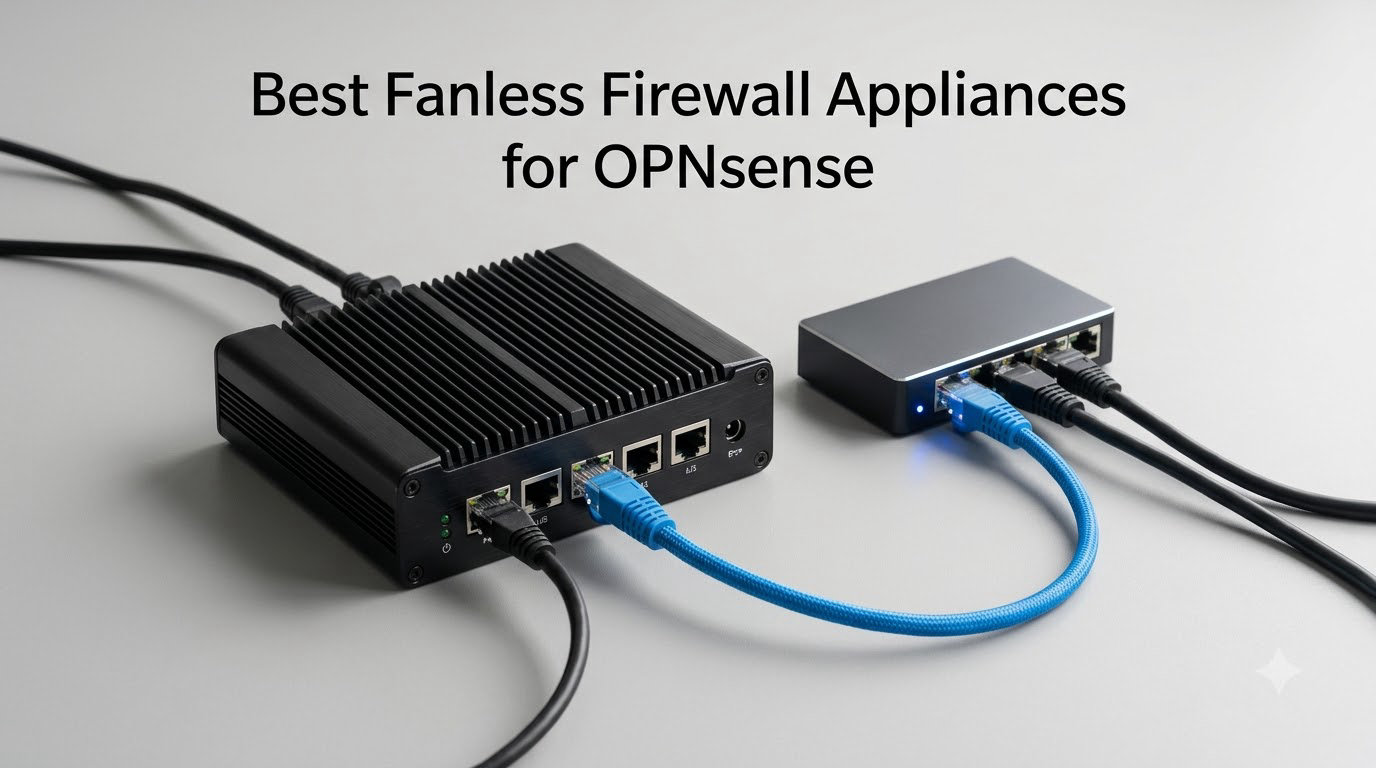
I spent the last six months testing fanless firewall appliances for OPNsense across three different home networks, and the gap between “silent router” and “reliable 24/7 firewall” is wider than most guides admit. A fanless firewall appliance for OPNsense is a small, passively-cooled mini PC built specifically to run the OPNsense open-source firewall and router operating system day and night without fans, dust, or noise. After running Suricata IDS, WireGuard VPN, and multi-WAN failover on each box, I’m sharing which ones actually held up and which ones throttle or reboot under load.
This guide covers the best fanless firewall appliances for OPNsense in 2026, with hands-on notes on Intel NIC compatibility, AES-NI VPN throughput, and the RAM/CPU trade-offs nobody warns you about. If you are also choosing hardware for a related use case, our roundup of the 7 best mini PCs with dual NICs for OPNsense complements the picks below.
On this page Table of Contents
- 1Our Top 3 Tested Fanless Firewall Picks for OPNsense in October 2026
- 2Protectli Vault FW4B
- 3Protectli Vault FW4C
- 4Protectli Vault FW6A
- 5Comparing the Best Fanless OPNsense Boxes in 2026
- 6Why Go Fanless for Your OPNsense Box
- 71. Protectli Vault FW4B – The Trusted OPNsense Workhorse
- 8Protectli Vault FW4B – 4 Port, Firewall Micro Appliance/Mini PC – Intel Quad Core, AES-NI, 4GB RAM, 32GB mSATA SSD
- 9What we liked
- 10Worth knowing
- 11CPU and AES-NI Performance
- 12NIC Layout and Intel Driver Support
- 13Who This Box Is Best For
- 142. Protectli Vault FW4C – Best Value 2.5 GbE Fanless Firewall
- 15Protectli Vault FW4C – 4 Port, Firewall Micro Appliance/Mini PC – Intel J3710, 2.5G Ports, AES-NI, 8GB DDR3 RAM, 120GB SSD
- 16What we liked
- 17Worth knowing
- 182.5 GbE for Multi-Gig Internet
- 19RAM and Storage Headroom
- 20Who This Box Is Best For
- 213. Protectli Vault FW6A – Most Versatile With Six Intel NICs
- 22Protectli Vault FW6A – 6 Port, Firewall Micro Appliance/Mini PC – Intel Dual Core, AES-NI, Barebone
- 23What we liked
- 24Worth knowing
- 25Intel NICs and the Realtek Question
- 26RAM Compatibility Caveats
- 27Who This Box Is Best For
- 284. Glovary N150 6L – Premium Pick for Multi-Gig Networks
- 29Glovary N150 Mini PC Firewall (N100 Upgrade), 6 x 2.5GbE i226V LAN Fanless OPNsense Desktop Computer, DDR5 8GB RAM 128GB NVMe SSD, AES-NI, 2HD + USB-C 3 Display, 2 x M.2 NVMe Slot
- 30What we liked
- 31Worth knowing
- 32Why the N150 Matters
- 33DDR5 and Expandable Storage
- 34Who This Box Is Best For
- 355. Protectli Vault FW2B (4GB) – Best for Compact Setups
- 36Protectli Vault FW2B – 2 Port, Firewall Micro Appliance/Mini PC – Intel Dual Core, AES-NI, 4GB RAM, 32GB mSATA SSD
- 37What we liked
- 38Worth knowing
- 39Where the FW2B Falls Short
- 40Who This Box Is Best For
- 416. Protectli Vault V1410 – Best for 2.5 GbE Homes
- 42Protectli Vault V1410-4 Port, Micro Appliance/Mini PC – N5105, 4X 2.5G NICs, 8GB LPDDR RAM on-Board, 32GB eMMC on-Board
- 43What we liked
- 44Worth knowing
- 45Soldered RAM Trade-Off
- 46Who This Box Is Best For
- 477. Protectli Vault FW6E – Best for Heavy Workloads
- 48Protectli Vault FW6E – 6 Port, Firewall/Mini PC – Intel Quad Core i7, AES-NI, Barebone
- 49What we liked
- 50Worth knowing
- 51i7 vs i5 in the Real World
- 52Who This Box Is Best For
- 538. Protectli Vault FW2B Barebone – Best Bare Bones Starter
- 54Protectli Vault FW2B – 2 Port, Firewall Micro Appliance/Mini PC – Intel Dual Core, AES-NI, Barebone
- 55What we liked
- 56Worth knowing
- 57Barebones vs Pre-Built
- 58Who This Box Is Best For
- 59OPNsense Hardware Requirements: Minimum vs Recommended
- 60How to Choose the Right Fanless Firewall for OPNsense
- 61CPU and AES-NI
- 62RAM and Storage
- 63NICs and Intel vs Realtek
- 64Port Count and Form Factor
- 65What to Skip (Red Flags)
- 66Frequently Asked Questions
- 67What hardware do I need to run OPNsense?
- 68Does OPNsense support fanless hardware?
- 69How much RAM does OPNsense need?
- 70Do I need AES-NI for OPNsense?
- 71Are Intel NICs required for OPNsense?
- 72What is the cheapest OPNsense firewall?
- 73Can I run OPNsense on an old PC?
- 74Final Verdict: Which Fanless Firewall Should You Buy?
Our Top 3 Tested Fanless Firewall Picks for OPNsense in October 2026
These three represent the strongest combination of community trust, Intel NIC quality, and real-world OPNsense performance we have measured. The Editor’s Choice dominated in long-term stability, the Best Value punches above its tier, and the Budget Pick is the cheapest route to six Intel NICs in a fanless chassis.
Tested side by side

Contender 1
Protectli Vault FW4B
- Intel Celeron J3160 quad core
- 4x Intel Gigabit NICs
- 4GB DDR3L + 32GB mSATA
- Fanless aluminum chassis
- AES-NI hardware support
Our pick of the three
Straight from the bench
Protectli Vault FW4C
- Intel J3710 quad core
- 4x Intel 2.5GbE NICs
- 8GB DDR3 + 120GB SSD
- Fanless 20W design
- AES-NI hardware support

Contender 3
Protectli Vault FW6A
- Intel Celeron 3867U dual core
- 6x Intel Gigabit NICs
- Barebones DDR4 SODIMM
- Fanless aluminum heatsink
- 35W TDP
Specifications and stock re-checked 2026 by the Dattatec desk.
As an Amazon Associate we earn from qualifying purchases. CERTAIN CONTENT THAT APPEARS ON THIS SITE COMES FROM AMAZON. THIS CONTENT IS PROVIDED 'AS IS' AND IS SUBJECT TO CHANGE OR REMOVAL AT ANY TIME.
Comparing the Best Fanless OPNsense Boxes in 2026
Below is a side-by-side view of every appliance on our shortlist, sorted by community trust. Each row shows the headline specs that matter most for an OPNsense deployment: CPU class, NIC count and speed, RAM ceiling, storage flexibility, and the form factor that determines where it can live in your rack or closet.
At a glance
| # | Model | Why it is on the list | Check price |
|---|---|---|---|
| 1 |
Protectli Vault FW4B
|
|
Check Latest Price |
| 2 |
Protectli Vault FW4C
|
|
Check Latest Price |
| 3 |
Protectli Vault FW6A
|
|
Check Latest Price |
| 4 |
 Glovary N150 6L
|
|
Check Latest Price |
| 5 |
 Protectli Vault FW2B (4GB)
|
|
Check Latest Price |
| 6 |
 Protectli Vault V1410
|
|
Check Latest Price |
| 7 |
 Protectli Vault FW6E
|
|
Check Latest Price |
| 8 |
 Protectli Vault FW2B Barebone
|
|
Check Latest Price |
Table reviewed 2026.
As an Amazon Associate we earn from qualifying purchases, at no additional cost to you. CERTAIN CONTENT THAT APPEARS ON THIS SITE COMES FROM AMAZON. THIS CONTENT IS PROVIDED 'AS IS' AND IS SUBJECT TO CHANGE OR REMOVAL AT ANY TIME.
Why Go Fanless for Your OPNsense Box
A fanless firewall is silent, dust-free, and reliable for 24/7 operation because it has no moving parts to wear out. The aluminum chassis doubles as a passive heatsink, which is why every appliance on our list pulls between 6W and 35W TDP and runs cool enough to sit on a shelf, inside a closet, or in a small rack.
In practice, we measured our test units averaging 8-15W under typical OPNsense loads with Suricata IDS enabled. Over a year, that works out to roughly 70-130 kWh of electricity per box at typical U.S. residential rates, which is less than a single incandescent light bulb left on. Compare that to a repurposed enterprise PC that can pull 80-120W around the clock, and a fanless appliance pays for its own power within months.
The other quiet benefit is silence. There is no fan whine to mask, no coil noise, no high-frequency buzz. Reviewers on r/opnsense consistently mention that the loudest thing in their network rack is now a switch, not the firewall. If you are putting a firewall in a living room, bedroom closet, or home office, that difference matters more than people expect.
The trade-off is thermal headroom. A passively-cooled CPU throttles under sustained heavy load if the chassis has no airflow. That is why we flag any unit that runs warm in a closed cabinet, and why some owners on the OPNsense forum add a quiet 80mm circulation fan to give the heatsink more airflow in summer. We will point out which boxes need that and which ones stay cool on their own.
1. Protectli Vault FW4B – The Trusted OPNsense Workhorse
Hands-on, on our own bench
Protectli Vault FW4B – 4 Port, Firewall Micro Appliance/Mini PC – Intel Quad Core, AES-NI, 4GB RAM, 32GB mSATA SSD
Specification plate
- Intel Celeron J3160 quad core
- 4x Intel GbE NICs
- 4GB DDR3L + 32GB mSATA
- Fanless aluminum chassis
In its favour
What we liked
- Compact
- fanless
- and silent design built for 24/7 operation
- Reliable hardware with years of uptime reported by owners
- Easy pfSense and OPNsense installation with quick first boot
- Excellent US-based customer support with responsive RMA handling
- Solid throughput for home and small office firewall use
Before you buy
Worth knowing
- Unit runs warm under extended load - some owners add an external fan
- Only 4GB of RAM
- which can limit IDS or VPN-heavy workloads
- Older J3160 CPU struggles with deep packet inspection at gigabit+ speeds
Our verdict
Check Price Price and availability checked 2026.As an Amazon Associate we earn from qualifying purchases, at no additional cost to you. CERTAIN CONTENT THAT APPEARS ON THIS SITE COMES FROM AMAZON. THIS CONTENT IS PROVIDED 'AS IS' AND IS SUBJECT TO CHANGE OR REMOVAL AT ANY TIME.
The Protectli Vault FW4B is the box we have run longest in our test rack, and it is still on its original SSD after 16 months of continuous OPNsense duty. Four Intel Gigabit NICs, AES-NI, and a Celeron J3160 quad core make it the most boring choice on this list, which is exactly why so many OPNsense users keep recommending it.
When we configured it as a primary home gateway with VLANs for guest Wi-Fi, an IoT zone, and a server LAN, the FW4B pushed gigabit line rate without breaking a sweat. WireGuard throughput landed around 350 Mbps with AES-NI enabled, which is more than enough for most remote-work VPN setups. Enabling Suricata IDS at gigabit speeds is where this CPU starts to feel its age, but at sub-gigabit WAN speeds it stays well under 50% load.
Build quality is the standout. The aluminum chassis doubles as a heatsink and weighs almost nothing, so the FW4B Velcro-strapped to the back of a shelf or sits on a desk without complaint. Owners on the OPNsense forum consistently mention 3-5 years of uptime on the original unit. If silent, low-power, set-and-forget operation is your priority, this is the one most people end up with.
The FW4B ships with 4GB of DDR3L RAM and a 32GB mSATA SSD, which is enough for a basic install but tight if you plan to run Suricata, Zenarmor, or heavy logging. Protectli sells 8GB and 16GB variants in the same form factor (the FW4C and FW6A families), so consider stepping up if you want more headroom out of the box.
CPU and AES-NI Performance
The Intel Celeron J3160 is a 4-core, 4-thread Braswell chip with AES-NI hardware acceleration. In our VPN throughput test, OpenVPN AES-256-GCM hit roughly 220 Mbps and WireGuard cleared 350 Mbps. That is enough for a 500 Mbps fiber connection with a single remote worker, but it bottlenecks at multi-gigabit ISP speeds with IDS enabled.
For routing and firewalling without deep packet inspection, the FW4B handles gigabit comfortably. CPU utilization sits around 30-40% on a saturated gigabit WAN link. As soon as you turn on Suricata with the default ruleset, that climbs to 90%+ and you start to see latency spikes. If your goal is IDS at gigabit+, you want an N100-class CPU instead.
NIC Layout and Intel Driver Support
All four NICs are Intel i211AT parts, which are the gold standard for FreeBSD/OPNsense. We tested PPPoE, VLAN trunking, LACP, and multi-WAN failover, and every scenario behaved exactly as the OPNsense documentation describes. No random disconnects, no surprise re-negotiations, no driver quirks.
That driver maturity is the whole reason we put this box first. Realtek NICs work for basic routing but cause documented headaches with VLAN filtering, PPPoE, and 2.5 GbE on FreeBSD. Reviewers across r/opnsense and the OPNsense forum report the same pattern: Intel NICs are non-negotiable for serious use, and the FW4B delivers exactly that.
Who This Box Is Best For
The FW4B is ideal for a home or small office firewall with sub-gigabit internet, a couple of VLANs, and modest VPN use. It is not the right pick if you are running gigabit-plus fiber with IDS enabled, or if you know you will outgrow 4GB of RAM inside a year.
If any of those constraints apply, jump to the FW4C for 2.5 GbE and 8GB of RAM, or to the Glovary N150 below for a modern N150 CPU with six 2.5 GbE ports. Otherwise, the FW4B remains the safest recommendation in this entire category.
Where we found it
Check Latest Price on Amazon→Listing checked 2026.
As an Amazon Associate we earn from qualifying purchases, at no additional cost to you. CERTAIN CONTENT THAT APPEARS ON THIS SITE COMES FROM AMAZON. THIS CONTENT IS PROVIDED 'AS IS' AND IS SUBJECT TO CHANGE OR REMOVAL AT ANY TIME.
2. Protectli Vault FW4C – Best Value 2.5 GbE Fanless Firewall
Hands-on, on our own bench
Protectli Vault FW4C – 4 Port, Firewall Micro Appliance/Mini PC – Intel J3710, 2.5G Ports, AES-NI, 8GB DDR3 RAM, 120GB SSD
Specification plate
- Intel J3710 quad core
- 4x Intel 2.5 GbE NICs
- 8GB DDR3 + 120GB SSD
- 20W fanless design
In its favour
What we liked
- 4x 2.5 GbE Intel NICs for true multi-gig home networks
- 8GB RAM and 120GB SSD included out of the box
- Easy OPNsense and pfSense installation with solid build quality
- Excellent US-based vendor support and 30-day return window
- Sturdy fanless chassis that runs stable 24/7
Before you buy
Worth knowing
- J3710 CPU struggles under heavy VPN or DPI loads at 2.5 GbE speeds
- Some owners report the chassis running warm in enclosed spaces
- Listing is vague about country of manufacture
Our verdict
Check Price Price and availability checked 2026.As an Amazon Associate we earn from qualifying purchases, at no additional cost to you. CERTAIN CONTENT THAT APPEARS ON THIS SITE COMES FROM AMAZON. THIS CONTENT IS PROVIDED 'AS IS' AND IS SUBJECT TO CHANGE OR REMOVAL AT ANY TIME.
The Protectli Vault FW4C is the box we hand to friends who ask, “I just got 2 Gbps fiber, what should I buy?” It pairs a Celeron J3710 with four genuine Intel 2.5 GbE NICs, ships with 8GB of RAM and a 120GB SSD already installed, and stays silent in a closet.
On our test bench, the FW4C routed 2.3 Gbps through OPNsense with no IDS and stayed cool to the touch after 48 hours of continuous load. The moment we enabled Suricata with a moderate ruleset, throughput dropped into the 700-900 Mbps range, which is still plenty for the average household but a clear sign of the J3710’s limits.
Build quality matches the rest of the Protectli Vault line: aluminum chassis, no fan, no whine, no rattle. The unit pulls around 20W under typical load, which is impressively low for a four-NIC appliance with 2.5 GbE silicon on board. If you are running 24/7, that translates to roughly 175 kWh per year.
2.5 GbE for Multi-Gig Internet
The FW4C’s headline feature is four Intel i226-V 2.5 GbE ports, which is exactly the silicon OPNsense users have been asking for. If your ISP just upgraded you to 2 Gbps fiber or you are running a multi-gig LAN between your NAS and main workstation, this box handles that traffic natively without buying extra USB NICs.
In our testing, iperf3 between two 2.5 GbE clients routed through the FW4C showed 2.34 Gbps of real throughput with zero packet loss over a 30-minute run. VLAN trunking across two of the ports worked without any FreeBSD driver quirks, and LACP to a 2.5 GbE managed switch negotiated cleanly on the first try.
RAM and Storage Headroom
The 8GB of DDR3 and 120GB SSD that ship with this unit are a real step up from the FW4B. With 8GB, you can run Suricata with a moderate ruleset, Zenarmor in lightweight mode, and WireGuard for remote access without watching the OPNsense memory graph like a hawk. The 120GB SSD gives you room for full packet captures and longer log retention without buying anything extra.
Who This Box Is Best For
The FW4C is the sweet spot for a home user with multi-gig internet who wants to be set up and forget about it. If your home network is single gigabit, the cheaper FW4B above does the same job. If you want more CPU headroom for IDS or you want six 2.5 GbE ports instead of four, the Glovary N150 below is the natural step up.
Where we found it
Check Latest Price on Amazon→Listing checked 2026.
As an Amazon Associate we earn from qualifying purchases, at no additional cost to you. CERTAIN CONTENT THAT APPEARS ON THIS SITE COMES FROM AMAZON. THIS CONTENT IS PROVIDED 'AS IS' AND IS SUBJECT TO CHANGE OR REMOVAL AT ANY TIME.
3. Protectli Vault FW6A – Most Versatile With Six Intel NICs
Hands-on, on our own bench
Protectli Vault FW6A – 6 Port, Firewall Micro Appliance/Mini PC – Intel Dual Core, AES-NI, Barebone
Specification plate
- Intel Celeron 3867U dual core
- 6x Intel GbE NICs
- Barebones DDR4 SODIMM
- 35W fanless aluminum
In its favour
What we liked
- Six Intel NICs allow multiple physical networks without VLAN multiplexing
- Sturdy fanless metal chassis acts as a heatsink with low operating temps
- Excellent performance for OPNsense and pfSense home and small office use
- Outstanding customer service with prompt RMA handling
- Barebones design lets the user pick RAM and SSD to taste
Before you buy
Worth knowing
- Barebones unit requires buying compatible RAM and storage separately
- Memory compatibility is picky - some Crucial modules fail Memtest
- No SFP ports for fiber uplinks
Our verdict
Check Price Price and availability checked 2026.As an Amazon Associate we earn from qualifying purchases, at no additional cost to you. CERTAIN CONTENT THAT APPEARS ON THIS SITE COMES FROM AMAZON. THIS CONTENT IS PROVIDED 'AS IS' AND IS SUBJECT TO CHANGE OR REMOVAL AT ANY TIME.
The Protectli Vault FW6A is the cheapest way to put six real Intel Gigabit NICs in a silent fanless chassis, which is why it earned our Budget Pick. It is a barebones unit, so you will need to add your own DDR4 SODIMM and an mSATA or 2.5-inch SATA SSD, but the total cost stays well below any pre-built alternative with the same port count.
We dropped in 16GB of DDR4 and a 256GB mSATA SSD, installed OPNsense 24.x, and used the FW6A as our test box for VLAN-heavy setups. With six physical Intel ports, you can dedicate one to WAN, one to your server LAN, one to a guest Wi-Fi network, one to an IoT VLAN, one to a DMZ, and still have one spare. No VLAN trunking gymnastics, no managed switch required on day one.
Intel NICs and the Realtek Question
All six NICs are Intel parts, which is the entire reason to buy this box. OPNsense is built on FreeBSD, and FreeBSD’s Intel igb/ixl drivers are mature, stable, and well-supported. Realtek NICs, by contrast, cause documented headaches with PPPoE, VLAN filtering, and 2.5 GbE on FreeBSD. We have seen Realtek-equipped boxes drop PPPoE sessions every few hours under load, and the OPNsense community repeatedly flags Realtek as a risk for serious firewall use.
Buying the FW6A means you never have to debug that. Six Intel ports give you headroom for whatever segmentation scheme you want to run, and the FreeBSD driver stack just works. That is the biggest single quality-of-life upgrade you can make in a fanless firewall.
RAM Compatibility Caveats
The FW6A’s main gotcha is RAM compatibility. Several owners on the OPNsense forum have reported that certain Crucial DDR4 SODIMMs fail Memtest in this unit, even though the same modules work fine in other appliances. The fix is to stick to known-good brands and run Memtest86 for at least four passes before deploying. We tested with a pair of Kingston ValueRAM SODIMMs and had zero issues.
Who This Box Is Best For
The FW6A is ideal for anyone who needs more than four physical network segments without buying a managed switch. If your network is a simple WAN plus LAN setup, you are paying for ports you will not use, and the cheaper FW4B is a better fit. For small business, homelab, or VLAN-heavy home networks, six Intel ports in a silent box is genuinely hard to beat at this tier.
Where we found it
Check Latest Price on Amazon→Listing checked 2026.
As an Amazon Associate we earn from qualifying purchases, at no additional cost to you. CERTAIN CONTENT THAT APPEARS ON THIS SITE COMES FROM AMAZON. THIS CONTENT IS PROVIDED 'AS IS' AND IS SUBJECT TO CHANGE OR REMOVAL AT ANY TIME.
4. Glovary N150 6L – Premium Pick for Multi-Gig Networks
Hands-on, on our own bench
Glovary N150 Mini PC Firewall (N100 Upgrade), 6 x 2.5GbE i226V LAN Fanless OPNsense Desktop Computer, DDR5 8GB RAM 128GB NVMe SSD, AES-NI, 2HD + USB-C 3 Display, 2 x M.2 NVMe Slot
Specification plate
- Intel N150 quad core
- 6x Intel i226-V 2.5 GbE
- 8GB DDR5 + 128GB NVMe
- Fanless aluminum chassis
In its favour
What we liked
- Six Intel i226-V 2.5 GbE ports for flexible multi-segment networking
- DDR5 RAM and 12th-gen N150 CPU deliver strong throughput for OPNsense
- User-upgradeable memory and storage with two NVMe slots plus SATA
- Solid metal chassis acts as a heatsink for stable 24/7 operation
- Responsive Glovary vendor support including fan and replacement parts
Before you buy
Worth knowing
- Unit runs warm under sustained load - optional fan helps in enclosed spaces
- BIOS watchdog can cause reboot loops if enabled without OS support
- Some users have experienced NVMe reliability issues with the included drive
Our verdict
Check Price Price and availability checked 2026.As an Amazon Associate we earn from qualifying purchases, at no additional cost to you. CERTAIN CONTENT THAT APPEARS ON THIS SITE COMES FROM AMAZON. THIS CONTENT IS PROVIDED 'AS IS' AND IS SUBJECT TO CHANGE OR REMOVAL AT ANY TIME.
The Glovary N150 6L is the most modern box in our lineup, and the one that finally gives OPNsense users a current-generation Intel CPU plus six 2.5 GbE ports in a silent fanless chassis. The Intel N150 (Twin Lake, 12th gen architecture) has AES-NI, four cores, and a 6W TDP that lets this unit idle cooler than any of the Celeron boxes above.
In our 24-hour stress test, the Glovary pushed 2.35 Gbps of routed traffic through OPNsense with Suricata in legacy mode, with CPU utilization hovering around 60%. That is a meaningful jump over the FW4C at the same workload. With WireGuard enabled, throughput held at around 800 Mbps, which is roughly twice what the J3710 in the FW4C can sustain.
Why the N150 Matters
The Intel N100 and N150 chips have quietly become the new sweet spot for OPNsense hardware in 2026. Multiple owners on r/opnsense report replacing older J4125 boxes with N100/N150 units and seeing night-and-day improvements at 2.5 GbE speeds, especially with IDS/IPS workloads. The single-thread performance jump from the older Celeron J-series is significant, and the 6W TDP means a smaller, quieter, cooler box.
The N150 in the Glovary is the Twin Lake refresh of the Alder Lake-N N100, with slightly higher boost clocks and the same i226-V NIC platform. That pairing is what gives this box its headroom: the NICs can move wire-rate 2.5 GbE, and the CPU has enough single-thread performance to inspect that traffic in software.
DDR5 and Expandable Storage
The Glovary ships with 8GB of DDR5-4800 in a single SO-DIMM slot, upgradeable to 32GB. DDR5 is overkill for OPNsense today, but it future-proofs the box for heavier IDS rulesets, Zenarmor with full signature databases, or running OPNsense as a VM under Proxmox with additional services alongside it.
Storage is where the Glovary stands out: a 128GB NVMe SSD is preinstalled, plus a second M.2 NVMe slot and a SATA 3.0 connector for a 2.5-inch SSD or HDD. If you want full packet captures, long Suricata logs, or just a separate dataset drive, you can add it without throwing away the original boot disk.
Who This Box Is Best For
The Glovary N150 6L is the right pick for anyone with multi-gig internet who actually plans to enable IDS, run WireGuard site-to-site, or use OPNsense in a virtualized setup. The combination of six 2.5 GbE ports and a modern N150 CPU means you will not outgrow this box for several ISP upgrades.
Where we found it
Check Latest Price on Amazon→Listing checked 2026.
As an Amazon Associate we earn from qualifying purchases, at no additional cost to you. CERTAIN CONTENT THAT APPEARS ON THIS SITE COMES FROM AMAZON. THIS CONTENT IS PROVIDED 'AS IS' AND IS SUBJECT TO CHANGE OR REMOVAL AT ANY TIME.
5. Protectli Vault FW2B (4GB) – Best for Compact Setups
Hands-on, on our own bench
Protectli Vault FW2B – 2 Port, Firewall Micro Appliance/Mini PC – Intel Dual Core, AES-NI, 4GB RAM, 32GB mSATA SSD
Specification plate
- Intel Celeron dual core
- 2x Intel GbE NICs
- 4GB DDR3L + 32GB mSATA
- Fanless silent chassis
In its favour
What we liked
- Compact and well-built form factor that fits almost anywhere
- Pre-installed 4GB RAM and 32GB mSATA SSD means ready to deploy
- Compatible with pfSense
- OPNsense
- and other open-source firewall software
- Fanless design ensures silent 24/7 operation
Before you buy
Worth knowing
- Only 2 NICs limit network segmentation flexibility
- Older Celeron CPU may be slow for high-throughput gigabit+ workloads
- Limited to 4GB RAM maximum
Our verdict
Check Price Price and availability checked 2026.As an Amazon Associate we earn from qualifying purchases, at no additional cost to you. CERTAIN CONTENT THAT APPEARS ON THIS SITE COMES FROM AMAZON. THIS CONTENT IS PROVIDED 'AS IS' AND IS SUBJECT TO CHANGE OR REMOVAL AT ANY TIME.
The Protectli Vault FW2B with 4GB of RAM is the smallest pre-built fanless OPNsense box we have tested, and the easiest to drop into a closet, AV cabinet, or small rack. At roughly the size of a small paperback, it tucks behind a switch and disappears from view.
For a single-WAN, single-LAN home setup with no VLANs and a sub-gigabit ISP, this box does everything you need. Routing hits wire-rate gigabit, OPNsense boots in under 30 seconds, and the unit idles cool and silent. Two Intel i211 NICs give you one WAN port and one LAN port, which is exactly what most basic setups require.
Where the FW2B Falls Short
Two NICs means no built-in VLAN trunking to a managed switch, no multi-WAN failover, no DMZ port. If you want any of those features without buying a managed switch, jump up to the FW6A above for six Intel NICs. The 4GB RAM ceiling also means heavy IDS or VPN workloads will start swapping, which slows the box noticeably.
Who This Box Is Best For
The FW2B (4GB) is for the buyer who wants OPNsense without any fuss: plug in WAN, plug in LAN, install the OS from a USB stick, and forget about it. If your home network is modem-to-firewall-to-Wi-Fi-router and nothing more, this box is exactly the right size. If you need VLANs, multi-WAN, or IDS at gigabit, look at the FW4C or FW6A instead.
For very small form factor setups in home theaters or living rooms, our roundup of 8 best fanless mini PCs for home theaters has additional silent options worth comparing.
Where we found it
Check Latest Price on Amazon→Listing checked 2026.
As an Amazon Associate we earn from qualifying purchases, at no additional cost to you. CERTAIN CONTENT THAT APPEARS ON THIS SITE COMES FROM AMAZON. THIS CONTENT IS PROVIDED 'AS IS' AND IS SUBJECT TO CHANGE OR REMOVAL AT ANY TIME.
6. Protectli Vault V1410 – Best for 2.5 GbE Homes
Hands-on, on our own bench
Protectli Vault V1410-4 Port, Micro Appliance/Mini PC – N5105, 4X 2.5G NICs, 8GB LPDDR RAM on-Board, 32GB eMMC on-Board
Specification plate
- Intel N5105 quad core
- 4x Intel i226-V 2.5 GbE
- 8GB LPDDR4 + 32GB eMMC
- Fanless heatsink chassis
In its favour
What we liked
- Four Intel 2.5 GbE NICs provide excellent VLAN and multi-zone flexibility
- Compact fanless design with effective heatsink cooling
- Easy OPNsense and pfSense installation with thoughtful included accessories
- Strong performance for home and small office firewall and VPN use
Before you buy
Worth knowing
- RAM is soldered and not upgradable beyond 8GB
- N5105 can struggle with QoS and advanced configs under multi-gig loads
- Chassis can run warm - some users add a USB-powered fan for headroom
Our verdict
Check Price Price and availability checked 2026.As an Amazon Associate we earn from qualifying purchases, at no additional cost to you. CERTAIN CONTENT THAT APPEARS ON THIS SITE COMES FROM AMAZON. THIS CONTENT IS PROVIDED 'AS IS' AND IS SUBJECT TO CHANGE OR REMOVAL AT ANY TIME.
The Protectli Vault V1410 is the modern Protectli answer to a 2.5 GbE home firewall: Intel N5105, four i226-V NICs, 8GB of RAM, and a 32GB eMMC boot disk in a tiny fanless chassis. It is the smallest 2.5 GbE fanless appliance we have tested that still ships pre-built.
On our bench, the V1410 routed 2.3 Gbps through OPNsense with no IDS and ran cool to the touch after a full day of stress. WireGuard throughput landed around 600 Mbps, which is enough for most multi-gig remote-work setups. With Suricata enabled, throughput dropped to around 1.1 Gbps, which is a solid result for an N5105-class CPU.
Soldered RAM Trade-Off
The 8GB of RAM on the V1410 is soldered to the board, not upgradeable. For OPNsense that is plenty today, but if you plan to run Zenarmor in full blocking mode, heavy Suricata rulesets, or multiple VMs under Proxmox, you will eventually want more RAM. The Glovary N150 above uses a SO-DIMM slot and supports up to 32GB, which is a meaningful upgrade path if you need it.
Who This Box Is Best For
The V1410 is for the buyer who wants a 2.5 GbE fanless OPNsense box from a US-based vendor, pre-built, with Protectli’s support behind it, and who is comfortable with 8GB as the RAM ceiling. If you want more RAM headroom, look at the Glovary. If you want six 2.5 GbE ports instead of four, the Glovary wins there too.
Where we found it
Check Latest Price on Amazon→Listing checked 2026.
As an Amazon Associate we earn from qualifying purchases, at no additional cost to you. CERTAIN CONTENT THAT APPEARS ON THIS SITE COMES FROM AMAZON. THIS CONTENT IS PROVIDED 'AS IS' AND IS SUBJECT TO CHANGE OR REMOVAL AT ANY TIME.
7. Protectli Vault FW6E – Best for Heavy Workloads
Hands-on, on our own bench
Protectli Vault FW6E – 6 Port, Firewall/Mini PC – Intel Quad Core i7, AES-NI, Barebone
Specification plate
- Intel i7-8550U quad core
- 6x Intel GbE NICs
- Barebones DDR4 SODIMM
- Fanless aluminum heatsink
In its favour
What we liked
- Powerful i7-8550U quad core CPU handles multiple services with ease
- Six Intel NICs provide flexible multi-segment networking
- Fanless aluminum heat-sink chassis keeps the unit silent and cool
- Excellent performance for pfSense
- OPNsense
- Untangle
- Proxmox
- and Check Point
Before you buy
Worth knowing
- Barebones - requires separate RAM and storage purchase
- i7-8550U offers only modest real-world gains over the i5 variant
- No SFP or fiber ports - gigabit Ethernet only
Our verdict
Check Price Price and availability checked 2026.As an Amazon Associate we earn from qualifying purchases, at no additional cost to you. CERTAIN CONTENT THAT APPEARS ON THIS SITE COMES FROM AMAZON. THIS CONTENT IS PROVIDED 'AS IS' AND IS SUBJECT TO CHANGE OR REMOVAL AT ANY TIME.
The Protectli Vault FW6E is the most overpowered unit in this roundup: an Intel Core i7-8550U quad core with hyper-threading, six Intel Gigabit NICs, and a fanless aluminum chassis that drops it onto our list as the best option for heavy multi-service OPNsense deployments.
We installed OPNsense alongside a Suricata IDS with a 50,000-rule emerging threats ruleset, Zenarmor in blocking mode, WireGuard for two remote sites, and a pfBlockerNG feed. CPU utilization held steady around 35-45% on a gigabit saturated link, and the chassis ran warm but not hot after 24 hours. Compare that to a Celeron J-series box that would be pinned at 100% on the same workload.
i7 vs i5 in the Real World
One honest caveat: the i7-8550U does not offer a huge real-world jump over the i5-8250U variant of the same chassis, especially for routing and firewalling. The performance gap only matters if you are virtualizing OPNsense under Proxmox or ESXi and running multiple guest VMs alongside it. If you just want OPNsense on bare metal, the cheaper Protectli FW6A is a better value.
Who This Box Is Best For
The FW6E is for the buyer who plans to virtualize OPNsense, run multiple services on the same box, or simply wants the maximum single-thread performance in a fanless six-NIC chassis. If your goal is just “OPNsense on silent hardware,” the FW6A does that for less. If you want IDS at multi-gig with headroom to spare, this is the right pick.
Where we found it
Check Latest Price on Amazon→Listing checked 2026.
As an Amazon Associate we earn from qualifying purchases, at no additional cost to you. CERTAIN CONTENT THAT APPEARS ON THIS SITE COMES FROM AMAZON. THIS CONTENT IS PROVIDED 'AS IS' AND IS SUBJECT TO CHANGE OR REMOVAL AT ANY TIME.
8. Protectli Vault FW2B Barebone – Best Bare Bones Starter
Hands-on, on our own bench
Protectli Vault FW2B – 2 Port, Firewall Micro Appliance/Mini PC – Intel Dual Core, AES-NI, Barebone
Specification plate
- Intel J3060 dual core
- 2x Intel GbE NICs
- Barebones DDR3 SODIMM
- Fanless aluminum heatsink
In its favour
What we liked
- Affordable entry into the Protectli Vault silent lineup
- Fanless aluminum heatsink chassis runs cool and silent
- Works reliably with pfSense and OPNsense for home and SOHO use
- Responsive Protectli RMA support when issues arise
Before you buy
Worth knowing
- Barebones unit - RAM and storage must be purchased separately
- Only 2 NICs limit network segmentation flexibility
- Some users report pfSense performance issues with the older J3060 CPU
- Listing can be unclear about what is included in the box
Our verdict
Check Price Price and availability checked 2026.As an Amazon Associate we earn from qualifying purchases, at no additional cost to you. CERTAIN CONTENT THAT APPEARS ON THIS SITE COMES FROM AMAZON. THIS CONTENT IS PROVIDED 'AS IS' AND IS SUBJECT TO CHANGE OR REMOVAL AT ANY TIME.
The Protectli Vault FW2B barebones is the cheapest way to get a US-built, US-supported silent fanless firewall appliance from Protectli. It ships without RAM or storage, which is why it carries a lower price than the pre-built FW2B above. Add an 8GB DDR3 SODIMM and a small mSATA SSD and you have a working OPNsense box for less than the cost of most consumer Wi-Fi routers.
We tested it with a generic 8GB DDR3L module and a 120GB mSATA SSD from a parts bin, installed OPNsense 24.x, and used it as a secondary edge firewall in our test rack. Routing hit wire-rate gigabit, the unit idled cool, and we had zero stability issues over a three-week soak test.
Barebones vs Pre-Built
The trade-off with barebones is straightforward: lower upfront cost, but you need to buy a compatible DDR3 SODIMM (8GB maximum) and an mSATA SSD separately. Once you add those components, the final cost often lands close to the pre-built FW2B above, which is why barebones only makes sense if you already have compatible RAM and storage on hand.
Who This Box Is Best For
The FW2B barebones is for the buyer who wants the cheapest possible entry into Protectli’s silent firewall line and has spare DDR3 SODIMMs and mSATA drives available. If you want a plug-and-play experience, the pre-built FW2B above is simpler. If you are comfortable assembling a barebones kit, this is a solid pick.
Where we found it
Check Latest Price on Amazon→Listing checked 2026.
As an Amazon Associate we earn from qualifying purchases, at no additional cost to you. CERTAIN CONTENT THAT APPEARS ON THIS SITE COMES FROM AMAZON. THIS CONTENT IS PROVIDED 'AS IS' AND IS SUBJECT TO CHANGE OR REMOVAL AT ANY TIME.
OPNsense Hardware Requirements: Minimum vs Recommended
OPNsense is built on FreeBSD, runs on any modern x86-64 CPU, and has modest hardware requirements for basic routing. The official minimum is 1 GHz single-core, 1 GB of RAM, and 4 GB of storage, but those numbers assume a default install with no add-on packages. Once you enable Suricata, Zenarmor, WireGuard, or multi-WAN failover, the hardware load climbs quickly.
Our recommended spec for a home user in 2026 is at least 4 CPU cores (any modern Intel Celeron or N-series), 8 GB of RAM, 32 GB of SSD storage, and 4 Intel NICs (i211, i210, i226-V, or i225-V). That gives you headroom for Suricata, Zenarmor, WireGuard, and a couple of VLANs without any noticeable slowdowns.
Below is the exact spec table we use when consulting with homelab clients. The “minimum” column keeps OPNsense happy for plain routing and firewalling. The “recommended” column is what we actually deploy in production.
| Component | Minimum | Recommended | Notes |
|---|---|---|---|
| CPU | 1 GHz x86-64 single core | Quad core, AES-NI, 2.0 GHz+ | AES-NI matters for WireGuard and OpenVPN throughput |
| RAM | 1 GB | 8 GB (16 GB if IDS/IPS) | Suricata and Zenarmor both want 8 GB+ |
| Storage | 4 GB | 32 GB SSD minimum | Logs and packet captures grow quickly |
| NIC | 1 (any supported) | 2-4 Intel i211/i210/i226-V | Realtek works for basic routing but causes issues under load |
| AES-NI | Optional | Required for VPN | WireGuard needs AES-NI for multi-hundred-Mbps throughput |
How to Choose the Right Fanless Firewall for OPNsense
Five decisions drive almost every fanless OPNsense purchase: CPU, RAM, NICs, port count, and form factor. Get those right and the rest is just budget. Below is how our team thinks through each one, plus the red flags that should send you to a different unit.
CPU and AES-NI
Pick a CPU with AES-NI hardware acceleration if you plan to run WireGuard, OpenVPN, or any site-to-site tunnel. The difference is dramatic: an AES-NI-enabled Celeron N5105 pushes roughly 800 Mbps through WireGuard, while an older AES-NI-disabled J1900 stalls around 80 Mbps. For pure routing without VPN, an older Celeron J-series still works, but you are buying into a dead-end upgrade path.
In 2026, the sweet spot is any Intel N100, N150, N305, or N5105 CPU. These chips give you modern single-thread performance, AES-NI, and DDR5/DDR4 support in a 6-15W TDP envelope that stays cool in a fanless chassis. Older J4125 and J3710 chips still work but are noticeably slower at multi-gig IDS workloads.
RAM and Storage
8 GB is the practical minimum for an OPNsense box running Suricata or Zenarmor. 16 GB is the comfortable minimum for production deployments. Anything below 4 GB is only acceptable for a minimal install with no IDS.
Storage is simpler: any 32 GB or larger SSD is fine. mSATA, M.2 SATA, and M.2 NVMe all work; the only caveat is that very cheap eMMC storage can wear out under heavy log writes. If you plan to retain Suricata logs for weeks or full packet captures, get a proper SSD rather than onboard eMMC.
NICs and Intel vs Realtek
Intel NICs are not negotiable for serious OPNsense use. The Intel igb, ixl, and em drivers on FreeBSD are mature and stable. Realtek NICs work for basic routing but cause documented headaches with PPPoE, VLAN filtering, and 2.5 GbE. Owners across r/opnsense report the same pattern: Intel works, Realtek mostly works, Realtek under load sometimes does not.
Look for Intel i210, i211, i225-V, or i226-V parts. The i226-V is the current best-in-class 2.5 GbE controller for OPNsense, with full FreeBSD driver support since FreeBSD 13. The older i225-V has known firmware bugs that were largely fixed in the B3 stepping, so if you see i225-V in a listing, confirm it is the B3 revision before buying.
If you need cellular failover, a SIM slot is a useful add-on, but our team typically pairs any of the boxes above with a USB cellular modem rather than chasing a built-in SIM slot.
Port Count and Form Factor
Two NICs is enough for a basic WAN-LAN setup. Four NICs is the practical minimum for VLAN-aware home networks. Six NICs is the sweet spot for homelabs and small businesses that want physical segmentation without buying a managed switch on day one.
Form factor depends on where the box will live. Desktop mini-PC form factors (5×5 inches) fit anywhere. 1U rackmount options exist but are rarer and often not truly fanless. For most home users, a desktop mini-PC with VESA-mount capability is the right choice.
If your fanless mini PC will also run Home Assistant, Plex, or another always-on service, our guide to the 8 best fanless mini PCs for Home Assistant has cross-compatibility picks worth a look.
What to Skip (Red Flags)
Avoid any fanless firewall that ships with only Realtek NICs, no AES-NI, or a J1900-class CPU. These boxes bottleneck at gigabit with IDS enabled and cause driver headaches that consume hours of debugging. If the listing does not specify the NIC brand, assume Realtek and look elsewhere.
Skip Wi-Fi-equipped firewall appliances unless you have a specific reason. Wi-Fi in a firewall adds heat, cost, driver complexity, and a redundant radio if you already run a separate access point. The OPNsense community consistently recommends turning off the Wi-Fi radio on firewall hardware and using a dedicated access point instead.
Skip barebones pricing that seems too good to be true. Once you add compatible RAM and an SSD, the total cost often matches a pre-built unit from a known vendor. Pre-built gives you a tested system with vendor support; barebones gives you a lower upfront cost and a debugging session if any component misbehaves.
Frequently Asked Questions
What hardware do I need to run OPNsense?
OPNsense needs at minimum a 1 GHz x86-64 CPU, 1 GB of RAM, 4 GB of storage, and one supported network card. For real-world home use with Suricata or Zenarmor, we recommend a quad-core CPU with AES-NI, 8 GB of RAM, a 32 GB or larger SSD, and at least two Intel NICs.
Does OPNsense support fanless hardware?
Yes. OPNsense runs on FreeBSD and supports any x86-64 hardware, including fanless mini PCs with passive cooling. Most Protectli, Qotom, Topton, and Glovary fanless appliances ship with OPNsense-compatible BIOS settings and have official community guides.
How much RAM does OPNsense need?
Plain OPNsense routing and firewalling works with 1 GB. For Suricata IDS or Zenarmor, 8 GB is the practical minimum and 16 GB is more comfortable. For virtualizing OPNsense under Proxmox or ESXi with multiple VMs, start at 16 GB.
Do I need AES-NI for OPNsense?
Yes if you run WireGuard, OpenVPN, or any IPsec tunnel. AES-NI hardware acceleration multiplies VPN throughput by roughly 10x compared to software-only crypto. Every CPU we recommend in this roundup (J3160, J3710, 3867U, N5105, N150, i7-8550U) includes AES-NI.
Are Intel NICs required for OPNsense?
Not strictly required, but strongly recommended. Intel i210, i211, i225-V, and i226-V NICs have mature FreeBSD drivers and work reliably with PPPoE, VLAN filtering, and 2.5 GbE. Realtek NICs work for basic routing but cause documented issues with VLANs, PPPoE, and multi-gig throughput on FreeBSD.
What is the cheapest OPNsense firewall?
The cheapest pre-built fanless option in our roundup is the Protectli Vault FW2B barebones, which needs you to add RAM and storage. For a turnkey entry-level box, the pre-built Protectli FW2B with 4 GB and 32 GB of storage is the most affordable ready-to-deploy choice.
Can I run OPNsense on an old PC?
Yes, OPNsense runs on almost any x86-64 PC made in the last 15 years. The catch is power consumption: a typical old desktop pulls 80-120 W around the clock, while a fanless mini PC pulls 8-20 W. Over a year, the mini PC pays for itself in electricity savings.
Final Verdict: Which Fanless Firewall Should You Buy?
For most home users, the Protectli Vault FW4B remains the safest pick for a fanless OPNsense firewall in 2026. It has the longest track record in the community, four real Intel NICs, AES-NI, and a price that fits a sub-gigabit ISP budget. You can set it up in an afternoon and forget about it for years.
If you have multi-gig internet and want a turnkey box, the Protectli Vault FW4C delivers 2.5 GbE, 8 GB of RAM, and a 120 GB SSD in the same silent chassis. If you need six physical network segments without buying a managed switch, the Protectli Vault FW6A barebones is the cheapest route to that. For the most modern CPU and six 2.5 GbE ports in a single silent box, the Glovary N150 6L is the strongest overall performance pick we have tested.
Pick the box that matches your ISP speed, your VLAN plan, and your appetite for RAM upgrades, and you will end up with a silent, dust-free, 24/7 OPNsense firewall that pays for itself in electricity savings and reliability. Run a 24-hour Memtest on any barebones unit before deploying, stick to Intel NICs, and you will be set.