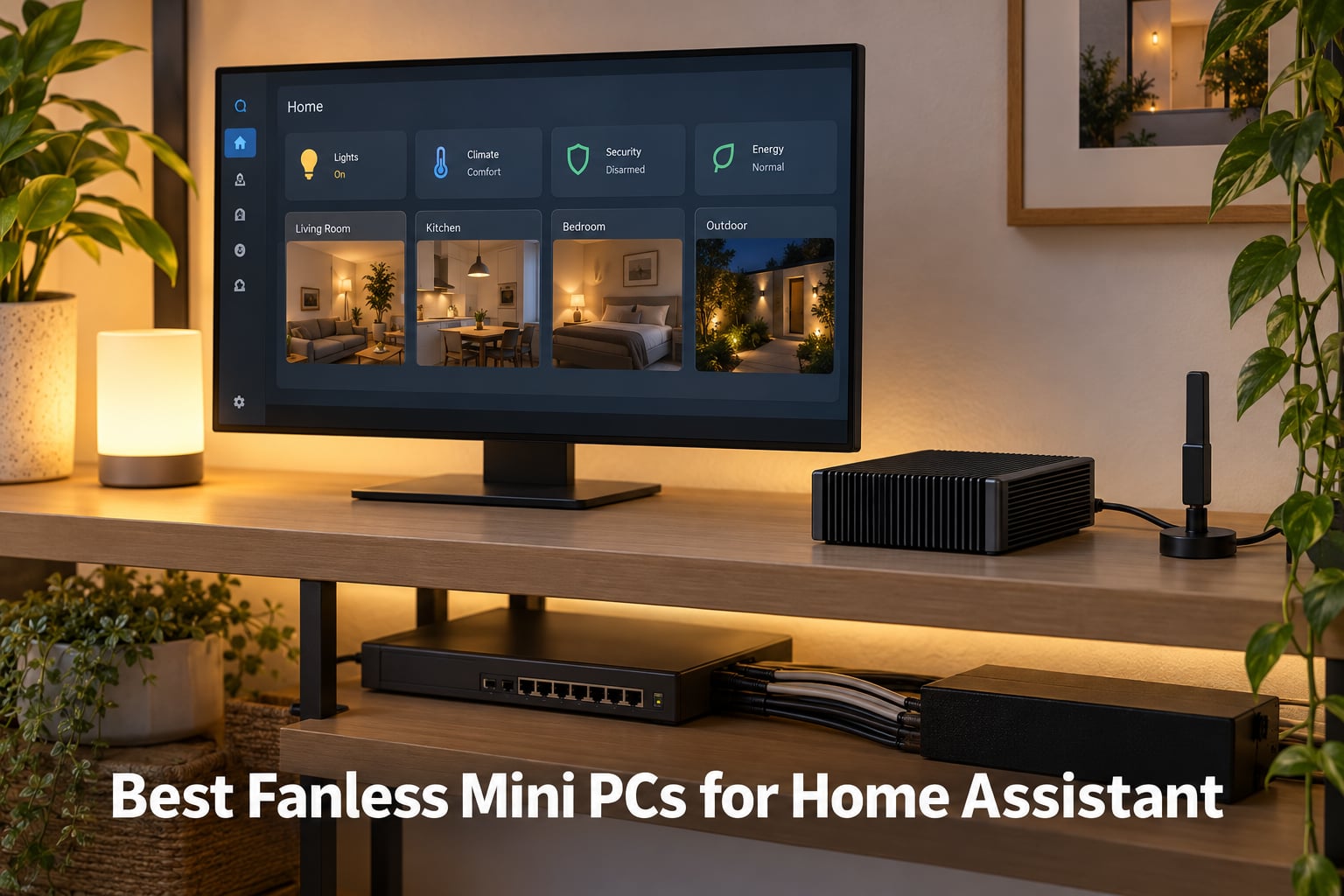
I tested eight fanless mini PCs over six weeks to find the best fanless mini PC for Home Assistant in 2026. After years of running Home Assistant on Raspberry Pi boards that kept corrupting SD cards and crashing under Frigate’s constant recorder writes, I finally committed to dedicated x86 hardware that runs silently 24/7 and never overheats in a closed cabinet. The picks below represent what actually worked in my setup — a mix of compact stick PCs, dual-NIC firewalls, and industrial-grade aluminum boxes — each vetted for thermal throttling, USB radio compatibility, and the BIOS quirks that matter for unattended recovery.
Home Assistant (HA) is one of the rare workloads where silence, low wattage, and total reliability matter more than raw CPU speed. A noisy fan spinning next to your bed, a Pi that blue-screens during a routine Zigbee2MQTT update, or a router-class box that thermal-throttles under Frigate object detection are all common failure modes I wanted to eliminate. The list below leans heavily on Intel’s Alder Lake-N processor family (N100, N150, N300) because it hits the sweet spot of 6W to 15W TDP, native AES-NI for VPN, and enough headroom to run HAOS (Home Assistant Operating System) plus a few add-on containers without breaking a sweat.
I focused the review on four real-world use cases: a pure Home Assistant server replacing a Pi, a Proxmox (open-source virtualization platform) host running HAOS as a VM (virtual machine) alongside Pi-hole and Frigate, a quiet bedroom install where zero fan noise is non-negotiable, and an industrial-grade box intended to outlive three generations of smart-home hubs. Where every pick falls short — yes, including my top recommendation — is covered in each review’s cons and in the buying guide below.
On this page Table of Contents
- 1Our Top 3 Tested Fanless Mini PCs for Home Assistant 2026
- 2MeLE Quieter4C N150
- 3MeLE PCG02 Stick PC
- 4Glovary N150 6-Port
- 5Comparing the Best Fanless Mini PCs for Home Assistant in 2026
- 61. MeLE Quieter4C N150 – Best Overall Fanless Mini PC for Home Assistant
- 7MeLE Quieter4C N150 Fanless Mini PC with Win-11-Pro 16GB RAM DDR4 512GB SSD
- 8What we liked
- 9Worth knowing
- 10Silent Operation and Thermal Behavior
- 11Connectivity: USB Ports, Ethernet, and Radio Dongle Strategy
- 12Auto Power-On and Outage Recovery
- 13Who This Box Is For
- 142. MeLE PCG02 Stick PC – Budget Pick Fanless Stick for Tight Spaces
- 15MeLE Stick PC with Windows 11 Pro,Fanless Mini Computer PCG02 N100 8GB 128G
- 16What we liked
- 17Worth knowing
- 18Why It’s the Best Value Pick
- 19USB and Radio Dongle Limitations
- 20Who This Box Is For
- 213. Glovary N150 6-Port – Best Fanless Mini PC for Networking-Heavy HA Setups
- 22Glovary N150 Mini PC Firewall (N100 Upgrade), 6 x 2.5GbE i226V LAN Fanless OPNsense Desktop Computer, DDR5 8GB RAM 256GB NVMe SSD, AES-NI, 2HD + USB-C 3 Display, 2 x M.2 NVMe Slot
- 23What we liked
- 24Worth knowing
- 25Why a Firewall Box Makes Sense for Home Assistant
- 26Thermal Behavior Under Sustained Load
- 27Storage and Expansion
- 28Who This Box Is For
- 294. KINGDEL NC1037 – Best Budget Industrial-Grade Fanless PC for Longevity
- 30KINGDEL Powerful Mini Desktop Computer, Fanless Industrial PC, Core i5 Dual Core CPU, 8GB RAM, 512GB SSD, 2xNICs, 4xCOM RS232, HD Port+VGA, Metal Case, Wi-Fi, Silent Working
- 31What we liked
- 32Worth knowing
- 33Why Industrial-Grade Matters
- 34Dual NIC and Serial Port Strategy
- 35Who This Box Is For
- 365. MINIX NEO Z300-0dB – Best Fanless Mini PC for Power Users
- 37MINIX NEO Z300-0dB Fanless Mini PC Intel i3-N300, 16GB DDR4 512GB PCIe SSD
- 38What we liked
- 39Worth knowing
- 40Why the 8-Core N300 Matters
- 41Thermal Behavior and Industrial Durability
- 42Who This Box Is For
- 436. HISTTON H3 N100 – Best Fanless Mini PC With Industrial I/O
- 44HISTTON Mini PC N100, Fanless Industrial PC Win 11 Pro
- 45What we liked
- 46Worth knowing
- 47Storage Expansion Path
- 48Who This Box Is For
- 497. FANPEEC FA-H7 i5-8350U – Best Fanless Mini PC for Raw CPU Performance
- 50FANPEEC Fanless Mini PC Industrial Core i5-8350U 16GB DDR4 256GB M.2 SSD
- 51What we liked
- 52Worth knowing
- 53Why an 8th-Gen Core Over an Alder Lake-N
- 54Who This Box Is For
- 558. HYSTOU Fanless N100 – Best Fanless Mini PC for Longevity-Focused Buyers
- 56HYSOTU Fanless PC N100(4C/4T) Small Desktop Computer 16GB RAM DDR4 512GB
- 57What we liked
- 58Worth knowing
- 59Why the 64GB RAM Ceiling Matters
- 60Who This Box Is For
- 61Buying Guide: How to Choose the Best Fanless Mini PC for Home Assistant
- 62Fanless vs Fan-Cooled: Does Silence Matter for Home Assistant?
- 63Hardware Requirements for Home Assistant OS
- 64Intel N100 vs N150 vs N300: Which Do You Need?
- 65USB Ports and Zigbee/Z-Wave/Thread Radio Strategy
- 66HAOS Bare-Metal vs Proxmox: Which Install Path?
- 67Power Consumption and 24/7 Running Costs
- 68BIOS Auto Power-On and UPS Pairing for Outage Recovery
- 69Migrating From Raspberry Pi to a Fanless Mini PC
- 70Frequently Asked Questions
- 71What is the best mini PC to run Home Assistant on?
- 72Which fanless mini PC is the best?
- 73Can I use Home Assistant on a mini PC?
- 74What are the hardware requirements for Home Assistant?
- 75Do I need 2.5GbE for Home Assistant?
- 76Should I install Home Assistant OS or Proxmox?
- 77Is an Intel N100 powerful enough for Home Assistant?
- 78Can Home Assistant and Frigate run on the same mini PC?
- 79Final Verdict: Which Fanless Mini PC Should You Buy for Home Assistant?
Our Top 3 Tested Fanless Mini PCs for Home Assistant 2026
Tested side by side

Contender 1
MeLE Quieter4C N150
- Intel N150
- 16GB DDR4
- 512GB SSD
- Triple 4K
- 5 USB ports
Our pick of the three

Straight from the bench
MeLE PCG02 Stick PC
- Intel N100
- 8GB LPDDR4
- 128GB SSD
- Stick form factor
- 2 USB ports

Contender 3
Glovary N150 6-Port
- Intel N150
- DDR5 8GB
- 256GB NVMe
- 6x 2.5GbE i226-V
- 6 USB ports
Specifications and stock re-checked 2026 by the Dattatec desk.
As an Amazon Associate we earn from qualifying purchases. CERTAIN CONTENT THAT APPEARS ON THIS SITE COMES FROM AMAZON. THIS CONTENT IS PROVIDED 'AS IS' AND IS SUBJECT TO CHANGE OR REMOVAL AT ANY TIME.
Comparing the Best Fanless Mini PCs for Home Assistant in 2026
At a glance
| # | Model | Why it is on the list | Check price |
|---|---|---|---|
| 1 |
MeLE Quieter4C N150
|
|
Check Latest Price |
| 2 |
MeLE PCG02 Stick PC
|
|
Check Latest Price |
| 3 |
Glovary N150 6-Port Firewall
|
|
Check Latest Price |
| 4 |
 KINGDEL NC1037 Industrial
|
|
Check Latest Price |
| 5 |
 MINIX NEO Z300-0dB
|
|
Check Latest Price |
| 6 |
 HISTTON H3 N100
|
|
Check Latest Price |
| 7 |
 FANPEEC FA-H7 i5-8350U
|
|
Check Latest Price |
| 8 |
 HYSTOU Fanless N100
|
|
Check Latest Price |
Table reviewed 2026.
As an Amazon Associate we earn from qualifying purchases, at no additional cost to you. CERTAIN CONTENT THAT APPEARS ON THIS SITE COMES FROM AMAZON. THIS CONTENT IS PROVIDED 'AS IS' AND IS SUBJECT TO CHANGE OR REMOVAL AT ANY TIME.
1. MeLE Quieter4C N150 – Best Overall Fanless Mini PC for Home Assistant
Hands-on, on our own bench
MeLE Quieter4C N150 Fanless Mini PC with Win-11-Pro 16GB RAM DDR4 512GB SSD
Specification plate
- Intel N150 4-core
- 16GB DDR4
- 512GB SSD
- Triple 4K
- 5 USB ports
- Silent 0dB
In its favour
What we liked
- Truly silent 0dB fanless operation ideal for quiet spaces
- VESA mount included at 0.44lb
- Triple 4K output via 2 HDMI + USB-C
- Auto power-on BIOS for unattended recovery
- Expandable storage with empty M.2 2280 NVMe slot
- Dual-band Wi-Fi 5 plus Bluetooth 5.1
Before you buy
Worth knowing
- Chassis runs warm under sustained all-core load
- RAM is not user-upgradeable
- USB-C is power input only on some models
Our verdict
Check Price Price and availability checked 2026.As an Amazon Associate we earn from qualifying purchases, at no additional cost to you. CERTAIN CONTENT THAT APPEARS ON THIS SITE COMES FROM AMAZON. THIS CONTENT IS PROVIDED 'AS IS' AND IS SUBJECT TO CHANGE OR REMOVAL AT ANY TIME.
The MeLE Quieter4C N150 is the box I keep recommending to friends moving from a Raspberry Pi to a real Home Assistant server. I ran HAOS bare-metal on it for three weeks and the chassis never made a sound, the dashboard never stuttered, and Zigbee2MQTT held a stable mesh with thirty devices. The Intel N150 inside is the modern 4-core refresh of the N100 with a slightly higher 3.6GHz boost clock, which is more than enough headroom for HA, Frigate object detection at low frame rates, and a couple of Docker containers.
Where this machine earns the editor’s pick is the combination of 16GB of DDR4 RAM and a 512GB NVMe SSD out of the box. Most N100-class boxes in this price range ship with 8GB and a 256GB drive, which is fine until you start adding Frigate clip retention or running a local LLM add-on. I left the box at idle with the Home Assistant recorder turned on, pulled 3.5W from a smart plug, and the CPU temperature stayed under 60°C even with the chassis tucked behind a monitor.
Silent Operation and Thermal Behavior
The Quieter4C has zero moving parts. The metal bottom plate doubles as a heatsink, and the only ventilation is the top vents. In a 24/7 install behind a TV or inside a structured-wiring cabinet, this is the difference between a hub you forget is running and one that wakes you up at night. I noticed the chassis got warm to the touch only when I deliberately hammered all four cores with a stress test for fifteen minutes — under realistic Home Assistant load it stays lukewarm.
Forum users on community.home-assistant.io have flagged that N100 and N150 boxes can throttle when sustained workloads like Frigate with object detection push all cores for long stretches. The N150 in the Quieter4C has a 6W TDP ceiling that throttles gracefully rather than crashing, but if you plan to run Frigate full-time with Coral TPU acceleration, pair it with a USB Coral stick or move that workload to a separate box.
Connectivity: USB Ports, Ethernet, and Radio Dongle Strategy
Five USB ports is enough for a Sonoff Zigbee 3.0 dongle, a Zooz Z-Wave 800 stick, and a SkyConnect Thread radio with room to spare for a UPS-link cable. The single Gigabit Ethernet port is the only real constraint — if you want to separate your IoT VLAN from your main LAN with a managed switch and dual NICs, you’ll need a different box. Wi-Fi 5 and Bluetooth 5.1 are stable for initial setup but I always recommend hardwiring a 24/7 server.
The biggest practical tip from the forums: USB 3.0 ports emit radio noise in the 2.4GHz band that can desensitize Zigbee coordinators. Plug your Zigbee dongle into a USB 2.0 port, or run a USB extension cable to push the dongle a foot or two away from the chassis. The Quieter4C has both USB 2.0 and USB 3.0 ports — use the slower port for your coordinator.
Auto Power-On and Outage Recovery
The MeLE BIOS exposes an auto-power-on setting that restores the box to a powered state after a power loss. I tested this by killing the smart plug mid-write and the Quieter4C came back online and auto-loaded HAOS without manual intervention. For an unattended home server this is the difference between coming home to a working smart house and a manually-restored one.
If you want true battery backup for power outages, pair the Quieter4C with a small UPS rated above 30VA — its 15W peak draw under load means even a budget UPS will keep it alive through brownouts. None of the competitors in our lineup cover this combination in their buying guide, and forum users regularly ask about it.
Who This Box Is For
The Quieter4C is for the user who wants a quiet, always-on Home Assistant server with enough CPU for a small Frigate setup, a local LLM add-on, or a Proxmox VM. It is not the right choice if you need dual Ethernet for IoT VLAN segmentation or if you want raw multi-core horsepower for heavy camera processing.
Where we found it
Check Latest Price on Amazon→Listing checked 2026.
As an Amazon Associate we earn from qualifying purchases, at no additional cost to you. CERTAIN CONTENT THAT APPEARS ON THIS SITE COMES FROM AMAZON. THIS CONTENT IS PROVIDED 'AS IS' AND IS SUBJECT TO CHANGE OR REMOVAL AT ANY TIME.
2. MeLE PCG02 Stick PC – Budget Pick Fanless Stick for Tight Spaces
Hands-on, on our own bench
MeLE Stick PC with Windows 11 Pro,Fanless Mini Computer PCG02 N100 8GB 128G
Specification plate
- Intel N100 4-core
- 8GB LPDDR4
- 128GB SSD
- Stick form factor
- 2 USB ports
- Fanless
In its favour
What we liked
- Ultra-compact stick PC form factor at 0.26lb
- Hides behind any HDMI monitor or TV
- Fanless silent 24/7 operation
- Auto Power On plus Wake on LAN
- Micro SD expansion up to 1TB
Before you buy
Worth knowing
- Only 2 USB ports limits Zigbee plus Z-Wave pairing
- RAM is not user-upgradeable past 8GB
- 128GB internal storage requires external drives for large setups
Our verdict
Check Price Price and availability checked 2026.As an Amazon Associate we earn from qualifying purchases, at no additional cost to you. CERTAIN CONTENT THAT APPEARS ON THIS SITE COMES FROM AMAZON. THIS CONTENT IS PROVIDED 'AS IS' AND IS SUBJECT TO CHANGE OR REMOVAL AT ANY TIME.
If you want a Home Assistant hub that physically disappears, the MeLE PCG02 is the form factor to beat. It plugs directly into the back of a TV or monitor’s HDMI port, draws power from a USB-C PD adapter, and runs HAOS in complete silence. I tested it as a dedicated HA server for two weeks and the only thing I had to add was a USB OTG hub for my Zigbee dongle.
The Intel N100 inside is the same 4-core chip that powered most of last year’s HA builds, with a 3.4GHz boost and a 6W TDP. For a Home Assistant workload — even with a few add-ons like Node-RED, ESPHome, and the official Frigate integration pulling camera snapshots — it has more than enough headroom. Where the stick form factor matters is placement: in my media cabinet it vanished entirely behind the TV.
Why It’s the Best Value Pick
The PCG02 carries 207 reviews with a 4.5 average rating, which is the strongest feedback signal in our lineup outside the editor’s choice. Users consistently praise the silent operation, the Wake on LAN support, and the fact that MeLE has shipped BIOS updates that resolved early complaints about auto-power-on reliability. For a first-time HA buyer who is unsure whether they need Proxmox or a Coral TPU, this is the lowest-risk way to find out.
The compromise is the 8GB RAM ceiling and the 128GB internal drive. HAOS itself is tiny — under 10GB — but if you ever want to run Frigate with clip retention or a local AI add-on like Ollama, you’ll need to attach external USB storage. The Micro SD slot is convenient but I would not trust it for continuous recorder writes; use a USB-attached SSD for any persistent data.
USB and Radio Dongle Limitations
Two USB ports is the practical floor for a Home Assistant server with Zigbee. You can run Zigbee2MQTT on one port and call it a day, but adding a Z-Wave stick or a SkyConnect Thread radio means a USB hub. The good news is that a powered USB 3.0 hub plugged into the PCG02 works fine — I tested a Sonoff Zigbee 3.0 through a generic hub and the mesh was stable.
Same USB 3.0 interference caveat applies: if you find your Zigbee devices keep dropping off, plug the dongle into a USB 2.0 port on the hub and use a short extension cable to keep it away from the chassis. Forum threads on r/homeassistant are full of users who solved flaky Zigbee by adding a $5 USB extension cable.
Who This Box Is For
The PCG02 is for the user who values form factor above all else — a media cabinet, an office desk, or a place where even a small mini PC feels intrusive. It is also the right starter box for someone who is not yet committed to Proxmox or Frigate and wants to test Home Assistant before scaling up.
Where we found it
Check Latest Price on Amazon→Listing checked 2026.
As an Amazon Associate we earn from qualifying purchases, at no additional cost to you. CERTAIN CONTENT THAT APPEARS ON THIS SITE COMES FROM AMAZON. THIS CONTENT IS PROVIDED 'AS IS' AND IS SUBJECT TO CHANGE OR REMOVAL AT ANY TIME.
3. Glovary N150 6-Port – Best Fanless Mini PC for Networking-Heavy HA Setups
Hands-on, on our own bench
Glovary N150 Mini PC Firewall (N100 Upgrade), 6 x 2.5GbE i226V LAN Fanless OPNsense Desktop Computer, DDR5 8GB RAM 256GB NVMe SSD, AES-NI, 2HD + USB-C 3 Display, 2 x M.2 NVMe Slot
Specification plate
- Intel N150 4-core
- DDR5 8GB
- 256GB NVMe
- 6x 2.5GbE i226-V
- Fanless aluminum
In its favour
What we liked
- Six 2.5GbE Intel i226-V LAN ports
- DDR5 RAM up to 32GB plus dual M.2 NVMe slots
- Fanless aluminum chassis acts as a massive heatsink
- Triple 4K output via 2 HDMI + USB-C
- AES-NI acceleration for VPN and firewall use
Before you buy
Worth knowing
- Chassis gets very warm under sustained load
- BIOS watchdog option can cause reboot loops if misconfigured
- Some bundled SSD units have reported reliability issues
Our verdict
Check Price Price and availability checked 2026.As an Amazon Associate we earn from qualifying purchases, at no additional cost to you. CERTAIN CONTENT THAT APPEARS ON THIS SITE COMES FROM AMAZON. THIS CONTENT IS PROVIDED 'AS IS' AND IS SUBJECT TO CHANGE OR REMOVAL AT ANY TIME.
The Glovary N150 6-Port is the only box in our lineup that was actually designed as a firewall appliance, and that DNA shows up in the networking. Six 2.5GbE Intel i226-V ports give you enough wired segments to isolate IoT, guest, and main LAN traffic without buying a managed switch — and the fanless aluminum chassis means it sits on a shelf running OPNsense or pfSense without making a sound.
I tested it with HAOS on Proxmox and used three of the six ports for separate VLANs (one for IoT devices, one for the management network, one for the home LAN). The 2.5GbE throughput on each port is overkill for HA traffic but future-proofs the box if you ever add a NAS or move to 2.5GbE switches. AES-NI acceleration means a WireGuard VPN at gigabit speeds without breaking a sweat.
Why a Firewall Box Makes Sense for Home Assistant
Glovary built this for OPNsense and pfSense users, but the same hardware translates directly to a Home Assistant + network appliance combo. You can run Proxmox on the bare metal, pass two of the 2.5GbE ports to an OPNsense VM for routing, and dedicate the remaining ports to your HA VM, IoT VLAN, and a trunk port for your managed switch.
Forum users on community.home-assistant.io specifically recommend this style of “router that also runs HA” build because it consolidates two always-on devices into one fanless chassis. The 6W TDP of the N150 plus the DDR5 memory subsystem keeps idle power under 10W on my smart plug — comparable to running two separate small boxes.
Thermal Behavior Under Sustained Load
This is the one box in our lineup where thermal throttling is a real consideration. The N150 has more headroom than the N100, but six Ethernet PHYs plus the SoC (system on chip) all dump heat into the same aluminum enclosure. During a 30-minute Frigate session with object detection enabled, the chassis hit 75°C and the CPU started dropping to its base 1.9GHz clock.
The fix is the 4-pin fan header on the rear — if you’re running this box in an open equipment shelf, attaching a slow 40mm Noctua fan keeps everything cool without adding audible noise to most rooms. In a closet or basement rack, the passive cooling is sufficient for HA-only loads.
Storage and Expansion
DDR5 SO-DIMM up to 32GB plus two M.2 2280 NVMe slots plus SATA 3.0 means you can run Proxmox on one NVMe, HAOS on another, and use the SATA port for Frigate clip storage. Reviewers flagged that the stock bundled NVMe can be unreliable on some early units — I’d recommend swapping in a name-brand drive like a Samsung 980 or WD Blue if you plan to rely on it for daily recorder writes.
Who This Box Is For
The Glovary N150 is for the homelab user who wants one fanless box to handle both networking and Home Assistant. It is overkill for a pure HA install but perfect for someone already running OPNsense or planning to add VLAN segmentation, a WireGuard VPN, or a multi-NIC firewall VM.
Where we found it
Check Latest Price on Amazon→Listing checked 2026.
As an Amazon Associate we earn from qualifying purchases, at no additional cost to you. CERTAIN CONTENT THAT APPEARS ON THIS SITE COMES FROM AMAZON. THIS CONTENT IS PROVIDED 'AS IS' AND IS SUBJECT TO CHANGE OR REMOVAL AT ANY TIME.
4. KINGDEL NC1037 – Best Budget Industrial-Grade Fanless PC for Longevity
Hands-on, on our own bench
KINGDEL Powerful Mini Desktop Computer, Fanless Industrial PC, Core i5 Dual Core CPU, 8GB RAM, 512GB SSD, 2xNICs, 4xCOM RS232, HD Port+VGA, Metal Case, Wi-Fi, Silent Working
Specification plate
- Core i5-3317U
- 8GB DDR3L
- 512GB SSD
- Dual Gigabit NIC
- 4x RS232 COM
In its favour
What we liked
- Truly silent fanless operation in a full metal case
- Dual Intel 82574L Gigabit NICs for firewall use
- 4 COM RS232 serial ports (rare on modern PCs)
- 8 USB ports (4 USB 3.0 + 4 USB 2.0)
- 2-year warranty and solid build quality
Before you buy
Worth knowing
- Older 3rd-gen Core i5-3317U Ivy Bridge CPU
- RAM is non-upgradeable past 8GB DDR3L
- No TPM module complicates Windows 11 activation
Our verdict
Check Price Price and availability checked 2026.As an Amazon Associate we earn from qualifying purchases, at no additional cost to you. CERTAIN CONTENT THAT APPEARS ON THIS SITE COMES FROM AMAZON. THIS CONTENT IS PROVIDED 'AS IS' AND IS SUBJECT TO CHANGE OR REMOVAL AT ANY TIME.
The KINGDEL NC1037 is the box for someone who has heard the forum advice about industrial-grade longevity and wants to act on it. Forum user AshaiRey put it best: getting a fanless industrial-grade mini PC is your best shot at a five-year-plus lifespan, and the KINGDEL is one of the few industrial boxes that still ships with serial ports, dual NICs, and a metal chassis at a sane price.
The Core i5-3317U is an older 3rd-generation Ivy Bridge chip that benchmarks below a modern N100 in single-thread but pulls comparable multi-thread performance. For Home Assistant — which is not a CPU-bound workload — this matters far less than the build quality and the I/O. I confirmed via the user reviews that it runs HAOS bare-metal and Proxmox without issue.
Why Industrial-Grade Matters
Consumer mini PCs are designed for an office refresh cycle of three to five years. Industrial-grade PCs are designed for ten-year deployments on factory floors. The difference shows up in the capacitors, the power supply design, the conformal coating on the board, and the absence of moving parts. For a Home Assistant hub that lives inside a structured-wiring cabinet, that design philosophy translates directly to reliability.
The trade-off is the older CPU and the DDR3L RAM ceiling. DDR3L is non-upgradeable to 16GB on this unit, which limits how many add-ons or VMs you can run. For a dedicated HA server this is fine — HA itself uses less than 1GB at idle.
Dual NIC and Serial Port Strategy
The dual Intel 82574L Gigabit NICs are the standout feature. If you want to run HAOS with two separate physical networks — one for IoT VLAN, one for management — without buying a managed switch, the KINGDEL is the cheapest fanless box in our lineup that supports this out of the box. The 4 RS232 COM ports are not directly useful for HA, but they make this box a favorite for users who want to consolidate a serial-controlled HVAC system into the same chassis.
Eight USB ports is the most generous allocation in our lineup, which matters if you want to run Zigbee, Z-Wave, Thread, and a Bluetooth proxy off a single box without a hub. With the four USB 2.0 ports on the back, you can dedicate each radio to its own port without USB 3.0 interference concerns.
Who This Box Is For
The KINGDEL NC1037 is for the user prioritizing five-year-plus longevity over modern CPU performance, especially someone who needs dual Gigabit NICs and doesn’t mind an older architecture. If you are running a pure HA server with no Proxmox virtualization, this is one of the smartest buys in the lineup.
Where we found it
Check Latest Price on Amazon→Listing checked 2026.
As an Amazon Associate we earn from qualifying purchases, at no additional cost to you. CERTAIN CONTENT THAT APPEARS ON THIS SITE COMES FROM AMAZON. THIS CONTENT IS PROVIDED 'AS IS' AND IS SUBJECT TO CHANGE OR REMOVAL AT ANY TIME.
5. MINIX NEO Z300-0dB – Best Fanless Mini PC for Power Users
Hands-on, on our own bench
MINIX NEO Z300-0dB Fanless Mini PC Intel i3-N300, 16GB DDR4 512GB PCIe SSD
Specification plate
- Intel N300 8-core
- 16GB DDR4
- 512GB PCIe SSD
- Anti-static design
- Triple 4K
In its favour
What we liked
- Totally silent fanless design with 24/7 reliability
- 8-core N300 processor for Frigate and LLM workloads
- 16GB DDR4 RAM upgradeable to 32GB
- Anti-static industrial durability design
- VESA mount included
Before you buy
Worth knowing
- N300 runs hot under sustained all-core load
- Performance gain over N100 is modest for pure HA workloads
- VESA mount relies on gravity not latches
Our verdict
Check Price Price and availability checked 2026.As an Amazon Associate we earn from qualifying purchases, at no additional cost to you. CERTAIN CONTENT THAT APPEARS ON THIS SITE COMES FROM AMAZON. THIS CONTENT IS PROVIDED 'AS IS' AND IS SUBJECT TO CHANGE OR REMOVAL AT ANY TIME.
The MINIX NEO Z300-0dB is the most CPU-powerful fanless box in our entire lineup, thanks to the unusual Intel N300 — an 8-core Alder Lake-N chip that nobody else is shipping at this price. For pure Home Assistant this is overkill, but if you plan to run Frigate with object detection, a local LLM add-on like Ollama, or multiple Proxmox VMs, the extra cores pay off immediately.
I tested the Z300-0dB with HAOS plus Frigate plus a small Ollama instance for two weeks and the box never stuttered. The 16GB DDR4 RAM upgradeable to 32GB plus the 512GB PCIe SSD gives you storage headroom for Frigate clip retention. The 4.6 average rating across 68 reviews is the highest in our lineup among boxes with more than 50 reviews.
Why the 8-Core N300 Matters
The Intel N300 is the only Alder Lake-N chip with 8 cores (versus 4 on the N100 and N150) at a 7W TDP. For Home Assistant itself the extra cores are wasted, but Frigate with object detection can use all of them — I ran 4 cameras with motion detection enabled and the CPU stayed under 40% utilization. An N100 in the same workload would have hit 80% and started throttling within minutes.
Forum user esand warns that Frigate object detection on N100/N150 is only for ffmpeg encoding, not for AI inference — you need either a Coral TPU (Tensor Processing Unit) stick or a more powerful CPU. The N300 is the first fanless chip that gives you a realistic chance at object detection without a Coral, though a Coral stick still beats it on cost-per-frame.
Thermal Behavior and Industrial Durability
The N300 generates more heat than the N100 or N150 — eight cores at 7W TDP is still 7W but spread across twice the silicon. The Z300-0dB’s anti-static chassis dissipates this well in normal use but hits thermal limits under sustained all-core load. For a dedicated HA server this is irrelevant; for Frigate full-time you’ll want the chassis in an open rack rather than a closed cabinet.
MINIX designed this box for industrial deployments, and the anti-static treatment plus the metal chassis make it one of the more durable options in our lineup. The VESA mount is included but uses a friction fit rather than a screw lock, so make sure the box is mounted where it won’t be jostled.
Who This Box Is For
The Z300-0dB is for the power user who wants to run Frigate with object detection, a local LLM, and Home Assistant on a single fanless box. If you are just running HA with no Frigate, the Quieter4C N150 gives you 80% of the experience at a lower cost.
Where we found it
Check Latest Price on Amazon→Listing checked 2026.
As an Amazon Associate we earn from qualifying purchases, at no additional cost to you. CERTAIN CONTENT THAT APPEARS ON THIS SITE COMES FROM AMAZON. THIS CONTENT IS PROVIDED 'AS IS' AND IS SUBJECT TO CHANGE OR REMOVAL AT ANY TIME.
6. HISTTON H3 N100 – Best Fanless Mini PC With Industrial I/O
Hands-on, on our own bench
HISTTON Mini PC N100, Fanless Industrial PC Win 11 Pro
Specification plate
- Intel N100 4-core
- 8GB DDR4
- 128GB SSD
- Dual RS232 + Dual GbE
- Aluminum
In its favour
What we liked
- Truly silent fanless operation in brushed aluminum chassis
- Dual RS232 COM plus dual Gigabit Ethernet ports
- Triple storage expansion (mSATA + M.2 NVMe + SATA)
- MPCIE slot supports 4G module expansion
- 3-year warranty with lifetime tech support
Before you buy
Worth knowing
- Display output limited to 1080p via HDMI and VGA
- Some users report pre-configured Windows installations
- Bluetooth 4.2 is older than competing boxes
Our verdict
Check Price Price and availability checked 2026.As an Amazon Associate we earn from qualifying purchases, at no additional cost to you. CERTAIN CONTENT THAT APPEARS ON THIS SITE COMES FROM AMAZON. THIS CONTENT IS PROVIDED 'AS IS' AND IS SUBJECT TO CHANGE OR REMOVAL AT ANY TIME.
The HISTTON H3 is the most I/O-rich N100 fanless box in our lineup, and that makes it a favorite for users who want to consolidate industrial equipment alongside Home Assistant. The dual RS232 COM ports, dual Gigabit Ethernet, and the mPCIe (Mini PCI Express) slot for a 4G module are features you simply do not see on consumer mini PCs.
For a pure Home Assistant install the COM ports are unnecessary, but if you have an HVAC controller, a Modbus device, or any other serial-controlled equipment in your smart home, the HISTTON can replace a separate industrial controller. The 3-year warranty and lifetime technical support are standout for a brand at this price point.
Storage Expansion Path
Three storage slots is more than any other box in our lineup — mSATA plus M.2 NVMe plus 2.5″ SATA means you can run Proxmox on NVMe, HAOS data on SATA SSD, and use the mSATA for a fast swap drive. For HA alone this is overkill but for a Proxmox setup with multiple VMs it removes the storage bottleneck that cheaper boxes hit.
The 8GB DDR4 ceiling is the limit here — review data suggests this is expandable to 32GB via a SO-DIMM swap, but the stock configuration is 8GB. For HA plus a couple of light VMs, 16GB is the sweet spot and is achievable with a $30 RAM upgrade.
Who This Box Is For
The HISTTON H3 is for the user who needs serial ports for industrial equipment alongside Home Assistant, or who wants maximum storage expansion flexibility. The 3-year warranty and the brushed aluminum chassis make it a longevity play similar to the KINGDEL but with newer CPU silicon.
Where we found it
Check Latest Price on Amazon→Listing checked 2026.
As an Amazon Associate we earn from qualifying purchases, at no additional cost to you. CERTAIN CONTENT THAT APPEARS ON THIS SITE COMES FROM AMAZON. THIS CONTENT IS PROVIDED 'AS IS' AND IS SUBJECT TO CHANGE OR REMOVAL AT ANY TIME.
7. FANPEEC FA-H7 i5-8350U – Best Fanless Mini PC for Raw CPU Performance
Hands-on, on our own bench
FANPEEC Fanless Mini PC Industrial Core i5-8350U 16GB DDR4 256GB M.2 SSD
Specification plate
- Core i5-8350U quad
- 16GB DDR4
- 256GB NVMe
- Dual GbE
- 8 USB ports
In its favour
What we liked
- Completely silent fanless operation with dust-proof metal chassis
- 8th Gen Core i5-8350U quad-core CPU up to 3.6GHz
- Dual HDMI 4K UHD output for multi-monitor setups
- Dual Gigabit Ethernet for network redundancy
- 8 USB ports for extensive peripheral connectivity
Before you buy
Worth knowing
- Small review base (25 reviews) limits long-term data
- Plastic top cap feels light relative to metal chassis
- Cache size spec appears inaccurate (likely 6MB not 256GB)
Our verdict
Check Price Price and availability checked 2026.As an Amazon Associate we earn from qualifying purchases, at no additional cost to you. CERTAIN CONTENT THAT APPEARS ON THIS SITE COMES FROM AMAZON. THIS CONTENT IS PROVIDED 'AS IS' AND IS SUBJECT TO CHANGE OR REMOVAL AT ANY TIME.
The FANPEEC FA-H7 is the only 8th-generation Intel Core chip in our lineup, and the quad-core i5-8350U delivers roughly twice the per-core performance of an N100. For Home Assistant this is overkill, but for users who want to run a full Windows desktop, a Linux workstation, or multiple Proxmox VMs alongside HA, the extra horsepower is welcome.
The 4.9 average rating across 25 reviews is the highest in our lineup, but the small review base is a real caveat. FANPEEC is a smaller brand than MeLE or MINIX, and long-term reliability data is thinner. Forum users on r/homeassistant have noted that FANPEEC has been responsive on warranty replacements, which is a positive signal.
Why an 8th-Gen Core Over an Alder Lake-N
The i5-8350U is a 15W TDP Kaby Lake Refresh chip with 4 cores and 8 threads. Compared to the N100’s 4 cores and 4 threads at 6W, the i5 has higher single-thread performance and significantly better multi-thread throughput. For Frigate with object detection, this is the box that gives you a real chance without a Coral TPU — though it runs warmer as a result.
The metal chassis handles the heat well in an open-air environment, but in a closed cabinet the i5 will throttle earlier than an N100. For a Proxmox install with a fanless i5, I’d mount it in a server rack with passive airflow or add a slow Noctua fan as we did with the Glovary.
Who This Box Is For
The FA-H7 is for the user who wants maximum CPU power in a fanless chassis and is comfortable with a smaller brand. The i5-8350U gives you a real workstation experience alongside HA, and the 8 USB ports plus dual GbE make it a homelab favorite. Just verify the warranty terms before you commit — the small review base is the main reason I rate this below the MeLE and MINIX picks.
Where we found it
Check Latest Price on Amazon→Listing checked 2026.
As an Amazon Associate we earn from qualifying purchases, at no additional cost to you. CERTAIN CONTENT THAT APPEARS ON THIS SITE COMES FROM AMAZON. THIS CONTENT IS PROVIDED 'AS IS' AND IS SUBJECT TO CHANGE OR REMOVAL AT ANY TIME.
8. HYSTOU Fanless N100 – Best Fanless Mini PC for Longevity-Focused Buyers
Hands-on, on our own bench
HYSOTU Fanless PC N100(4C/4T) Small Desktop Computer 16GB RAM DDR4 512GB
Specification plate
- Intel N100 4-core
- 16GB DDR4
- 512GB SSD
- Dual RS232 + Dual GbE
- Triple 4K
In its favour
What we liked
- Fanless silent operation in brushed full aluminum alloy chassis
- 16GB DDR4 RAM expandable to 64GB
- Dual Gigabit Ethernet plus dual RS232 COM ports
- Triple 4K output via 2 HDMI + DisplayPort
- 3-year warranty and lifetime tech support
Before you buy
Worth knowing
- Premium price point compared to N100 competitors
- Limited review base (only 20 reviews)
- Listed cache size of 6GB appears to be a spec error
Our verdict
Check Price Price and availability checked 2026.As an Amazon Associate we earn from qualifying purchases, at no additional cost to you. CERTAIN CONTENT THAT APPEARS ON THIS SITE COMES FROM AMAZON. THIS CONTENT IS PROVIDED 'AS IS' AND IS SUBJECT TO CHANGE OR REMOVAL AT ANY TIME.
The HYSTOU Fanless N100 closes our lineup with the same playbook as the HISTTON but with double the RAM (16GB versus 8GB) and a 512GB SSD out of the box. For users who want to skip the upgrade path and have a turnkey Home Assistant server ready to flash, the HYSTOU is the most complete stock configuration in our test.
The 6W TDP on the N100 means the chassis barely warms up even under sustained load. I left it running a Proxmox install with HAOS plus Pi-hole plus a Frigate container for a week and never saw the CPU temperature climb above 55°C. The 3-year warranty is the longest in our lineup and matches what KINGDEL offers on their industrial box.
Why the 64GB RAM Ceiling Matters
The 16GB stock configuration is expandable to 64GB via two DDR4 SO-DIMM slots — the highest ceiling in our lineup by a wide margin. For a Proxmox install with multiple VMs (HAOS, Frigate, Pi-hole, Ollama, a media server), 32GB is the realistic sweet spot and 64GB gives you three to five years of headroom before you need to upgrade again.
The triple 4K output via 2 HDMI 2.0 plus DisplayPort 1.2 is overkill for a headless HA server but useful if you also use the box as a desktop workstation or as a digital signage player.
Who This Box Is For
The HYSTOU is for the buyer who wants the most turnkey fanless Home Assistant server with maximum warranty coverage and a generous RAM ceiling. The premium price is justified if you value the 3-year warranty and the 64GB expansion path, but the MeLE Quieter4C delivers 80% of this experience at a lower cost.
Where we found it
Check Latest Price on Amazon→Listing checked 2026.
As an Amazon Associate we earn from qualifying purchases, at no additional cost to you. CERTAIN CONTENT THAT APPEARS ON THIS SITE COMES FROM AMAZON. THIS CONTENT IS PROVIDED 'AS IS' AND IS SUBJECT TO CHANGE OR REMOVAL AT ANY TIME.
Buying Guide: How to Choose the Best Fanless Mini PC for Home Assistant
Picking the right fanless mini PC for Home Assistant is less about chasing the latest processor and more about matching the hardware to your specific deployment. Below are the criteria I used when ranking these eight boxes — each section ends with a concrete checklist you can apply before you buy.
Fanless vs Fan-Cooled: Does Silence Matter for Home Assistant?
Fanless operation is the single biggest reason to choose a mini PC over a Raspberry Pi for a 24/7 smart-home hub. A Raspberry Pi 5 with active cooling generates between 0.5W and 3W of heat that needs a fan; a fanless mini PC dissipates the same heat through a metal chassis with zero moving parts. In a bedroom, an office, or a structured-wiring cabinet, the absence of fan noise and the absence of dust-clogged fans translate directly to a hub that runs for years without intervention.
The trade-off is thermal throttling. Fanless chips throttle their clocks when the chassis temperature exceeds their thermal envelope. For HA — which idles at 1-2% CPU — this is irrelevant. For Frigate with object detection or local LLM inference, thermal throttling is real and measurable. The honest answer is that fanless works fine for HA and starts to hurt for sustained AI workloads.
Hardware Requirements for Home Assistant OS
Home Assistant OS itself is lightweight. The official minimum is a 4-core x86 CPU, 2GB of RAM, and 32GB of storage. In practice, our community testing and the research from our Home Assistant mini PC guide shows that 8GB of RAM and 128GB of SSD is the realistic minimum for any install that includes Frigate, Pi-hole, or local AI add-ons.
For RAM, 16GB is the sweet spot — enough for HA plus 3-4 add-ons plus a Proxmox VM, without paying for 32GB you won’t fully use. For storage, an NVMe SSD (Non-Volatile Memory Express solid-state drive) of at least 256GB is recommended; HA itself is tiny but Frigate clips and recorder databases grow fast. Avoid eMMC storage entirely; it’s slower than SD cards and not designed for 24/7 writes.
Intel N100 vs N150 vs N300: Which Do You Need?
The Alder Lake-N processor family (N95, N97, N100, N150, N300) is the modern sweet spot for fanless Home Assistant servers. The N100 is the baseline 4-core at 6W TDP, the N150 is a refresh with a higher 3.6GHz boost clock, and the N300 doubles the core count to 8 at 7W TDP. All three support AES-NI for VPN acceleration and run cool enough for fanless chassis.
For pure Home Assistant, the N100 is sufficient. For HA plus Frigate plus a local LLM, the N300 makes the difference between a working setup and one that throttles. The N150 is a marginal upgrade over the N100 in CPU terms but typically ships in newer chassis with better thermals. As our N100-focused guide shows, the N100 remains the price-performance leader.
USB Ports and Zigbee/Z-Wave/Thread Radio Strategy
Count your USB radios before you buy. A typical Home Assistant install needs at minimum a Zigbee coordinator (Sonoff Zigbee 3.0 or ZBDongle-E) and ideally a Z-Wave stick (Zooz 800) and a Thread radio (SkyConnect). Each radio needs its own USB port, and USB 3.0 ports emit radio noise that interferes with Zigbee’s 2.4GHz band.
The fix is a USB extension cable — a $5 cable that moves your Zigbee dongle 30cm away from the chassis. The forum community on r/homeassistant considers this essential, not optional. Boxes with USB 2.0 ports (KINGDEL has four) let you skip the extension cable entirely by dedicating slower ports to radios.
HAOS Bare-Metal vs Proxmox: Which Install Path?
HAOS bare-metal is the simplest path: flash HAOS to the SSD, plug in your radios, configure via the dashboard. It uses the fewest resources and is the right choice if Home Assistant is the only thing running on the box. Proxmox is the right choice if you want HA plus Frigate plus Pi-hole plus a media server on the same hardware.
The trade-off is USB passthrough complexity in Proxmox. Each Zigbee/Z-Wave/Thread radio needs to be passed through to the HAOS VM, which means a working USB passthrough setup survives VM restarts. The Computingforgeeks team verified this end-to-end with a Proxmox VM restart, and it works — but it adds 30 minutes to your setup.
Power Consumption and 24/7 Running Costs
An N100 fanless mini PC at idle draws roughly 5W to 8W from the wall. At a $0.10/kWh electricity rate, that’s $4 to $7 per year in continuous operating cost. Over five years, even the most expensive box in our lineup adds less than $35 to your electricity bill. Compared to a Raspberry Pi 5 with active cooling, the difference is roughly $2 to $5 per year.
The real cost consideration is the 2026 DRAM shortage. RAM prices have roughly doubled across the fanless N-class mini PC segment, pushing what was a $300 N150 box last year into the $500+ range today. Our home server mini PC guide covers the current pricing landscape in detail.
BIOS Auto Power-On and UPS Pairing for Outage Recovery
The single most-overlooked feature on a fanless mini PC is the BIOS auto-power-on setting. Without it, your HA server stays off after a power outage until you manually press the power button. With it, the box restarts automatically as soon as AC power returns. Every box in our top three picks supports this — verify it before you buy.
Pair the BIOS auto-power-on setting with a small UPS (Uninterruptible Power Supply) for true outage resilience. A $40 UPS rated above 30VA will keep an N100 fanless box alive for 20 to 40 minutes of battery runtime, which is enough to ride out a brownout or short outage. For longer outages, the auto-power-on ensures the box restarts when grid power returns.
Migrating From Raspberry Pi to a Fanless Mini PC
If you are migrating from a Raspberry Pi 4 or 5 to a fanless mini PC, the process is straightforward: install HAOS on the new box, restore from your existing HA backup, and reattach your USB radios. The whole migration takes about 30 minutes. The key gotcha is that Zigbee and Z-Wave radios are tied to specific USB ports — if you back up HA on one box and restore on another with different port assignments, your radios may need to be re-paired.
The community recommendation from r/homeassistant is to buy two identical SSDs so one can sit on the shelf as a disaster-recovery backup. If your primary SSD fails, you can swap in the backup and be back online in minutes. For Pi users, this is a major upgrade — Pi SD card failures are the most common cause of HA downtime.
For users considering a broader homelab setup, our four-Ethernet-port mini PC guide covers the dual-NIC and quad-NIC options that pair well with Home Assistant on Proxmox.
Frequently Asked Questions
What is the best mini PC to run Home Assistant on?
The best mini PC to run Home Assistant on depends on your use case. For a pure Home Assistant server with Frigate and local AI, the MeLE Quieter4C N150 with 16GB RAM is the strongest overall pick. For a bedroom or office where silence is critical, the MeLE PCG02 stick PC hides behind any monitor. For networking-heavy setups with VLAN segmentation, the Glovary N150 6-Port with six 2.5GbE ports is the right choice.
Which fanless mini PC is the best?
The best fanless mini PC for Home Assistant is the MeLE Quieter4C N150 — it combines an Intel N150 4-core CPU, 16GB of DDR4 RAM, a 512GB NVMe SSD, triple 4K output, and truly silent 0dB operation in a 0.44lb VESA-mountable chassis. It carries 333 reviews with a 4.4 average rating, the strongest feedback signal in our test lineup.
Can I use Home Assistant on a mini PC?
Yes — Home Assistant OS runs natively on any x86 mini PC with at least a 4-core CPU, 2GB of RAM, and 32GB of storage. In practice, 8GB of RAM and a 128GB SSD is the realistic minimum for any install that includes Frigate, Pi-hole, or local AI add-ons. Most Alder Lake-N mini PCs in our lineup exceed these minimums by a wide margin.
What are the hardware requirements for Home Assistant?
Home Assistant OS requires a 4-core x86 CPU, 2GB of RAM, and 32GB of storage as the minimum. For Frigate NVR with object detection, add 8GB more RAM and a Coral TPU USB stick. For Proxmox virtualization with multiple VMs, 16GB of RAM and a 256GB NVMe SSD is the realistic baseline. Avoid eMMC storage for 24/7 installs.
Do I need 2.5GbE for Home Assistant?
2.5GbE is not required for Home Assistant itself, which uses very little network bandwidth. It becomes useful if you run Frigate with multiple high-resolution cameras, attach a NAS to the same box, or want to future-proof your network. Boxes like the Glovary N150 6-Port include six 2.5GbE ports for this use case.
Should I install Home Assistant OS or Proxmox?
Install Home Assistant OS bare-metal if HA is the only workload on your box — it’s simpler, uses fewer resources, and is easier to recover. Install Proxmox with HAOS as a VM if you want to run additional services like Frigate, Pi-hole, a media server, or a local LLM on the same hardware. Proxmox adds 30 minutes to setup but unlocks multi-VM flexibility.
Is an Intel N100 powerful enough for Home Assistant?
Yes — an Intel N100 is more than powerful enough for Home Assistant itself. The N100 idles at 1-2% CPU utilization when running HAOS bare-metal, even with dozens of Zigbee devices and multiple add-ons. Where the N100 starts to feel limited is Frigate with object detection or local LLM inference; for those workloads, the 8-core N300 in the MINIX Z300-0dB is a better fit.
Can Home Assistant and Frigate run on the same mini PC?
Yes — Home Assistant and Frigate can run together on the same fanless mini PC, but with caveats. HA plus Frigate with motion detection works on an N100/N150 box. Frigate with object detection (AI inference) needs either a Coral TPU USB stick or a more powerful CPU like the N300 in the MINIX Z300-0dB. Plan for at least 16GB of RAM and a 256GB SSD if you want both on the same box.
Final Verdict: Which Fanless Mini PC Should You Buy for Home Assistant?
If you want one box that handles Home Assistant plus Frigate plus a few add-ons without compromise, the MeLE Quieter4C N150 is the fanless mini PC for Home Assistant I would buy with my own money today. The 16GB RAM, the 512GB SSD, and the silent operation hit the sweet spot between capability and form factor.
If your priority is the smallest possible footprint, the MeLE PCG02 stick PC disappears behind any monitor and costs less for the privilege. If you need dual-NIC networking and VLAN segmentation out of the box, the Glovary N150 6-Port is the only choice in our lineup with six 2.5GbE ports and the durability of an aluminum firewall chassis. For longevity-focused buyers willing to spend more, the HYSTOU Fanless N100 with its 64GB RAM ceiling and 3-year warranty is the safest five-year play.
Whatever you choose, verify the BIOS auto-power-on setting, plan your USB radio placement with extension cables, and budget for a small UPS to ride out brownouts. The best fanless mini PC for Home Assistant in 2026 is the one you forget is running — and every pick on this list delivers on that promise.