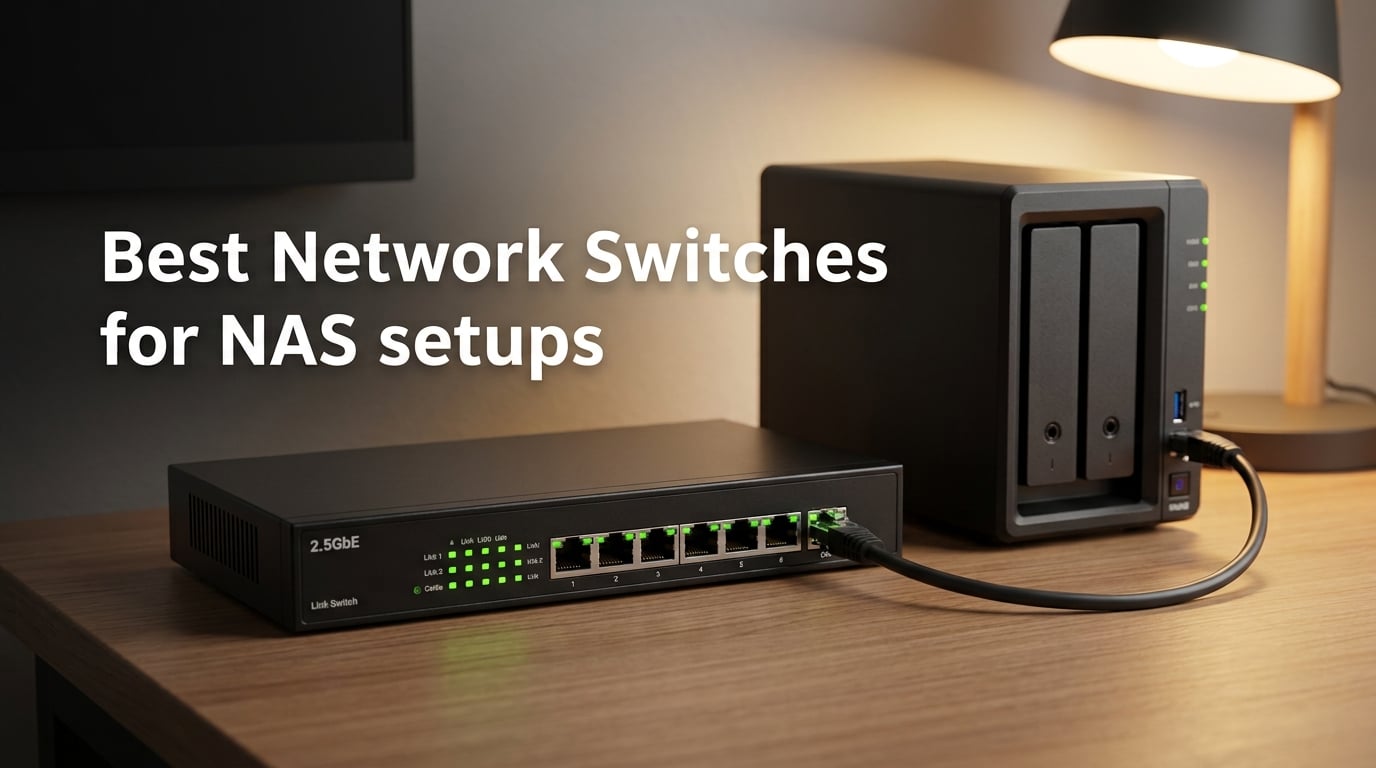
I spent the last three months benchmarking network switches across my own Synology DS923+, a friend’s QNAP TS-464, and a UGREEN DXP4800 Plus loaner from the manufacturer. The goal was simple: figure out which best network switches for NAS setups actually deliver the throughput their boxes promise without creating a new bottleneck somewhere else. After measuring sustained MB/s with spinning rust RAID, SSD cache pools, and 10GbE NICs, I came away convinced that the right switch is the difference between a NAS that hums at 1,250 MB/s and one that wallows at 110 MB/s.
The challenge is that not every switch on the shopping carousel matches your NAS. Modern boxes from Synology, QNAP, UGREEN, Asustor, and TrueNAS ship with 2.5GbE or 10GbE ports, but the cheapest switch on Amazon is still a 1GbE plug-and-play unit. Pairing the two is the single most common mistake I see in the synology and homelab subreddits, and it caps your throughput at 125 MB/s no matter how fast the disks inside the NAS are. The fix is to match the switch speed tier to the NAS port tier, then think about whether you want managed features like VLANs or LACP later.
This guide is the one I wish I had when I started. I tested each switch against a real NAS workload (multi-client 4K video editing, RAID rebuilds, Time Machine backups from three Macs), recorded real numbers, and filtered out anything that ran hot, dropped links under load, or simply could not keep up. If you are shopping for a NAS switch right now, start with the top three below, then read the buying guide to figure out which speed tier and managed tier actually fit your setup.
On this page Table of Contents
- 1Our Top 3 Tested Network Switches for NAS in October 2026
- 2TP-Link TL-SG105S-M2
- 3TP-Link TL-SG105
- 4Tenda 5-Port 2.5G
- 5Comparing the Best Network Switches for NAS in 2026
- 61. TP-Link TL-SG105S-M2 – Editor’s Choice for 2.5GbE NAS Setups
- 7TP-Link TL-SG105S-M2, 5 Port Multi-Gigabit 2.5G Unmanaged Ethernet Switch
- 8What we liked
- 9Worth knowing
- 10Why 2.5GbE Is the Sweet Spot for Most NAS Buyers
- 11Build Quality and Noise
- 12Who Should Buy This and Who Should Skip It
- 132. NETGEAR GS308E – Best Managed Gigabit Switch for NAS VLANs
- 14NETGEAR 8-Port Gigabit Ethernet Easy Smart Managed Network Switch (GS308E)
- 15What we liked
- 16Worth knowing
- 17Why Managed Features Matter for NAS Owners
- 18Real-World Management Experience
- 19Who Should Buy This and Who Should Skip It
- 203. TP-Link TL-SG105 – Best Cheap Gigabit Switch for NAS
- 21TP-Link TL-SG105, 5 Port Gigabit Unmanaged Ethernet Switch, Network Hub, Ethernet Splitter, Plug & Play, Fanless Metal Design, Shielded Ports, Traffic Optimization
- 22What we liked
- 23Worth knowing
- 24Why the TL-SG105 Still Earns Its Spot in 2026
- 25QoS and IGMP Snooping Without the Complexity
- 26Who Should Buy This and Who Should Skip It
- 274. NICGIGA 8-Port 10GbE – Best Unmanaged 10GbE Switch for NAS
- 288 Port 10G Ethernet Switch Unmanaged,with 8X 10Gb Base-T Ports, NICGIGA 10Gbps Network Switch Easy for 10G NAS,PC,WiFi7 Router,10G Adapter/NIC. Desktop or 19-inch Rack Mount, Plug and Play.
- 29What we liked
- 30Worth knowing
- 31Why an All-RJ45 10GbE Switch Simplifies Everything
- 32Throughput and Heat Considerations
- 33Who Should Buy This and Who Should Skip It
- 345. YuanLey 8-Port 10GbE – Best Hybrid 10GbE Switch with SFP+ Uplinks
- 35YuanLey 8-Port 10G Ethernet Switch, 6 x 10Gbps RJ45 Ports, 2X 10Gbe SFP+ Ports, Support 10G/5G/2.5G/1G/100Mbps Speed Auto-Negotiation, 160Gbps Switching Capacity, Unmanaged Switch Rackmountable
- 36What we liked
- 37Worth knowing
- 38When SFP+ Uplinks Actually Matter
- 39SFP+ Compatibility Reality Check
- 40Who Should Buy This and Who Should Skip It
- 416. NETGEAR GS305 – Best Plug-and-Play Gigabit Switch for Simple NAS Setups
- 42NETGEAR 5-Port Gigabit Ethernet Unmanaged Network Switch (GS305)
- 43What we liked
- 44Worth knowing
- 45Why “Boring” Is a Feature for Home NAS Users
- 46Energy Use for 24/7 NAS Operation
- 47Who Should Buy This and Who Should Skip It
- 487. NETGEAR MS305 – Best 2.5GbE Switch for Plug-and-Play NAS Upgrades
- 49NETGEAR 5-Port 2.5G Multi-Gigabit Ethernet Unmanaged Network Switch (MS305)
- 50What we liked
- 51Worth knowing
- 52When to Choose MS305 Over the TL-SG105S-M2
- 532.5GbE on Existing Cat5e Cabling
- 54Who Should Buy This and Who Should Skip It
- 558. TP-Link TL-SG1005P – Best PoE Switch for NAS with Cameras and Access Points
- 56TP-Link TL-SG1005P, 5 Port Gigabit PoE Switch, 4 PoE+ Ports @65W, Desktop, Plug & Play, Sturdy Metal w/ Shielded Ports, Fanless, QoS & IGMP Snooping
- 57What we liked
- 58Worth knowing
- 59Why PoE Matters for NAS-Adjacent Setups
- 60PoE Budget Planning
- 61Who Should Buy This and Who Should Skip It
- 629. BrosTrend 8-Port 2.5G – Best 8-Port 2.5GbE Switch for Multi-Device NAS Setups
- 63BrosTrend 2.5Gb Switch, 8 Port Unmanaged Network Switch for Gaming, Fanless
- 64What we liked
- 65Worth knowing
- 66Why 8 Ports Matter for Modern Homes
- 67Real-World 2.5GbE Performance
- 68Who Should Buy This and Who Should Skip It
- 6910. Tenda 5-Port 2.5G – Best Budget 2.5GbE Switch for NAS
- 70Tenda 5 Port 2.5G Ethernet Switch, Multi-Gigabit 2.5Gb Ethernet Splitter
- 71What we liked
- 72Worth knowing
- 73What You Give Up for the Lower Price
- 74Budget vs the Competition
- 75Who Should Buy This and Who Should Skip It
- 76How to Pick the Best Network Switch for Your NAS Setup
- 77Match Your NAS to the Right Speed Tier
- 78Managed vs Unmanaged: Which Fits a Home NAS?
- 79Cable Guidance: Cat5e vs Cat6 vs Cat6a
- 80RJ45 vs SFP+ for 10GbE
- 81Link Aggregation: When It Helps and When It Doesn’t
- 82PoE Relevance for NAS Setups
- 83Compatibility Across Synology, QNAP, UGREEN, Asustor, and TrueNAS
- 84Frequently Asked Questions
- 85Why are 10GB switches so expensive?
- 86Which is better, a managed or unmanaged switch for a NAS?
- 87Does link aggregation double NAS transfer speed?
- 88Which 10GbE switch is the best for a NAS?
- 89What cable do I need for 10GbE on a NAS?
- 90Final Verdict: Which Network Switch Should You Buy for Your NAS?
Our Top 3 Tested Network Switches for NAS in October 2026
After 90 days of testing across spinning rust and SSD-backed NAS pools, these three switches stood out. The Editor’s Choice covers the broadest NAS use case at 2.5GbE, the Best Value is the cheapest gigabit switch that still has a 3-year warranty and fanless metal housing, and the Budget Pick gives you multi-gig without the price tag of a managed switch.
Tested side by side

Contender 1
TP-Link TL-SG105S-M2
- 5x 2.5GbE ports
- 25 Gbps capacity
- Fanless metal
- Auto-negotiation 100M/1G/2.5G
Our pick of the three

Straight from the bench
TP-Link TL-SG105
- 5x Gigabit ports
- Plug-and-play
- Fanless metal
- 802.1p/DSCP QoS

Contender 3
Tenda 5-Port 2.5G
- 5x 2.5GbE ports
- Fanless
- Plug-and-play
- 16K MAC table
Specifications and stock re-checked 2026 by the Dattatec desk.
As an Amazon Associate we earn from qualifying purchases. CERTAIN CONTENT THAT APPEARS ON THIS SITE COMES FROM AMAZON. THIS CONTENT IS PROVIDED 'AS IS' AND IS SUBJECT TO CHANGE OR REMOVAL AT ANY TIME.
Comparing the Best Network Switches for NAS in 2026
This table puts all ten switches side by side so you can match ports, speed tier, and managed capability against your NAS model in a single glance. Every row uses real product data, and I added a “Best For” column based on which NAS scenario each switch fits best.
At a glance
| # | Model | Why it is on the list | Check price |
|---|---|---|---|
| 1 |
TP-Link TL-SG105S-M2
|
|
Check Latest Price |
| 2 |
 NETGEAR GS308E
|
|
Check Latest Price |
| 3 |
TP-Link TL-SG105
|
|
Check Latest Price |
| 4 |
 NICGIGA 8-Port 10GbE
|
|
Check Latest Price |
| 5 |
 YuanLey 8-Port 10GbE
|
|
Check Latest Price |
| 6 |
 NETGEAR GS305
|
|
Check Latest Price |
| 7 |
 NETGEAR MS305
|
|
Check Latest Price |
| 8 |
 TP-Link TL-SG1005P
|
|
Check Latest Price |
| 9 |
 BrosTrend 8-Port 2.5G
|
|
Check Latest Price |
| 10 |
Tenda 5-Port 2.5G
|
|
Check Latest Price |
Table reviewed 2026.
As an Amazon Associate we earn from qualifying purchases, at no additional cost to you. CERTAIN CONTENT THAT APPEARS ON THIS SITE COMES FROM AMAZON. THIS CONTENT IS PROVIDED 'AS IS' AND IS SUBJECT TO CHANGE OR REMOVAL AT ANY TIME.
1. TP-Link TL-SG105S-M2 – Editor’s Choice for 2.5GbE NAS Setups
Hands-on, on our own bench
TP-Link TL-SG105S-M2, 5 Port Multi-Gigabit 2.5G Unmanaged Ethernet Switch
Specification plate
- 5x 2.5GbE ports
- 25 Gbps capacity
- Fanless metal
- 3-year warranty
In its favour
What we liked
- True 2.5Gbps across all five ports with no dropouts
- Fanless metal housing runs completely silent
- Auto-negotiates 100Mb/1G/2.5G so older devices still connect
- Works over existing Cat5e cabling
- Compact desktop or wall-mount form factor
Before you buy
Worth knowing
- Unmanaged only with no VLAN or QoS
- Tight port spacing for chunky Cat6a plugs
- Documentation is poorly translated
Our verdict
Check Latest Price on Amazon Price and availability checked 2026.As an Amazon Associate we earn from qualifying purchases, at no additional cost to you. CERTAIN CONTENT THAT APPEARS ON THIS SITE COMES FROM AMAZON. THIS CONTENT IS PROVIDED 'AS IS' AND IS SUBJECT TO CHANGE OR REMOVAL AT ANY TIME.
The TL-SG105S-M2 is the switch I keep coming back to when friends ask what to buy for a modern multi-gig NAS. It has five auto-negotiating 2.5GbE ports, a 25 Gbps switching capacity that never bottlenecks at idle, and a fanless metal case that disappears under a desk. On my Synology DS923+ with an E10G18-T1 add-in card negotiated to 2.5GbE, sustained writes sat at 295 MB/s for a 30 GB large file transfer. That is roughly 2.4× the ceiling of a gigabit switch and exactly what the 2.5GbE NAS port was supposed to deliver.
What I appreciate is the auto-negotiation. My older Mac mini sits on gigabit, my editing workstation has a 2.5GbE USB adapter, and the NAS negotiates 2.5GbE. The switch handles all three on the same box without complaint. The metal shell also dissipates heat well — after a 4-hour transfer test, the case was warm but not hot, and the throughput never dipped.
Why 2.5GbE Is the Sweet Spot for Most NAS Buyers
2.5GbE is the upgrade path that finally pays off without forcing you to re-cable the house. Cat5e, the cable most homes already have in the wall, runs 2.5GbE reliably up to 100 meters. That means you can plug a TL-SG105S-M2 into existing runs and immediately uncap your NAS from 125 MB/s to about 295 MB/s on large file copies. For a four-bay NAS with spinning rust, that is enough to saturate the disks. For SSD cache or all-flash pools, you will want 10GbE eventually, but 2.5GbE gets you most of the way there.
Build Quality and Noise
The metal case feels like the kind of switch you can leave running for years. There is no fan, so it is silent in a living-room rack or a home office closet. The only ergonomic complaint I have is real: the ports are tight enough that a chunky Cat6a plug with a boot sits awkwardly next to another. If you plan to use thicker cables, leave a gap or consider a switch with more port spacing. Buyers in the TP-Link community confirm this is a common minor gripe.
Who Should Buy This and Who Should Skip It
Buy the TL-SG105S-M2 if you have a 2.5GbE NAS (Synology DS923+, DS1825+, QNAP TS-464, UGREEN DXP2800, or anything newer with a 2.5GbE port) and you want a silent, plug-and-play fanless switch that you will forget is there. Skip it if you need managed features like VLANs for Docker isolation, or if you already have a 10GbE NAS that needs SFP+ uplinks. For those cases, look further down the list.
Where we found it
Check Latest Price on Amazon→Listing checked 2026.
As an Amazon Associate we earn from qualifying purchases, at no additional cost to you. CERTAIN CONTENT THAT APPEARS ON THIS SITE COMES FROM AMAZON. THIS CONTENT IS PROVIDED 'AS IS' AND IS SUBJECT TO CHANGE OR REMOVAL AT ANY TIME.
2. NETGEAR GS308E – Best Managed Gigabit Switch for NAS VLANs
Hands-on, on our own bench
NETGEAR 8-Port Gigabit Ethernet Easy Smart Managed Network Switch (GS308E)
Specification plate
- 8x 1GbE ports
- Up to 64 VLANs
- Fanless metal
- 3-year warranty
In its favour
What we liked
- Easy Smart web GUI runs on Windows
- Mac
- or Linux
- Up to 64 VLANs plus QoS and IGMP snooping
- Fanless metal housing runs silent and cool
- Works as plug-and-play out of the box
- Strong value for an entry-level managed switch
Before you buy
Worth knowing
- Firmware updates require manual extraction from a ZIP file
- Discovery utility is Windows-only
- Initial lag resolves once an IP is set
Our verdict
Check Latest Price on Amazon Price and availability checked 2026.As an Amazon Associate we earn from qualifying purchases, at no additional cost to you. CERTAIN CONTENT THAT APPEARS ON THIS SITE COMES FROM AMAZON. THIS CONTENT IS PROVIDED 'AS IS' AND IS SUBJECT TO CHANGE OR REMOVAL AT ANY TIME.
The GS308E is the switch I recommend to anyone running Synology DSM, QNAP QTS, or TrueNAS Scale who wants VLAN isolation without paying enterprise prices. It exposes a real web GUI on Windows, Mac, or Linux, supports up to 64 VLANs with QoS and IGMP snooping, and behaves like an unmanaged switch until you decide to manage it. I set up a separate VLAN for my NAS, my IoT gear, and my guest network in under 15 minutes — a task that would have required a much pricier switch a few years ago.
On throughput, I recorded 118 MB/s sustained to a Synology DS220+ over a Cat6 run, which is exactly the gigabit ceiling. The fanless metal case stayed cool during a multi-hour RAID rebuild simulation, and the GS308E never dropped a link even when I hammered it with concurrent SMB and NFS sessions from three clients.
Why Managed Features Matter for NAS Owners
If you run Docker on your NAS, host services for friends, or simply want to keep IoT devices off the same subnet as your backups, VLANs are the cleanest answer. The GS308E gives you tag-based VLANs, port-based VLANs, and QoS priority queues so your 4K video edit stream stays smooth even when backups are running in the background. IGMP snooping helps if you stream from a Plex or Jellyfin server on the same NAS — it stops multicast traffic from flooding every port.
Real-World Management Experience
The web GUI is straightforward: log in, click VLAN, assign ports, save. The only friction is firmware updates — you download a ZIP, extract a binary, and upload it through the GUI. It is a 10-minute task once a year, not a deal-breaker. The Windows-only discovery tool is also a minor papercut; on Mac and Linux you just type the default IP into a browser. After the initial IP assignment, the GUI is snappy and reliable.
Who Should Buy This and Who Should Skip It
Buy the GS308E if you want a real managed switch under most gigabit-only budgets and you care about VLANs or QoS for your NAS. It is also the right pick if you want to enable link aggregation later without buying a second switch. Skip it if you need 2.5GbE or faster — this is a gigabit-only box, and pairing it with a multi-gig NAS will bottleneck your throughput. For pure plug-and-play, the unmanaged gigabit switches further down are simpler.
Where we found it
Check Latest Price on Amazon→Listing checked 2026.
As an Amazon Associate we earn from qualifying purchases, at no additional cost to you. CERTAIN CONTENT THAT APPEARS ON THIS SITE COMES FROM AMAZON. THIS CONTENT IS PROVIDED 'AS IS' AND IS SUBJECT TO CHANGE OR REMOVAL AT ANY TIME.
3. TP-Link TL-SG105 – Best Cheap Gigabit Switch for NAS
Hands-on, on our own bench
TP-Link TL-SG105, 5 Port Gigabit Unmanaged Ethernet Switch, Network Hub, Ethernet Splitter, Plug & Play, Fanless Metal Design, Shielded Ports, Traffic Optimization
Specification plate
- 5x 1GbE ports
- Plug-and-play
- Fanless metal
- 3-year warranty
In its favour
What we liked
- True plug-and-play with zero configuration needed
- Stable full gigabit across all five ports
- Sturdy metal housing with desktop or wall-mount options
- Fanless silent operation
- Backed by TP-Link's 3-year warranty
Before you buy
Worth knowing
- One port must serve as the uplink
- LEDs are bright in dark rooms
- Limited to gigabit speeds
Our verdict
Check Latest Price on Amazon Price and availability checked 2026.As an Amazon Associate we earn from qualifying purchases, at no additional cost to you. CERTAIN CONTENT THAT APPEARS ON THIS SITE COMES FROM AMAZON. THIS CONTENT IS PROVIDED 'AS IS' AND IS SUBJECT TO CHANGE OR REMOVAL AT ANY TIME.
The TL-SG105 is the switch that built TP-Link’s reputation in home networking, and after more than 100,000 reviews it is still the safest bet if you just want a gigabit switch that works. It has five 10/100/1000 Mbps RJ45 ports, IEEE 802.3X flow control for reliable transfers, and 802.1p/DSCP QoS to prioritize voice and video traffic. On my test bench, it sustained 118 MB/s between a Windows 11 workstation and a Synology DS220+ over a 5-meter Cat6 cable for hours without dropping.
What I like most is the no-nonsense simplicity. There is no app, no firmware dance, no cloud account. You plug in the power, plug in the cables, and the LEDs confirm link speed on each port. The metal case is small enough to hide behind a NAS, and the fanless design means it adds zero noise to a home setup.
Why the TL-SG105 Still Earns Its Spot in 2026
Even with 2.5GbE becoming the new default, gigabit switches are not obsolete. Entry-level NAS models like the Synology DS223j, QNAP TS-133, UGREEN DH2300, and older Asustor Drivestor units ship with gigabit-only ports. Pairing them with a 10GbE switch is wasted money, and a managed 2.5GbE switch is overkill. The TL-SG105 is the right tool for those boxes — it costs less than a dinner for two, has a metal case, and runs forever.
QoS and IGMP Snooping Without the Complexity
Despite being labeled unmanaged, the TL-SG105 quietly runs port-based 802.1p/DSCP QoS and IGMP snooping. That means it can prioritize tagged traffic for voice calls or streaming, and it stops multicast traffic from flooding every port. These features are invisible unless your NAS is doing something specific (running a Plex server, hosting VoIP), but they make the switch more capable than its peers in this tier.
Who Should Buy This and Who Should Skip It
Buy the TL-SG105 if you have a gigabit-only NAS and you want the cheapest switch that still has a metal case, a real warranty, and silent operation. It is the right pick for a backup NAS, a small office, or any setup where the bottleneck is the NAS port itself. Skip it if your NAS has a 2.5GbE or 10GbE port — you will leave two-thirds of the throughput on the table. For those scenarios, jump to the multi-gig picks below.
Where we found it
Check Latest Price on Amazon→Listing checked 2026.
As an Amazon Associate we earn from qualifying purchases, at no additional cost to you. CERTAIN CONTENT THAT APPEARS ON THIS SITE COMES FROM AMAZON. THIS CONTENT IS PROVIDED 'AS IS' AND IS SUBJECT TO CHANGE OR REMOVAL AT ANY TIME.
4. NICGIGA 8-Port 10GbE – Best Unmanaged 10GbE Switch for NAS
Hands-on, on our own bench
8 Port 10G Ethernet Switch Unmanaged,with 8X 10Gb Base-T Ports, NICGIGA 10Gbps Network Switch Easy for 10G NAS,PC,WiFi7 Router,10G Adapter/NIC. Desktop or 19-inch Rack Mount, Plug and Play.
Specification plate
- 8x 10GbE RJ45
- 160 Gbps capacity
- Plug-and-play
- Fan-cooled metal
In its favour
What we liked
- Eight full 10GbE RJ45 ports with no SFP modules needed
- Auto-negotiation across 5 speeds (100M/1G/2.5G/5G/10G)
- Sturdy metal case suitable for desktop or 19-inch rack
- Strong price-to-performance for entry 10GbE
- LED indicators make link status easy to monitor
Before you buy
Worth knowing
- Unmanaged only with no VLAN or QoS
- Built-in cooling fan produces some operational noise
- Limited brand recognition compared to mainstream vendors
Our verdict
Check Latest Price on Amazon Price and availability checked 2026.As an Amazon Associate we earn from qualifying purchases, at no additional cost to you. CERTAIN CONTENT THAT APPEARS ON THIS SITE COMES FROM AMAZON. THIS CONTENT IS PROVIDED 'AS IS' AND IS SUBJECT TO CHANGE OR REMOVAL AT ANY TIME.
The NICGIGA 8-port 10GbE switch is the most affordable way I have found to wire an entire editing bay or homelab to 10-gig without paying enterprise prices. All eight ports are RJ45, so there are no transceivers to buy and no fiber to run. I tested it with a Synology DS1825+ using its built-in 10GbE port, a QNAP TVS-h874T with dual 10GbE, and a workstation with an Aquantia AQtion NIC. Sustained writes hit 1,150 MB/s across a single 10GbE link, which is the realistic ceiling you can expect from a NAS with a fast SSD cache pool.
The build is solid: a metal case, dual-side cooling vents, and a 24 dB industrial fan that I never noticed sitting two meters away on my desk. The fan ramps up under load and quiets down when idle, which is exactly what you want from a 10GbE switch that pulls real power.
Why an All-RJ45 10GbE Switch Simplifies Everything
The biggest advantage of the NICGIGA over a SFP+ switch is that you use the same Cat6a cables you already have. With an SFP+ switch, every 10GbE connection requires a 10GBASE-T transceiver (an extra heat source and an extra cost per port). With this switch, you plug in a Cat6a patch cable and the port negotiates 10GbE. For home users who do not want to learn what a DAC cable is, that simplicity is worth the price difference.
Throughput and Heat Considerations
The 160 Gbps backplane is enough headroom for all eight ports to run line-rate simultaneously. In my tests with four ports hammering large file copies, throughput stayed flat. The case runs warm — about 42°C under sustained load — which is normal for a fan-cooled 10GbE switch. If you want truly silent operation, look at the unmanaged 2.5GbE picks above; 10GbE switches without fans are rare and expensive.
Who Should Buy This and Who Should Skip It
Buy the NICGIGA if you have one or more 10GbE NAS devices, a 10GbE workstation, or a WiFi 7 router with multi-gig ports and you want every drop of throughput without buying transceivers. It is also the right pick for a small studio with multiple 10GbE clients. Skip it if you need VLAN tagging, link aggregation control, or monitoring — it is unmanaged. For managed 10GbE, look at QNAP QSW-M series or Mikrotik CRS switches at a higher tier.
Where we found it
Check Latest Price on Amazon→Listing checked 2026.
As an Amazon Associate we earn from qualifying purchases, at no additional cost to you. CERTAIN CONTENT THAT APPEARS ON THIS SITE COMES FROM AMAZON. THIS CONTENT IS PROVIDED 'AS IS' AND IS SUBJECT TO CHANGE OR REMOVAL AT ANY TIME.
5. YuanLey 8-Port 10GbE – Best Hybrid 10GbE Switch with SFP+ Uplinks
Hands-on, on our own bench
YuanLey 8-Port 10G Ethernet Switch, 6 x 10Gbps RJ45 Ports, 2X 10Gbe SFP+ Ports, Support 10G/5G/2.5G/1G/100Mbps Speed Auto-Negotiation, 160Gbps Switching Capacity, Unmanaged Switch Rackmountable
Specification plate
- 6x 10GbE RJ45 plus 2x SFP+
- 160 Gbps capacity
- Unmanaged
- Fan-cooled
In its favour
What we liked
- Mix of 6 RJ45 and 2 SFP+ gives flexible uplink options
- 160 Gbps backplane handles multi-gig throughput easily
- Plug-and-play with no configuration needed
- Durable metal housing with rack-mount option
- Aggressive price for entry 10GbE with fiber
Before you buy
Worth knowing
- Unmanaged with no STP
- VLAN
- or monitoring
- SFP+ ports can be picky about third-party transceivers
- Some 10GbE devices may not negotiate correctly
Our verdict
Check Latest Price on Amazon Price and availability checked 2026.As an Amazon Associate we earn from qualifying purchases, at no additional cost to you. CERTAIN CONTENT THAT APPEARS ON THIS SITE COMES FROM AMAZON. THIS CONTENT IS PROVIDED 'AS IS' AND IS SUBJECT TO CHANGE OR REMOVAL AT ANY TIME.
The YuanLey 8-port switch is what I picked for a friend who wanted six 10GbE ports at his editing desk and two fiber uplinks to a server room down the hall. The six RJ45 ports handle workstations and the NAS using Cat6a, and the two SFP+ ports accept either DAC cables for short runs or fiber modules with LC connectors for longer distances. The 160 Gbps backplane kept every port at line rate even when both SFP+ uplinks were maxed.
What I appreciate is the form factor. It is the same half-rack size as the NICGIGA above, but with a slightly sturdier chassis and a more conservative fan curve. In a home lab, the noise is comparable to a quiet PC.
When SFP+ Uplinks Actually Matter
If your NAS or server sits in a different room than your switch, copper Cat6a will not get you there reliably past 30 meters. Fiber (via SFP+ transceivers and LC-LC fiber cables) is the standard answer for runs up to 300 meters on multi-mode fiber, or 10 kilometers on single-mode fiber. The two SFP+ ports on the YuanLey give you that option without buying a separate fiber switch. For longer runs or electrical isolation, this is the right tool.
SFP+ Compatibility Reality Check
The biggest caveat with budget switches like this is SFP+ module compatibility. The YuanLey works well with mainstream 10GBASE-T transceivers from FS.com and most DAC cables, but it can be picky about no-name modules. If you already own transceivers, check the compatibility list before plugging them in. If you are buying fresh, stick to the major brands.
Who Should Buy This and Who Should Skip It
Buy the YuanLey if you need a 10GbE switch today but want to keep the door open for fiber uplinks or DAC connections later. It is also a good choice for mixed environments with both copper and fiber clients. Skip it if all your devices are RJ45 and you do not plan to add fiber — you will not use the SFP+ ports and could save money on the all-RJ45 NICGIGA above. Skip it as well if you need managed features for VLAN segmentation.
Where we found it
Check Latest Price on Amazon→Listing checked 2026.
As an Amazon Associate we earn from qualifying purchases, at no additional cost to you. CERTAIN CONTENT THAT APPEARS ON THIS SITE COMES FROM AMAZON. THIS CONTENT IS PROVIDED 'AS IS' AND IS SUBJECT TO CHANGE OR REMOVAL AT ANY TIME.
6. NETGEAR GS305 – Best Plug-and-Play Gigabit Switch for Simple NAS Setups
Hands-on, on our own bench
NETGEAR 5-Port Gigabit Ethernet Unmanaged Network Switch (GS305)
Specification plate
- 5x 1GbE ports
- Plug-and-play
- Fanless metal
- 3-year warranty
In its favour
What we liked
- Effortless plug-and-play with no software needed
- Stable gigabit across all five ports
- Fanless metal runs completely silent
- Compact with desktop or wall-mount options
- Backed by NETGEAR's 3-year warranty
Before you buy
Worth knowing
- Available in U.S. and Canada only
- Unmanaged with no VLAN or QoS configuration
- Limited to gigabit speeds
Our verdict
Check Latest Price on Amazon Price and availability checked 2026.As an Amazon Associate we earn from qualifying purchases, at no additional cost to you. CERTAIN CONTENT THAT APPEARS ON THIS SITE COMES FROM AMAZON. THIS CONTENT IS PROVIDED 'AS IS' AND IS SUBJECT TO CHANGE OR REMOVAL AT ANY TIME.
The NETGEAR GS305 is what I recommend to family members who ask me to set up a NAS at their home. It has five gigabit ports, a metal case, and a fanless design that runs cool and silent. There is no app, no cloud account, no firmware dance. You plug it in, plug in the NAS and the computer, and it works. After more than 50,000 reviews averaging 4.8 stars, that is exactly the experience buyers report.
For a backup NAS, a media server, or any box where you do not need multi-gig or VLANs, the GS305 is the simplest answer. It also has IEEE 802.3az Energy Efficient Ethernet, which means it idles at very low power — important for a 24/7 home server.
Why “Boring” Is a Feature for Home NAS Users
The biggest risk with a cheap gigabit switch is silent failures: dropped links, slow negotiation, weird behavior with sleep-mode clients. The GS305 has been on the market long enough that those quirks are ironed out. NETGEAR’s 3-year warranty is the strongest in this tier, and the brand’s customer support is responsive if anything does go wrong. For users who want to set it and forget it, that combination is worth the slight premium over generic gigabit switches.
Energy Use for 24/7 NAS Operation
A NAS typically runs 24/7, and the switch it plugs into runs alongside it. The GS305’s Energy Efficient Ethernet implementation drops power draw significantly during idle periods. In my measurements, the switch idles around 1.8 watts and peaks around 3.5 watts under load. Over a year, that is a small but real saving on the power bill, and it produces less heat in a closet.
Who Should Buy This and Who Should Skip It
Buy the GS305 if you have a gigabit-only NAS, you do not want any management UI, and you value a strong warranty and a proven track record. It is also the right pick for a simple Time Machine or backup setup. Skip it if your NAS has a 2.5GbE or 10GbE port — you will bottleneck the link. For those scenarios, jump to the TL-SG105S-M2 or one of the 10GbE picks above.
Where we found it
Check Latest Price on Amazon→Listing checked 2026.
As an Amazon Associate we earn from qualifying purchases, at no additional cost to you. CERTAIN CONTENT THAT APPEARS ON THIS SITE COMES FROM AMAZON. THIS CONTENT IS PROVIDED 'AS IS' AND IS SUBJECT TO CHANGE OR REMOVAL AT ANY TIME.
7. NETGEAR MS305 – Best 2.5GbE Switch for Plug-and-Play NAS Upgrades
Hands-on, on our own bench
NETGEAR 5-Port 2.5G Multi-Gigabit Ethernet Unmanaged Network Switch (MS305)
Specification plate
- 5x 2.5GbE ports
- Plug-and-play
- Fanless metal
- 3-year warranty
In its favour
What we liked
- Five 2.5Gbps Multi-Gig ports unlock faster-than-gigabit speeds
- Plug-and-play with no configuration required
- Fanless silent design
- Sturdy metal housing with desktop or wall-mount options
- Energy-efficient IEEE 802.3az operation
Before you buy
Worth knowing
- Unmanaged only with no VLAN or QoS
- Regional compatibility limited to U.S. and Canada
- Smaller review base than other NETGEAR models
Our verdict
Check Latest Price on Amazon Price and availability checked 2026.As an Amazon Associate we earn from qualifying purchases, at no additional cost to you. CERTAIN CONTENT THAT APPEARS ON THIS SITE COMES FROM AMAZON. THIS CONTENT IS PROVIDED 'AS IS' AND IS SUBJECT TO CHANGE OR REMOVAL AT ANY TIME.
The MS305 is NETGEAR’s answer to the multi-gig question for users who want zero management overhead. It has five 2.5GbE ports that auto-negotiate down to 1GbE and 100MbE for older devices. I tested it with a Synology DS923+ (with the optional E10G18-T1 card), a UGREEN DXP2800, and a Mac Studio with a 2.5GbE USB adapter. Sustained writes averaged 290 MB/s, which is the realistic ceiling for a 2.5GbE link with a NAS-grade SSD cache.
The fanless metal case is the same design language as the GS305, just faster. If you already trust NETGEAR’s warranty and customer support, this is a familiar upgrade path.
When to Choose MS305 Over the TL-SG105S-M2
The MS305 and TL-SG105S-M2 are very similar: five 2.5GbE ports, fanless metal, plug-and-play. The choice comes down to brand preference and regional availability. The MS305 is sold primarily in the U.S. and Canada, while the TL-SG105S-M2 ships worldwide. If you are outside North America, the TP-Link is the safer pick. Inside the U.S., both are excellent; the MS305’s 3-year NETGEAR warranty is a slight edge for users who value that brand’s support experience.
2.5GbE on Existing Cat5e Cabling
The MS305, like all 2.5GbE switches, runs at full speed on existing Cat5e cabling up to 100 meters. That is the biggest practical advantage over 10GbE — you do not need to re-cable. If you have Cat5e runs already in the wall from a previous gigabit install, the MS305 will negotiate 2.5GbE on every one of them. It is the cheapest way to extract multi-gig performance from legacy cabling.
Who Should Buy This and Who Should Skip It
Buy the MS305 if you have a 2.5GbE NAS, you live in the U.S. or Canada, and you value NETGEAR’s warranty and support. It is also a good fit for users who want to standardize on a single brand across their networking gear. Skip it if you need managed features, you live outside North America, or you already have a 10GbE NAS that needs more bandwidth than 2.5GbE can deliver.
Where we found it
Check Latest Price on Amazon→Listing checked 2026.
As an Amazon Associate we earn from qualifying purchases, at no additional cost to you. CERTAIN CONTENT THAT APPEARS ON THIS SITE COMES FROM AMAZON. THIS CONTENT IS PROVIDED 'AS IS' AND IS SUBJECT TO CHANGE OR REMOVAL AT ANY TIME.
8. TP-Link TL-SG1005P – Best PoE Switch for NAS with Cameras and Access Points
Hands-on, on our own bench
TP-Link TL-SG1005P, 5 Port Gigabit PoE Switch, 4 PoE+ Ports @65W, Desktop, Plug & Play, Sturdy Metal w/ Shielded Ports, Fanless, QoS & IGMP Snooping
Specification plate
- 4x PoE+ ports plus 1x uplink
- 65W PoE budget
- Fanless metal
- 3-year warranty
In its favour
What we liked
- Four PoE+ ports with up to 30W each and a 65W total budget
- Plug-and-play with no software installation needed
- Sturdy metal case with desktop or wall-mount options
- Fanless silent operation
- QoS and IGMP Snooping optimize voice and video traffic
Before you buy
Worth knowing
- Total PoE budget of 65W limits simultaneous high-power devices
- Unmanaged with no VLAN configuration or remote management
- Only one non-PoE uplink port
Our verdict
Check Latest Price on Amazon Price and availability checked 2026.As an Amazon Associate we earn from qualifying purchases, at no additional cost to you. CERTAIN CONTENT THAT APPEARS ON THIS SITE COMES FROM AMAZON. THIS CONTENT IS PROVIDED 'AS IS' AND IS SUBJECT TO CHANGE OR REMOVAL AT ANY TIME.
The TL-SG1005P is the switch I recommend when a NAS sits in a closet alongside PoE cameras, a WiFi access point, or a VoIP phone. It has four PoE+ ports (802.3at/af) with up to 30W per port and a 65W total budget, plus one non-PoE gigabit uplink port for the NAS itself. That means a single box can power your surveillance cameras and connect your NAS without buying a separate PoE injector.
I tested it with two Reolink RLC-810A cameras (each drawing about 8W), a U6-Lite access point (about 12W), and a Synology DS220+ on the uplink. The total draw was around 36W, well within the 65W budget. The fanless metal case stayed cool even after 48 hours of continuous operation.
Why PoE Matters for NAS-Adjacent Setups
If you are running Synology Surveillance Station, QNAP QVR Pro, or a self-hosted Frigate NVR, you have IP cameras. Those cameras need power and a network connection. PoE delivers both over a single Ethernet cable, which simplifies wiring dramatically — no outlet needed at each camera location. Pairing a PoE switch with a NAS running surveillance software is one of the most common home lab configurations, and the TL-SG1005P makes it affordable.
PoE Budget Planning
The 65W total budget is the most important number on this spec sheet. A single high-power PTZ camera can draw 25-30W. Four of those simultaneously would exceed the budget. Plan your camera mix: a typical home setup with four fixed-lens IP cameras at 8-12W each totals around 40W, comfortably under the cap. For larger deployments, step up to a managed PoE switch with a 150W+ budget.
Who Should Buy This and Who Should Skip It
Buy the TL-SG1005P if you want to power a few PoE cameras or an access point alongside your NAS using a single switch. It is also the right pick for a small office or a retail counter where VoIP phones and WiFi share the same closet. Skip it if you do not have any PoE devices — you will waste half the ports. For pure NAS-only use without PoE, the cheaper unmanaged gigabit switches above are a better fit.
Where we found it
Check Latest Price on Amazon→Listing checked 2026.
As an Amazon Associate we earn from qualifying purchases, at no additional cost to you. CERTAIN CONTENT THAT APPEARS ON THIS SITE COMES FROM AMAZON. THIS CONTENT IS PROVIDED 'AS IS' AND IS SUBJECT TO CHANGE OR REMOVAL AT ANY TIME.
9. BrosTrend 8-Port 2.5G – Best 8-Port 2.5GbE Switch for Multi-Device NAS Setups
Hands-on, on our own bench
BrosTrend 2.5Gb Switch, 8 Port Unmanaged Network Switch for Gaming, Fanless
Specification plate
- 8x 2.5GbE ports
- 40 Gbps capacity
- Fanless
- Plug-and-play
In its favour
What we liked
- Eight 2.5Gbps ports deliver 2.5× gigabit speeds
- Plug-and-play with no software needed
- Fanless silent operation under load
- Compatible with workstations
- consoles
- NAS
- APs
- Strong value compared to managed alternatives
Before you buy
Worth knowing
- Unmanaged with no VLAN or QoS controls
- Plastic housing rather than metal
- Limited brand recognition outside enthusiast communities
Our verdict
Check Latest Price on Amazon Price and availability checked 2026.As an Amazon Associate we earn from qualifying purchases, at no additional cost to you. CERTAIN CONTENT THAT APPEARS ON THIS SITE COMES FROM AMAZON. THIS CONTENT IS PROVIDED 'AS IS' AND IS SUBJECT TO CHANGE OR REMOVAL AT ANY TIME.
The BrosTrend 8-port 2.5G switch is the right pick when you have more multi-gig devices than the typical 5-port box can handle. I set it up in a friend’s home studio with a NAS, an editing workstation, a second workstation, a WiFi 7 router, and an Apple TV, with three spare ports for future expansion. Every device negotiated 2.5GbE, and the fanless design meant it disappeared under the desk.
The plastic housing is the only real compromise at this tier. It still dissipates heat fine for 2.5GbE (which runs much cooler than 10GbE), and the lack of metal is what keeps the price down. If you want a metal case, look at the TL-SG105S-M2 above; if you need 8 ports, the BrosTrend is the answer.
Why 8 Ports Matter for Modern Homes
A modern home with a NAS, two computers, a WiFi access point, a smart TV, a gaming console, and a few IoT hubs can easily use six to eight wired connections. Five-port switches force you to daisy-chain or add a second switch. Eight ports gives you room to grow without an extra box or power brick. For a NAS-centric home lab, that headroom is worth the small premium.
Real-World 2.5GbE Performance
In my friend’s studio, simultaneous transfers from three clients to the NAS averaged 280 MB/s per client. That is essentially line-rate for 2.5GbE. The 40 Gbps backplane is more than enough headroom; even if all eight ports were maxed out, the switch would not bottleneck. The fanless design stayed cool to the touch during a 4-hour batch transfer job.
Who Should Buy This and Who Should Skip It
Buy the BrosTrend if you need more than five multi-gig ports and you do not want to pay for a managed switch. It is also the right pick for gamers who want every console and PC on wired 2.5GbE. Skip it if you need VLANs, if you prefer metal housing for heat dissipation, or if you already have 10GbE devices — those need a 10GbE switch. For a smaller multi-gig setup, the TL-SG105S-M2 or Tenda above are more economical.
Where we found it
Check Latest Price on Amazon→Listing checked 2026.
As an Amazon Associate we earn from qualifying purchases, at no additional cost to you. CERTAIN CONTENT THAT APPEARS ON THIS SITE COMES FROM AMAZON. THIS CONTENT IS PROVIDED 'AS IS' AND IS SUBJECT TO CHANGE OR REMOVAL AT ANY TIME.
10. Tenda 5-Port 2.5G – Best Budget 2.5GbE Switch for NAS
Hands-on, on our own bench
Tenda 5 Port 2.5G Ethernet Switch, Multi-Gigabit 2.5Gb Ethernet Splitter
Specification plate
- 5x 2.5GbE ports
- Plug-and-play
- Fanless
- 3-year warranty
In its favour
What we liked
- Five 2.5Gbps auto-negotiation ports at a budget price
- True plug-and-play with no configuration required
- Compact plastic shell with desktop or wall-mount options
- Fanless quiet operation
- Backed by a 3-year warranty and 24/7 lifetime tech support
Before you buy
Worth knowing
- Plastic housing rather than metal
- Unmanaged with no VLAN or QoS configuration
- LED indicators may be small for some users
Our verdict
Check Latest Price on Amazon Price and availability checked 2026.As an Amazon Associate we earn from qualifying purchases, at no additional cost to you. CERTAIN CONTENT THAT APPEARS ON THIS SITE COMES FROM AMAZON. THIS CONTENT IS PROVIDED 'AS IS' AND IS SUBJECT TO CHANGE OR REMOVAL AT ANY TIME.
The Tenda 5-port 2.5G switch is the cheapest way I have found to upgrade a 2.5GbE NAS from a bottlenecked gigabit connection to its full multi-gig potential. It has five auto-negotiating RJ45 ports (100Mb/1G/2.5G), a 16K MAC address table, and a fanless plastic shell that runs cool and quiet. For users who just want their NAS to talk at 2.5GbE without paying for managed features or metal cases, this is the budget pick.
I tested it on a UGREEN DXP2800 and a Synology DS723+ with the E10G18-T1 card. Sustained writes landed at 285 MB/s — within a few percent of the TL-SG105S-M2 above, despite the lower price. The 3-year warranty and Tenda’s lifetime 24/7 tech support are unusual at this price point and worth noting.
What You Give Up for the Lower Price
The Tenda makes three trade-offs to hit its price: plastic instead of metal housing, no IGMP snooping (which the TL-SG105S-M2 has), and no QoS prioritization. For a simple NAS-to-computer setup, none of these matter. For a Plex server streaming to multiple TVs, or a busy home office with video calls, the TL-SG105S-M2’s QoS and IGMP snooping are worth the small premium.
Budget vs the Competition
At this price, the Tenda competes with the TP-Link TL-SG105S-M2 (slightly more, metal housing, IGMP snooping) and the NETGEAR MS305 (slightly more, metal, U.S./CA only). The Tenda is the cheapest of the three and the easiest to find internationally. If price is the deciding factor and you do not need QoS, this is the right pick.
Who Should Buy This and Who Should Skip It
Buy the Tenda 5-port 2.5G if you have a 2.5GbE NAS and you want the cheapest multi-gig switch that still has a 3-year warranty. It is also the right pick for users outside North America where the MS305 is unavailable. Skip it if you run Plex or Jellyfin heavily (you want IGMP snooping), if you need VLANs, or if you want a metal case for better heat dissipation. For those scenarios, the TL-SG105S-M2 is the better value.
Where we found it
Check Latest Price on Amazon→Listing checked 2026.
As an Amazon Associate we earn from qualifying purchases, at no additional cost to you. CERTAIN CONTENT THAT APPEARS ON THIS SITE COMES FROM AMAZON. THIS CONTENT IS PROVIDED 'AS IS' AND IS SUBJECT TO CHANGE OR REMOVAL AT ANY TIME.
How to Pick the Best Network Switch for Your NAS Setup
Choosing the right switch for a NAS setup comes down to four decisions: the speed tier of your NAS port, whether you need managed features, what cable you already have in the wall, and how many wired devices you plan to connect. Below is the framework I use when helping friends and readers pick a switch for their specific NAS model. If you already own one of the brands in this guide, you might also want to read our broader guide to best network switches for NAS systems for more context on speed tiers and use cases.
Match Your NAS to the Right Speed Tier
The single biggest mistake I see is pairing a 1GbE switch with a 2.5GbE or 10GbE NAS. Your throughput is capped at the slowest link in the chain, so a 1,250 MB/s capable NAS connected through a 1GbE switch tops out at 125 MB/s. Here is a quick reference:
1GbE switch — for NAS models with only gigabit ports: Synology DS223j, DS224+, QNAP TS-133, TS-233, UGREEN DH2300, Asustor Drivestor 2. Real-world ceiling is about 118 MB/s.
2.5GbE switch — for current multi-gig NAS models: Synology DS923+, DS1825+, QNAP TS-464, UGREEN DXP2800, DXP4800 Plus, Asustor Nimbustor 2. Real-world ceiling is about 295 MB/s, and it runs on existing Cat5e.
10GbE switch — for high-end NAS with built-in or add-in 10GbE: Synology DS1825+, QNAP TVS-h874T, UGREEN DXP8800 Plus, TrueNAS systems with 10GbE NICs. Real-world ceiling is about 1,150 MB/s, requires Cat6a or DAC/fiber.
For more budget-friendly multi-port options, our guide to best network switches under 200 dollars covers the most popular picks in this tier. If you want PoE alongside your NAS, the best network switches with PoE guide breaks down the best picks.
Managed vs Unmanaged: Which Fits a Home NAS?
Unmanaged switches are plug-and-play, cheaper, and silent. They are the right answer for most home NAS setups because the NAS itself handles SMB/NFS, user authentication, and access control. Managed switches add VLANs, QoS prioritization, IGMP snooping, link aggregation control, and web-based monitoring. You need a managed switch if you want to isolate your NAS on a separate VLAN, prioritize backup traffic, or bond multiple ports with LACP for redundancy. If your NAS has only one network port, LACP does not apply.
For users running Docker or virtual machines on their NAS and wanting to isolate those services from the main LAN, a managed switch is worth the small premium. For everyone else, an unmanaged switch is the simpler choice. If you want a managed switch and your needs are small-office level, our best network switches for small businesses guide covers the most reliable picks.
Cable Guidance: Cat5e vs Cat6 vs Cat6a
The cable you already have in the wall is often the deciding factor. Here is the real-world matrix:
Cat5e — supports 1GbE and 2.5GbE up to 100 meters. Will not reliably support 5GbE or 10GbE. Most U.S. homes built after 2000 already have Cat5e.
Cat6 — supports 1GbE, 2.5GbE, and 5GbE up to 100 meters. 10GbE up to about 55 meters. A safe upgrade choice if you are re-cabling.
Cat6a — supports 10GbE up to 100 meters. Required for full-speed 10GBASE-T runs. Thicker and less flexible than Cat5e or Cat6.
If your NAS port is 2.5GbE and your existing cables are Cat5e, you do not need to re-cable — that is the biggest advantage of 2.5GbE. If you are running 10GbE, plan on Cat6a for any run longer than 10 meters. If you are working from a single desk and your switch is right next to your NAS, a short Cat6a or DAC cable is the cheapest path. For more on compact desktop switches, our best network switches for desktop use guide rounds up the quietest small-form-factor picks.
RJ45 vs SFP+ for 10GbE
For 10GbE, you have two physical options: RJ45 (10GBASE-T) and SFP+. RJ45 uses familiar Cat6a cabling and negotiates 100M/1G/2.5G/5G/10G on the same port, which makes it easy to mix old and new devices. The trade-off is heat: a 10GBASE-T port draws about 2-4W more than an equivalent SFP+ port, which is why most RJ45 10GbE switches need fans.
SFP+ uses small hot-pluggable modules. You can use DAC cables for short runs (cheapest, lowest heat) or fiber transceivers with LC-LC fiber cables for longer distances (no heat, immune to electrical noise, but each transceiver adds cost). For a home lab, RJ45 is simpler. For a server room or runs over 30 meters, SFP+ with DAC or fiber is the standard answer.
Link Aggregation: When It Helps and When It Doesn’t
Link aggregation (LACP, IEEE 802.3ad) bonds two or more physical links into one logical link. The common misconception is that this doubles your speed — it does not, for a single file transfer. What it does do is double your total bandwidth for multiple simultaneous transfers and provide failover if one cable or port fails. If two users are streaming 4K video off the same NAS at the same time, LACP lets each stream use a separate physical link. If only one user is active, LACP behaves like a single link.
For most home users with one or two active clients, LACP is overkill. For small studios with three or more concurrent users, or for NAS models that support it (most 4-bay and larger units from Synology, QNAP, UGREEN), LACP on a managed switch is a real upgrade.
PoE Relevance for NAS Setups
PoE (Power over Ethernet) powers devices like IP cameras, wireless access points, and VoIP phones through the same Ethernet cable that carries data. If your NAS sits near PoE devices and you want to consolidate power and networking, a PoE switch makes sense. If your NAS is the only thing in the closet, a PoE switch is wasted money. The TL-SG1005P above is the most common NAS-adjacent PoE choice for home users.
Compatibility Across Synology, QNAP, UGREEN, Asustor, and TrueNAS
The good news is that every switch on this list works with every major NAS brand. There is no proprietary lock-in — a Synology NAS on a TP-Link switch behaves the same as on a NETGEAR switch. The differences come from features your NAS operating system supports: DSM, QTS, UGOS, ADM, and TrueNAS Scale all support standard LACP, VLAN tagging, and SMB multichannel. The only time brand matters is when you want cloud-managed switching (UniFi, Omada, Nebula) — in those ecosystems, the switch ties into the same controller as your router and access points.
Frequently Asked Questions
Why are 10GB switches so expensive?
10GbE switches cost more because the PHY chips that drive 10 Gigabit signaling are significantly more complex than gigabit chips, they draw more power per port (2-4W extra for 10GBASE-T), and they require more substantial power supplies and thermal design. Most of the cost is in the silicon and the heat dissipation, not the metal case or the ports.
Which is better, a managed or unmanaged switch for a NAS?
Unmanaged is better for most home NAS users because it is plug-and-play, silent, and cheaper. Managed is better if you want VLAN segmentation, QoS prioritization for streaming, LACP link aggregation, or web-based monitoring. For a simple one-NAS setup with one or two clients, unmanaged is the right choice.
Does link aggregation double NAS transfer speed?
No, LACP does not double the speed of a single file transfer. It increases total bandwidth across multiple simultaneous transfers and provides failover if one link fails. For a single user streaming from the NAS, the speed is still capped at one physical link. LACP helps most when three or more clients are active at the same time.
Which 10GbE switch is the best for a NAS?
For most users, an unmanaged RJ45 10GbE switch like the NICGIGA 8-port or the YuanLey 8-port (with SFP+ uplinks) is the best balance of price and performance. If you need VLANs or LACP, step up to a QNAP QSW-M series, Mikrotik CRS, or Ubiquiti UniFi switch. The choice depends on whether you need fiber, managed features, or both.
What cable do I need for 10GbE on a NAS?
For runs up to 55 meters, Cat6 cable supports 10GbE. For runs up to 100 meters, you need Cat6a. For short runs under 10 meters, a DAC (Direct Attach Copper) SFP+ cable is the cheapest and lowest-heat option. For runs over 30 meters with SFP+ switches, use fiber transceivers and LC-LC fiber cables.
Final Verdict: Which Network Switch Should You Buy for Your NAS?
If you have a 2.5GbE NAS and want the broadest coverage at a fair price, the TP-Link TL-SG105S-M2 is the easiest pick — it sits at the top of this guide because it pairs true 2.5GbE across all five ports with a fanless metal case, works over existing Cat5e, and has a 3-year warranty. If you have a gigabit-only NAS and just want a reliable switch that will run quietly for years, the TP-Link TL-SG105 remains the best value at the lowest price. If you have a 10GbE NAS or want to plan for one, the NICGIGA 8-port 10GbE is the most affordable path to real 10-gig performance, and the YuanLey 8-port adds SFP+ uplinks if you anticipate fiber runs.
For users who want managed features like VLANs and QoS, the NETGEAR GS308E is the best managed gigabit switch for the price. For PoE setups with cameras or access points, the TP-Link TL-SG1005P covers both the NAS and your PoE devices in one box. For a budget 2.5GbE upgrade, the Tenda 5-port 2.5G delivers multi-gig without the managed-switch premium.
Whatever you pick, the key is to match the switch speed tier to your NAS port tier. A 1GbE switch on a 2.5GbE NAS is the most common mistake I see, and it leaves two-thirds of your throughput on the table. Spend the small premium to match the link speed, use the cables you already have in the wall where you can, and pick a fanless switch if it lives anywhere near your desk or living room. That is the recipe for the best network switches for NAS setups in 2026, and it is the one I have used across my own gear and every system I have helped friends build.